Oki Pacemark PM4410 User manual

Pacemark 4410
Setup Guide
English
e4410_tp.p65 11/30/98, 2:30 PM1

Every effort has been made to ensure that the information in this document is
complete, accurate, and up-to-date. Okidata assumes no responsibility for the
results of errors beyond its control. Okidata also cannot guarantee that changes
in software and equipment made by other manufacturers and referred to in this
guide will not affect the applicability of the information in it. Mention of
software products manufactured by other companies does not necessarily
constitute endorsement by Okidata.
© 1999 by Okidata. All rights reserved.
First edition January, 1999.
Written and produced by the Okidata Training & Publications Department.
Please address any comments
• by mail to:
Training & Publications Department
Okidata, Division of Oki America, Inc.
2000 Bishops Gate Blvd.
Mount Laurel, NJ 08054-4620
For the latest product information and manuals, we welcome you to visit our
web site: http://www.okidata.com
Year 2000 Compliance
All products currently sold by Okidata are Year 2000 Compliant. Each product
contains information technology that accurately processes date and time data
between the years 1999 and 2000. These products, when used in combination
with products purchased from other manufacturers, whose products properly
exchange date and time information, will accurately process the date and time.
All future products are committed to meeting the same Year 2000 compliance.
ENERGY STAR®
As an ENERGY STAR Partner, Okidata has determined that
this product meets the ENERGY STAR guidelines for
energy efficiency.
OKI and OKIDATA are registered trademarks/marques déposées/marcas
registradas Oki Electric Industry Company, Ltd.
ENERGY STAR is a trademark of the United States Environmental ProtectionAgency.
Epson is a registered trademark of Epson America, Inc. Ethernet is a trademark of
Digital Equipment Corporation. IBM is a registered trademark of International
Business Machines Corp. Microsoft and Windows are registered trademarks or
trademarks of Microsoft Corporation in the U.S. and/or other countries.
e4410_tp.p65 11/30/98, 2:30 PM2

Overview
English-1Pacemark 4410 Setup Guide
Conventions Used in this Setup Guide ...................................................2
Safety .................................................................................................3
Introduction ......................................................................................5
Pacemark 4410 Features.........................................................................5
Select a Location ....................................................................................6
Unpacking .........................................................................................7
Getting Started........................................................................................7
Documentation Provided ........................................................................8
Installing the Printer.........................................................................9
Getting to Know the Pacemark 4410......................................................9
Installation ............................................................................................10
Remove the Shipping Restraints ........................................................10
Install the Ribbon Cartridge ...............................................................12
Install the Paper Guide .......................................................................15
Connect to the Computer/Network ....................................................16
Connecting the Parallel Port ............................................................16
Connecting the Serial Port ...............................................................17
Connecting the Ethernet Port ...........................................................18
Connect to Power ...............................................................................20
Load Paper..........................................................................................21
Front Feed Continuous Forms..........................................................21
Rear Feed Continuous Forms...........................................................26
Switching Paper Paths ........................................................................30
Run the Self Tests...............................................................................31
Font Sample Test..............................................................................31
Rolling ASCII Test ........................................................................... 32
Select an Emulation..............................................................................33
Installing the Software.................................................................. 35
The Pacemark 4410 CD........................................................................35
Printer Drivers ....................................................................................35
On-Line Registration Program ...........................................................35
User’s Guide .......................................................................................36
Untitled-1 11/30/98, 1:24 PM1

E-2 Pacemark 4410 Setup Guide
Conventions Used in this Setup Guide
Notes
Notes are set in regular type and contain general information.
Caution!
Cautions are set in bold italics and contain information
regarding actions which could potentially cause personal
injury or damage to the printer.
Important!
Important information is set in italics.
Installation for Windows 95/98 ............................................................36
Installation for Windows NT 4.0 ..........................................................40
Installation for Windows 3.1x ..............................................................43
Front Panel Overview .................................................................... 47
Print Mode ............................................................................................47
Menu Mode ..........................................................................................49
Top of Form (TOF) ...............................................................................50
Printer Features ............................................................................. 53
Preset Menu Configurations .................................................................53
Tear Feature ..........................................................................................53
Forms Tear-Off Feature ........................................................................54
Paper Park Feature................................................................................55
Specifications ................................................................................. 57
Limited Warranty ........................................................................... 59
FCC/IC/CE Statements.................................................................... 63
Material Safety Data Sheet ........................................................... 65
Untitled-1 11/30/98, 1:24 PM2

E-3Pacemark 4410 Setup Guide
Your OKI printer has been carefully designed to give you years of safe,
reliable performance. As with all electrical equipment, there are a few
basic precautions you should take to avoid hurting yourself or
damaging the printer:
• Read the setup and operating instructions in this manual carefully. Be
sure to save it for future reference.
• Read and follow all warning and instruction labels on the printer
itself.
• Unplug the printer before you clean it. Use only a damp cloth; do not
use liquid or aerosol cleaners.
• Place your printer on a firm, solid surface. If you put in on something
unsteady, it might fall and be damaged; if you place it on a soft
surface, such as a rug, sofa, or bed, the vents may be blocked, causing
it to overheat.
• To protect your printer from overheating, make sure no openings on
the printer are blocked. Do not put the printer on or near a heat
source, such as a radiator or heat register. If you put the printer in any
kind of enclosure, make sure it is well ventilated.
• The printhead can get quite hot when it has been printing for a length
of time. Do not touch the printhead until it has had a chance to cool
off.
• Do not use your printer near water, or spill liquid of any kind into it.
• Be certain that your power source matches the rating listed on the
back of the printer. If you are not sure, check with your dealer or with
your local power company.
• Your printer has a grounded, 3-prong plug as a safety feature, and it
will only fit into a grounded outlet. If you can not plug it in, chances
are that you have an older, non-grounded outlet; contact an electrician
to have it replaced with a grounded outlet. Do not use an adapter to
defeat the grounding.
• The printer must be installed near a power outlet which will remain
easily accessible.
Safety
Untitled-1 11/30/98, 1:24 PM3

E-4 Pacemark 4410 Setup Guide
• To avoid damaging the power cord, do not put anything on it or place
it where it will be walked on. If the cord becomes damaged or frayed,
replace it immediately.
• If you’re using an extension cord or power strip with the printer,
make sure that the total of the amperes required by all the equipment
on the extension is less than the extension’s rating. Generally, the
total ratings of all equipment plugged into any one power line should
not exceed 15 amperes. Don’t exceed this unless you know that the
power line your equipment is plugged into has a rating above 15
amperes.
• Do not poke anything into the ventilation slots on the sides of the
printer; you could get a shock or cause a fire.
• Aside from the routine maintenance described in Section 2 of the on-
line Pacemark 4410 User’s Guide, don’t try to service the printer
yourself; opening the cover may expose you to shocks or other
hazards. Don’t make any adjustments other than those outlined in the
Pacemark 4410 User’s Guide - you might cause damage requiring
extensive repair work.
• If anything happens that indicates that your printer is not working
properly or has been damaged, unplug it immediately and follow the
procedures in Section 4 of your on-line Pacemark 4410 User’s Guide
for having your printer serviced. These are some of the things to look
for:
- The power cord or plug is frayed or damaged.
- Liquid has been spilled into the housing, or the printer has been
exposed to water.
- The printer has been dropped or its cabinet has been damaged.
- The printer doesn’t function normally when you’re following the
operating instructions.
Untitled-1 11/30/98, 1:24 PM4

E-5Pacemark 4410 Setup Guide
Introduction
Pacemark 4410 Features
• Reliable, heavy-duty
- Reliability: 15,000 hours MTBF
- Duty Cycle: 35,000 pages/month
• Fast
- 300 lines per minute
- 1066 cps in High Speed Draft mode
• Capable of handling 10-part carbonless forms up to 0.03 inch
(0.79 mm) thick
• Rugged, long-life printhead (400 million characters)
• Wide, 136-column format
• Network capable
• Software selectable or auto-switched rear- and front-feed paper paths
• Two user-settable menu configurations
Untitled-1 11/30/98, 1:24 PM5

E-6 Pacemark 4410 Setup Guide
Select a Location
• Firm, level surface capable of supporting approximately 95 lbs.
(43 kg)
• Clearance to open cover
• At least four inches (102 mm) additional clearance on both sides for
adequate ventilation
• Nearby power source
• Room temperature: 41 to 95°F (5 to 35°C)
• Relative humidity: 20 to 80%
• Away from direct sunlight
Untitled-1 11/30/98, 1:24 PM6
E-7Pacemark 4410 Setup Guide
Unpacking
Getting Started
Caution! The Pacemark 4410 printer weighs
approximately 95 lbs. (43 kg). Be very careful to take
appropriate precautions when lifting it. We recommend
that at least two people participate when lifting the printer.
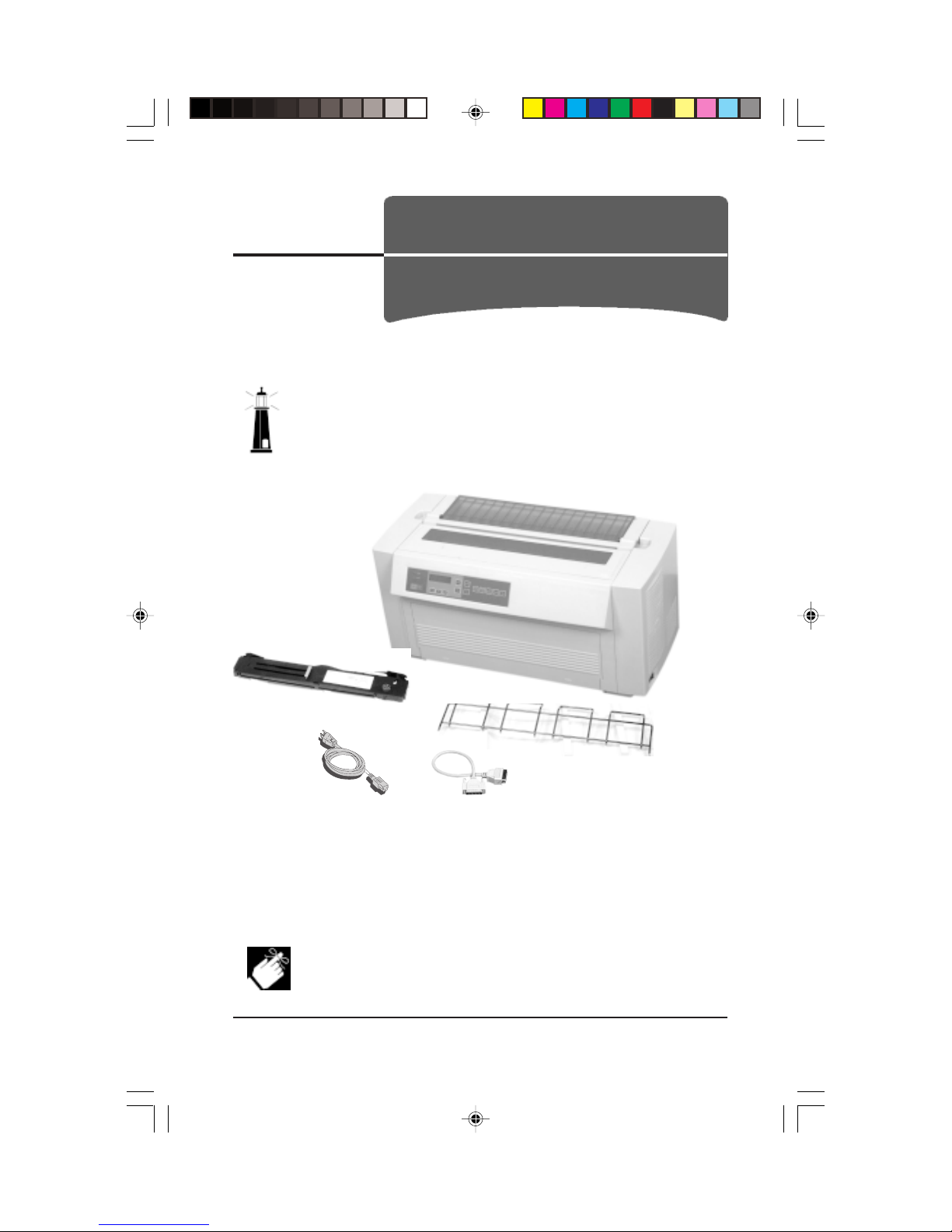
Check the contents:
1Printer 2Ribbon Cartridge
3Paper Guide 4Power Cord
5Cable (only included with 4410s which have Print Server pre-installed)
If anything is missing or damaged, contact your dealer immediately.
The printer interface cable is not supplied.
1
2
3
45
Untitled-1 11/30/98, 1:24 PM7
E-8 Pacemark 4410 Setup Guide
Documentation Provided
Setup Guide
The document you’re holding.
OKIcare™Brochure
This brochure explains the Pacemark 4410 service enhancement
programs available in the U.S. and Canada.
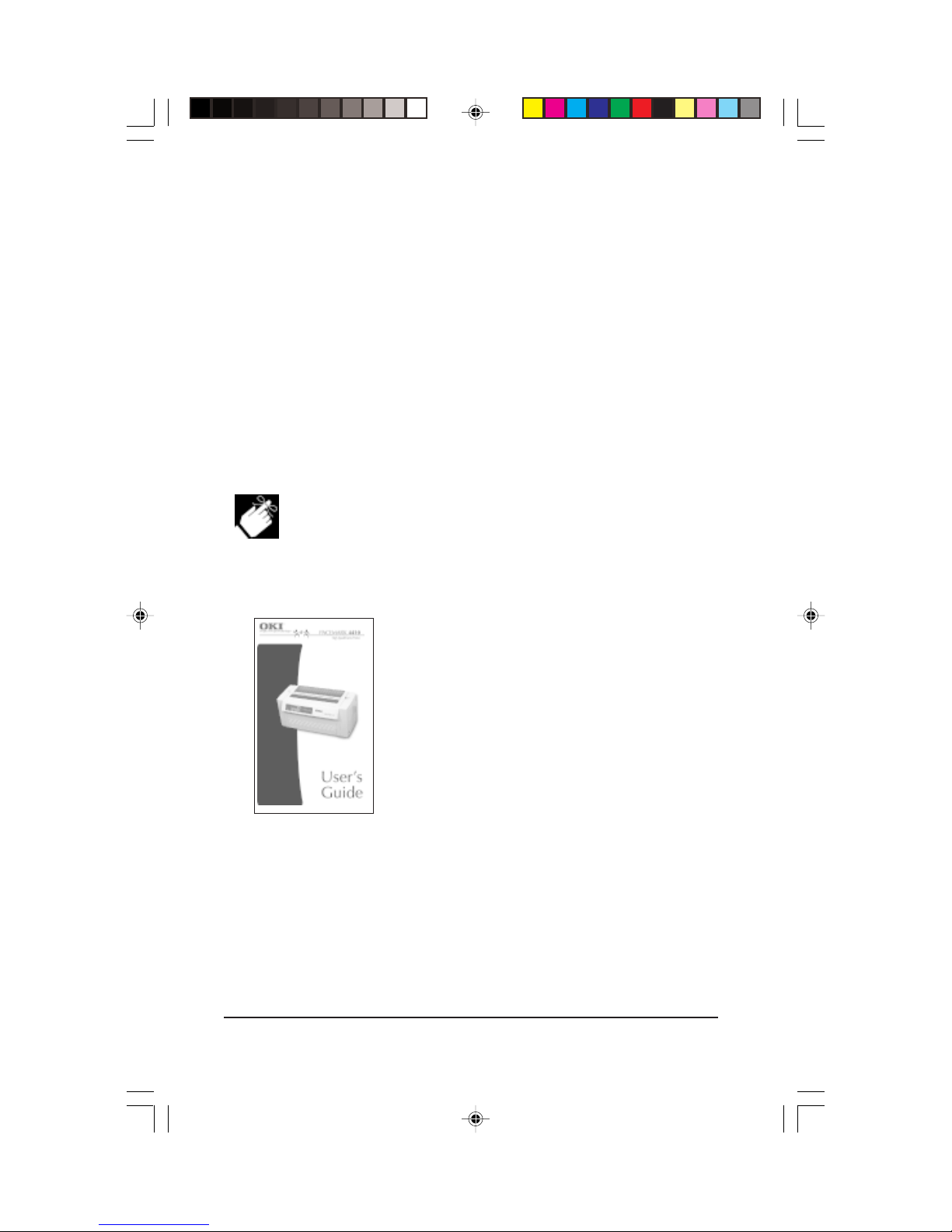
On-line User’s Guide
In addition to the printer drivers, the Pacemark 4410 CD contains
• Adobe®Acrobat Reader®3.0 software
• User’s Guide Acrobat®file:
Recommended minimum requirements for viewing the on-
line User’s Guide:
desktop area = 800 x 600 pixels
color palette = 256 colors.
User’s Guide Contents:
– The Front Panel
– Maintenance
– Troubleshooting
– Service Information
– Specifications
– Interfacing
– Command Summary
– Hex Dump Mode
– Character Sets
You can print any portion or all of the User’s Guide from Adobe
Acrobat Reader.
If you would like a printed copy of the Pacemark 4410 User’s Guide,
see the form at the back of this Setup Guide.
Untitled-1 11/30/98, 1:25 PM8
Other manuals for Pacemark PM4410
11
Table of contents
Other Oki Printer manuals
Oki
Oki C C3200 User manual

Oki
Oki B6250 Series User manual
Oki
Oki IP-6620 User manual

Oki
Oki C711dn User manual
Oki
Oki C5600 User manual

Oki
Oki Microline 520 How to use
Oki
Oki ML1120 User manual

Oki
Oki OKIOFFICE 1200 Installation and operation manual
Oki
Oki ES2232a4 User manual
Oki
Oki C711WT Quick start guide