MCT82M-IO-HR Operating Manual Rev. D.doc 22.06.2021
Installation guidelines
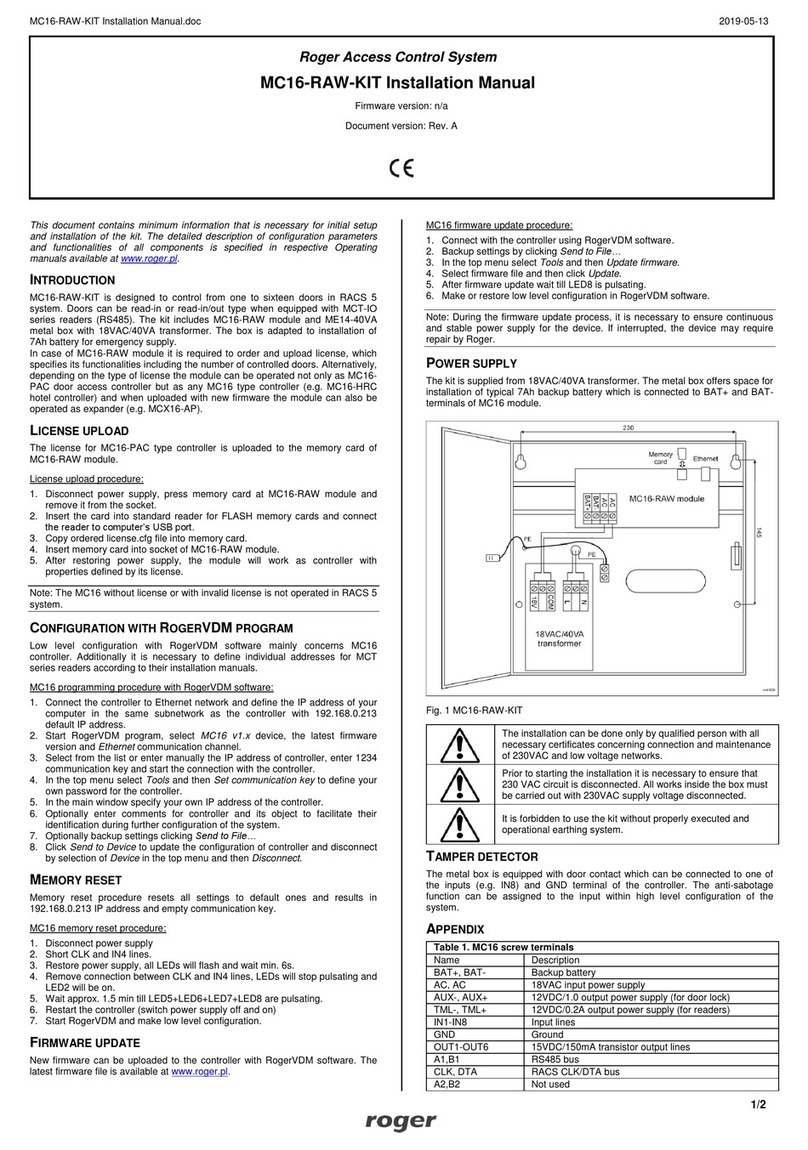
The terminal should be mounted on a vertical structure (wall) away from sources of heat and
moisture.
Front panel should be attached in such way as the tamper detector (fig. 4) would firmly press the
back panel.
All electrical connections should be done with disconnected power supply.
If the terminal and controller are not supplied from the same PSU then GND terminals of both
devices must be connected with any wire.
Device can be cleaned by means of wet cloth and mild detergent without abrasive components. In
particular do not clean with alcohols, solvents, petrol, disinfectants, acids, rust removers, etc.
Damages resulting from improper maintenance and usage are not covered by manufacturer
warranty.
3. OPERATION SCENARIO
The terminal when connected to MC16 access controller can be used for access control, especially in case
of hotel room. The example of connection diagram for such scenario is shown in fig. 7 where the terminal’s
power supply line and RS485 bus are connected directly to the controller. The terminal can also operate
with MC16 controller using MCX2D/MCX4D expanders as in case of M16-PAC-KIT series.
Fig. 7 Typical connection diagram for the terminal and MC16 access controller
4. CONFIGURATION
The purpose of low level configuration is to prepare device for operation in RACS 5 system. In case of
RACS 5 v1 system the address of device must be configured by means of RogerVDM software or by
manual addressing before connection to MC16 controller. While in RACS v2 system, low level configuration
and addressing can be done with VISO v2 software during final configuration of the system. Therefore in
RACS 5 v2 system the configuration from RogerVDM software and manual addressing are optional and
during installation it is only necessary to properly connect the device to MC16 access controller.
Low level configuration (VISO v2)
In RACS 5 v2 system the reader can be installed at site without previous configuration. According to AN006
application note, its address and other settings can be configured from VISO v2 management software and
during such configuration the access to its service contacts (fig. 4) is not required.