manuals.online logo
Brands
  1. Home
  2. •
  3. Brands
  4. •
  5. Siemens
  6. •
  7. Control Panel
  8. •
  9. Siemens RWB1007 User manual

Siemens RWB1007 User manual

Other manuals for RWB1007

2

This manual suits for next models

1

Other Siemens Control Panel manuals

Siemens MTP700 Unified Comfort Administrator guide

Siemens

Siemens MTP700 Unified Comfort Administrator guide

Siemens SIMATIC HMI OP3 Technical Document

Siemens

Siemens SIMATIC HMI OP3 Technical Document

Siemens Sinamics G130 Basic Operator Panel 20 User manual

Siemens

Siemens Sinamics G130 Basic Operator Panel 20 User manual

Siemens SIMATIC HMI ITC1200 V3 PRO User manual

Siemens

Siemens SIMATIC HMI ITC1200 V3 PRO User manual

Siemens SIMATIC HMI 177 User manual

Siemens

Siemens SIMATIC HMI 177 User manual

Siemens SINAMICS BOP-2 User manual

Siemens

Siemens SINAMICS BOP-2 User manual

Siemens SIMATIC KP8 User manual

Siemens

Siemens SIMATIC KP8 User manual

Siemens SINUMERIK 840D sl User manual

Siemens

Siemens SINUMERIK 840D sl User manual

Siemens SXL-EX User manual

Siemens

Siemens SXL-EX User manual

Siemens MJ-4A User manual

Siemens

Siemens MJ-4A User manual

Siemens SIMATIC HMI TP900 User manual

Siemens

Siemens SIMATIC HMI TP900 User manual

Siemens CP-2ER Instruction Manual

Siemens

Siemens CP-2ER Instruction Manual

Siemens SIMATIC TP700 Comfort Outdoor User manual

Siemens

Siemens SIMATIC TP700 Comfort Outdoor User manual

Siemens FC72x User manual

Siemens

Siemens FC72x User manual

Siemens GENESIS II User manual

Siemens

Siemens GENESIS II User manual

Siemens SINUMERIK 840D sl OP 010 User manual

Siemens

Siemens SINUMERIK 840D sl OP 010 User manual

Siemens SIMATIC 277 IWLAN User manual

Siemens

Siemens SIMATIC 277 IWLAN User manual

Siemens FIREFINDER-XLS PMI User manual

Siemens

Siemens FIREFINDER-XLS PMI User manual

Siemens OP1S User manual

Siemens

Siemens OP1S User manual

Siemens FC361 Series User manual

Siemens

Siemens FC361 Series User manual

Siemens FC121-ZA User manual

Siemens

Siemens FC121-ZA User manual

Siemens LED-3 User manual

Siemens

Siemens LED-3 User manual

Siemens Multi Panel MP270 SIMATIC HMI Technical Document

Siemens

Siemens Multi Panel MP270 SIMATIC HMI Technical Document

Siemens FC123-ZA User manual

Siemens

Siemens FC123-ZA User manual

Popular Control Panel manuals by other brands

GENEVO PRiMA 6 installation manual

GENEVO

GENEVO PRiMA 6 installation manual

NAPCO X 255 - Programming instructions

NAPCO

NAPCO X 255 - Programming instructions

Next Systems UNIR1 230 instruction manual

Next Systems

Next Systems UNIR1 230 instruction manual

HORNER HE-XPW1E0 user manual

HORNER

HORNER HE-XPW1E0 user manual

DSC CLASSIC PC1555 instruction manual

DSC

DSC CLASSIC PC1555 instruction manual

Bosch Solution 2000 installation guide

Bosch

Bosch Solution 2000 installation guide

VRinsight MS Panel user manual

VRinsight

VRinsight MS Panel user manual

Zeiss SYCOP 3 Quick reference guide

Zeiss

Zeiss SYCOP 3 Quick reference guide

HULTSTEINS ECOFRIDGE DISPLAY user manual

HULTSTEINS

HULTSTEINS ECOFRIDGE DISPLAY user manual

Elkron C420 Programming manual

Elkron

Elkron C420 Programming manual

GST GST200-2 Installation and operation manual

GST

GST GST200-2 Installation and operation manual

Efka Variocontrol V810 instruction manual

Efka

Efka Variocontrol V810 instruction manual

RDZ PC-HRX user manual

RDZ

RDZ PC-HRX user manual

STG-BEIKIRCH MZ3 operation instruction

STG-BEIKIRCH

STG-BEIKIRCH MZ3 operation instruction

AMX AutoPatch CP-15 instruction manual

AMX

AMX AutoPatch CP-15 instruction manual

Cebora 208-10 instruction manual

Cebora

Cebora 208-10 instruction manual

Satel CA-6 KLED-S user manual

Satel

Satel CA-6 KLED-S user manual

Evolution IQ plus 800 installation manual

Evolution

Evolution IQ plus 800 installation manual

manuals.online logo
manuals.online logoBrands
  • About & Mission
  • Contact us
  • Privacy Policy
  • Terms and Conditions

Copyright 2025 Manuals.Online. All Rights Reserved.

s
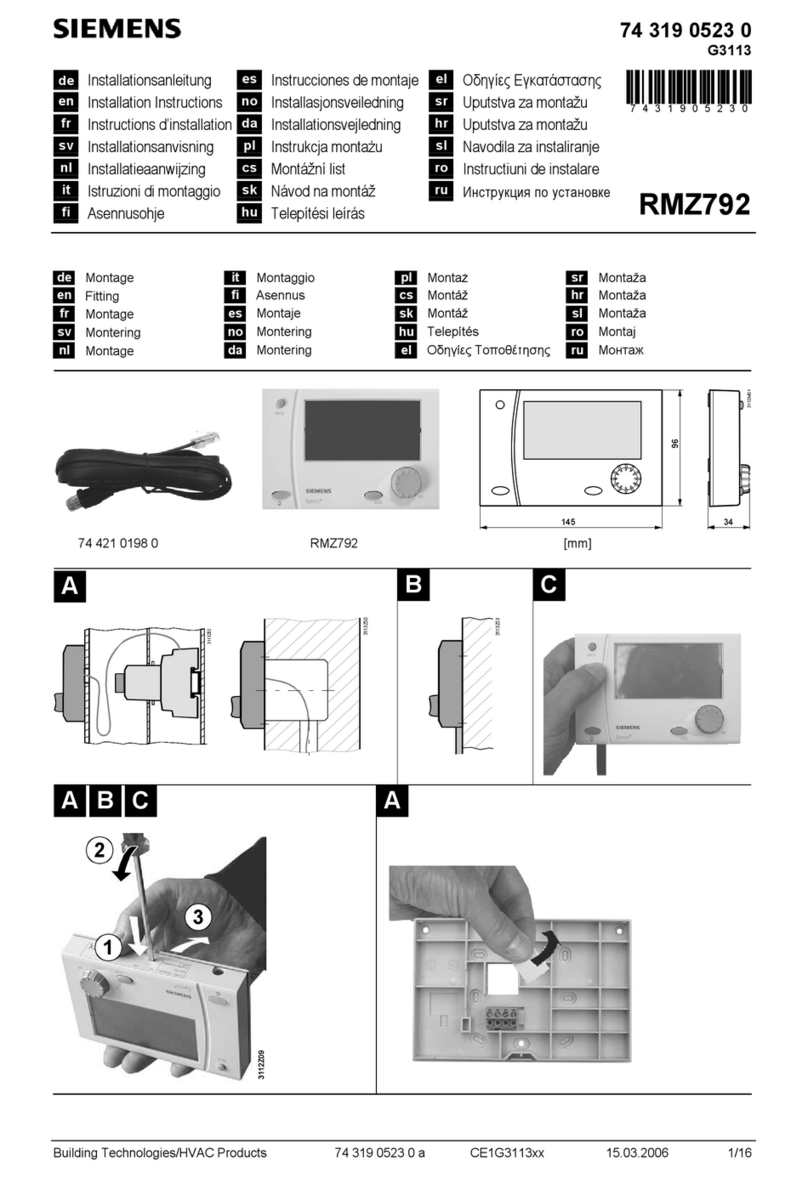
RWB2007 User instructions
Content
Section 1 Introduction and features
Section 2 Factory settings
Section 3 Setting the On/Off times
Section 4 Boost/Advance
Section 5 Review Programme
Section 6 Setting Clock
Section 7 Service Interval*
1. Introduction
The RWB2007 is a 7-day or 5-day-and-2-day twin channel programmer for central heating and hot water.
Features
•Large digital backlit display (timeout 5 minutes)
•2 or 3 On/Off periods per day
•"Advance“ feature to bring forward the next On/Off period
•“Boost“ feature to give an immediate one hour On
•Automatic summer/winter changeover (summer/winter changeover switch occurs at 02:00)
•Selectable time formats (24-hour and 12-hour (am/pm))
•Built-in calendar
•Copy facility
•Service Interval capable*
2. Factory settings
Before leaving the factory, the RWB2007 was programmed with the correct date and time with the following switching times de-
pendent on the Dip switch setting on the back of RWB (factory default 2 On/Off):
Operating instructions
Switch (1)
: Programming switch. When all programming has been
done this switch must be in Run.
Switch (2): This switch allows you to choose how the
RWB…operates.
Constant: The RWB is permanently ON
ALL DAY: The RWB switches on at the first ON and off at the last
OFF.
AUTO: The RWB switches automatically at the programmed
times.
3. Setting the On/Off times
The RWB2007 is supplied with factory settings (see section 2). If you want to change the factory settings to your own times you
can do so easily. ON/OFF times are adjustable in 10-minute steps.
Setting the central heating
Sliding switch (1) to CH shows all the days of the week with a triangle under Mo. Press YES if you want to program Monday, or
press Day until the triangle goes under the required day, then press YES.
Setting times
The first ON time is 06.00. To change the time, press + or –. When you have reached the desired time, press YES. The first OFF
time is 08.30. Repeat the process until all times are entered for that day.
Note: LIMIT comes in the display if you try to move a programme time forward or backward and it comes up against an existing
time.
Copy
Copy YES/NO appears in the display if you want to copy to the next day. Press YES and repeat for each day that you want to be
the same. If you don’t want to copy, press NO and then set times for each day. When all programming is complete, slide the
switch to RUN.
A6V10464932
Monday - Friday
2 On/Off switching Times
3 On/Off switching Times
On 06.00 Off 08.30
On 06:00 Off 08.30
On 16.30 Off 22.30
On 12.00 Off 14.00
On 16.30 Off 22.30
Weekend
2 On/Off switching Times
3 On/Off switching Times
On 07.00 Off 09.00
On 07:00 Off 09.00
On 16.30 Off 23.00
On 12.00 Off 14.00
On 16.30 Off 23.00
Siemens Building Technologies A6V10464932_enGB_b 2016-07-14 1/2
Issued by
Siemens Switzerland Ltd.
Building Technologies Division
International Headquarters
Gubelstrasse 22
CH-6301 Zug
Tel. +41 41-724 24 24
www.siemens.com/buildingtechnologies

© Siemens Switzerland Ltd, 2016
Technical specifications and availability subject to change without notice.
Setting the hot water
Sliding switch (1) to HW shows all the days of the week with a triangle under Mo.Press YES if you want to program
Monday, or press Day until the triangle goes under the required day, then press YES.

Setting times and copy
Please refer to the instructions above under Setting the central heating.
4. Boost
Pressing this button switches your heating ON for one hour if it’s in an OFF period, or adds an hour if it’s already in an ON period.
Advance
Pressing this button brings forward the next ON or OFF period. This feature only works in AUTO or ALL DAY.
5. Reviewing your programme
Press Review,and then press YES. The firstON with a triangle under Mo appears. Press YES repeatedly until all times have
been reviewed for Mo. The triangle then moves to Tue. Do the same for this day and days after it until all the days are reviewed.
The RWB2007 goes back to the normal mode if no buttons were pressed within 4 seconds.
6. Setting the time
The RWB2007 comes preset with the correct date and time. Should you need to reset the time for any reason, move the pro-
gramming slider to the clock symbol:
Yappears in the display. Press + or – to change the year. Press YES when the correct value is in the display. Do the same for
the month (M), the day (D) and the time (a clock symbol is in the display), and then move the slider to RUN.
Note: The RWB2007 is delivered with the 24-hour time format setting. If you want to change it to the 12-hour format (am/pm),
press RESET. 24h appears in the display. Press + or – to change it to 12h in the display, then press YES.
7. Service Interval*
In some instances the RWB may have been set with the service interval function. This enabled option is designed to remind the
end users of contacting the relevant person to have the annual service carried out on the boiler.
By law, your gas boiler should be inspected/serviced annually to ensure it is working correctly. To help make sure this service is
carried out at the correct time, the RWB can have the Service Interval function enabled. This function will be enabled and pro-
grammed by your installer, the maintenance engineer, or your landlord.
If it has been set to do so, the RWB will display a message on the screen to remind you that a boiler service is due. This pre-
warning countdown will be indicated up to 50 days in advance, which allows enough time to arrange for an engineer. Normal
functions continue during this stage.
The amount of pre-warning days has to be entered by the installer, maintenance en-
gineer, or the landlord. Contact them when you see the warning for the first time.
From then the display will switch between the normal display and the amount of re-
maining days. The RWB will also emit a 5-second sound hourly between 09:00 and
21:00.
If the RWB goes past the service day, the system will be switched off with only the one
hour “boost“ feature working, and the display will switch between the real time and OFF.
You must press RESET after any change to either the (P) Fully pumped, (G) Gravity or the 2/3 Prg per day switch on the
back of RWB. Sliders on the front must be in OFF when changing from (P) Fully pumped to (G) Gravity.
WHAT IS A PROGRAMMER? (an explanation for Householders recommended by the Energy Savings Trust)
Programmers allow you to set ‘On’ and ‘Off’ time periods. Some models switch the central heating and domestic hot water
on and off at the same time, while others allow the domestic hot water and heating to come on and go off at different times. Set
the ‘On’ and ‘Off’ time periods to suit your own lifestyle. On some programmers you must also set whether you want the heating
and hot water to run continuously, run under the chosen ‘On’ and ‘Off’ heating periods, or be permanently off. The time on the
programmer must be correct. Some types have to be adjusted in spring and autumn at the changes between Greenwich Mean
Time and British Summer Time. You may be able to temporarily adjust the heating programme, for example, ‘Override’, ‘Ad-
vance’, or ‘Boost’. The heating will not work if the room thermostat has switched the heating off. And, if you have a hot-water cyl-
inder, the water heating will not work if the cylinder thermostat detects that the hot water has reached the correct temperature.
2/2 2016-07-14 A6V10464932_enGB_b Siemens Building Technologies