manuals.online logo
Brands
  1. Home
  2. •
  3. Brands
  4. •
  5. Siemens
  6. •
  7. Controllers
  8. •
  9. Siemens sqm50 User manual

Siemens sqm50 User manual

Other Siemens Controllers manuals
Siemens SIMATIC S7-200 User guide

Siemens

Siemens SIMATIC S7-200 User guide

Siemens SINAMICS S120 Installation and operation manual

Siemens

Siemens SINAMICS S120 Installation and operation manual

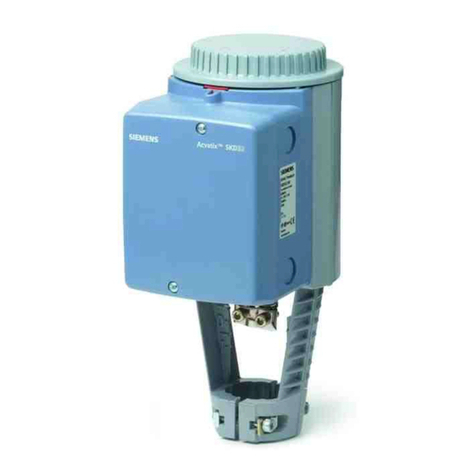
Siemens SQM50.261R1Z3 Owner's manual

Siemens

Siemens SQM50.261R1Z3 Owner's manual

Siemens SIPLUS HCS CIM4210C PROFINET Administrator guide

Siemens

Siemens SIPLUS HCS CIM4210C PROFINET Administrator guide

Siemens SIRIUS 3RW30 User manual

Siemens

Siemens SIRIUS 3RW30 User manual

Siemens EM 300 User manual

Siemens

Siemens EM 300 User manual

Siemens Simatic S7-300 User manual

Siemens

Siemens Simatic S7-300 User manual

Siemens SIMATIC S7-200 User manual

Siemens

Siemens SIMATIC S7-200 User manual
Siemens OpenAir GSD 1 Series User manual

Siemens

Siemens OpenAir GSD 1 Series User manual

Siemens GGA 1E Series User manual

Siemens

Siemens GGA 1E Series User manual

Siemens RWF40.000A97 User manual

Siemens

Siemens RWF40.000A97 User manual

Siemens Synco 700 User manual

Siemens

Siemens Synco 700 User manual

Siemens SIMATIC S7-1200 Instruction Manual

Siemens

Siemens SIMATIC S7-1200 Instruction Manual

Siemens SIDOOR AT40 User guide

Siemens

Siemens SIDOOR AT40 User guide

Siemens GPC 1A Series User manual

Siemens

Siemens GPC 1A Series User manual

Siemens ST950 User manual

Siemens

Siemens ST950 User manual

Siemens FC18 Series User manual

Siemens

Siemens FC18 Series User manual

Siemens CP 1612 A2 User manual

Siemens

Siemens CP 1612 A2 User manual

Siemens SKP Series Owner's manual

Siemens

Siemens SKP Series Owner's manual

Siemens SCALANCE M800 User manual

Siemens

Siemens SCALANCE M800 User manual

Siemens SQM5 Series Owner's manual

Siemens

Siemens SQM5 Series Owner's manual

Siemens LOGO! 24RC User manual

Siemens

Siemens LOGO! 24RC User manual

Siemens Simatic S7-300 User manual

Siemens

Siemens Simatic S7-300 User manual

Siemens 3RE10 Series User manual

Siemens

Siemens 3RE10 Series User manual

Popular Controllers manuals by other brands

Digiplex DGP-848 Programming guide

Digiplex

Digiplex DGP-848 Programming guide

YASKAWA SGM series user manual

YASKAWA

YASKAWA SGM series user manual

Sinope Calypso RM3500ZB installation guide

Sinope

Sinope Calypso RM3500ZB installation guide

Isimet DLA Series Style 2 Installation, Operations, Start-up and Maintenance Instructions

Isimet

Isimet DLA Series Style 2 Installation, Operations, Start-up and Maintenance Instructions

LSIS sv-ip5a user manual

LSIS

LSIS sv-ip5a user manual

Airflow Uno hab Installation and operating instructions

Airflow

Airflow Uno hab Installation and operating instructions

ABB ACS580-01 drives Hardware manual

ABB

ABB ACS580-01 drives Hardware manual

Panasonic GM1 Series Reference manual

Panasonic

Panasonic GM1 Series Reference manual

Emerson SW93 owner's manual

Emerson

Emerson SW93 owner's manual

AutoAqua Smart ATO micro SATO-120P manual

AutoAqua

AutoAqua Smart ATO micro SATO-120P manual

Panasonic FP? Positioning Unit RTEX Technical manual

Panasonic

Panasonic FP? Positioning Unit RTEX Technical manual

Alpha IP MIOB 21001 manual

Alpha IP

Alpha IP MIOB 21001 manual

Surecom SR-629 user manual

Surecom

Surecom SR-629 user manual

Regulus SRS1 T Installation and operation manual

Regulus

Regulus SRS1 T Installation and operation manual

3M MicroTouch EX113 reference guide

3M

3M MicroTouch EX113 reference guide

KUHN TKS user manual

KUHN

KUHN TKS user manual

S&C PMH Instructions for operation

S&C

S&C PMH Instructions for operation

Regin CORRIGO L10 manual

Regin

Regin CORRIGO L10 manual

manuals.online logo
manuals.online logoBrands
  • About & Mission
  • Contact us
  • Privacy Policy
  • Terms and Conditions

Copyright 2025 Manuals.Online. All Rights Reserved.

Installation Instructions
Document No. 129-399
January 18, 2008
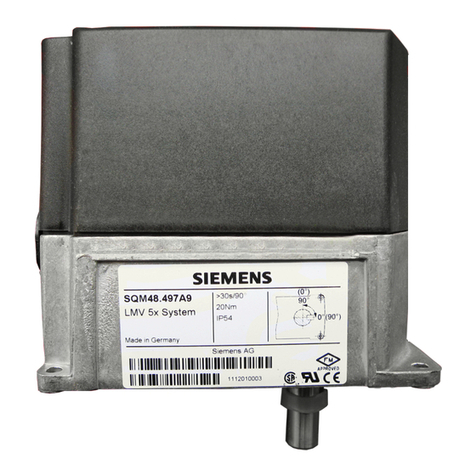
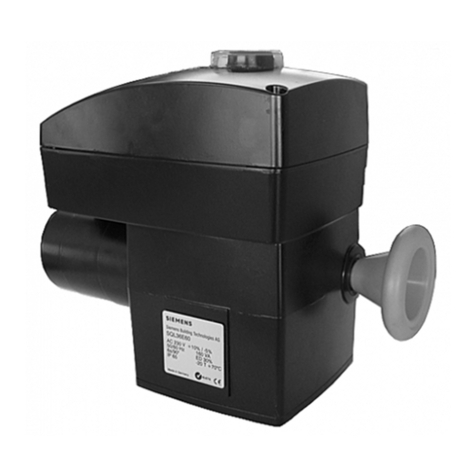
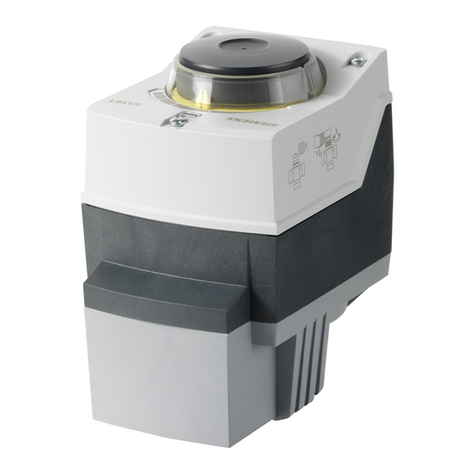
SQM5… Reversing Actuator with Line Voltage Input Signal
Item Number 129-399, Rev. BA Page 1 of 4
Product Description
Reversing actuator used to position flow control
valves, butterfly valves, dampers, or any application
requiring rotary motion with line voltage input signal
for Position Proportioning or Floating Control.
Product Numbers
SQM5x.xxxRxAx for line voltage input signals
Actuator Torque:
SQM50.2… 90 in/lb
SQM50.3… 90 in/lb
SQM50.4… 140 in/lb
SQM53.4… 200 in/lb
SQM56.5… 310 in/lb
SQM56.6… 400 in/lb
Max Shaft Torque:
AGA58.1 200 in/lb
AGA58.3 220 in/lb
AGA58.4 270 in/lb
AGA58.7 400 in/lb
SQM… motors allow torque on either end of the
AGA58.3 and AGA58.4 shafts.
NOTE: For detailed information, see Technical
Instructions 155-517P25.
Caution Notation
CAUTION:
Equipment damage may
occur if procedures are not
followed as specified.
Installation
Cover Removal
Use a Phillips screwdriver to loosen the two screws
on the actuator cover corners. See Figure 1.
Lift the screws and raise the cover. See Figure 2.
EA0564R1
EA0568R1
Figure 1. Figure 2.
Rotational Direction Verification
Actuator model numbers that end with “R” are
factory configured for clockwise (cw), minimum to
maximum rotation when facing the gear end of the
actuator, or counterclockwise (ccw) rotation when
facing the other end of the actuator. The gear end of
the actuator is the side opposite of the visual
position indicator
Actuator Mounting
SQM5… actuators can be mounted in any
orientation. Optional base mounting brackets are
available.
SQM5… actuators can also be face-mounted using
self-tapping screws in combination with the various
holes on the face of the actuator gear end.
Switch Adjustment
SQM5…actuators are factory-wired with Switch I
(maximum), Switch II (fully closed/economy position)
and Switch III (minimum/low-fire). The individual
switch cams I, II, and III are factory set to 90°, 0°
and 10°, respectively. See Figures 3 and 4.
Document No. 129-399
Installation Instructions
January 18, 2008
Page 2 of 4 Siemens Building Technologies, Inc.
10
0
30
50
00
10
0
30
50
50
10
10
0
30
70 0
10
0
30
50
CAM DRUM
RELEASE BUTTON
GEAR END
EA0561R3
ACTUATOR
POSITION SCALE SWITCH CAM I
SET AT MAXIMUM
SWITCH CAM II
SET AT ZERO ("ECONOMY")
SWITCH CAM III
SET AT MINIMUM
ACTUATOR POSITION
INDICATING POINTER CAM DRUM
ASZ... (1000 Ohm)
FEEDBACK POTENTIOMETER
DIAL POINTER ACTUATOR POSITION
INDICATING DIAL
SINGLE SWITCH
CAM POINTER
DOUBLE SWITCH CAM POINTER
Figure 3. Component Identification on the Cam Drum Side of the SQM5…Actuator.
NOTE: The single switch cam pointers are used
together with the black scales when
configured for ccw operation.
The double switch cam pointers are used
together with the red scales when
configured for cw operation.
The individual switch cams can be
adjusted by hand or with the use of the tool
attached to the outside of the hinged
switch terminal protection lid.
SQM5x.xxxRxA actuators without
potentiometer must be adjusted only
between 0° and 160°.
If a potentiometer is installed, the
adjustable range of the switches depends
on the range of the potentiometer.
SQM5x.xxxRxA3actuators have a 90°
potentiometer and the switches must be
adjusted between 0° and 90°.
SQM5x.xxxRxA4actuators have a 135°
potentiometer and the switches must be
adjusted between 0° and 135°.
Shaft Adjustment
The actuator shaft can be disengaged by pressing
the silver shaft release button. The button is located
above the grounding screw, under the hinged
terminal protection cover, and to the right of the
auto/manual switch. After pressing the shaft release
button in and slightly upward, the shaft can be
manually rotated. After the shaft has been manually
aligned to the closed position, re-engage the shaft
by pushing the shaft release button downwards.
Cam Drum Adjustment
Once the shaft has been set, the cam drum must be
manually aligned by pressing and holding the black
cam drum release button (see Figure 3). Rotate the
cam drum until the “0” mark on the actuator position
scale (left scale on the cam drum) is aligned with the
gray actuator position indicating pointer.
Position Indicating Dial Adjustment
The actual position of the SQM5… actuator is
indicated by the gray actuator position indicating
pointer (see Figure 3). The position is also displayed
by the indicating dial through the housing’s window.
Ensure that the actuator position indicating dial is
aligned with the actuator position scale. If
necessary, rotate the dial in the clockwise direction.
Document No. 129-399
Installation Instructions
January 18, 2008
CAUTION:
Turning the dial in the counterclockwise
direction may loosen the potentiometer
locking screw.
Electrical Connection
SQM5… actuators are equipped with two removable
conduit connection plates located on the upper
corner of the gear housing. Each plate is provided
with two threaded connections for 1/2-inch NPSM
conduit connectors. The use of flexible 14 gauge or
smaller stranded wire is recommended.
NOTE: SQM5… Actuators require a single-source,
single-phase power supply.
EA0555R3
AGA56.1A97
MAN AUTO
12
11 21
M
III III IV V
12 22 13 23 14 15
24 25
345
"Economy"/Fully closed
Minimum/Low fire
Maximum/High fire
Auxilliary
IV...VI
III
II
I
1213
21 12
N
VI
16 26
6
51
A
actuator switch
wire leads
LZ
shown in
auto position
ASZ...
(1000 Ohm)
b
a
c
Figure 4. Basic Functional Diagram of AGA56.1…
0
AZ L
AZ L
AUTO.
MAN.
AGA56.1A97
EA0554R3
Figure 5 AGA56.1A97 Terminal and Auto-Manual Board.
Commissioning
Manual Operation
1. Set the AUTO/MAN switch in the MAN position.
2. Connect ground to the screw located below the
shaft release button.
3. Connect neutral to the double terminal block,
located on the left side of the gray switch housing.
4. Only terminal "L" must be powered to enable
manual operation. The actuator can now be driven
to the maximum position (switch cam I) or the fully
closed "economy position" (switch cam II) by using
the toggle switch located to the left of the
AUTO/MAN switch.
Automatic Operation
1. Set the AUTO/MAN switch in the AUTO position.
2. Connect ground to the screw located below the shaft
release button.
3. Connect neutral to the double terminal block, located
on the left side of the gray switch housing.
4. Connect line voltage to terminal A to drive the
actuator in the opening direction.
5. Connect line voltage to terminal Z to drive the
actuator in the closing direction.
CAUTION:
Actuator damage will result if power is supplied
to terminals A and Z simultaneously.
Siemens Building Technologies, Inc. Page 3 of 4
Document No. 129-399
Installation Instructions
January 18, 2008
6. Use feedback potentiometer ASZ… for Position
Proportioning Control. This potentiometer is located
at the end of the cam drum.
For information on potentiometer installation, see
Technical Instructions 155-517P25.
Cover Installation
1. Lift the two screws on the cover corners and slide
the cover end into the groove at the gear end of the
actuator (See Figure 6).
2. Press the cover into place and then press the
screws inward and tighten (See Figure 7).
EA0567R1
EA0563R1
Figure 6. Figure 7.
The installation is now complete.
Dimensions
M 8
1-3/4
(44.5) 2-3/16
(55.5)
ALLOW 3.5" SPACE FOR
COVER REMOVAL
1-3/16
(30)
5/8
(16)
2-5/8
(67)
1/4
(6)
1-3/16
(30)
2-1/16
(52.5) 2-1/16
(52.5)
1-7/16
(36)
EA0522R2
5-1/4
(133)
7-1/16
(180)
2-1/16
(52.5) 2-1/16
(52.5)
3/8
(10)
Pg 13.5 / 1/2"
NPSM
M6
7-1/16
(180)
5/16
(8.5)
6-7/16
(164) 5/16
(7.5)
1/16
(1) 1/8
(3.5)
EA0542R3
4-7/16
(113) 3-1/8
(80)
5-3/16
(132)
M6
Figure 8. SQM5x.xxxRxx Dimensions in Inches (Millimeters).
Information in this publication is based on current specifications. The company reserves the right to make changes in specifications and models as
design improvements are introduced. Other product or company names mentioned herein may be the trademarks of their respective owners.
© 2008 Siemens Building Technologies, Inc.
Siemens Building Technologies, Inc.
1000 Deerfield Parkway
Buffalo Grove, IL 60089-4513
U.S.A.
Your feedback is important to us. If you have
comments about this document, please send them
to SBT_technical.editor.us.sbt@siemens.com
Document No. 129-399
Country of Origin: US
Page 4 of 4