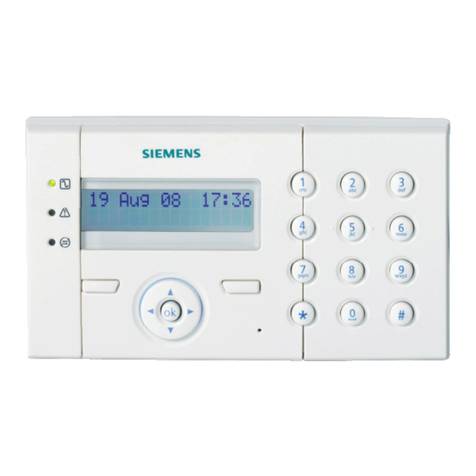
Siemens MKB-4 User manual

Installation Instructions
Model MKB-4
Annunciator/Keypad Module
P/N 315-093575-5
Fire Safety
The SIEMENS Model MKB-4 Annunciator/Keypad
provides the MXL-IQ/MXL System ith its primary
control and annunciation. The MKB-4 communi-
cates ith the SMB-1/2 or the MMB-1/2 Main
Control Board through the System net ork link.
OPERATION
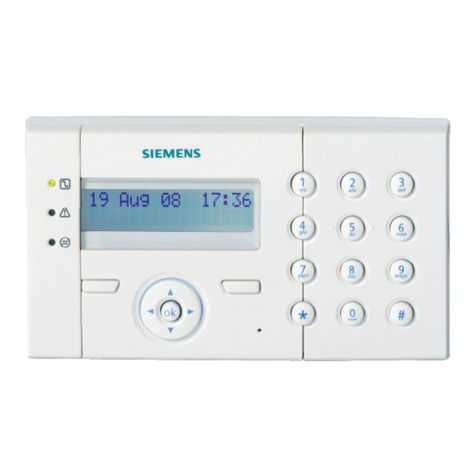
The MKB-4 has an 80-character, backlit LCD
alphanumeric display that continuously updates
information about the System status and user
defined device messages (See Figure 1). If there
are multiple alarms and/or troubles that include
supervisories and security conditions, the MKB-4
displays the highest priority event that occurred.
The user can see additional alarm and trouble
data by pressing the NEXT key. Press the HOLD
key at any time to stop the display from scrolling.
There are s itches for the follo ing functions:
Ackno ledging fire alarms (ALARM ACK)
Silencing audibles (AUD SIL)
Ackno ledging supervisories (SUPV ACK)
Ackno ledging troubles (TRBL ACK)
Ackno ledging security conditions (SEC ACK)
There is also a separate key for resetting the
Control Panel (RESET).
The 10-digit numeric keypad allo s entry of the
three levels of user pass ords. It also does
specific menu-driven operations as ell as
programming and maintenance functions.
Another series of s itches located on the MKB-4
allo s the user access to the MXL-IQ/MXL
Control menu. There are also System status
indicator LEDs. The ALARM and TROUBLE
LEDs function even if the main processor fails
(See Figure
1).
Figure 1
MKB-4 Panel
12.00.00 JAN 01, 2001
SIEMENS BUILDING TECHNOLOGIES
SYSTEM
NORMAL
Siemens Building Technologies, Inc.
8 Fe nwood Road
Flo ham Pa k, New Je sey 07932
Siemens Building Technologies, Ltd.
2 Kenview Bouleva d
B ampton, Onta io L6T 5E4 CN

2
INSTALLATION
Remove all system power before
installation, first battery and then AC.
(To po er up, connect the AC first
and then the battery.)
Unpack the MKB-4. Inspect the module for such
things as integrated circuits (ICs) not firmly
seated in their sockets, bent IC pins, connectors
not properly installed, dirt, and packing material
on the board.
Setting the Network Address
(See Figure 2)
1. Before installing the MKB-4 panel, set its
net ork address on S1, the s itch on the
ANN-1 board located on the back of the
MKB-4. Use dips itches SW1 and SW2 on
s itch S1 to set the net ork address of the
MKB-4. Refer to Table 1 for s itch settings.
2. The MKB-4 module address is al ays set
ithin net ork addresses 248 through 251.
3. One supervised MKB-4 must e installed
at network address 251. Other supervised
MKBs may e at the other addresses.
Setting Supervision
Use s itch S1-SW5 on the ANN-1 to select or
deselect supervision. If your ANN-1 has a s itch
ith position 1 indicated on the left-hand side,
ignore the printing on the s itch. SW1 on S1 is
at the extreme right-hand side of S1, regardless
of any other marking.
To set for supervision
S1-SW5 = Closed (ON)
To set for non-supervision
S1-SW5 = Open (OFF)
NOTE: When you select non-supervision for an
annunciator, there must also be one
and only one supervised annunciator at
the same address. The supervisory
mode is independent of the net ork
address.
NOTE: S itches S1-SW3 and S1-SW4 are for
future use. S itch S1-SW5 is used to
select supervision.
TABLE 1
SWITCH SETTINGS ON THE ANN-1
SWITCH
ADDRESS SETTINGS FOR:
248 249 250 251
S1-SW1 Open-
OFF Closed-
ON Open-
OFF Closed-
On
S1-SW2 Open-
OFF Open-
OFF Closed-
ON Closed-
ON
S1-SW3 Closed-
ON Closed-
ON Closed-
ON Closed-
ON
S1-SW4 Closed-
ON Closed-
ON Closed-
ON Closed-
ON
S1-SW5 See Setting Supervision
Figure 2
Setting S1 on the ANN-1 Board

3
Mounting the MKB-4
(Refer to Figures 3 nd 4)
To mount the MKB-4 in an M E-3/3L enclosure:
1. Install 3 scre s in the first group of 3 tapped
holes in the right flange as sho n in Figure 3.
Leave a 1/8-inch gap bet een the head of
the scre and the flange. Slide the slots of
the MKB-4 panel hinge under the head of the
scre s and tighten.
2. After the MKB-4 is mounted to the enclosure,
connect the cable (P/N 555-192238)
bet een P1 on the ANN-1 (on the back of the
MKB-4) and P8 on the SMB-1/2.
CAUTION: Be sure the black tracer ire on
the edge of the cable is close to
the 1 on position 1 of connector
P1 on the ANN-1 and the 1 on
position 1 of P8 on the SMB-1/2.
Figure 3
Installing the MKB-4 Annunciator/Key oard in the MSE-3/3L
To mount the MKB-4 in an EBX-1/-2 backbox:
1. Install the XEA-1/-2 adapter plates and
brackets in the EBX-1/-2 backbox according
to the XEA-1/-2 Installation Instructions, P/N
315-093608.
2. Mount the MKB-4 on the right bracket using
the hard are supplied ith this module as
sho n in Figure 4. Install 3 scre s in the 3
tapped holes in the right flange. Leave a 1/8-
inch gap bet een the head of the scre and
the flange. Slide the slots of the MKB-4 panel
hinge under the head of the scre s. Adjust
the position of the MKB-4 so that the module
opens smoothly and closes securely against
the magnet. Tighten the scre s.
3. After the MKB-4 is mounted to the enclosure,
connect the cable (P/N 555-192238) bet een
P1 on the ANN-1 (on the back of the MKB-4)
and P8 on the MMB-1/2.
CAUTION: Be sure the black tracer ire on
the edge of the cable is close to
the 1 on position 1 of connector
P1 on the ANN-1 and the 1 on
position 1 of P8 on the MMB-1/2.

Figure 4
Installing the MKB-4 Annunciator/Key oard in the EBX-1/-2 Back ox
P/N 315-093575-5
EBX-1/-2
BACKBOX
XEA-1/-2
ADAPTER PLATE
MKB-4
Siemens Building Technologies, Inc.
8 Fe nwood Road
Flo ham Pa k, New Je sey 07932
Siemens Building Technologies, Ltd.
2 Kenview Bouleva d
B ampton, Onta io L6T 5E4 CN
Other Siemens Keypad manuals
Siemens
Siemens SPCK620 User manual

Siemens
Siemens SPCK620 User manual

Siemens
Siemens MKB-1 User manual

Siemens
Siemens SAK 53 User manual
Siemens
Siemens IKP6-03 User manual

Siemens
Siemens SAK 51 User manual

Siemens
Siemens IKP6-03 User manual
Siemens
Siemens SPCK420 User manual
Siemens
Siemens SPCK 420 User manual
Siemens
Siemens SPCK420 User manual