manuals.online logo
Brands
  1. Home
  2. •
  3. Brands
  4. •
  5. WB Mfg
  6. •
  7. Indoor Furnishing
  8. •
  9. WB Mfg Universal Appleton Desk User manual

WB Mfg Universal Appleton Desk User manual

This manual suits for next models

13

Other WB Mfg Indoor Furnishing manuals

WB Mfg Rhapsody Bass Racks User manual

WB Mfg

WB Mfg Rhapsody Bass Racks User manual

WB Mfg Universal Appleton User manual

WB Mfg

WB Mfg Universal Appleton User manual

WB Mfg 4-Legged Stool User manual

WB Mfg

WB Mfg 4-Legged Stool User manual

WB Mfg Urban Edge User manual

WB Mfg

WB Mfg Urban Edge User manual

WB Mfg 0600041 User manual

WB Mfg

WB Mfg 0600041 User manual

WB Mfg EPIC Laminate Top User manual

WB Mfg

WB Mfg EPIC Laminate Top User manual

WB Mfg LOBO Series User manual

WB Mfg

WB Mfg LOBO Series User manual

WB Mfg ELO Desk User manual

WB Mfg

WB Mfg ELO Desk User manual

WB Mfg LOBO User manual

WB Mfg

WB Mfg LOBO User manual

WB Mfg iXchange SSW1202-AL User manual

WB Mfg

WB Mfg iXchange SSW1202-AL User manual

WB Mfg 800-242-2303 User manual

WB Mfg

WB Mfg 800-242-2303 User manual

WB Mfg Einstein Station User manual

WB Mfg

WB Mfg Einstein Station User manual

WB Mfg EJA User manual

WB Mfg

WB Mfg EJA User manual

WB Mfg Jackson Desk User manual

WB Mfg

WB Mfg Jackson Desk User manual

WB Mfg Quad XL User manual

WB Mfg

WB Mfg Quad XL User manual

WB Mfg EPIC EP3082-FXO-RR6 User manual

WB Mfg

WB Mfg EPIC EP3082-FXO-RR6 User manual

WB Mfg Mini Nucleus User manual

WB Mfg

WB Mfg Mini Nucleus User manual

WB Mfg iXchange SSW1001-AL User manual

WB Mfg

WB Mfg iXchange SSW1001-AL User manual

WB Mfg ELO User manual

WB Mfg

WB Mfg ELO User manual

WB Mfg iXchange User manual

WB Mfg

WB Mfg iXchange User manual

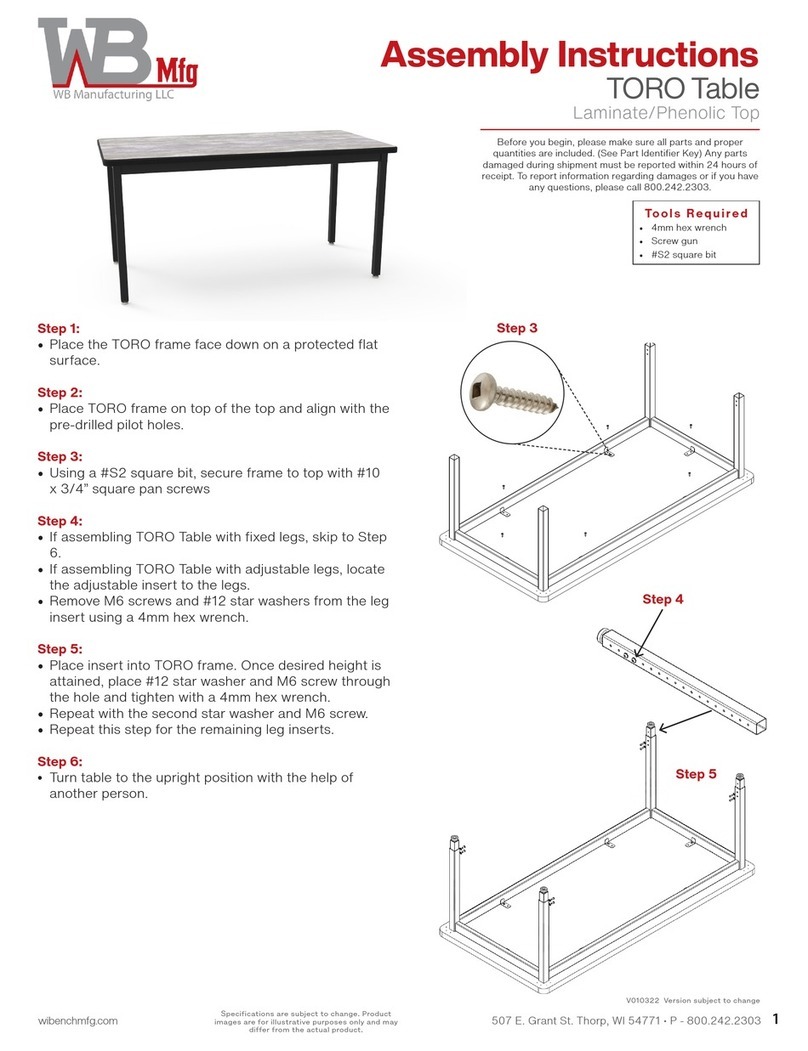
WB Mfg TORO User manual

WB Mfg

WB Mfg TORO User manual

WB Mfg LOBO LOB3071-ADJ-RR6 User manual

WB Mfg

WB Mfg LOBO LOB3071-ADJ-RR6 User manual

WB Mfg ELO Court Team Table User manual

WB Mfg

WB Mfg ELO Court Team Table User manual

WB Mfg ELO User manual

WB Mfg

WB Mfg ELO User manual

Popular Indoor Furnishing manuals by other brands

Regency LWMS3015 Assembly instructions

Regency

Regency LWMS3015 Assembly instructions

Furniture of America CM7751C Assembly instructions

Furniture of America

Furniture of America CM7751C Assembly instructions

Safavieh Furniture Estella CNS5731 manual

Safavieh Furniture

Safavieh Furniture Estella CNS5731 manual

PLACES OF STYLE Ovalfuss Assembly instruction

PLACES OF STYLE

PLACES OF STYLE Ovalfuss Assembly instruction

Trasman 1138 Bo1 Assembly manual

Trasman

Trasman 1138 Bo1 Assembly manual

Costway JV10856 manual

Costway

Costway JV10856 manual

moss DESIGN Caisson Credenza Assembly instructions

moss DESIGN

moss DESIGN Caisson Credenza Assembly instructions

Aquaglide FULL DECK 15.0 owner's manual

Aquaglide

Aquaglide FULL DECK 15.0 owner's manual

AREBOS AR-HE-SW30 user manual

AREBOS

AREBOS AR-HE-SW30 user manual

Till-Hilft Fulda 87005.330 Assembly instructions

Till-Hilft

Till-Hilft Fulda 87005.330 Assembly instructions

Twoey Outside 2010 quick start guide

Twoey Outside

Twoey Outside 2010 quick start guide

Hettich Easys 200 operating instructions

Hettich

Hettich Easys 200 operating instructions

The bedboss RELAX 404 Series owner's manual

The bedboss

The bedboss RELAX 404 Series owner's manual

Oeseder Möbelindustrie Bern 991 720 Assembly instructions

Oeseder Möbelindustrie

Oeseder Möbelindustrie Bern 991 720 Assembly instructions

Costway HW68469 user manual

Costway

Costway HW68469 user manual

Next ALIX A27743 Assembly instructions

Next

Next ALIX A27743 Assembly instructions

BROSA Hans Assembly guide

BROSA

BROSA Hans Assembly guide

Prodigg MINIKA PBA015T-FUR installation manual

Prodigg

Prodigg MINIKA PBA015T-FUR installation manual

manuals.online logo
manuals.online logoBrands
  • About & Mission
  • Contact us
  • Privacy Policy
  • Terms and Conditions

Copyright 2025 Manuals.Online. All Rights Reserved.

1
wibenchmfg.com 507 E. Grant St. Thorp, WI 54771 • P - 800.242.2303
Specications are subject to change. Product
images are for illustrative purposes only and may
dier from the actual product.
Assembly Instructions
Before you begin, please make sure all parts and proper quantities are included. (See Part Identier Key page) Any parts damaged during shipment must
be reported within 24 hours of receipt. To report information regarding damages or if you have any questions, please call 800.242.2303.
Universal Appleton/Appleton Desks
w/ UNET or ELS Legs
Completed Appleton Desk w/
w/UNET Legs & Rectangle top
Step 1:
Place desktop face down(Shaped or Rectangle) on protected surface
so threaded inserts are facing up.
Step 2:
With drawers taken out(if unit has them), place the base cabinet upside
down on the desktop, aligning with threaded inserts.(shown in green)
Using a 4mm Allen wrench or 4mm Hex bit, fasten base cabinet to the
desktop with ¼-20x35mm joint connector bolts.
Step 3: (UNET or ELS legs)
Align UNET leg with threaded inserts(shown in yellow), making sure the
long side of leg plate(a) is facing the same direction as the front side of the
base cabinet or align the ELS legs with the threaded inserts on the bottom
of the desktop.
Using a 4mm Allen wrench or 4mm Hex bit, fasten leg to desktop with
¼-20x15mm joint connector bolts. These bolts will be used for either leg.
Step 4:
Remove glides from UNET or ELS leg by rotating counterclockwise. Insert
60mm dual wheel locking casters into leg. Tighten with a 14mm open-
ended wrench.
Step 5:
Using a 4mm Allen wrench or 4mm Hex bit, fasten 75mm casters
(2 locking & 2 non-locking) to the bottom of the base cabinet using
¼-20x25mm joint connector bolts.
Step 6a:
(Only if optional STEEL PERFORATED modesty panel was ordered)
Align the OPTIONAL perforated modesty panel with the ve staggered
threaded inserts (shown in grey) on the bottom of the desktop. The
modesty panel will be located towards the back side of the base cabinet.
(See image for the correct location.) Using a 4mm Allen wrench or 4mm
Hex bit, fasten modesty panel to the desktop with ¼-20x15mm joint
connector bolts.
Step 6b:
(Only if optional LAMINATE modesty panel was ordered)
Align the OPTIONAL laminate modesty panel with the two most inner
staggered threaded inserts on the bottom of the desktop. The modesty
panel will be located towards the back side of the base cabinet. Attach
L-Brackets with Pan Head Phillips screws to secure modesty panel in place.
Using (1) L-Bracket, attach the end of the modesty panel. Use (2) L-Brackets
to attach long side of panel to desktop. (See image for the approximate
location.) Use nal L-Bracket to attach panel on opposite side to desktop.
Step 7:
With someone’s help, lift desk up and place on casters.
Flip wire pulls/pulls to front.
(1) UNET Leg
(2) 75mm non-locking casters
(2) 75mm locking casters
Step 3
a
Step 5
(2) 60mm dual wheel
locking caster
Step 4
Step 2
Step 1
(1) Base Cabinet
Step 6a
(1) OPTIONAL perforated modesty panel
V061620 subject to change.
Wire pull
Step 7
TD6071-31UNET-AC
Shown w/ optional steel perforated modesty panel
Keys will be taped
inside the cabinet
(1) OPTIONAL laminate modesty panel
(3) L-Brackets facing front side of cabinet
(1) on opposite side
Instructions to attach optional laminate modesty panel
Step 6b
TD6071-95ELS-AC
Shown w/ optional steel perforated modesty panel
Completed Universal Appleton Desk
w/ELS Legs & Rectangle top

2
wibenchmfg.com 507 E. Grant St. Thorp, WI 54771 • P - 800.242.2303
Specications are subject to change. Product
images are for illustrative purposes only and may
dier from the actual product.
UNET -EJA
UNET & ELS/EJA Legs
Model #
Smooth Silver
Sku #
Black
Sku# Descripon Height"
UNET -EJA 04067355-G4 04067355 UNET 1.25" Sq. Adj. Jr. Leg 19 - 31
ELS -EJA 04066652-G4 04066652 ELO® 2" Straight Round Adj. Jr. Leg 20 - 33
ELS - EJA
Bolts and screws are shown close to actual size.
Part # Description Qty.
Step 2
Hardware 0406686-WO ¼-20x35mm joint connector bolts 5
Step 3
Hardware
for UNET Leg
04067351-G4 (SS)
04067351 (black) UNE-T 1.25” square Sit to Stand Jr. leg (UNET) 1 See UNET leg image above
04009023 ¼-20x15mm joint connector bolts 6
Step 3
Hardware
for ELS Legs
04066652-G4 (SS)
04066652 (black) ELO® 2” Straight Round Jr. Leg (ELS) 2 See ELS leg image above
04009023 ¼-20x15mm joint connector bolts 12
Step 4
Hardware NSL-33021BK 60mm dual wheel locking casters 2
Step 5
Hardware
04066947 ¼-20x25mm joint connector bolt 16
04009658 75mm locking casters 2
04009656 75mm non-locking casters 2
Step 6a
Hardware
0400951 ¼-20x15mm joint connector bolt 5
Step 6b
Hardware
0406829 27x27x50 L-brackets 4
0401036 #10 x ½” black pan head Philip screws 16
Used to attach optional steel perforated modesty panel to desktop.
Used to attach optional laminate modesty panel to desktop.
Used to attach desktop to base cabinet.

Used to attach UNET leg to desktop.
Used to attach ELS leg to desktop.
Attach to UNET or ELS legs.
Used to attach 75mm casters to base of cabinet.
Part Identifier Key
Tools Required
• Screw gun
• 4mm Allen wrench OR
• 4mm Hex bit
• Phillips head screwdriver
• Phillips drill bit
• 14mm open ended wrench
Universal Appleton/Appleton Desks
w/ UNET or ELS Legs