manuals.online logo
Brands
  1. Home
  2. •
  3. Brands
  4. •
  5. Weider
  6. •
  7. Fitness Equipment
  8. •
  9. Weider WEBE08910 User manual

Weider WEBE08910 User manual

This manual suits for next models

1

Other Weider Fitness Equipment manuals

Weider Wesy70072powermax User manual

Weider

Weider Wesy70072powermax User manual

Weider Pro 4100 User manual

Weider

Weider Pro 4100 User manual

Weider Pro 550 Bench User manual

Weider

Weider Pro 550 Bench User manual

Weider 1120 User manual

Weider

Weider 1120 User manual

Weider 130 Tc Bench User manual

Weider

Weider 130 Tc Bench User manual

Weider 2990 I Setup guide

Weider

Weider 2990 I Setup guide

Weider Pro 550 Bench Quick start guide

Weider

Weider Pro 550 Bench Quick start guide

Weider Pro 9450 Quick start guide

Weider

Weider Pro 9450 Quick start guide

Weider WEEVSY49220 User manual

Weider

Weider WEEVSY49220 User manual

Weider 240 Tc Bench User manual

Weider

Weider 240 Tc Bench User manual

Weider BODY WORKS PRO WEFMBE14010 User manual

Weider

Weider BODY WORKS PRO WEFMBE14010 User manual

Weider 21 Dumbell Storage Rack User manual

Weider

Weider 21 Dumbell Storage Rack User manual

Weider D480 User manual

Weider

Weider D480 User manual

Weider 130 Tc Bench Operating and maintenance manual

Weider

Weider 130 Tc Bench Operating and maintenance manual

Weider Tech Powerswitch User manual

Weider

Weider Tech Powerswitch User manual

Weider 220 User manual

Weider

Weider 220 User manual

Weider Wb-5 Bench User manual

Weider

Weider Wb-5 Bench User manual

Weider Pro 9515 User manual

Weider

Weider Pro 9515 User manual

Weider WESY8630C4 User manual

Weider

Weider WESY8630C4 User manual

Weider Ultra Max 14 In 1 User manual

Weider

Weider Ultra Max 14 In 1 User manual

Weider Viper 2000 User manual

Weider

Weider Viper 2000 User manual

Weider Total Body Works 5000 Bench User manual

Weider

Weider Total Body Works 5000 Bench User manual

Weider WEBE12621 User manual

Weider

Weider WEBE12621 User manual

Weider powerguide x2 User manual

Weider

Weider powerguide x2 User manual

Popular Fitness Equipment manuals by other brands

Revitive Arthritis-Knee user manual

Revitive

Revitive Arthritis-Knee user manual

Domyos BM100 operating instructions

Domyos

Domyos BM100 operating instructions

Movement EDGE PUXADA ALTA Assembly manual

Movement

Movement EDGE PUXADA ALTA Assembly manual

Lifeline LLUWB-BLK owner's manual

Lifeline

Lifeline LLUWB-BLK owner's manual

Precor CW-816 Assembly guide

Precor

Precor CW-816 Assembly guide

Balanced Body Precision Rotator Discs manual

Balanced Body

Balanced Body Precision Rotator Discs manual

G-FITNESS AIR ROWER user manual

G-FITNESS

G-FITNESS AIR ROWER user manual

CAPITAL SPORTS Dominate Edition 10028796 manual

CAPITAL SPORTS

CAPITAL SPORTS Dominate Edition 10028796 manual

Martin System TT4FK user guide

Martin System

Martin System TT4FK user guide

CIRCLE FITNESS E7 owner's manual

CIRCLE FITNESS

CIRCLE FITNESS E7 owner's manual

G-FITNESS TZ-6017 user manual

G-FITNESS

G-FITNESS TZ-6017 user manual

Accelerated Care Plus OMNISTIM FX2 CYCLE/WALK user manual

Accelerated Care Plus

Accelerated Care Plus OMNISTIM FX2 CYCLE/WALK user manual

pedalo 20230165 manual

pedalo

pedalo 20230165 manual

Saebo SaeboStim Pro Instructions for use

Saebo

Saebo SaeboStim Pro Instructions for use

Performance HyperVibe User instructions

Performance

Performance HyperVibe User instructions

Scalamobil S27 Operator's manual

Scalamobil

Scalamobil S27 Operator's manual

Precor Experience Series Service manual

Precor

Precor Experience Series Service manual

FYTTER RedMIUM BENCH BE-T6R manual

FYTTER

FYTTER RedMIUM BENCH BE-T6R manual

manuals.online logo
manuals.online logoBrands
  • About & Mission
  • Contact us
  • Privacy Policy
  • Terms and Conditions

Copyright 2025 Manuals.Online. All Rights Reserved.

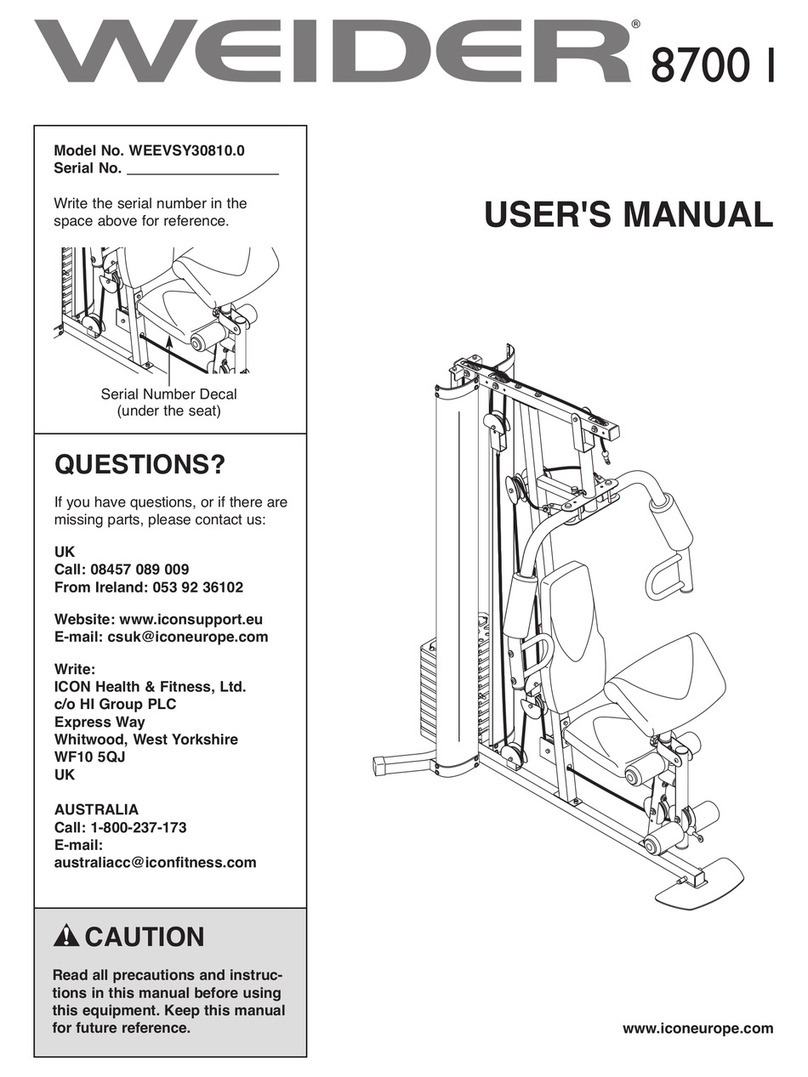
QUESTIONS?
As a manufacturer, we are com-
mitted to providing complete
customer satisfaction If you
have questions, or if there are
missing or damaged parts, we
will guarantee complete satisfac-
tion through direct assistance
from our factory
TO AVOID DELAYS, PLEASE
CALL DIRECT TO OUR TOLL-
FREE CUSTOMER HOT LINE
The trained technicians on our
customer hot line will provide
immediate assistance, free of
charge
CUSTOMER HOT LINE:
1-800-999-3756
Mon –Fri , 6 a m –6 p m MST
Model No WEBE08910
Serial No
Write the serial number in the
space above for reference.
CAUTION
Read all precautions and instruc-
tions in this manual before using
this equipment Save this manu-
al for future reference
Serial Number Decal (under seat)
USER’S MANUAL
Visit our website at
www weiderfitness com
new products, prizes,
fitness tips, and much more!
WARNING DECAL PLACEMENT
2
WARNING DE AL PLA EMENT . . . . . . . . . . . . . . . . . . . . . . . . . . . . . . . . . . . . . . . . . . . . . . . . . . . . . . . . . . .2
IMPORTANT PRE AUTIONS . . . . . . . . . . . . . . . . . . . . . . . . . . . . . . . . . . . . . . . . . . . . . . . . . . . . . . . . . . . . . .3
BEFORE YOU BEGIN . . . . . . . . . . . . . . . . . . . . . . . . . . . . . . . . . . . . . . . . . . . . . . . . . . . . . . . . . . . . . . . . . . .4
PART IDENTIFI ATION HART . . . . . . . . . . . . . . . . . . . . . . . . . . . . . . . . . . . . . . . . . . . . . . . . . . . . . . . . . . . .5
ASSEMBLY . . . . . . . . . . . . . . . . . . . . . . . . . . . . . . . . . . . . . . . . . . . . . . . . . . . . . . . . . . . . . . . . . . . . . . . . . . .6
ADJUSTMENTS . . . . . . . . . . . . . . . . . . . . . . . . . . . . . . . . . . . . . . . . . . . . . . . . . . . . . . . . . . . . . . . . . . . . . . .10
EXER ISE GUIDELINES . . . . . . . . . . . . . . . . . . . . . . . . . . . . . . . . . . . . . . . . . . . . . . . . . . . . . . . . . . . . . . . .12
PART LIST . . . . . . . . . . . . . . . . . . . . . . . . . . . . . . . . . . . . . . . . . . . . . . . . . . . . . . . . . . . . . . . . . . . . . . . . . . .14
EXPLODED DRAWING . . . . . . . . . . . . . . . . . . . . . . . . . . . . . . . . . . . . . . . . . . . . . . . . . . . . . . . . . . . . . . . . .15
ORDERING REPLA EMENT PARTS . . . . . . . . . . . . . . . . . . . . . . . . . . . . . . . . . . . . . . . . . . . . . . . .Back over
LIMITED WARRANTY . . . . . . . . . . . . . . . . . . . . . . . . . . . . . . . . . . . . . . . . . . . . . . . . . . . . . . . . . . . .Back over
The decal shown at the right has been
placed on the weight bench If the
decal is missing or illegible, please call
our Customer Service Department toll-
free at 1-800-999-3756, Monday through
Friday, 6 a m until 6 p m Mountain
Time, to order a free replacement decal
Apply the replacement decal in the
location shown
TABLE OF CONTENTS
Keep hands and
fingers clear of
this area.
WEIDER is a registered trademark of I ON Health & Fitness, Inc.
3
WARNING: To reduce the risk of serious injury, read the following important precau-
tions before using the weight bench
1 Read all instructions in this manual before
using the weight bench Use the weight
bench only as described in this manual
2 It is the responsibility of the owner to ensure
that all users of the weight bench are ade-
quately informed of all precautions
3 The weight bench is intended for home use
only Do not use the weight bench in any
commercial, rental, or institutional setting
4 Use the weight bench only on a level sur-
face Cover the floor beneath the weight
bench to protect the floor
5 Make sure all parts are properly tightened
each time you use the weight bench Replace
any worn parts immediately
6 Keep children under 12 and pets away from
the weight bench at all times
7 Always wear athletic shoes for foot protec-
tion while exercising
8 The weight bench is designed to support a
maximum user weight of 250 pounds and a
maximum total weight of 460 pounds Do not
place more than 210 pounds, including a
weight bar and weights, on the weight rests
Do not place more than 130 pounds on the
leg lever Note: The weight bench does not
include a barbell or weights
9 Do not use a barbell that is longer than six
feet with the weight bench
10 Always exercise with a partner When you
are performing bench press exercises, your
partner should stand behind you to catch the
barbell if you cannot complete a repetition
11 Keep hands and feet away from moving parts
12 Always be sure there is an equal amount of
weight on each side of your barbell when
you are using it Always keep some weight
on both ends of the barbell when adding or
removing weights to prevent the barbell from
tipping
13 Always remove the curl post from the front
leg before performing leg curl or leg exten-
sion exercises with the leg lever
14 When you are using the leg lever, place a
barbell with the same amount of weight on
the weight rests to balance the bench
15 When using the backrest in an inclined posi-
tion, make sure that the support rod is
inserted completely through both uprights,
and that the support rod is turned to the
locked position
16 If you feel pain or dizziness at any time while
exercising, stop immediately and begin cool-
ing down
WARNING: Before beginning this or any exercise program, consult your physician This
is especially important for persons over the age of 35 or persons with pre-existing health problems
Read all instructions before using ICON assumes no responsibility for personal injury or property
damage sustained by or through the use of this product
IMPORTANT PRECAUTIONS

4
Backrest
Weight Rests
Upright
Support Rod
Seat
Leg Lever
Weight Tube
url Pad
Thank you for selecting the versatile WEIDER®525
weight bench. The weight bench is designed to be
used with your own weight set (not included) to help
you develop every major muscle group of the body.
Whether your goal is a shapely figure, dramatic
increase in muscle size and strength, or a healthier
cardiovascular system, the weight bench will help you
achieve the specific results you want.
For your benefit, read this manual carefully before
using the weight bench If you have additional ques-
tions, please call our ustomer Service Department
toll-free at 1-800-999-3756, Monday through Friday,
6 a.m. until 6 p.m. Mountain Time (excluding holidays).
To help us assist you, please note the product model
number and serial number before calling. The model
number is WEBE08910. The serial number can be
found on a decal attached to the weight bench (see
the front cover of this manual).
Before reading further, please look at the drawing
below and familiarize yourself with the parts that are
labeled.
BEFORE YOU BEGIN
5
This chart is provided to help you identify the small parts used in assembly. The number in parenthesis below
each part refers to the key number of the part, from the PART LIST on page 14 of this manual. Important:
Some parts may have been pre-assembled for shipping purposes If you cannot find a part in the parts
bags, check to see if it has been pre-assembled
M10 x 60mm Bolt (27)
M6 x 16mm Screw (21)
M8 Washer (29)
M10 Nylon Locknut (30)
M8 x 65mm Bolt (22)
M8 x 50mm Bolt (35)
M8 x 55mm Bolt (34)
M8 x 40mm arriage Bolt (26) M6 x 38mm Screw (24)
M8 Nylon Locknut (23)
M6 Washer (25)
PART IDENTIFICATION CHART
Before beginning assembly, carefully read the
following information and instructions:
•Assembly requires two people.
•Place all parts in a cleared area and remove the
packing materials. Do not dispose of the packing
materials until assembly is completed.
•Tighten all parts as you assemble them, unless
instructed to do otherwise.
•As you assemble the weight bench, make sure all
parts are oriented as shown in the drawings.
•For help identifying small parts, use the PART
IDENTIFI ATION HART on page 5.
The following tools (not included) are required
for assembly:
• Two adjustable wrenches
• One rubber mallet
• One standard screwdriver
• One Phillips screwdriver
• Lubricant, such as grease or petroleum jelly,
and soapy water
Assembly will be more convenient if you have a
socket set, a set of open-end or closed-end
wrenches, or a set of ratchet wrenches.
Make Things Easier for Yourself
Everything in this manual is designed to ensure
that the weight bench can be assembled suc-
cessfully by anyone. However, it is important to
realize that the versatile weight bench has many
parts and that the assembly process will take
time. Most people find that by setting aside plen-
ty of time, assembly will go smoothly.
6
ASSEMBLY
1
2
3
2
Decal
434
14 26
4
523
29
23
23
22
1. Before assembling this product, be sure that
you have read and understand the information
in the box above
Slide the Small rossbar (3) into the Large
rossbar (2), with the decal on top. Note: the
crossbar can be adjusted for use with either a
mid-width barbell or an olympic barbell For a
mid-width barbell, align the indicated set of
holes on the Crossbars For an olympic bar-
bell, align the inner set of holes
Attach the Frame (4) to the rossbars (2, 3) with
two M8 x 65mm Bolts (22), two M8 x 55mm Bolts
(34), and four M8 Nylon Locknuts (23). Do not
tighten the Nylon Locknuts yet
2. Insert a 38mm Square Inner ap (14) into the
Front Leg (5).
Attach the Front Leg (5) to the Frame (4) with two
M8 x 40mm arriage Bolts (26), two M8 Washers
(29), and two M8 Nylon Locknuts (23). Do not
tighten the Nylon Locknuts yet
7
518
18
16
16
16
16
17
17
6
3. Attach the rossbars (2, 3) to the Uprights (1)
with four M8 x 65mm Bolts (22), two Support
Plates (12), and four M8 Nylon Locknuts (23). Do
not tighten the Nylon Locknuts yet Note the
position of the name decal and make sure the
Uprights are oriented as shown
4. Press a 25.4mm Round Inner ap (19) into the
indicated end of the Weight Tube (37). Slide the
Weight Tube through the Leg Lever (6) and attach
it with an M8 x 50mm Bolt (35), two M8 Washers
(29), a Sleeve (36), and an M8 Nylon Locknut
(23). Press a 25.4mm Angle ap (20) onto the
other end of the Weight Tube.
Tap three 38mm Square Inner aps (14) into the
Leg Lever (6).
Lubricate the M10 x 60mm Bolt (27). Attach the
Leg Lever (6) to the Front Leg (5) with the Bolt
and an M10 Nylon Locknut (30). Do not over-
tighten the Nylon Locknut; the Leg Lever must
be able to pivot freely
5. Press two 19mm Round Inner aps (16) into
each Pad Tube (17). Slide the Pad Tubes through
the holes in the Leg Lever (6). Slide a Foam Pad
(18) onto each side of the two Pad Tubes.
4
3
23 12
12
23
2
3
1
22
22
19 37
6
20
5
27 Lubricate
14
14
14 35
29
36
23
29
30
1
Name
Decal
8
6. Press four 25.4mm Square Inner aps (15) into
the indicated ends of each Backrest Tube (8).
Attach the Backrest Tubes (8) to the Backrest (9)
with three M6 x 38mm Screws (24) and three M6
Washers (25). Do not tighten the Screws yet
7. Press a 25.4mm Round Inner ap (19) into each
end of the Support Rod (13).
Insert the end of the Support Rod (13) without the
locking clip through the Uprights (1). Rotate the
locking clip into place around the Upright.
See the inset drawing With the help of a sec-
ond person, slide the indicated ends of the
Backrest Tubes (8) onto the welded axle on the
Frame (4).
Attach the left Backrest Tube (8) to the Backrest
(9) with a fourth M6 x 38mm Screw (24) and M6
Washer (25). Tighten all four Screws in the
Backrest
Rest the Backrest (9) on the Support Rod (13).
Tighten the M8 Nylon Locknuts (23) used in
steps 1–3
8. Attach the Seat (10) to the brackets on the Frame
(4) with four M6 x 16mm Screws (21).
10
21
21
4
19
24
25
13
8
9
8
8
25
25
25
15
15
15
15
24
24
24
6
1
1
4Welded Axle
9
8
8
8
19
7
10. Make sure that all parts are properly tightened before you use the weight bench The use of all
remaining parts will be explained in ADJUSTMENTS, beginning on the following page.
9
9. Attach the url Pad (11) to the url Post (7) with
two M6 x 16mm Screws (21).
7
11
21
9
10
The weight bench is designed to be used with your own weight set (not included). The steps below explain how
the weight bench can be adjusted. See EXER ISE GUIDELINES on page 12 for important exercise information
and refer to the accompanying exercise guide to see the correct form for each exercise. Refer also to the
exercise information accompanying your weight set (not included) for additional exercises.
Inspect and tighten all parts each time you use the weight bench. Replace any worn parts immediately. The
weight bench can be cleaned with a damp cloth and a mild, non-abrasive detergent. Do not use solvents.
ADJUSTING THE BACKREST
The Backrest (9) can be used in a decline position, a
level position, or three incline positions. To use the
Backrest in the decline position, remove the Support
Rod (13) and lay the Backrest on the rossbar (2).
To use the Backrest (9) in the level position, lift the
Backrest and insert the Support Rod (13) through the
bottom set of holes in the Uprights (1). Rotate the
locking clip into place around the Upright.
To use the Backrest (9) in an incline position, lift the
Backrest and insert the Support Rod (13) through one
of the top three sets of holes in the Uprights (1).
Rotate the locking clip into place around the Upright.
ATTACHING WEIGHTS TO THE LEG LEVER
To use the Leg Lever (6), slide the desired weights
(not included) onto the weight tube.
To use Olympic weights, press the two Adapter
Bushings (32) into the ends of the Weight Tube
Adapter (31). Slide the Weight Tube Adapter onto the
Weight Tube (37) on the Leg Lever (6). Insert the Pin
(33) into the Weight Tube.
1
9
2
6
31
32
32
33
Weight
37
13 1
WARNING: Do not place more
than 50 pounds on the Leg Lever (6)
WARNING: When using the
Backrest (9) in a level or incline position, insert
the Support Rod (13) completely through both
Uprights (1) and turn it to the locked position
ADJUSTMENTS