ZP502 User Manual
Table of Content
1.Introducing ZP502 VoIP Phone ..................................................................................... 4
1.1. Thank you for your purchasing ZP502 .......................................................................... 4
1.2. Delivery Content .............................................................................................................. 4
1.3. Keypad .............................................................................................................................. 4
1.4. Port for connecting........................................................................................................... 6
2. Initial connecting and Setting ...................................................................................... 7
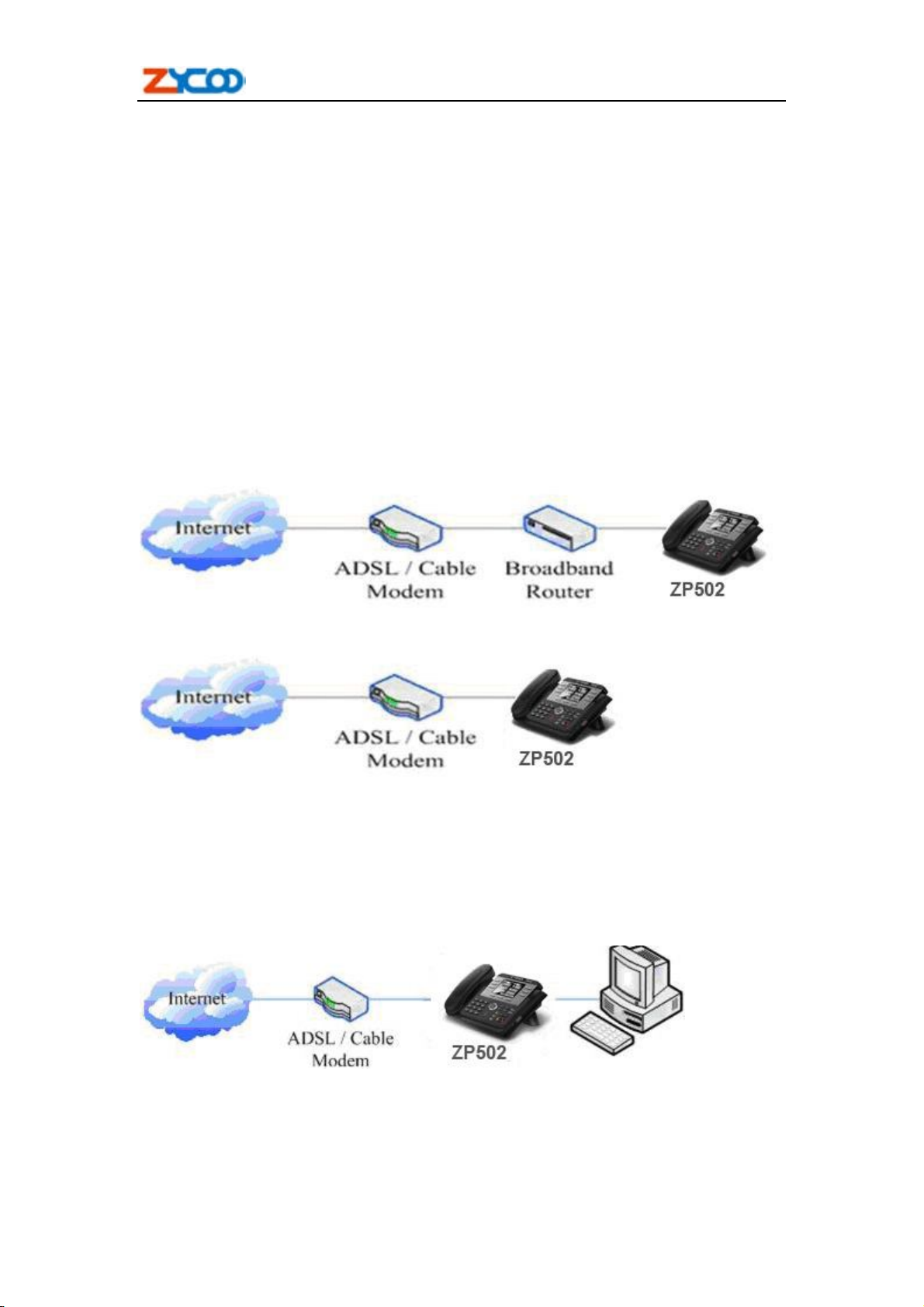
2.1. connect the phone ............................................................................................................. 7
2.1.1. Connect to network ............................................................................................... 7
2.1.2. Power adaptor connection .................................................................................... 8
2.2. Basic Initialization............................................................................................................ 8
2.2.1. Network settings .................................................................................................... 8
3. ZP502’s basic operation.............................................................................................. 11
3.1. Answer calls .................................................................................................................... 11
3.2. Place calls ........................................................................................................................ 11
3.3. End calls .......................................................................................................................... 12
3.4. Call transfer .................................................................................................................... 13
3.5. Call hold .......................................................................................................................... 13
3.6. 3-way conference call ..................................................................................................... 13
3.7. Switchboard Operator feature ...................................................................................... 13
3.8. Call records ..................................................................................................................... 14
4. Web configuration ....................................................................................................... 15
4.1. Introduction of configuration........................................................................................ 15
4.1.1. Ways to configure ................................................................................................ 15
4.1.2. Password Configuration ..................................................................................... 15
4.2. Setting via web browser ................................................................................................. 15
4.3. Configuration via WEB ................................................................................................. 16
4.3.1. BASIC .................................................................................................................. 16
4.3.1.1. Status ......................................................................................................... 16
4.3.1.2. Wizard ....................................................................................................... 16
4.3.1.3. Call Log ..................................................................................................... 18
4.3.1.4. MMI SET .................................................................................................. 18
4.3.2. Network ................................................................................................................ 19
4.3.2.1. WAN Config ............................................................................................. 19
4.3.2.2. LAN Config ............................................................................................... 21
4.3.2.3. Qos Config................................................................................................. 21
4.3.2.4. Service Port ............................................................................................... 24
4.3.2.5. DHCP SERVER ....................................................................................... 24
4.3.2.6. SNTP ......................................................................................................... 26
4.3.3. VOIP ..................................................................................................................... 27
4.3.3.1. SIP Config ................................................................................................. 27
4.3.3.2. IAX2 Config .............................................................................................. 31
4.3.3.3. Stun Config ............................................................................................... 32
4.3.3.4. DIAL PEER setting .................................................................................. 33