manuals.online logo
Brands
  1. Home
  2. •
  3. Brands
  4. •
  5. ABB
  6. •
  7. Control Panel
  8. •
  9. ABB OPMP-01-Kit User manual

ABB OPMP-01-Kit User manual

Other ABB Control Panel manuals

ABB CP6 WEB Series Installation manual

ABB

ABB CP6 WEB Series Installation manual

ABB ACS-AP-I User manual

ABB

ABB ACS-AP-I User manual

ABB ACS850 series User manual

ABB

ABB ACS850 series User manual

ABB ControlMaster CM10 Use and care manual

ABB

ABB ControlMaster CM10 Use and care manual

ABB CP600-WEB Installation and operating instructions

ABB

ABB CP600-WEB Installation and operating instructions

ABB Welcome IP IPTouch 7 Series User manual

ABB

ABB Welcome IP IPTouch 7 Series User manual

ABB CP405 User manual

ABB

ABB CP405 User manual

ABB CP420 User manual

ABB

ABB CP420 User manual

ABB CP430 User manual

ABB

ABB CP430 User manual

ABB ACSM1 Series User manual

ABB

ABB ACSM1 Series User manual

ABB ACS850 series Troubleshooting guide

ABB

ABB ACS850 series Troubleshooting guide

ABB 6136/30M-101 User manual

ABB

ABB 6136/30M-101 User manual

ABB Controlpanel User manual

ABB

ABB Controlpanel User manual

ABB Welcome IP IPTouch 7" Series User manual

ABB

ABB Welcome IP IPTouch 7" Series User manual

ABB CP600-Pro User manual

ABB

ABB CP600-Pro User manual

ABB CP 600 Series User manual

ABB

ABB CP 600 Series User manual

ABB CP 600 Series User manual

ABB

ABB CP 600 Series User manual

ABB ACS580 Series User manual

ABB

ABB ACS580 Series User manual

ABB ACS-AP Series User manual

ABB

ABB ACS-AP Series User manual

ABB CP600-eCo User manual

ABB

ABB CP600-eCo User manual

ABB CP420B User manual

ABB

ABB CP420B User manual

ABB CP660-x User manual

ABB

ABB CP660-x User manual

ABB ACS-AP-x User manual

ABB

ABB ACS-AP-x User manual
ABB AC-AP Series User manual
ABB

ABB AC-AP Series User manual

Popular Control Panel manuals by other brands

GENEVO PRiMA 6 installation manual

GENEVO

GENEVO PRiMA 6 installation manual

NAPCO X 255 - Programming instructions

NAPCO

NAPCO X 255 - Programming instructions

Next Systems UNIR1 230 instruction manual

Next Systems

Next Systems UNIR1 230 instruction manual

HORNER HE-XPW1E0 user manual

HORNER

HORNER HE-XPW1E0 user manual

DSC CLASSIC PC1555 instruction manual

DSC

DSC CLASSIC PC1555 instruction manual

Bosch Solution 2000 installation guide

Bosch

Bosch Solution 2000 installation guide

VRinsight MS Panel user manual

VRinsight

VRinsight MS Panel user manual

Zeiss SYCOP 3 Quick reference guide

Zeiss

Zeiss SYCOP 3 Quick reference guide

HULTSTEINS ECOFRIDGE DISPLAY user manual

HULTSTEINS

HULTSTEINS ECOFRIDGE DISPLAY user manual

Elkron C420 Programming manual

Elkron

Elkron C420 Programming manual

GST GST200-2 Installation and operation manual

GST

GST GST200-2 Installation and operation manual

Efka Variocontrol V810 instruction manual

Efka

Efka Variocontrol V810 instruction manual

RDZ PC-HRX user manual

RDZ

RDZ PC-HRX user manual

STG-BEIKIRCH MZ3 operation instruction

STG-BEIKIRCH

STG-BEIKIRCH MZ3 operation instruction

AMX AutoPatch CP-15 instruction manual

AMX

AMX AutoPatch CP-15 instruction manual

Cebora 208-10 instruction manual

Cebora

Cebora 208-10 instruction manual

Satel CA-6 KLED-S user manual

Satel

Satel CA-6 KLED-S user manual

Evolution IQ plus 800 installation manual

Evolution

Evolution IQ plus 800 installation manual

manuals.online logo
manuals.online logoBrands
  • About & Mission
  • Contact us
  • Privacy Policy
  • Terms and Conditions

Copyright 2025 Manuals.Online. All Rights Reserved.

Cabinet Panel Mounting Kit,
OPMP-01
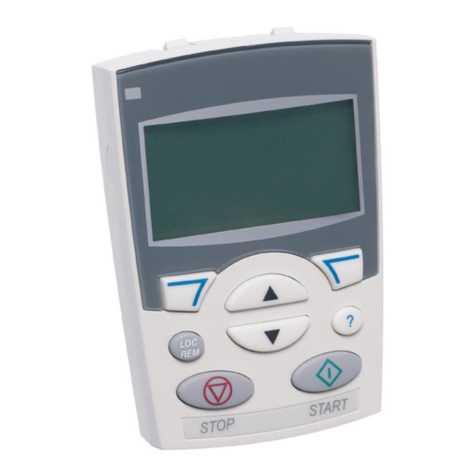
The Control Panel Mounting Platform alows remote
mounting of an ACS-CP-C/A operator Panel on a larger
enclosure or remotely. The kit maintains UL Type 12*
integrity of the mounting location. Adapters, 3 m (10 ft)
cable and mounting hardware are included in this kit.
With this mounting arrangement, the operator panel is
removable identical to a drive-mounted keypad.
Shipping Package Includes:
1. Mounting Template.
2. Panel Platform (Interface board and 2
gaskets installed).
3. Stainless Steel Compression Bracket.
4. Gaskets (for operator panel).
5. Plastic bag with 6 screws.
6. Cat5 Patch Cable 10 ft.
7. Installation Instructions.
8. Panel Connector
8
1. Take Operator Panel and Gaskets (# 4). 2. Turn your Operator Panel face down and separate ring
gasket from middle section.
3. Place the Gasket around the Battery Compartment.
4. Separate square gasket from middle section. 5. Place the Gasket around the Panel Connector.
6. Take the mounting template and make a hole exactly
the same size as the template on the door or wall for
installation of the Panel Mounting Platform.
OPMP-01-Kit Installation Instructions
© 2012 ABB Inc. All Rights Reserved. 3AUA0000013204 REVD 07/02/2012
* OPMP KIt is Type 12 UL Listed, per UL le E101649, Vol.1
7. Insert the Panel Platform in the hole. 8. Insert the Stainless Steel Compression Bracket.
9. Align screw openings of the stainless steel bracket in
the platform holes with screws. Screw six (6) screws in
place.
10. Attach the Cat5 Patch 10 ft Cable from the drive to the
top panel connection on the interface board.
11. Plug in the panel connector supplied with the kit into
the socket as shown above.
12. Insert your Operator Panel into the Panel Mounting
Platform.
OPMP-01-Kit Installation Instructions (Cont.)
© 2012 ABB Inc. All Rights Reserved. 3AUA0000013204 REVD 07/02/2012