manuals.online logo
Brands
  1. Home
  2. •
  3. Brands
  4. •
  5. AJAX
  6. •
  7. Security Sensor
  8. •
  9. AJAX CombiProtect User manual

AJAX CombiProtect User manual

Other manuals for CombiProtect

4

Other AJAX Security Sensor manuals

AJAX FireProtect 2 Jeweller User manual

AJAX

AJAX FireProtect 2 Jeweller User manual

AJAX MotionProtect User manual

AJAX

AJAX MotionProtect User manual
AJAX DoorProtect Plus User manual

AJAX

AJAX DoorProtect Plus User manual

AJAX LeaksProtect User manual

AJAX

AJAX LeaksProtect User manual

AJAX LifeQuality Jeweller User manual

AJAX

AJAX LifeQuality Jeweller User manual

AJAX vhfBridge User manual

AJAX

AJAX vhfBridge User manual

AJAX DoorProtect Plus Jeweller User manual

AJAX

AJAX DoorProtect Plus Jeweller User manual

AJAX MotionCam PhOD Jeweller User manual

AJAX

AJAX MotionCam PhOD Jeweller User manual

AJAX MotionCam User manual

AJAX

AJAX MotionCam User manual

AJAX HomeSiren User manual

AJAX

AJAX HomeSiren User manual

AJAX DoorProtect Plus User manual

AJAX

AJAX DoorProtect Plus User manual

AJAX DoorProtect User manual

AJAX

AJAX DoorProtect User manual

AJAX DoorProtect User manual

AJAX

AJAX DoorProtect User manual

AJAX FireProtect 2 (Heat) Jeweller User manual

AJAX

AJAX FireProtect 2 (Heat) Jeweller User manual

AJAX MotionProtect User manual

AJAX

AJAX MotionProtect User manual

AJAX GlassProtect User manual

AJAX

AJAX GlassProtect User manual
AJAX MotionProtect User manual

AJAX

AJAX MotionProtect User manual

AJAX MotionProtect User manual

AJAX

AJAX MotionProtect User manual
AJAX ReX User manual

AJAX

AJAX ReX User manual

AJAX DoorProtect Plus User manual

AJAX

AJAX DoorProtect Plus User manual

AJAX MotionCam Fibra User manual

AJAX

AJAX MotionCam Fibra User manual

AJAX LeaksProtect User manual

AJAX

AJAX LeaksProtect User manual

AJAX DoorProtect User manual

AJAX

AJAX DoorProtect User manual

AJAX CombiProtect Fibra User manual

AJAX

AJAX CombiProtect Fibra User manual
Popular Security Sensor manuals by other brands

Honeywell Home PROSiXCOCN Installation and setup guide

Honeywell Home

Honeywell Home PROSiXCOCN Installation and setup guide

Duevi SIRPZ-RB-868 Operation

Duevi

Duevi SIRPZ-RB-868 Operation

RKI 65-2483RK Operator's manual

RKI

RKI 65-2483RK Operator's manual

Nortech PD160 Enhanced Series user manual

Nortech

Nortech PD160 Enhanced Series user manual

Omron K8AC-H2 manual

Omron

Omron K8AC-H2 manual

Agilent Technologies G8610 Series Quick reference card

Agilent Technologies

Agilent Technologies G8610 Series Quick reference card

Shinko SE2EA-1-0-0 instruction manual

Shinko

Shinko SE2EA-1-0-0 instruction manual

Det-Tronics X Series instructions

Det-Tronics

Det-Tronics X Series instructions

ACR Electronics COBHAM RCL-300A Product support manual

ACR Electronics

ACR Electronics COBHAM RCL-300A Product support manual

TOOLCRAFT 1712612 operating instructions

TOOLCRAFT

TOOLCRAFT 1712612 operating instructions

Elkron IM600 Installation, programming and functions manual

Elkron

Elkron IM600 Installation, programming and functions manual

Bosch WEU PDO 6 Original instructions

Bosch

Bosch WEU PDO 6 Original instructions

THORLABS PDA10JT user guide

THORLABS

THORLABS PDA10JT user guide

Waeco UV-DETECT operating manual

Waeco

Waeco UV-DETECT operating manual

Intermatic IOS-DSIMF manual

Intermatic

Intermatic IOS-DSIMF manual

Siemens AZL66 Series manual

Siemens

Siemens AZL66 Series manual

BTI Profiline Multi Finder operating instructions

BTI

BTI Profiline Multi Finder operating instructions

Challenger SL01 instruction manual

Challenger

Challenger SL01 instruction manual

manuals.online logo
manuals.online logoBrands
  • About & Mission
  • Contact us
  • Privacy Policy
  • Terms and Conditions

Copyright 2025 Manuals.Online. All Rights Reserved.

Updated April 22, 2021
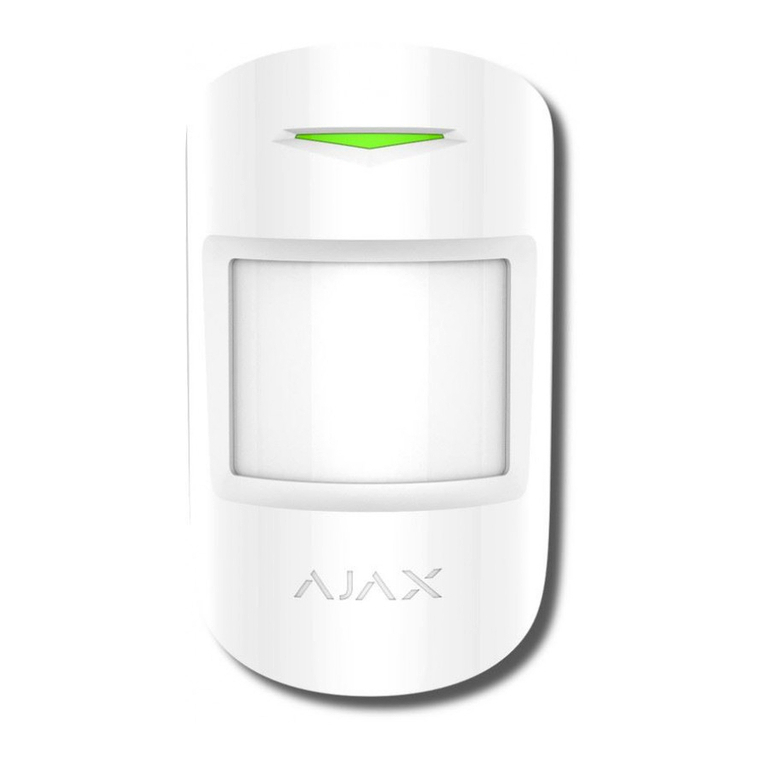
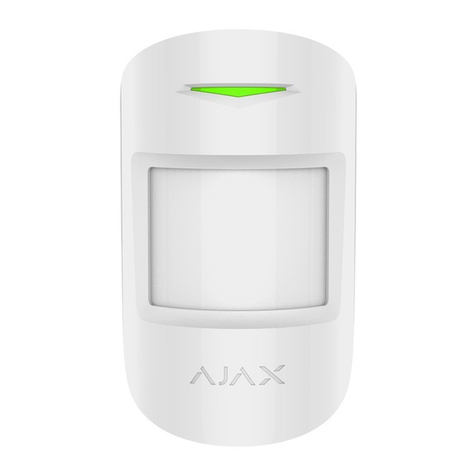
CombiProtect is a device combining a wireless motion detector with the viewing
angle of 88.5° and distance up to 12 meters, as well as a glass break detector
with the distance up to 9 meters. It can ignore animals and detects a person
within the protected zone from the first step. It can operate for up to 5 years
from a pre-installed battery and is used inside premises.
CombiProtect operates within the Ajax security system, connected to the via
the protected protocol. The communication range is up to 1200 meters
in the line of sight. In addition, the detector can be used as a part of third-party
security central units via the or integration
modules.
The detector is set up via a for iOS and Android based
smartphones. The system notifies user of all events through push notifications,
SMS messages and calls (if activated).
The Ajax security system is self-sustaining, but the user can connect it to the
central monitoring station of a private security company.
CombiProtect combines two types of security devices – motion detector and
glass break detector.
Thermal PIR sensor detects intrusion into a protected room by detecting moving
objects with a temperature close to the temperature of the human body.
However, the detector can ignore domestic animals if the suitable sensitivity has
been chosen in the settings.
The electret microphone is responsible for glass break detection. The intelligent
1. LED indicator
2. Motion detector lens
3. Microphone hole
4. SmartBracket attachment panel (perforated part is required for actuating the
tamper in case of any attempt to dismantle the detector)
5. Tamper button
6. Device switch
7. QR code
first dull blow, then ringing sound of falling chips, which prevents accidental
actuation.
CombiProtect does not detect glass breaking if the glass is covered with any film:
shockproof, sunscreen, decorative or other. In order to detect the breaking of this type
glass, we recommend using a wireless opening detector with shock
and tilt sensor.
After actuation, the armed detector immediately transmits an alarm signal to the
hub, activating the sirens and notifying the user and security company.
To arm Ajax security system (including Ajax CombiProtect detector) you can use
, key fob or .
If before arming the system, the detector has detected motion, it will not arm
immediately, but during the next inquiry by the hub.
The detector is connected to the hub and set up via the Ajax Security system
mobile application. To establish connection please locate the detector and the
hub within the communication range and follow the device adding procedure.
Before starting connection:
Only users with administrator rights can add the device to the hub
1. Following the hub manual recommendations, install the .
Create an account, add the hub to the application, and create at least one
room.
2. Switch on the hub and check the internet connection (via Ethernet cable
and/or GSM network).
3. Ensure that the Hub is disarmed and does not update by checking its status
in the mobile application.
How to connect the detector to the hub:
For detection and pairing to occur, the detector should be located within the
coverage of the wireless network of the hub (at a single protected object).
Request for connection to the hub is transmitted for a short time at the time of
switching on the device.
1. Select the Add Device option in the Ajax app.
2. Name the device, scan/write manually the QR Code (located on the body
and packaging), and select the location room.
3. Select Add — the countdown will begin.
4. Switch on the device.
The detector connected to the hub will appear in the list of devices of the hub in
the application. Update of the detector statuses in the list depends on the device
inquiry time set in the hub settings, with the default value — 36 seconds.
To connect the detector to a third party security central unit using the
or integration module, follow the recommendations in the manual
of the respective device.
Parameter Value
Temperature Temperature of the detector. Measured on the
processor and changes gradually
Jeweller Signal Strength Signal strength between the hub and the
detector
Battery Charge
Battery level of the device. Displayed as a
percentage
Lid The tamper mode of the detector, which reacts
to the detachment of or damage to the body
Delay When Entering, sec Delay time when entering
Delay When Leaving, sec Delay time when exiting
ReX Displays the status of using the ReX range
extender
Motion Detector Sensitivity Sensitivity level of the motion detector
1. Devices
2. CombiProtect
Glass Detector Always Active If active, the glass detector is always in the
armed mode
Temporary Deactivation
Shows the status of the device temporary
deactivation function:
Firmware Detector firmware version
Device ID Device identifier
Setting Value
First field Detector name, can be edited
Room Selecting the virtual room to which the device is
assigned
No — the device operates normally and
transmits all events.
Lid only — the hub administrator has
disabled notifications about triggering on
the device body.
Entirely — the device is completely excluded
from the system operation by the hub
administrator. The device does not follow
system commands and does not report
alarms or other events.
By number of alarms — the device is
automatically disabled when the number of
alarms is exceeded (specified in the settings
for Devices Auto Deactivation). The feature
is configured in the Ajax PRO app.
1. Devices
2. CombiProtect
3. Settings
armed mode when using night mode
Alarm LED indication
Allows you to disable the flashing of the LED
indicator during an alarm. Available for devices
with firmware version 5.55.0.0 or higher
Motion Detector If active, motion detector will be active
Motion Detector Sensitivity
Choosing the sensitivity level of the motion
detector:
Motion Detector Always Active If active, the detector always registers motion
Glass Detector Enabled If active, glass breaking detector will be active
Glass Protection Sensitivity
Choosing the sensitivity level of the glass
detector:
Glass Protection Always Active If active, the detector always registers glass
breaking
Alert with a siren if motion detected If active, added to the systemare
activated when the motion detected
Alert with a siren if glass break detected If active, added to the systemare
activated when the glass break detected
Jeweller Signal Strength Test Switches the detector to the signal strength test
mode
Detection Zone Test Switches the detector to the detection area test
High
Normal
Low
High
Normal
Low
Temporary Deactivation
T
wo
opt
i
ons
are
ava
il
a
bl
e:
The system can also automatically disable
devices when the set number of alarms is
exceeded.
User Guide Opens the detector User Guide
Unpair Device Disconnects the detector from the hub and
deletes its settings
Event Indication Note
Turning on the detector Lights up green for about one
second
Detector connection to the
, and Lights up continuously for a
few seconds
Alarm / tamper activation Lights up green for about one
second
Alarm is sent once in 5
seconds
Replacement of the detector
battery is described in the
Entirely— the device will not execute system
commands or participate in automation
scenarios, and the system will ignore device
alarms and other notifications
Lid only— the system will ignore only
notifications about the triggering of the
device tamper button
The Ajax security system allows conducting tests for checking the functionality
of connected devices.
The tests do not start straight away but within a period of 36 seconds when
using the standard settings. The time of the start depends on the settings of the
detector polling period (the paragraph on “Jeweller” settings in the hub
settings).
The controlled area and the efficiency of the security system depends on the
location of the detector.
The device developed only for indoor use.
Location of the CombiProtect depends on the remoteness from the hub and
presence of any obstacles between the devices hindering the radio signal
transmission: walls, inserted floors, large-size objects located within the room.
Glass break detection zone Test
Motion detection zone Test
As a minimum
,
move the device even 20 cm shift can significantly improve the
quality of reception.
If after moving the device still has a low or unstable signal strength, use a
.
The direction of the detector lens should be perpendicular to the probable way
of intrusion into the room. The detector microphone should be positioned at the
angle of no more than 90 degrees relative to the window.
Make sure that any furniture, domestic plants, vases, decorative or glass
structures do not block the field of view of the detector.
We recommend installing the detector at the height of 2.4 meters.
If the detector is not installed at the recommended height, this will reduce the
area of the motion detection zone and impair the operation of the function of
ignoring animals.