4
FAN SPEED (LOW, MED, HIGH) - FAN
selects either a low, medium or high fan
speed to cool.
ENERGY SAVER - ENERGY SAVER mode
providesthe most energy efficient useofyour
roomairconditioner. Thisfeaturecanbeused
with SMART COOL or cooling with any fan speed.
Amana’sTemp-Asure®airsamplingsystemworkstomain-
tain the set temperature within 1.5°F while in ENERGY
SAVER mode. Approximately every 5 minutes the fan will
come on and “sample” the room air to determine if cooling
isneeded. Iftheroomiscoolenough,thefanwillcycle off.
If the room needs further cooling, the compressor will
engage along with the fan until the set temperature is
reached.
ENERGYSAVER hasasoftstart fanfeature. Thisfeature
starts the fan in low to reduce noise.
ACTION AIR - ACTION AIR provides uni-
form cooling with a power sweeping action
to move the cooled air around the room.
This feature can be turned on and off by
pressing this button.
ARROW KEYS - These keys increase or
decrease the set temperature and clock
setting.
CLOCK - The CLOCK button sets the
clock. The arrow keys adjust the time. To
exit clock mode, press the clock button.
The time of day will be displayed.
Note: Pressing this button twice quickly changes the
mode from time to temperature and vice-versa. To briefly
display the time (if temperature is currently displayed) or
temperature(iftimeiscurrentlydisplayed),presseitherthe
up or down arrow key.
TIMER - The TIMER button is used to turn
the TIMER on and off as well as set the
TIMER. The timer has four different timer
periods, P1, P2, P3, and P4. Each period can be pro-
grammed with a different temperature setting and opera-
tional mode. See page 5 for operation details.
Operation
Vent Control
Open or close the vent by sliding the vent control lever to
the appropriate setting.
EXHAUST -This settingopensthevent to moveindoorair
out.
Note: To conserve energy, the unit should be set to FAN
mode when using this setting.
CLOSED - In this position the vent is closed and room air
is recirculated and filtered. This position should be used
for all normal cooling operations.
FRESH AIR - This setting opens the vent to move outside
air indoors.
Note: To conserve energy, the unit should be set to FAN
mode when using this setting.
Unit Control
OFF - Turns the unit off. To turn the unit on,
press SMART COOL or MODE.
SMART COOL - SMART COOL adjusts the
fan speed of the unit to achieve the selected
temperature. The SMART COOL feature
uses computer logic to cool the room quickly
and quietly. Fan speeds start high, automatically switch to
medium and finally go to low as the room temperature
nears the set temperature.
MODE (COOL,DRY, FAN) - MODE is
used to switch the operational mode of the
controlbetween theCOOL,FAN,and DRY
modes. If the unit is off when this button is
pressed, the unit will come on with the last mode and
temperature setting.
ENERGY
SAVER
ACTION
AIR
CLOCK
TIMER
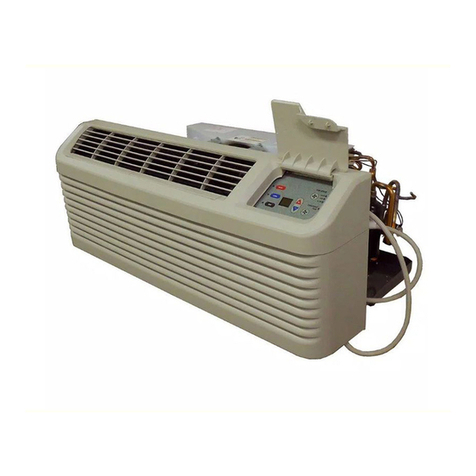
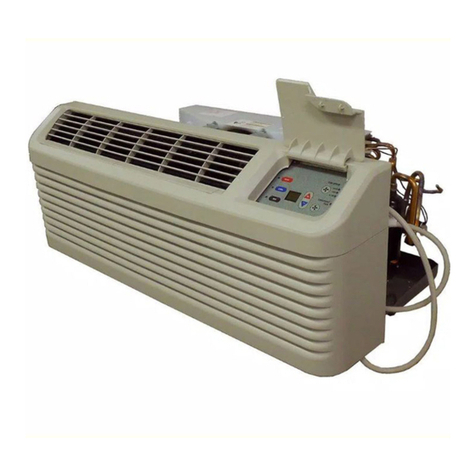
Control Panel
ULTRA QUIETZO N E
EXHAUST CLOSED FRESH AIR
ULTRA QUIETZONE
EXHAUST CLOSED FRESH AIR
OFF SMART
COOL MODE FAN
SPEED ENERY
SAVER ACTION
AIR SET CLOCK TIMER SLEEP
LOW
HIGH
MED FAN
SPEED
SET