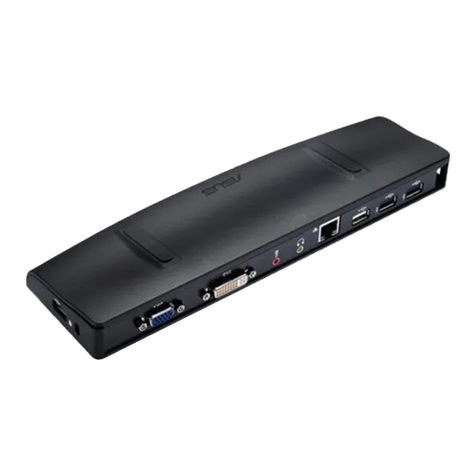
Asus DC200 User manual

ASUS Dual 4K USB-C
Dock
User Manual
Model: DC200
Q19570-2
First Edition
July 2022

Table of Contents
English.............................................................................................................................3
繁體中文 ........................................................................................................................6
Français ...........................................................................................................................8
Deutsch........................................................................................................................ 10
Italiano.......................................................................................................................... 12
Pyccкий........................................................................................................................ 14
......................................................................................................................................... 16
Български................................................................................................................... 18
Bosanski jezik............................................................................................................. 20
Hrvatski........................................................................................................................ 22
Čeština.......................................................................................................................... 24
Nederlands ................................................................................................................. 26
Suomi............................................................................................................................ 28
Ελληνικά....................................................................................................................... 30
......................................................................................................................................... 32
Magyar.......................................................................................................................... 34
Lietuvių ........................................................................................................................ 36
Latviešu........................................................................................................................ 38
Македонски............................................................................................................... 40
Norsk............................................................................................................................. 42
Português.................................................................................................................... 44
Polski............................................................................................................................. 46
Română........................................................................................................................ 48
Español......................................................................................................................... 50
Srpski ............................................................................................................................ 52
Slovenský..................................................................................................................... 54
Slovenščina................................................................................................................. 56
Svenska ........................................................................................................................ 58
Українська.................................................................................................................. 60
日本語 .......................................................................................................................... 62
Türkçe ........................................................................................................................... 64
ةيبرعلا
תירבע

3
Specications
Dimensions
104 x 45 x 14mm
Weight
98 ±5g
Cable length
150mm
Upstream
port
1 x USB 3.2 Gen2 Type-C port
(10Gbps / DP1.4 / Output: up to
85W)
Downstream
ports
1 x USB 3.2 Gen2 Type-C
2
port
(10Gbps / 5V 0.9A)
1 x USB 3.2 Gen2 Type-C
1
port
(Input: PD 100W / DP1.4 / 5Gbps /
5V 0.9A)
1 x HDMI 2.0 with a maximum output
resolution of 3840x2160 @60Hz,
FHD @144Hz
1 x RJ-45 (Gigabit) port
1 x USB 3.2 Gen2 Type-A port
(10Gbps / 5V 1.5A)
Supports HDMI & USB-C
1
output
simultaneously at resolution of
4K@30Hz
Input power
DFP USB-C
1
: 5V~20V 5A / Supports
PD3.0
UFP USB-C: 5V 3A
Output power
UFP USB-C: 5V~20V 5A / Supports
PD3.0
DFP USB-C
1
/USB-C
2
: 5V 0.9A
DFP USB-A: 5V 1.5A / Supports BC1.2
Total DFP (USB-C
1
+ USB-C
2
+
USB-A) output: 2.5A (Max)
English
English

4
Using your ASUS Dual 4K USB-C Dock
NOTES:
•
Please use a 30W or higher power adapter when fully loaded.
•
For more safety information, please refer to the e-manual on
the ASUS website.
•
For the best user experience, please ensure that the USB
Type-C port on your device (Notebook/Tablet/Mobile Phone)
oers with full functionality (Charging/Data Transfer/Video
Output).
English
Operation
temperature
0
°C
~ 35
°C
Storage
temperature
-20
°C
~ 70
°C
Specications
Gigabit
Ethernet HDMI USB-C
100W
Input
USB-A
Data
USB-C
Data
USB-C
Data
12

5
IMPORTANT!
• To prevent any damage, use ONLY UL listed power sources
with a rated output of 5~20V/5A. If you need further
assistance with purchasing the power source, contact
ASUSTeK Computer Inc. for further information.
•
The power supply cord(s) must be plugged into socket-
outlet(s) that is / are provided with a suitable earth ground.
• Use your ASUS Dock only with Listed ITE.
English

6
規格
尺寸 104 x 45 x 14mm
重量 98 ±5g
線材長度 150mm
上行連接埠
1 x USB 3.2 Gen2 Type-C 連接埠
(10Gbps / DP1.4 / 輸出 : 最高可達
85W)
下行連接埠
1 x USB 3.2 Gen2 Type-C 2連接埠
(10Gbps / 5V 0.9A)
1 x USB 3.2 Gen2 Type-C 1連接埠
(輸入:PD 100W / DP1.4 / 5Gbps /
5V 0.9A)
1 x HDMI 2.0 連接埠,輸出解析度
最高可達 3840x2160 @60Hz,FHD
@144Hz
1 x RJ-45(Gigabit)連接埠
1 x USB 3.2 Gen2 Type-A 連接埠
(10Gbps / 5V 1.5A)
同時支援 HDMI 與USB-C 1輸出解析
度為 4K@30Hz
輸入功率
DFP USB-C 1: 5V~20V 5A / 支援
PD3.0
UFP USB-C: 5V 3A
輸出功率
UFP USB-C: 5V~20V 5A / 支援 PD3.0
DFP USB-C 1/USB-C 2: 5V 0.9A
DFP USB-A: 5V 1.5A / 支援 BC1.2
總DFP 輸出(USB-C 1+ USB-C 2+
USB-A):2.5A(最高)
繁體中文
繁體中文

7
繁體中文
如何使用您的華碩 Dual 4K USB-C
擴充基座
注 意:
• 全負載時建議使用 30W 以 上 充 電 器。
• 更多產品安規資訊,請至華碩官網下載產品電子手冊。
• 為獲得最佳體驗,請確認裝置(筆電 / 平板 / 手 機)的 USB
Type- C 連 接 埠 可 支 援 所 有 功 能( 充 電 / 資料傳輸 / 影像輸
出 )。
運作溫度
0
°C
~ 35
°C
儲存溫度
-20
°C
~ 70
°C
規格
Gigabit
Ethernet HDMI USB-C
100W
Input
USB-A
Data
USB-C
Data
USB-C
Data
12

8
Caractéristiques
Dimensions 104 x 45 x 14 mm
Poids 98 ±5g
Longueur du
câble 150 mm
Port montant 1 x Port USB 3.2 Gen 2 Type-C
(10 Gb/s / DP1.4 / Sortie : jusqu'à 85W)
Ports
descendants
1 x Port USB 3.2 Gen 2 Type-C
2
(10 Gb/s / 5V/0,9A)
1 x Port USB 3.2 Gen 2 Type-C
1
(Entrée :
PD 100W / DP1.4 / 5Gb/s / 5V/0,9A)
1 x Port HDMI 2.0 avec résolution de
sortie maximale de 3840x2160 @60Hz,
1080p@144Hz
1 x Port RJ-45 (Gigabit)
1 x Port USB 3.2 Gen 2 Type-A
(10 Gb/s / 5V/1,5A)
Prend en charge la sortie simultanée sur
HDMI et USB-C
1
avec une résolution de
4K@30Hz
Courant
d'entrée
USB-C
1
DFP: 5V~20V 5A / Prend en
charge PD3.0
USB-C UFP : 5V/3A
Puissance de
sortie
USB-C UFP : 5V~20V 5A / Prend en charge
PD3.0
USB-C
1
DFP / USB-C
2
: 5V/0,9A
USB-A DFP : 5V/1,5A / Prend en charge
BC1.2
DFP total (USB-C
1
+ USB-C
2
+ USB-A)
Sortie : 2,5A (Max)
Français

9
Français
Utilisation du dock USB-C Dual 4K ASUS
REMARQUES :
•
Veuillez utiliser un adaptateur secteur de 30W ou plus lorsque le
socle est entièrement chargé.
• Pour plus d'informations concernant la sécurité, veuillez consulter le
manuel de l'utilisateur sur le site internet d'ASUS.
• Pour une expérience utilisateur optimale, veuillez vous assurer
que le port USB Type-C de votre appareil (Ordinateur portable/
Tablette/Téléphone portable) ore des fonctionnalités complètes
(Chargement/Transfert de données/Sortie vidéo).
Température de fonctionnement 0°C
~
35°C
Température de stockage -20°C
~
70°C
Caractéristiques
Gigabit
Ethernet HDMI USB-C
100W
Input
USB-A
Data
USB-C
Data
USB-C
Data
12

10
Spezikationen
Abmessungen 104 x 45 x 14 mm
Gewicht 98 ±5 g
Kabellänge 150 mm
Upstream-Port 1 x USB 3.2 (Gen2) Typ-C-Anschluss
(10 Gb/s / DP 1.4 / Ausgang: bis zu 85 W)
Downstream-
Ports
1 x USB 3.2 (Gen2) Typ-C Anschluss
(10 Gb/s / 5 V, 0,9 A)
1 x USB 3.2 (Gen2) Typ-C -Anschluss
(Eingang: PD 100 W / DP 1.4 / 5 Gb/s /
5 V, 0,9 A)
1 x HDMI 2.0-Anschluss mit einer maximal
ausgegebenen Auösung von 3840x2160
@60 Hz, FHD @144 Hz
1 x RJ-45-Anschluss (Gigabit)
1 x USB 3.2 (Gen2) Typ-A-Anschluss
(10 Gb/s / 5 V, 1,5 A)
Unterstützt gleichzeitig HDMI & USB-C
Ausgang bei einer Auösung von
4K @30 Hz
Eingangs-
leistung
DFP USB-C : 5 V ~ 20V, 5 A /
Unterstützt PD 3.0
UFP USB-C: 5 V, 3 A
Ausgangs-
leistung
UFP USB-C: 5 V ~ 20 V, 5 A /
Unterstützt PD 3.0
DFP USB-C /USB-C : 5 V, 0,9 A
DFP USB-A: 5 V, 1,5 A / Unterstützt BC 1.2
Gesamt-DFP (USB-C + USB-C + USB-A)
Ausgang: 2,5 A (Max.)
2
1
1
1
1
1
2
2
Deutsch
Deutsch
Table of contents
Languages:
Other Asus Docking Station manuals
Asus
Asus HZ-1 User manual
Asus
Asus Power Station II V2.0 User manual
Asus
Asus T100 Series User manual
Asus
Asus PadFone Station User manual

Asus
Asus E11379 User manual
Asus
Asus WiGig Dock User manual
Asus
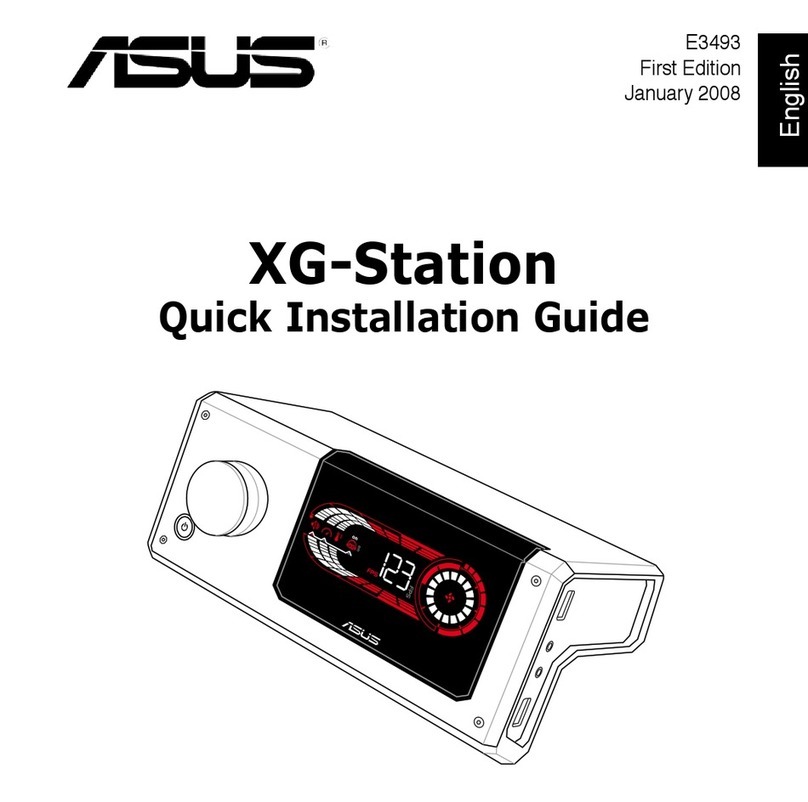
Asus XG Station User manual
Asus
Asus Padfone Infinity Station User manual
Asus
Asus ROG XG-Station 2 User manual
Asus
Asus USB 3.9 HZ-2 User manual