manuals.online logo
Brands
  1. Home
  2. •
  3. Brands
  4. •
  5. Carel
  6. •
  7. Controllers
  8. •
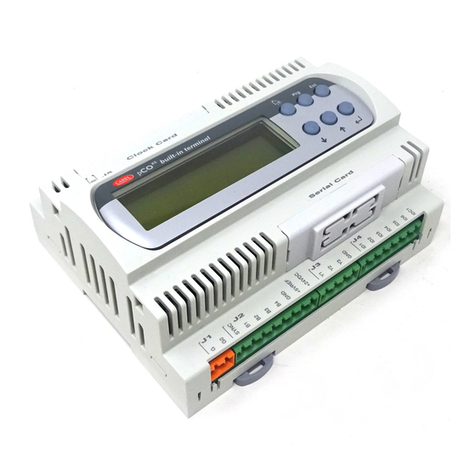
  9. Carel pCO2 Series User manual

Carel pCO2 Series User manual

Other manuals for pCO2 Series

4

This manual suits for next models

12

Other Carel Controllers manuals

Carel PJEZS Series User manual

Carel

Carel PJEZS Series User manual

Carel MPXPRO User manual

Carel

Carel MPXPRO User manual

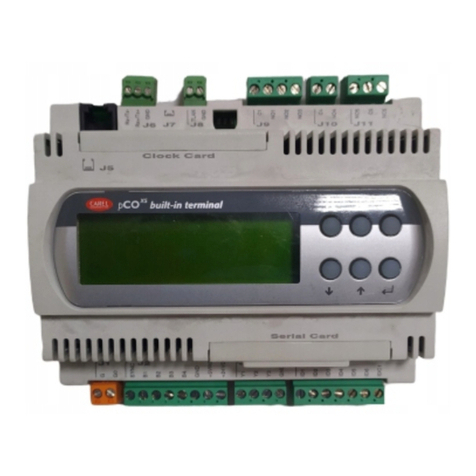
Carel PCOXS User manual

Carel

Carel PCOXS User manual

Carel thTx User manual

Carel

Carel thTx User manual

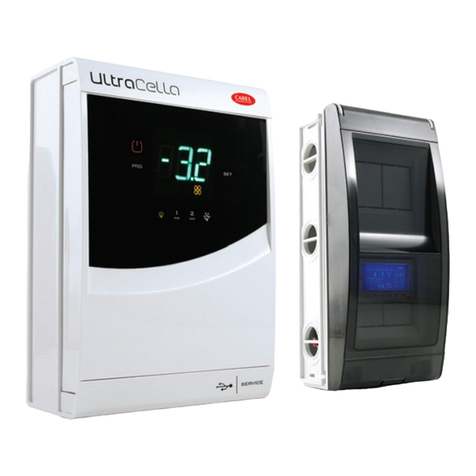
Carel UltraCella Instruction Manual

Carel

Carel UltraCella Instruction Manual

Carel PJEZ Series User manual

Carel

Carel PJEZ Series User manual

Carel pCO Series Troubleshooting guide

Carel

Carel pCO Series Troubleshooting guide

Carel FCP/1 User manual

Carel

Carel FCP/1 User manual

Carel MCHRTF10C0 User manual

Carel

Carel MCHRTF10C0 User manual

Carel PSOPZKEY00/A0 User manual

Carel

Carel PSOPZKEY00/A0 User manual

Carel MRK0000000 User manual

Carel

Carel MRK0000000 User manual

Carel pCO3 series User manual

Carel

Carel pCO3 series User manual

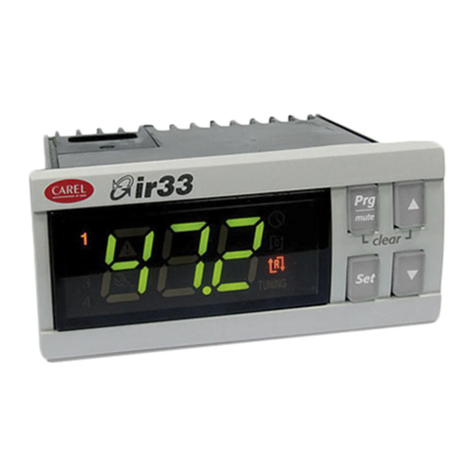
Carel IR33 Universale Series User manual

Carel

Carel IR33 Universale Series User manual

Carel Heosone Manual

Carel

Carel Heosone Manual

Carel PBB2 Series User manual

Carel

Carel PBB2 Series User manual

Carel IR32M User manual

Carel

Carel IR32M User manual

Carel pRack pR300T User manual

Carel

Carel pRack pR300T User manual

Carel uC2 User manual

Carel

Carel uC2 User manual

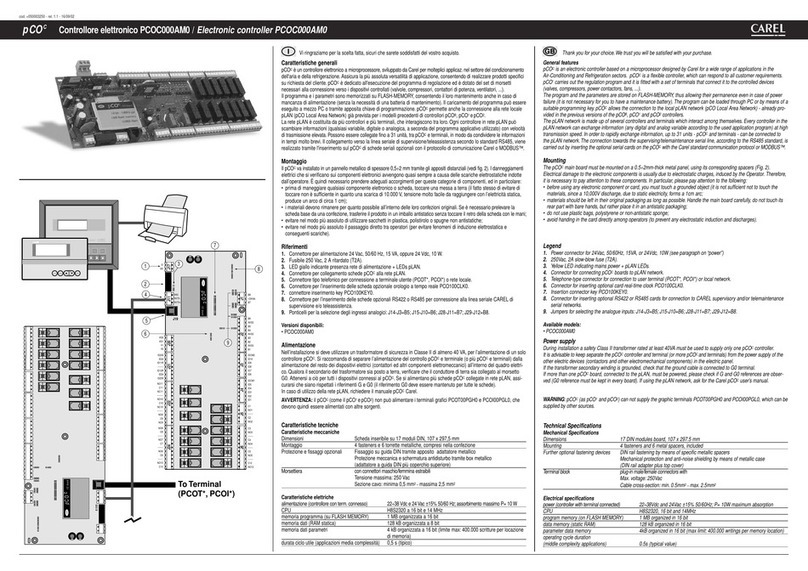
Carel PCOC000AM0 User manual

Carel

Carel PCOC000AM0 User manual

Carel SmartCella 3PH User manual

Carel

Carel SmartCella 3PH User manual

Carel MCHRTF Series User manual

Carel

Carel MCHRTF Series User manual

Carel pCO3 series Manual

Carel

Carel pCO3 series Manual

Carel EASY COOL User manual

Carel

Carel EASY COOL User manual

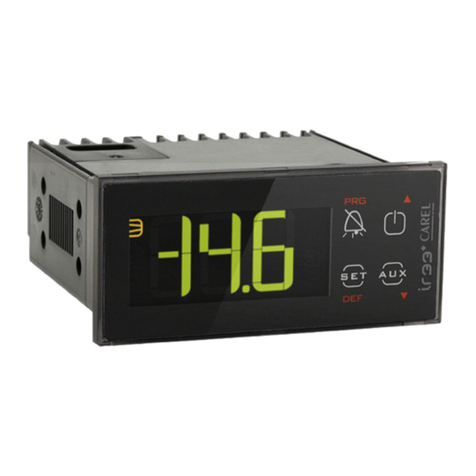
Carel ir33+ User manual

Carel

Carel ir33+ User manual

Popular Controllers manuals by other brands

Sunricher SR-ZV9003T3-RGBW-US Installation

Sunricher

Sunricher SR-ZV9003T3-RGBW-US Installation

Ksenia intro Installation and configuration manual

Ksenia

Ksenia intro Installation and configuration manual

Inovance CAN200 Series manual

Inovance

Inovance CAN200 Series manual

Gauzy LC6 FLEX Controller Installation and operation guide

Gauzy

Gauzy LC6 FLEX Controller Installation and operation guide

Viking SLP-1 Technical practice

Viking

Viking SLP-1 Technical practice

CKD KBX-30E-U Series instruction manual

CKD

CKD KBX-30E-U Series instruction manual

Sharp Energy Sun Flux User manual & installation guide

Sharp Energy

Sharp Energy Sun Flux User manual & installation guide

Yamaha RCX40 user manual

Yamaha

Yamaha RCX40 user manual

AB Quality PowerFlex 400 Frames D-H Service bulletin

AB Quality

AB Quality PowerFlex 400 Frames D-H Service bulletin

Yamaha MJC8 owner's manual

Yamaha

Yamaha MJC8 owner's manual

AL-KO ATC operating instructions

AL-KO

AL-KO ATC operating instructions

Savant SmartControl 2 Deployment guide

Savant

Savant SmartControl 2 Deployment guide

GameSir T3S user manual

GameSir

GameSir T3S user manual

Kostal inveor operating manual

Kostal

Kostal inveor operating manual

Emerson Yarway 20-55 Operating and safety instructions

Emerson

Emerson Yarway 20-55 Operating and safety instructions

CoCo ACM-LV24 Quick installation guide

CoCo

CoCo ACM-LV24 Quick installation guide

Brooks SLA5810/20 Installation and operation manual

Brooks

Brooks SLA5810/20 Installation and operation manual

SIGMA TEK SR 011 Technical manual

SIGMA TEK

SIGMA TEK SR 011 Technical manual

manuals.online logo
manuals.online logoBrands
  • About & Mission
  • Contact us
  • Privacy Policy
  • Terms and Conditions

Copyright 2025 Manuals.Online. All Rights Reserved.


 S&2HOHFWURQLFSURJUDPPDEOH&2QWUROOHU

8VHUPDQXDO
Библиотека СОК 





:HZLVKWRVDYH\RXWLPHDQGPRQH\
:HFDQDVVXUH\RXWKDWDWKRURXJKUHDGLQJRIWKLVPDQXDOZLOOJXDUDQWHH
FRUUHFWLQVWDOODWLRQDQGVDIHXVHRIWKHSURGXFWGHVFULEHG



&217(176

,1752'8&7,21«««««««««««««««««««««««««««««««««««««««««««
 *(1(5$/)($785(6
1.1 pCO2: SMALL, MEDIUM, LARGE.............................................................................................................................4
1.1.1 Features common to all the versions.............................................................................................................................4
1.1.2 Features of the individual versions................................................................................................................................4
1.2 Programmability............................................................................................................................................................5
 +$5':$5(6758&785(
2.1 Instrument and accessory codes....................................................................................................................................8
2.2 Meaning of the inputs/outputs.....................................................................................................................................10
 7(50,1$/86(5
3.1 Contrast control in LCD Display.................................................................................................................................12
3.2 Display LCD 4x20 for wall or panel mounting...........................................................................................................12
3.3 LED Display for wall or panel mounting....................................................................................................................12
3.4 LCD Graphic Display for wall or panel mounting......................................................................................................12
3.5 4x20 LCD Display for panel mounting.......................................................................................................................13
3.6 LCD Graphic Display for panel mounting..................................................................................................................13
3.7 3-Digit Display - LED 32x72......................................................................................................................................13
3.8 Built-in display............................................................................................................................................................14
3.9 pCO terminal keypad ..................................................................................................................................................14
3.9.1 Typical use of the buttons in standard Carel applications...........................................................................................15
3.10 Functions and features of the terminal with graphic display......................................................................................15
3.10.1 Graphic display board.................................................................................................................................................16
3.10.2 Inverter card for powering the fluorescent light on the display (CFL) and connecting to the pCO2...........................16
3.10.3 Protective screen (optional printer card).....................................................................................................................16
 ,167$//$7,21
4.1 Anchoring the pCO2....................................................................................................................................................17
4.2 Power supply...............................................................................................................................................................17
4.3 Installation warnings - destination and connection environments...............................................................................17
4.4 Connecting the analogue inputs ..................................................................................................................................18
4.4.1 Connecting active temperature and humidity probes ..................................................................................................19
4.4.2 Connecting the universal NTC temperature probes ....................................................................................................20
4.4.3 Connecting the PT1000 temperature probes...............................................................................................................21
4.4.4 Connecting the pressure probes...................................................................................................................................22
4.4.5 Connecting the ON/OFF selectable analogue inputs...................................................................................................23
4.4.6 Table summarising the analogue inputs according to the available versions ..............................................................23
4.5 Connecting the digital inputs.......................................................................................................................................24
4.5.1 Digital inputs powered at 24Vac.................................................................................................................................24
4.5.2 Digital inputs powered at 24Vdc.................................................................................................................................25
4.5.3 Digital inputs powered at 230Vac...............................................................................................................................26
4.5.4 Table summarising the digital inputs according to the available versions...................................................................26
4.6 Connecting the analogue outputs ................................................................................................................................27
4.7 Connecting the digital outputs.....................................................................................................................................28
4.7.1 Electromechanical relay digital outputs ......................................................................................................................28
4.7.2 Solid state relay digital outputs (SSR) ........................................................................................................................29
4.7.3 Table summarising the digital outputs according to the available versions.................................................................29
4.8 Installing the user terminal..........................................................................................................................................30
4.8.1 Installing the wall/panel-mounting terminals (pCOT) and relative electrical connections..........................................30
4.8.2 Installing the panel-mounted terminals(pCOI) and relative electrical connections....................................................30
4.9 Installing the program EPROM in the terminal with graphic display .........................................................................31
 S/$11(7:25.
5.1 Addressing the pCO2...................................................................................................................................................33
5.2 Addressing the terminals.............................................................................................................................................33
5.3 Private / shared terminals............................................................................................................................................34
5.4 pLAN electrical connections.......................................................................................................................................35
5.5 Remote installation of the terminal in a pLAN network..............................................................................................36
5.5.1 Remote terminal with pLAN network and telephone-type cable.................................................................................37
5.5.2 Remote terminal installation on pLAN network using AWG24 shielded cable with 3 twisted pairs + shield......................38
5.5.3 Remote installation of the terminal in a pLAN network with AWG20/22 shielded cables.........................................39
5.6 pLAN network technical specifications ......................................................................................................................39
 237,21$/%2$5'6
6.1 Programming key........................................................................................................................................................40

6.2 Memory expansion......................................................................................................................................................40
6.3 RS485 serial board for supervisor and telemaintenance .............................................................................................40
6.4 RS232 : modem interface card....................................................................................................................................41
6.5 Serial printer for LCD 4x20 or 6 LED display............................................................................................................41

6.6 PCOSERPRN0, serial printer card for graphic terminal.............................................................................................41
6.7 Board for OEM humidifier management.....................................................................................................................42
 *(1(5$/',$*5$02)7+((/(&75,&$/&211(&7,216
 7(&+1,&$/63(&,),&$7,216
8.1 pCO² general characteristics .......................................................................................................................................45
8.2 pCO² electrical specifications .....................................................................................................................................45
8.2.1 Analogue inputs ..........................................................................................................................................................45
8.2.2 Digital inputs...............................................................................................................................................................46
8.2.3 Analogue outputs ........................................................................................................................................................46
8.2.4 Digital outputs.............................................................................................................................................................46
8.2.5 Connection to the user terminal...................................................................................................................................46
8.3 pCO² plastic case ........................................................................................................................................................47
8.4 Technical specifications of the PCOI* and PCOT* user terminals.............................................................................47
8.4.1 General terminal characteristics..................................................................................................................................47
8.4.2 Terminal electrical specifications................................................................................................................................48
 86(57(50,1$/02817,1* 
9.1 Panel mounting ...........................................................................................................................................................49
9.1.1 PCOT*........................................................................................................................................................................49
9.1.2 PCOI* .........................................................................................................................................................................49
9.2 Wall mounting.............................................................................................................................................................49
 ',0(16,216
10.1 Terminal user..............................................................................................................................................................51
10.1.1 PCOT*........................................................................................................................................................................51
10.1.2 PCOI* .........................................................................................................................................................................51
10.1.3 PCOT32RN*...............................................................................................................................................................51

S&2ð
cod. Carel +030221826 rel. 2.0 dated 03/10/02 3
,03257$17
%()25(,167$//,1*2523(5$7,1*217+('(9,&(5($'&$5()8//<7+(,16758&7,216217+,6
0$18$/
7KLVLQVWUXPHQWKDVEHHQGHVLJQHGWRRSHUDWHZLWKRXWULVNVRQO\LI
• Installation, operation and maintenance are performed according to the instructions of this manual;
• Environmental conditions and supply voltage fall within the values indicated here below;
$Q\GLIIHUHQWXVHRUFKDQJHVZKLFKKDYHQRWEHHQDXWKRULVHGE\WKHPDQXIDFWXUHUSUHYLRXVO\DUHFRQVLGHUHGLPSURSHU
5HVSRQVLELOLW\IRULQMXUHVRUGDPDJHFDXVHGE\LPSURSHUXVHZLOOIDOOH[FOXVLYHO\RQWKHXVHU
%HFDUHIXOYROWDJHLVSUHVHQWLQVRPHHOHFWULFDOFRPSRQHQWVRIWKLVLQVWUXPHQWWKXVDOOWKHVHUYLFHRUPDLQWHQDQFH
RSHUDWLRQVPXVWEHGRQHE\H[SHUWDQGVNLOOHGSHUVRQQHORQO\DZDUHRIWKHQHFHVVDU\SUHFDXWLRQVWREHWDNHQ
%HIRUHDFFHVVLQJWKHLQWHUQDOSDUWVFXWRIIWKHSRZHUVXSSO\
'LVSRVDORIWKHLQVWUXPHQW
7KHFRQWUROOHULVPDGHXSRIPHWDODQGSODVWLFSDUWVDQGD/LWKLXPEDWWHU\$OOWKHVHFRPSRQHQWVPXVWEHGLVSRVHGRI
DFFRUGLQJWRWKHVWDQGDUGVLQIRUFHLQ\RXURZQFRXQWU\

S&2ð
cod. Carel +030221826 rel. 2.0 dated 03/10/02 4
,1752'8&7,21
The pCO2represents the evolution of the well-known pCO electronic control, developed by Carel and designed for multiple
applications in the fields of air-conditioning and refrigeration. The new range has been designed to satisfy the needs of the
leading manufacturers in the sector, who require increasingly innovative and flexible products. There are three sizes,
differentiated according to the I/O and power requirements: S&2

60$//, S&2

0(',80,S&2

/$5*(.
The pCO2ensures absolute application versatility, allowing the development of specific products upon customer request.
All of the terminals in the current pCO range are compatible with the new series of boards. In the LARGE version,
microprocessor-based I/O expansions can be connected without requiring a pLAN network.
 *(1(5$/)($785(6
All the versions of these controls feature a 16-bit microprocessor and up to 6 MByte of FLASH memory, guaranteeing high
performance in terms of speed and available memory. The pCO² control comes in three sizes, differentiated according to the
number of inputs and outputs, thus ensuring the best possible price/performance ratio.
 S&260$//0(',80/$5*(
 )HDWXUHVFRPPRQWRDOOWKHYHUVLRQV
• 16-bit microprocessor, 14 MHz, internal registers and 32 bit operation, 512 Byte internal RAM;
• up to 6 MByte FLASH MEMORY per program;
• 256 kByte static RAM, upon prior request expandable to 1 MByte;
• 1 RS485 serial port for pLAN;
• ready for connection to RS485 supervisory network;
• clock with replaceable lithium battery;
• 56 Byte of battery backed-up RAM;
• selection of address and LEDs for pLAN;
• DIN plastic case for installation on omega rail;
• 24Vac/Vdc power supply;
• telephone connector for pCO terminals;
• telephone connector for synoptic;
• LED power signal.
  )HDWXUHVRIWKHLQGLYLGXDOYHUVLRQV
S&2ð60$//',1PRGXOHV
• 8 optically-isolated digital inputs, 24Vac 50/60Hz or 24Vdc;
• 8 relay digital outputs (1 of which with changeover contact);
• 2 analogue inputs, selectable between NTC, PT1000, ON/OFF;
• 3 analogue inputs, selectable between NTC, 0÷1V, 0÷10V, 0÷20 mA, 4÷20mA;
• 4 analogue outputs, 0÷10 V.
S&2ð0(',80',1PRGXOHV
• 12 optically-isolated digital inputs, 24Vac 50/60Hz or 24Vdc;
• 2 optically-isolated digital inputs, 24Vac/Vdc or 230Vac (50/60Hz);
• 13 relay digital outputs (3 of which with changeover contacts);
• 2 analogue inputs, selectable between NTC, PT1000, ON/OFF;
• 6 analogue inputs, selectable between NTC, 0÷1V, 0÷10V, 0÷20 mA, 4÷20mA;
• 4 analogue outputs, 0÷10 V.
S&2ð/$5*(',1PRGXOHV
• 14 optically-isolated digital inputs, 24Vac 50/60Hz or 24Vdc;
• 4 optically-isolated digital inputs, 24Vac/Vdc or 230Vac (50/60Hz);
• 18 relay digital outputs (3 of which with changeover contacts);
• 4 analogue inputs, selectable between NTC, PT1000, ON/OFF;
• 6 analogue inputs, selectable between NTC, 0÷1V, 0÷10V, 0÷20 mA, 4÷20mA;
• 6 analogue outputs, 0÷10 V;
• 1 serial port for I/O expansion.
S&2ðZLWKEXLOWLQWHUPLQDO
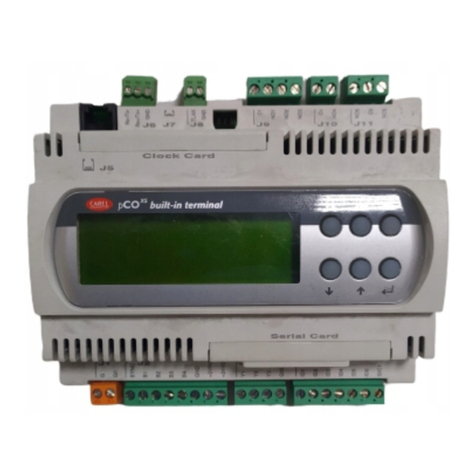
The three different sizes feature a version with LCD and keypad built-into the plastic case, and fitted with:
• an LCD display, 4 x 20, with back-lighting (selectable via software);
• 6 buttons;
• 4 LEDs managed by application software.
S&2ð
cod. Carel +030221826 rel. 2.0 dated 03/10/02 5
  3URJUDPPDELOLW\
The Carel pCO2can be programmed using the EasyTools1development system, which offers the following advantages:
• transportability of the software onto different Carel hardware. The applications developed for the pCO or Macroplus can be
simply and quickly transferred to the pCO² (and vice-versa), adapting the inputs and outputs only;
• rapid development, at competitive costs, of customised programs;
• reliability guaranteed by the use of standard routines, tested in the field.
The use of EasyTools, furthermore, offers customers the guarantee of the maximum degree of confidentiality and independent
management should they decide to develop their own new programs.
The possibility to use the same hardware in different applications guarantees standardisation, with the significant advantages of
being able to have test in-circuit, functional testing and burn-in procedures on all products, and thus achieve a high degree of
reliability both overall and of the individual electronic components.
$SSOLFDWLRQV
The programmability of the Carel pCO2ensures absolute applicational flexibility. The same standard hardware can be used for
the control of:
• chillers and heat pumps;
• roof-top units;
• air-conditioners;
• small / medium air handling units (upon request);
• showcases (upon request and on specifications);
• cold rooms (upon request and on specifications);
• seasoning rooms;
• refrigeration units;
• universal circuit-closing switches.
Other types of programs can be developed upon request and based on customer specifications.
7HUPLQDOV
The terminal can be customised according to customer specifications.
For example, the following features can be chosen:
• standard or graphic LCD display; luminous segment (LED) display;
• number of buttons according to specific application needs;
• number of LED signals according to specific application needs;
• protective polycarbonate keypad label made to customer specifications.
1EasyTools: environment made up of a variety of different, user-friendly software, for programming, simulating, supervising and
creating pLAN local networks, using terminals and Carel programmable controls (Macroplus, pCO and pCO²).
S&2ð
cod. Carel +030221826 rel. 2.0 dated 03/10/02 6
 +$5':$5(6758&785(
The structure of the Carel pCO2features:
• theS&2

FRQWURO, fitted with a 16-bit microprocessor for running the regulation program, and the set of terminals required
for connection to the controlled devices (for example: valves, compressors, fans). The program and the set parameters are
saved permanently in )/$6+ PHPRU\, preventing data loss in the event of power failure (without requiring a back-up
battery).
The pCO2also allows connection to a local pLAN network made up of a series of pCO² and terminals. Each board can
exchange information (any variable, digital or analogue, according to the application software) at high transmission speeds.
Up to 32 units can be connected, sharing information in very short times. The connection to the supervisor/telemaintenance
serial line, based on the RS485 standard, is made using the optional serial boards (PCO2004850) and the Carel
communication protocol.
• the WHUPLQDO also managed by microprocessor, fitted with display, keypad and LEDs to allow the programming of the
control parameters (Set Point, differential band, alarm thresholds) and fundamental operation by the user (ON/OFF, display
of the controlled values, optional printing). The terminal does not have to be connected to the pCO2for normal operation, but
can be used for the initial programming of the fundamental parameters.
The power of the application software means that the user terminal allows:
• the initial programming of the machine, with password-protected access to guarantee security;
• the possibility to modify, at any time, the fundamental operating parameters, optionally protected by password;
• the display and acoustic signalling (buzzer) of the alarms detected;
• the display of the active functions, using the LEDs;
• the display of all the quantities measured;
• the printing of the alarms recorded, and the periodical printing of the status of the main machine variables (optional);
• the possibility to simulate the function buttons of the standard keypad, with LED indication of the selected function
(depending on the application software);
the possibility to simulate a numeric keypad on the standard keypad, for setting the data (depending on the application software)
.