manuals.online logo
Brands
  1. Home
  2. •
  3. Brands
  4. •
  5. Drive
  6. •
  7. Mobility Aid
  8. •
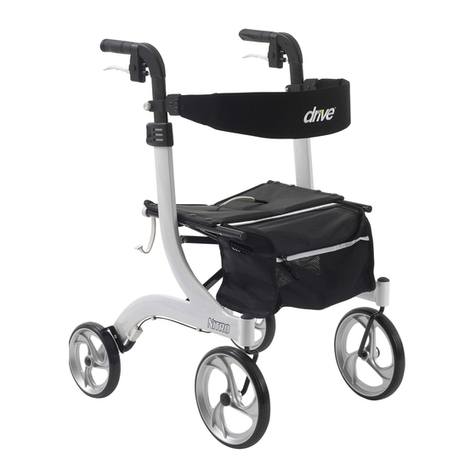
  9. Drive NIMBO POSTERIOR User manual

Drive NIMBO POSTERIOR User manual

This manual suits for next models

13

Other Drive Mobility Aid manuals

Drive NITRO Series User manual

Drive

Drive NITRO Series User manual

Drive nitro User manual

Drive

Drive nitro User manual

Drive 10224-2 User manual

Drive

Drive 10224-2 User manual

Drive 13031SV-KD User manual

Drive

Drive 13031SV-KD User manual

Drive PreserveTech RTL12C002-WH User manual

Drive

Drive PreserveTech RTL12C002-WH User manual

Drive R728RD User manual

Drive

Drive R728RD User manual

Drive RTL11158KDR User manual

Drive

Drive RTL11158KDR User manual

Drive FC 2028 User manual

Drive

Drive FC 2028 User manual

Drive Nitro Rollator User manual

Drive

Drive Nitro Rollator User manual

Drive 1239RD User manual

Drive

Drive 1239RD User manual

Drive arc lite 102EXL-BL User manual

Drive

Drive arc lite 102EXL-BL User manual

Drive Migo User manual

Drive

Drive Migo User manual

Drive Cristallo User manual

Drive

Drive Cristallo User manual

Drive Diamond Deluxe User manual

Drive

Drive Diamond Deluxe User manual

Drive Gecko 700 100 100 STARR User manual

Drive

Drive Gecko 700 100 100 STARR User manual

Drive Diamond Deluxe User manual

Drive

Drive Diamond Deluxe User manual

Drive DeVilbiss bellavita DIVE User manual

Drive

Drive DeVilbiss bellavita DIVE User manual

Drive 10350-1 User manual

Drive

Drive 10350-1 User manual

Drive CE 1000 XL User manual

Drive

Drive CE 1000 XL User manual

Drive Ultra Light Plus User manual

Drive

Drive Ultra Light Plus User manual

Drive Comfort TOUCH RTL2017CTK User manual
Drive

Drive Comfort TOUCH RTL2017CTK User manual

Drive ROOMBA User manual

Drive

Drive ROOMBA User manual

Drive Nitro Carbon User manual

Drive

Drive Nitro Carbon User manual

Drive R726 User manual

Drive

Drive R726 User manual
Popular Mobility Aid manuals by other brands

Alber Scalamobil iQ operating instructions

Alber

Alber Scalamobil iQ operating instructions

Ferno CCT-PX user manual

Ferno

Ferno CCT-PX user manual

Otto Bock Pheon 3R62 Instructions for use

Otto Bock

Otto Bock Pheon 3R62 Instructions for use

NRS Healthcare M11090 User instructions

NRS Healthcare

NRS Healthcare M11090 User instructions

Medline MDS86835DSHEC User Instructions & Warranty

Medline

Medline MDS86835DSHEC User Instructions & Warranty

HEPRO Gripo user manual

HEPRO

HEPRO Gripo user manual

Guldmann Twin Turner II user manual

Guldmann

Guldmann Twin Turner II user manual

Gate Balder operating instructions

Gate

Gate Balder operating instructions

Decon wheel TNS Notos Assembly instructions

Decon wheel

Decon wheel TNS Notos Assembly instructions

ExoAtlet ExoAtlet-II user manual

ExoAtlet

ExoAtlet ExoAtlet-II user manual

Invacare Storm Series parts catalog

Invacare

Invacare Storm Series parts catalog

Rhythm Healthcare B3800F manual

Rhythm Healthcare

Rhythm Healthcare B3800F manual

AMF-BRUNS PROTEKTOR installation manual

AMF-BRUNS

AMF-BRUNS PROTEKTOR installation manual

Drive DeVilbiss Healthcare OTTER Instructions for use

Drive DeVilbiss Healthcare

Drive DeVilbiss Healthcare OTTER Instructions for use

Rhythm Healthcare C500U Assembly and Fitting Instructions
Rhythm Healthcare

Rhythm Healthcare C500U Assembly and Fitting Instructions

Lumex RJ4200A manual

Lumex

Lumex RJ4200A manual

Rebotec Jumbo user manual

Rebotec

Rebotec Jumbo user manual

Rehaforum MEDICAL PR50548 manual

Rehaforum MEDICAL

Rehaforum MEDICAL PR50548 manual

manuals.online logo
manuals.online logoBrands
  • About & Mission
  • Contact us
  • Privacy Policy
  • Terms and Conditions

Copyright 2025 Manuals.Online. All Rights Reserved.

EU Authorized Representative
Drive Medical LTD
Ainley’s Industrial Estate
Elland, West Yorkshire,
United Kingdom HX5 9JP
Your Inspired by Drive branded product is warrantied
to be free of defects in materials and workmanship for
the lifetime of the product for the original consumer
purchaser.
This device was built to exacting standards and
carefully inspected prior to shipment. This Lifetime
Limited Warranty is an expression of our confidence
in the materials and workmanship of our products
and our assurance to the consumer of years of
dependable service.
This warranty does not cover device failure due to
owner misuse or negligence, or normal wear and
tear. The warranty does not extend to non-durable
components, such as rubber accessories, casters,
and grips, which are subject to normal wear and need
periodic replacement.
If you have a question about your Inspired by Drive
device or this warranty, please contact an authorized
Inspired by Drive dealer.
Rev.2.1.10.17
Limited Lifetime Warranty
by
NIMBO POSTERIOR WALKER
Item #
KA1200-2GCR, KA1200-2GKB, KA1200-2GWP,
KA2200-2GCR, KA2200-2GKB, KA2200-2GWP,
KA3200-2GCR, KA3200-2GKB, KA3200-2GWP,
KA4200-2GCR, KA4200-2GKB, KA4200-2GWP,
KA5200-2GEB
2017 Medical Depot, Inc. All rights reserved.
Drive DeVilbiss Healthcare
user instructions
1. Remove Nimbo from carton.
2. To unfold the Nimbo, pull handgrips and cross
brace in opposite directions. Continue to unfold
until the push pins “click” into place.
3. To install the legs, match the leg numbers with the
corresponding frame numbers. Depress the push
pins on the legs and slide into the frame. When
locked into position, the push pins will “CLICK”
through the frame.
4. Adjust height of walker by pressing push pins on
each leg and slide leg to desired position.
FIGUREA
INCORRECTPUSHPINSCORRECTPUSHPINS
FRONT
OF
WALKER
1. Lift and position knob (A) to set front wheels in
either the swivel or locked position.
maintenance and care
1. Inspect the Roller regularly. Tighten the nuts
and bolts as necessary. If a product needs service
or replacement parts, contact an authorized Drive
dealer.
2. To clean the Roller, use warm water with a mild
detergent. Wipe clean with a soft, dry cloth.
FIGUREC
PICTUREINDICATES
UNLOCKEDPOSITION
OVERRIDE
BRACKET
user information
2. To fold the Nimbo, face it from the open end,
depress the push pins, tilt walker so that it rests
on its rear legs only and push the front legs toward
the rear legs.
3. To override the one-directional feature of the rear
wheels, lift up aluminum pin and insert into
override bracket
A
FIGUREB