manuals.online logo
Brands
  1. Home
  2. •
  3. Brands
  4. •
  5. Drive
  6. •
  7. Mobility Aid
  8. •
  9. Drive Steerable Knee Walker User manual

Drive Steerable Knee Walker User manual

Other Drive Mobility Aid manuals
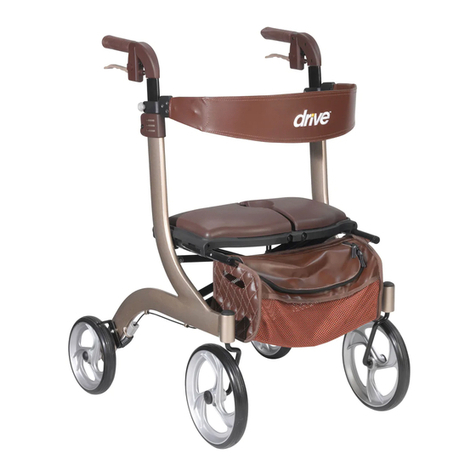
Drive GiGo User manual

Drive

Drive GiGo User manual

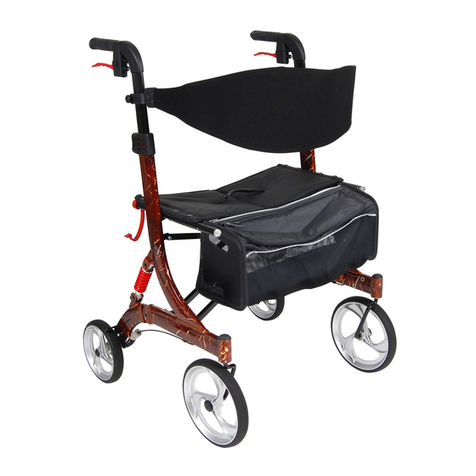
Drive Nitro Rollator User manual

Drive

Drive Nitro Rollator User manual

Drive Nitro Rollator User manual

Drive

Drive Nitro Rollator User manual

Drive FC 2030N User manual

Drive

Drive FC 2030N User manual

Drive D577-R User manual

Drive

Drive D577-R User manual

Drive 2112-3 User manual

Drive

Drive 2112-3 User manual

Drive RTL11158KDR User manual

Drive

Drive RTL11158KDR User manual

Drive CE 1000 B User manual

Drive

Drive CE 1000 B User manual

Drive Diamond Deluxe User manual

Drive

Drive Diamond Deluxe User manual

Drive Cristallo User manual

Drive

Drive Cristallo User manual

Drive NIMBO POSTERIOR User manual

Drive

Drive NIMBO POSTERIOR User manual

Drive Ultra Light Plus User manual

Drive

Drive Ultra Light Plus User manual

Drive Ready Set Go User manual

Drive

Drive Ready Set Go User manual

Drive 10240-2 User manual

Drive

Drive 10240-2 User manual

Drive NITRO Series User manual

Drive

Drive NITRO Series User manual

Drive 750NB User manual

Drive

Drive 750NB User manual

Drive 10257BL-1 User manual

Drive

Drive 10257BL-1 User manual

Drive 11148N-4 User manual

Drive

Drive 11148N-4 User manual

Drive CE 1000 XL User manual

Drive

Drive CE 1000 XL User manual

Drive Inspired GT1000-2GB User manual

Drive

Drive Inspired GT1000-2GB User manual

Drive TW011R User manual

Drive

Drive TW011R User manual

Drive CE 1286 User manual

Drive

Drive CE 1286 User manual
Drive FC 2028 User manual

Drive

Drive FC 2028 User manual

Drive 10220-1WW User manual

Drive

Drive 10220-1WW User manual

Popular Mobility Aid manuals by other brands
Alber Scalamobil iQ operating instructions

Alber

Alber Scalamobil iQ operating instructions

Ferno CCT-PX user manual

Ferno

Ferno CCT-PX user manual

Otto Bock Pheon 3R62 Instructions for use

Otto Bock

Otto Bock Pheon 3R62 Instructions for use

NRS Healthcare M11090 User instructions

NRS Healthcare

NRS Healthcare M11090 User instructions

Medline MDS86835DSHEC User Instructions & Warranty

Medline

Medline MDS86835DSHEC User Instructions & Warranty

HEPRO Gripo user manual

HEPRO

HEPRO Gripo user manual

Guldmann Twin Turner II user manual

Guldmann

Guldmann Twin Turner II user manual

Gate Balder operating instructions

Gate

Gate Balder operating instructions

Decon wheel TNS Notos Assembly instructions

Decon wheel

Decon wheel TNS Notos Assembly instructions

ExoAtlet ExoAtlet-II user manual

ExoAtlet

ExoAtlet ExoAtlet-II user manual

Invacare Storm Series parts catalog

Invacare

Invacare Storm Series parts catalog

Rhythm Healthcare B3800F manual

Rhythm Healthcare

Rhythm Healthcare B3800F manual

AMF-BRUNS PROTEKTOR installation manual
AMF-BRUNS

AMF-BRUNS PROTEKTOR installation manual

Drive DeVilbiss Healthcare OTTER Instructions for use

Drive DeVilbiss Healthcare

Drive DeVilbiss Healthcare OTTER Instructions for use

Rhythm Healthcare C500U Assembly and Fitting Instructions
Rhythm Healthcare

Rhythm Healthcare C500U Assembly and Fitting Instructions

Lumex RJ4200A manual

Lumex

Lumex RJ4200A manual

Rebotec Jumbo user manual

Rebotec

Rebotec Jumbo user manual

Rehaforum MEDICAL PR50548 manual

Rehaforum MEDICAL

Rehaforum MEDICAL PR50548 manual

manuals.online logo
manuals.online logoBrands
  • About & Mission
  • Contact us
  • Privacy Policy
  • Terms and Conditions

Copyright 2025 Manuals.Online. All Rights Reserved.

Steerable
Knee
Walker
www.drivedevilbiss.co.uk
Drive DeVilbiss Healthcare Ltd,
Heathfield Lane, Birkenshaw,
GB BD11 2HW
Document code: 790_Hangtag (Iss 07/18)
Warranty Details
Your Drive branded product is warranted to be free
of defects in materials and workmanship for one
year from date of purchase.
This device was built to exacting standards and
carefully inspected prior to shipment. This warranty
is an expression of our confidence in the materials
and workmanship of our products and our
assurance to the customer.
In the event of a defect covered by this warranty,
we will at our option supply parts or replace the
device.
This warranty does not cover device failure due to
owner misuse or negligence, or normal wear and
tear. The warranty does not extend to non-durable
components, such as rubber accessories, castors
and grips, which are subject to normal wear and
need periodic replacement.
If you have any queries or require full warranty
conditions, please contact your Drive stockist.
This does not affect your statutory rights.
Safety Precautions Operating the Knee Walker
CAUTION: TO REDUCE THE RISK OF
ACCIDENT
•Before using the Knee Walker, you should be
trained by a healthcare professional or dealer.
•Engage the brakes and practice bending,
reaching and transfers on and off the Knee
Walker. DO NOT use the Knee Walker by
yourself until you have been properly trained,
you have practiced with someone and you feel
confident you can maneuver by yourself.
•The use of the Knee Walker is individual to the
person. You should develop your own methods
for use based on your personal level of function
and ability.
•Be aware of your surroundings when operating
the Knee Walker. Look for hazards and avoid
them. Examples of hazards include wet or slippy
flooring, obstacles on the floor, and excessive
gradients.
•Always ensure the seat and tiller are secure
before load bearing use.
•The seat is only used to support a knee. Do not
sit on the seat.
The Drive Knee Walker is a mobility device that
provides strength and comfort to anyone who may
have an injury below the knee. It allows an even
distribution of body weight by supporting half of the
weight on the device and the other half on the non-
injured leg. The device has a cushioned platform to
support both the injured leg and ankle to make
certain that no weight will be place on the lower
leg.
The device may also be used a technical aid for a
disabled person who may have conditions
including foot ulcers and lower leg amputation.
The device is designed for easy steering and
stopping. Brakes are also featured on this device
for controlled movement and safety.
•Placement of the affected leg on the bench
should be centered side to side and positioned
forward to cover the full length of the bench.
•With the affected leg on the seat, stand as
straight as possible (adjust the height of the
tiller and seat if required).
•With the affected foot pointing down, the
position of the propulsion leg should be
maintained as close as possible to the seat.
•While on your toes, start out with small steps
with the propulsion leg. Concentrate on
keeping that leg next to the seat. With practice,
you should be able to move forward without
deviating to the opposite side.
Assembly Instructions
1. Remove the contents from the carton.
2. Insert the front tiller in to the front of the
frame (figure 1).
3. Once the tiller is in place and the handles
are aligned correctly with the wheels,
tighten the screw (figure 2) using an allen
key by turning clockwise.
4. Straighten the tiller to the upright position.
Slide the second screw into the receptacle
(figure 3).
5. Secure the screw and tiller in place by
pushing the locking handle against the side of
the tiller (figure 4).
6. Insert the seat post in to the seat
receptacle. Follow the instructions overleaf to
install the seat.
Seat Height Adjustment
correct
Incorrect
Turn the seat lock knob anticlockwise to release
the seat post. Readjust the seat to the required
height. Replace the Seat Lock Knob and turn
clockwise to tighten, as shown above.
Ensure the Seat Lock Knob fully goes through the
seat post and the end of the Knob can be seen
protruding through the other side (ringed above).
Ensure the seat points forward as shown in the
diagram.
Seat lock
Handle Height Adjustment
To adjust the handle height, release the lock tab
on the collar and adjust the handle to the desired
height. Push the lock tab back to tighten.
To Fold the Tiller
To fold the tiller down, pull the bottom lock lever
away from the knee walker until the lock is
disengaged. While holding the lock lever in the
down position, fold the tiller down until it rests on
the seat.
Using the Hand Brake
•Do not use the Knee Walker if the brake system
is not working properly.
•The Knee Walker’s brake is similar to a bicycle
brake and also has a locking feature.
•To use the brake, simply pull the lever with your
finger tips toward the handle bar.
•To lock the brake, pull the brake lever towards
the handle bar and push down the spring
loaded push button (located on top of the brake
unit). When done correctly, the push button will
remain down and the brake lever will be locked
in place. Repeat for the other brake.
•To release the brake, simply pull the lever
towards the handle bar. The push pin will
release up automatically.
Adjusting the Hand Brake
•For minor adjustment, the brake adjuster
located on the handbrake can be turned out
from the hand brake anticlockwise to tighten the
brake, or clockwise to loosen the brake.
•If further adjustment is required, apply the same
method of adjustment at the lower cable
adjuster.
•As you adjust the cable adjuster and the
adjuster nut away from each other the brakes
will tighten, and as you adjust them closer the
brake will loosen.