manuals.online logo
Brands
  1. Home
  2. •
  3. Brands
  4. •
  5. Eaton
  6. •
  7. Batteries Charger
  8. •
  9. Eaton xChargeIn Manual

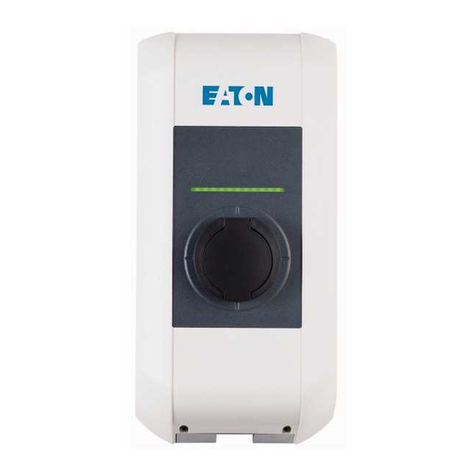
Eaton xChargeIn Manual

Other manuals for xChargeIn

3

Other Eaton Batteries Charger manuals

Eaton xChargeIn A Series User manual

Eaton

Eaton xChargeIn A Series User manual

Eaton Green Motion Building Pro User manual

Eaton

Eaton Green Motion Building Pro User manual

Eaton Green Motion DC 22 User manual

Eaton

Eaton Green Motion DC 22 User manual

Eaton ASY-0652 User manual

Eaton

Eaton ASY-0652 User manual

Eaton Green Motion DC 22 User manual

Eaton

Eaton Green Motion DC 22 User manual

Eaton Green Motion DC 44 User manual

Eaton

Eaton Green Motion DC 44 User manual

Eaton ELPSM2 Light-Pak Setup guide

Eaton

Eaton ELPSM2 Light-Pak Setup guide

Eaton EX RT CLA User manual

Eaton

Eaton EX RT CLA User manual

Eaton E2 User manual

Eaton

Eaton E2 User manual

Eaton 9SX 8000i RT6U User manual

Eaton

Eaton 9SX 8000i RT6U User manual

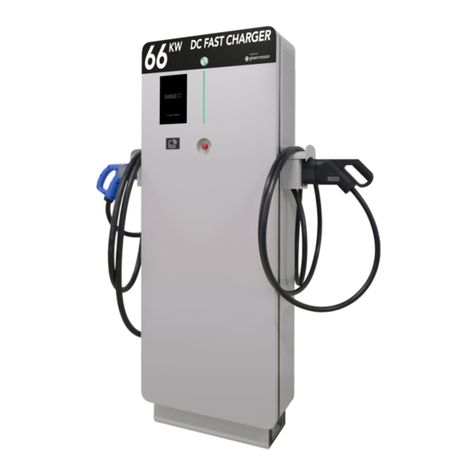
Eaton GREEN MOTION RANGE XT66 Guide

Eaton

Eaton GREEN MOTION RANGE XT66 Guide

Eaton Green Motion DC 22 User manual

Eaton

Eaton Green Motion DC 22 User manual

Eaton Green Motion DC 22 User manual

Eaton

Eaton Green Motion DC 22 User manual

Eaton Green Motion Home User manual

Eaton

Eaton Green Motion Home User manual

Eaton 81215-SBP User manual

Eaton

Eaton 81215-SBP User manual

Eaton Green Motion Building User manual

Eaton

Eaton Green Motion Building User manual

Eaton xChargeIn Instruction Manual

Eaton

Eaton xChargeIn Instruction Manual

Eaton Green Motion Fleet Pro User manual

Eaton

Eaton Green Motion Fleet Pro User manual

Eaton Green Motion User manual

Eaton

Eaton Green Motion User manual

Eaton Supercharger 240VDC User manual

Eaton

Eaton Supercharger 240VDC User manual

Eaton xChargeIn M Series Instruction sheet

Eaton

Eaton xChargeIn M Series Instruction sheet

Eaton 9170+ ASY-0652 User manual

Eaton

Eaton 9170+ ASY-0652 User manual

Eaton xChargeln DC 22 User manual

Eaton

Eaton xChargeln DC 22 User manual

Eaton xChargeIn A Series Use and care manual

Eaton

Eaton xChargeIn A Series Use and care manual

Popular Batteries Charger manuals by other brands

EVBox BusinessLine manual

EVBox

EVBox BusinessLine manual

Goobay 71808 user manual

Goobay

Goobay 71808 user manual

Kogan KACRDQIS4XA user manual

Kogan

Kogan KACRDQIS4XA user manual

Sealey WCB3 quick start guide

Sealey

Sealey WCB3 quick start guide

Vanner SP00143/181 owner's manual

Vanner

Vanner SP00143/181 owner's manual

KeyOuest KO037515 quick start guide

KeyOuest

KeyOuest KO037515 quick start guide

Enplus Silk Series user manual

Enplus

Enplus Silk Series user manual

Intermec SF51 user guide

Intermec

Intermec SF51 user guide

Colorovo PowerBox 6800 user guide

Colorovo

Colorovo PowerBox 6800 user guide

Smartech WBC-250 Operator's manual

Smartech

Smartech WBC-250 Operator's manual

PIXO C-USB instruction manual

PIXO

PIXO C-USB instruction manual

Gunson G4104 quick start guide

Gunson

Gunson G4104 quick start guide

Dometic NDS SCE320 Short Operating Manual

Dometic

Dometic NDS SCE320 Short Operating Manual

ABB HT572708 Operation manual

ABB

ABB HT572708 Operation manual

EVOline Square80 manual

EVOline

EVOline Square80 manual

Redarc SBC24025 Operating instructions and owner's manual

Redarc

Redarc SBC24025 Operating instructions and owner's manual

Absaar HV04 manual

Absaar

Absaar HV04 manual

DazeTechnology Cover Dazebox Home installation manual

DazeTechnology

DazeTechnology Cover Dazebox Home installation manual

manuals.online logo
manuals.online logoBrands
  • About & Mission
  • Contact us
  • Privacy Policy
  • Terms and Conditions

Copyright 2025 Manuals.Online. All Rights Reserved.

xChargeIn
UDP Programmers Guide V 2.01
EATON xChargeIn UDP Programmers Guide V 2.01
EATON xChargeIn, UDP Programmers Guide V 2.01 2
© EATON 2018
Table of contents
1 Introduction ................................................................................................................ 3
1.1 Safety instructions............................................................................................ 3
1.1.1 Representation of safety instructions................................................. 4
1.2 Verification of validity....................................................................................... 4
1.3 Target group .................................................................................................... 4
1.4 Requirements................................................................................................... 5
1.5 Further documentation and software ............................................................... 5
2
UDP
interface: Guidelines.........................................................................................
6
2.1
Required command delays ..............................................................................
6
2.2
Addressing and communication port................................................................
6
2.3
Recommended communication buildup scheme.............................................
7
2.4
RFID authorization...........................................................................................
7
2.4.1 xChargeIn S-series
.......................................................................................
7
2.4.2 xChargeIn M-series
.......................................................................................
8
2.5
Current control.................................................................................................
9
3 UDP commands ..........................................................................................................................10
3.1 General information.........................................................................................................10
3.2 UDP commands intended for regular use....................................................................11
3.2.1 UDP command: i..............................................................................................11
3.2.2 UDP command: report 1.................................................................................11
3.2.3 UDP command: report 2.................................................................................12
3.2.4 UDP command: report 3.................................................................................14
3.2.5 UDP command: report 1xx (historical log entries)......................................15
3.2.6 UDP command: currtime................................................................................17
3.2.7 UDP command: setenergy.............................................................................20
3.2.8 UDP command: output ...................................................................................20
3.2.9 UDP command: start.......................................................................................21
3.2.10 UDP command: stop.......................................................................................22
3.2.11 UDP command: setdatetime..........................................................................24
3.2.12 UDP command: display..................................................................................26
3.2.13 UDP command: unlock...................................................................................26
3.3 UDP commands with permanent effects......................................................................
27
3.3.1 UDP command: ena........................................................................................27
3.3.2 UDP command: curr........................................................................................28
3.3.3 UDP command: failsafe..................................................................................30
3.4 UDP status messages.....................................................................................................31
4 Disclaimer……………………………………………………………………………………………………………………………… 32
EATON xChargeIn UDP Programmers Guide V 2.01
EATON xChargeIn, UDP Programmers Guide V 2.01 3
© EATON 2018
1 Introduction
This programmers guide provides the information required to develop an
application for sending UDP commands to xChargeIn charging station. UDP
commands can be used to get status information from the charging station
or to control the charging station with a UDP client (PC software or
smartphone app).
Using UDP, the charging station can be integrated into a smart home, which
allows for example, the current power consumption to be regulated in
response to a photovoltaic system.
Fig. 1-1: Schematic overview (example)
1.1 Safety instructions
This document is an extension to the supplied manuals of xChargeIn.
You must comply with all instructions and safety instructions in the
supplied manuals!
EATON xChargeIn UDP Programmers Guide V 2.01
EATON xChargeIn, UDP Programmers Guide V 2.01 4
© EATON 2018
1.1.1 Representation of safety instructions
At various points in this manual, you will see notes and precautionary
warnings regarding possible hazards. The symbols used have the following
meaning:
DANGER!
indicates an imminently hazardous situation, which will result in death or
serious bodily injury if the corresponding precautions are not taken.
WARNING!
indicates a potentially hazardous situation, which can result in death or
serious bodily injury if the corresponding precautions are not taken.
CAUTION!
means that if the corresponding safety measures are not taken, a potentially
hazardous situation can occur that may result in slight bodily injury.
Caution
means that damage to property can occur if the corresponding safety
measures are not taken.
ESD
This symbol reminds you of the possible consequences of touching electro-
statically sensitive components.
1.2 Verification of validity
The user of this document is obligated to obtain information with regard to
the validity of this document.
1.3 Target group
This document contains information for people with the relevant technical
knowledge and programming skills in the applicable area and appropriate to
the operations they are required to perform.
Information
Identifies practical tips and useful information. No information that warns
about potentially dangerous or harmful functions is contained.
EATON xChargeIn UDP Programmers Guide V 2.01
EATON xChargeIn, UDP Programmers Guide V 2.01 5
© EATON 2018
1.4 Requirements
The following requirements have to be met in order to use the UDP
functionality:
●EATON xChargeIn S-series or M-series
with firmware version 3.9.14 or higher
●The UDP interface is enabled by switching the DIP switch DSW1.3 to
“ON” (for details regarding the DIP switches, see the "installation
manual").
●A PC or smartphone for sending the UDP commands.
This also requires a suitable UDP client software or UDP app.
●The charging station has to be connected (via LAN cable or WLAN) to
the same network as the application.
1.5 Further documentation and software
Manuals, further information and software downloads are available on the
EATON website:
www.eaton.com/evc
Information
The latest manuals and firmware can be downloaded here:
www.eaton.com/evc
EATON xChargeIn UDP Programmers Guide V 2.01
EATON xChargeIn, UDP Programmers Guide V 2.01 6
© EATON 2018
2 UDP interface: Guidelines
The following section contains rules and guidelines to ensure the best
usability.
2.1 Required command delays
The following time intervals are the minimum required waiting times between
UDP commands in general and the scheduled repetition of the same
command. Any application communicating with xChargeIn is required to
comply with these waiting times.
The minimum waiting time between any two UDP commands is defined as
follows:
●t_UDP_pause = 100 ms
The minimum waiting time between the scheduled repetitions of any UPD
command is defined as follows:
●t_COM_pause = 5 s
The minimum waiting time after sending a disable command (e.g. ena 0) is
defined as follows:
●t_DIS_pause = 2 s
2.2 Addressing and communication port
Always use direct addressing for communication. This means that each
command or UDP session has to contain the IP address of the specific
charging station.
The port used for UDP communication is 7090. Ensure that this port is not
blocked by a firewall or other ongoing communication.
Information
Do not communicate with a charging station without addressing it by its IP
address. Even if it seems to work fine in some cases, this practice is
dangerous for multiple stations in the same network. This feature will be
discontinued.
EATON xChargeIn UDP Programmers Guide V 2.01
EATON xChargeIn, UDP Programmers Guide V 2.01 7
© EATON 2018
2.3 Recommended communication buildup scheme
The following scheme illustrates a recommended process for the detection
and the initial communication buildup:
1) Send “i” to network address/port 7090
2) Wait for t_UDP_pause
If a device sends a response, continue with step 3 otherwise return to
step 1.
3) Send “report 1” to IP address of charging station/port 7090
4) Wait for t_UDP_pause
5) Send “report 2” to IP address of charging station/port 7090
6) Wait for t_UDP_pause
7) Send “report 3” to IP address of charging station/port 7090
8) Wait for t_UDP_pause
Now the complete device data and all acquirable information is available to
the application.
2.4 RFID authorization
The following section provides information regarding the RFID authorization
function as well as a method to detect if this function is enabled.
All variants of the xChargeIn charging stations save the RFID tags in a
whitelist, which can be deleted by performing a special reset or extended by
using the master RFID card. For more information please refer to the
"operating instructions".
2.4.1 xChargeIn S-series
xChargeIn S-series has no dedicated setting to enable/disable the RFID
authorization. A charging station with an empty whitelist is permanently
unlocked and a charging station with at least one entry in the whitelist is
locked. The data shown in the following table can be acquired using the
command report 2.
EATON xChargeIn UDP Programmers Guide V 2.01
EATON xChargeIn, UDP Programmers Guide V 2.01 8
© EATON 2018
Whitelist
Operating status
State
Plug
AuthON
Authreq
Empty
idle
1
3
0
0
Empty
plugged but not charging
2
7
0
0
Empty
charging
3
7
0
0
Not empty
idle and locked
1
3
1
1
Not empty
unlocked and not charging
1
3
1
0
Not empty
unlocked and plugged but not
charging
2
7
1
0
Not empty
unlocked and charging
3
7
1
0
The following can be concluded for all device types listed as xChargeIn S-
series: If the field “AuthON” is set to “0”, then the authorization function is
disabled.
2.4.2 xChargeIn M-series
xChargeIn M-series features a web interface with a dedicated setting for the
authorization function. This function is governed by an additional circuit
board called “COM-module” which also houses the WiFi components. The
RFID authorization can be deactivated even though the whitelist of the
charging station is not empty.
xChargeIn M-series will behave like xChargeIn S-series after a restart until
the COM-module is ready (~ 5 min after restart). The data shown in the
following table can be acquired using the command report 2.
Whitelist
Operating status
State
Plug
AuthON
Authreq
Empty
idle
1
3
0
0
Empty
plugged but not charging
2
7
0
0
Empty
charging
3
7
0
0
Empty
idle and locked (cannot be un-
locked since whitelist is empty)
1
3
1
1
Not empty
idle
1
3
0
0
Not empty
plugged but not charging
2
7
0
0
Not empty
charging
3
7
0
0
Not empty
idle and locked
1
3
1
1
Not empty
unlocked and not plugged
1
3
1
0
Not empty
unlocked and plugged but not
charging
2
7
1
0
Not empty
unlocked and charging
3
7
1
0
The following can be concluded for all device types listed as xChargeIn M-
series: If the field “AuthON” is set to “0”, then the authorization function is
disabled.
EATON xChargeIn UDP Programmers Guide V 2.01
EATON xChargeIn, UDP Programmers Guide V 2.01 9
© EATON 2018
2.5 Current control
Please note that AC (alternating current) charging stations do not control/
change the charging current directly. AC charging stations use a PWM
(pulse width modulation) signal to communicate the maximum allowed
charging current to the vehicle as specified in IEC 61851-1. All xChargeIn
are AC charging stations. The actual current is solely controlled by the
vehicle. If the wording used in this document indicates a current change, the
actual meaning is always a change in the maximum allowable current
(target current) communicated to the vehicle.
xChargeIn complies with IEC 61851-1. This international standard requires a
minimum waiting time between two consecutive current changes. To fulfill
this requirement, all xChargeIn will delay the execution of UDP commands
requesting a current change during a charging session. The affected
commands are currtime and curr. The request to stop charging via
currtime 0 1 will not be delayed and executed as soon as possible.
When a command, either currtime or curr, sets a new value for “Curr user”
the device prepares to change the target current within the next 6-7 seconds.
If another current change is requested via UDP command during this period
of time the target current will be overwritten but the timer will not reset. The
following examples illustrate the system behavior:
Example 1
10:07:19 curr command changes the value of “Curr user” immediately.
10:07:19 Internal timer starts at the same moment.
10:07:25 The change in the target current is executed and the value of “Max curr” is
changed.
Example 2
09:46:09 The first currtime command initiates a change of the target current.
09:46:10 The field “Curr user” is updated and the internal timer starts.
09:46:11 The second currtime requests another current adaptation.
09:46:12 The field “Curr user” is updated again but the internal timer is already running.
09:46:16 The change in the target current is executed and the value of “Max curr” is
changed to the value sent by the last command.

EATON xChargeIn UDP Programmers Guide V 2.01
EATON xChargeIn, UDP Programmers Guide V 2.01 10
© EATON 2018
3 UDP commands
3.1 General information
The following section will cover all available UDP commands and categorize
them appropriately into commands meant for regular use and commands
with specific use cases.
The charging station reacts on broadcasts and directly addressed
commands. In a group of several charging stations, direct addressing must
be used because otherwise all charging stations would react.
The commands are sent to the charging station as simple text commands
(without end characters such as <CR> or <LF>). The replies come as data
packages with up to 512 bytes and are formatted in JSON standard.
Fig. 3-2: Example of a UDP command and the reply from the charging station

1
... UDP command
2
... Reply
Port information:
●Send port = UDP 7090
●Receive port = UDP 7090
Information
When using UDP commands it is strongly recommended to protect your
network to prevent unauthorized control.
Information
UDP does not support error correction functionality. Please verify the effect
of the sent commands yourself.