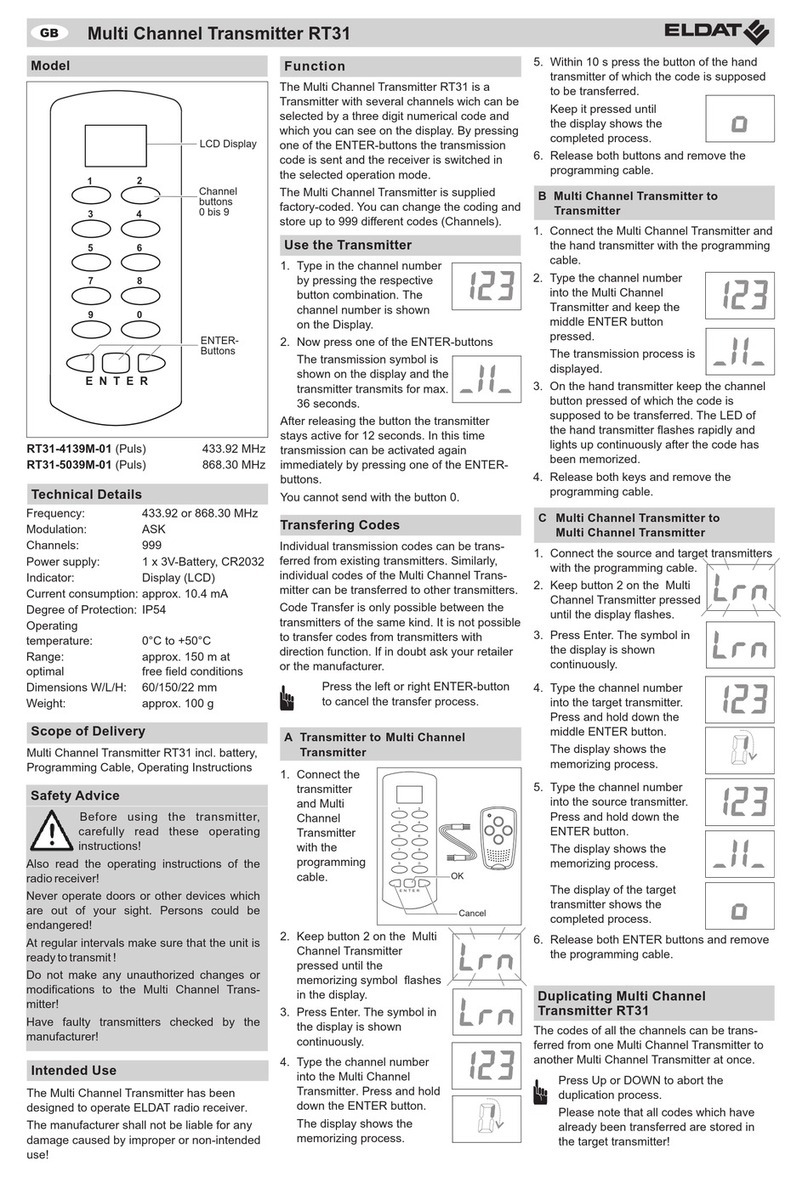
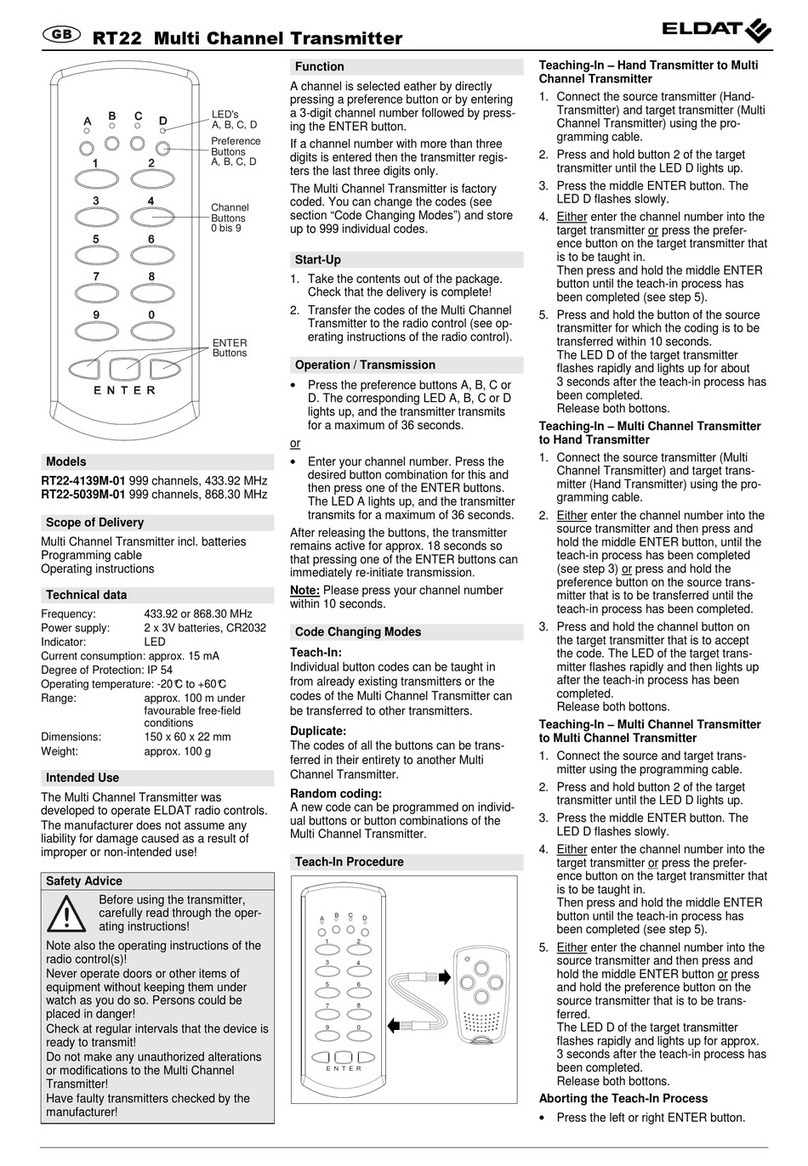
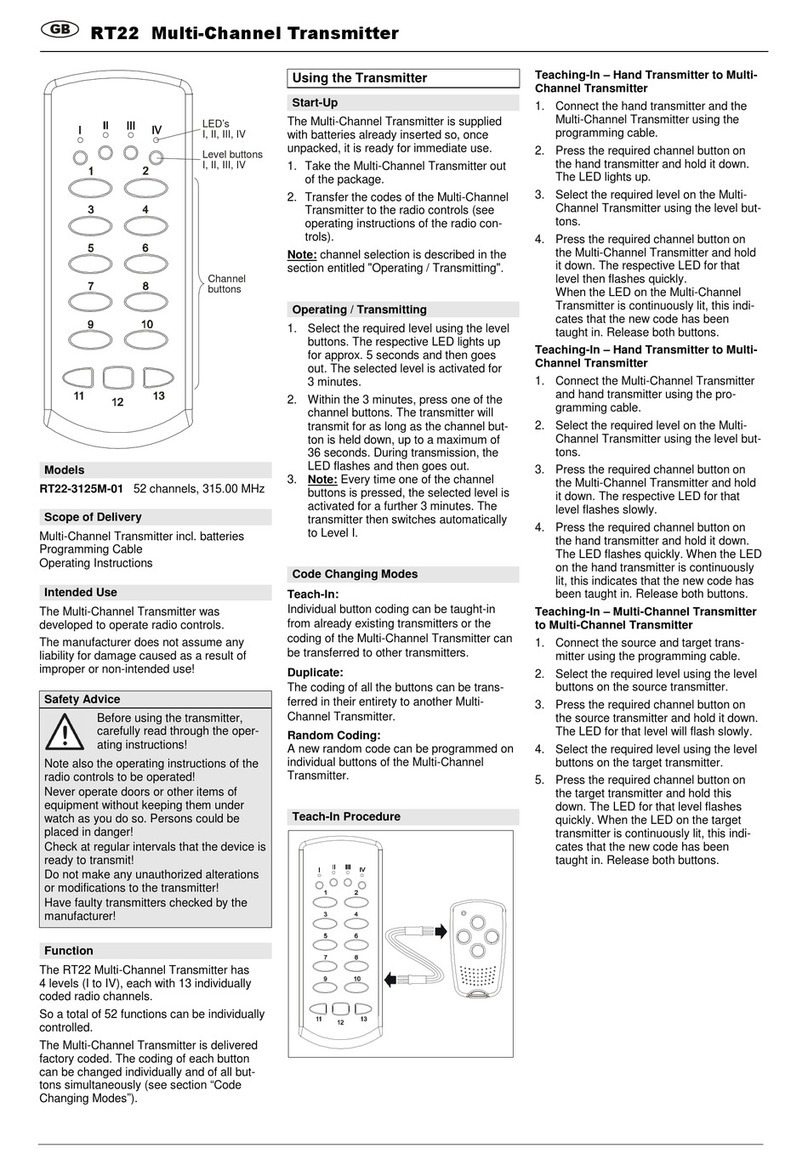
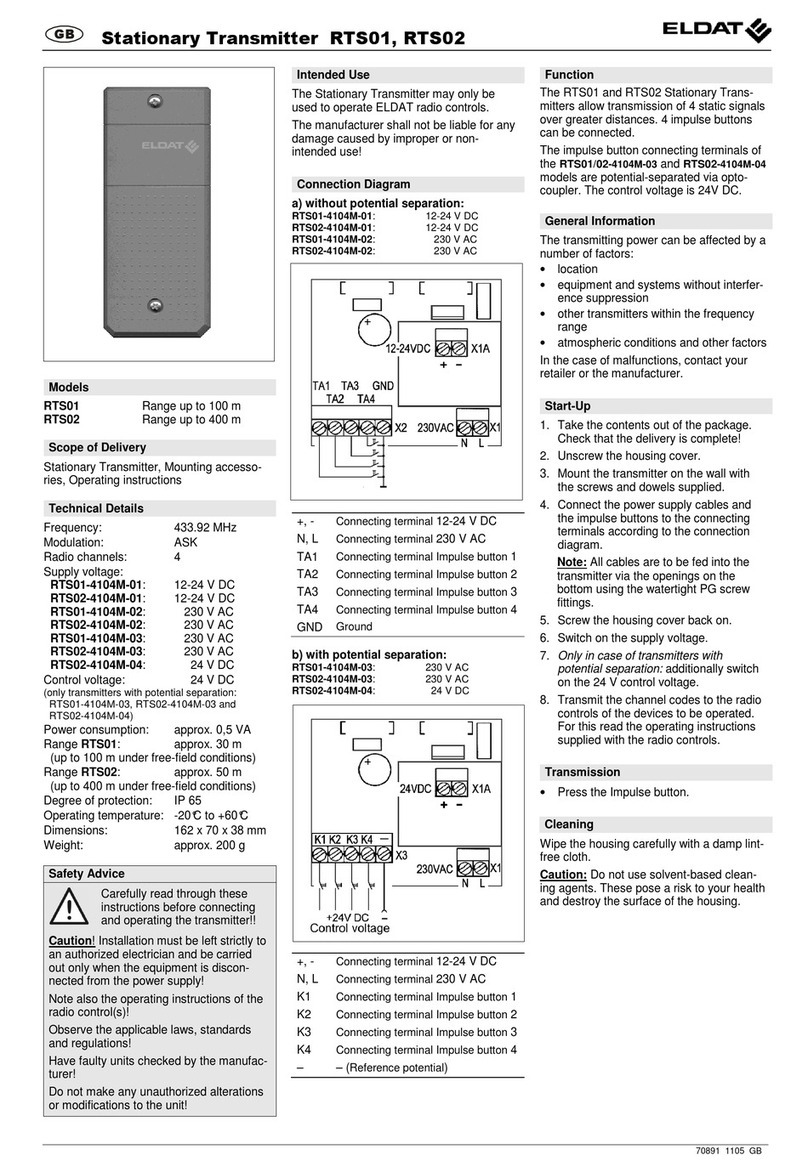
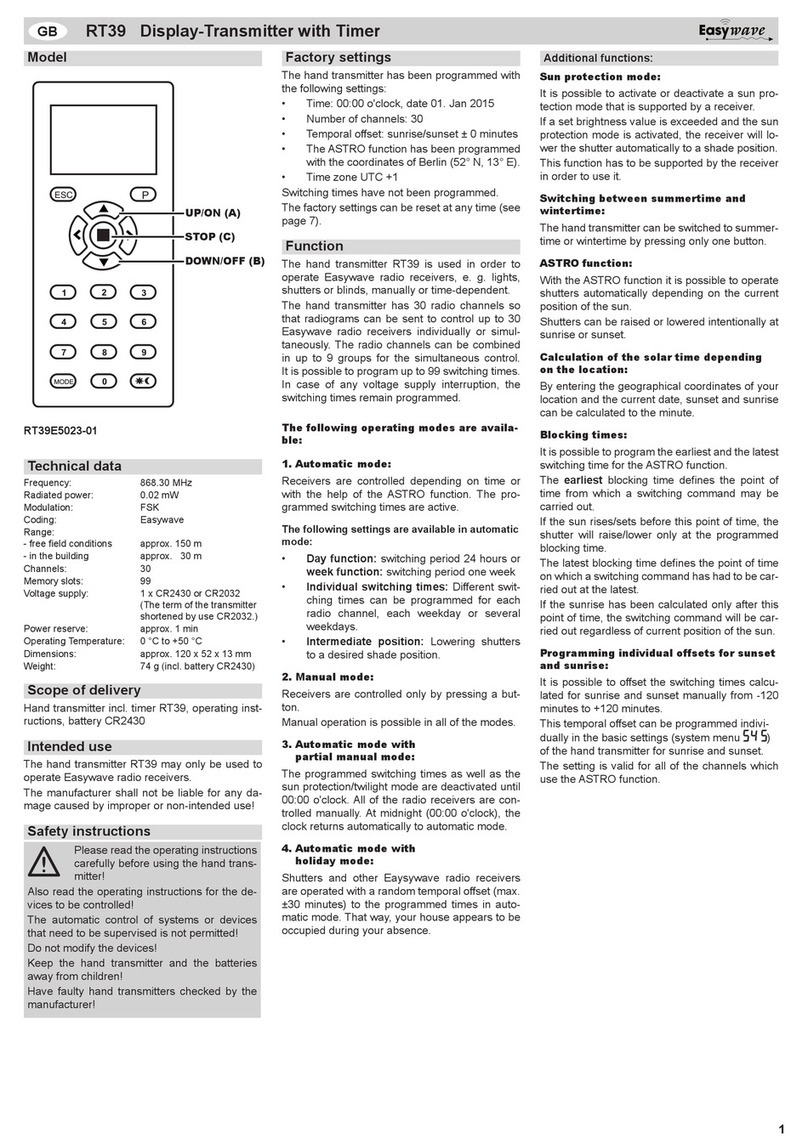
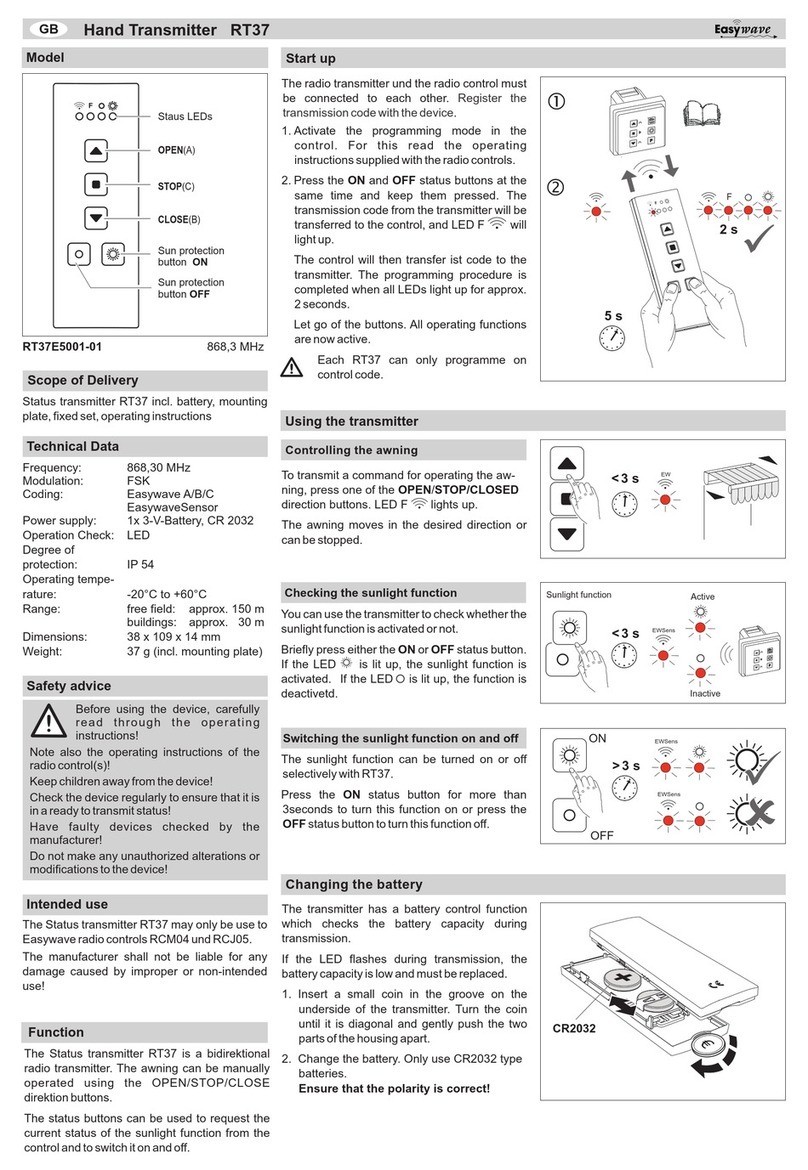
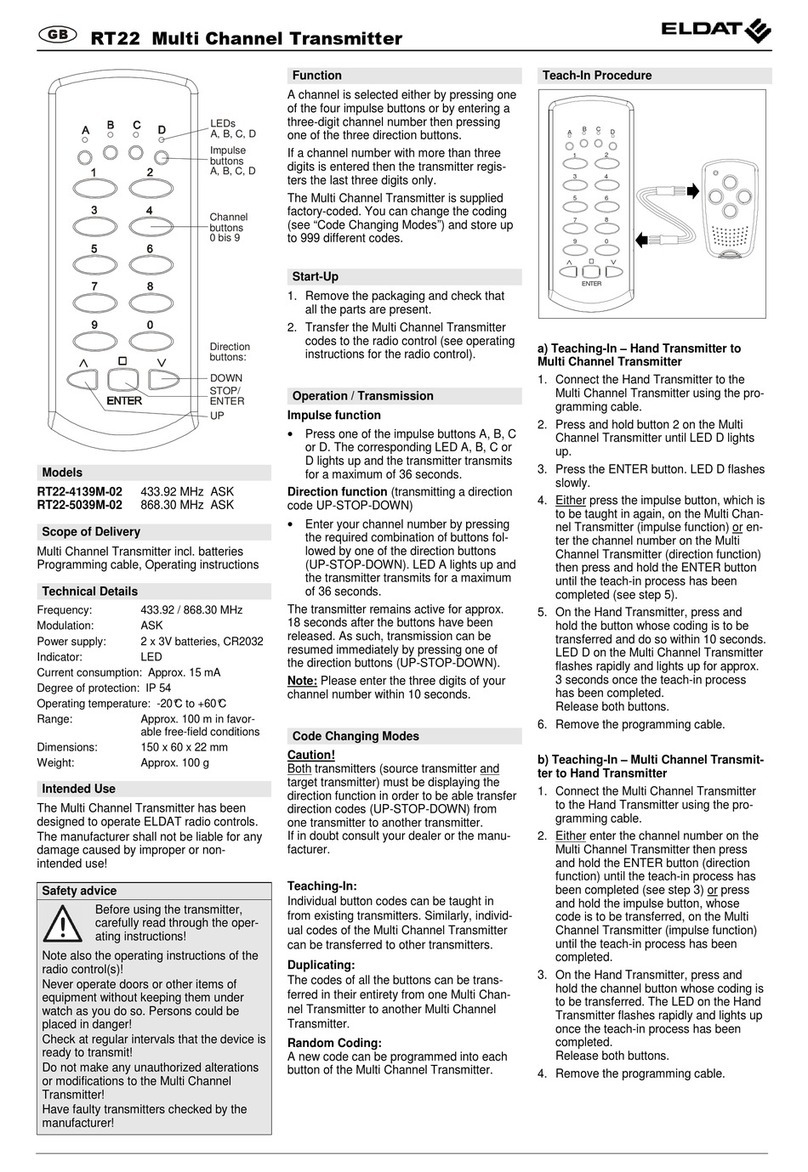
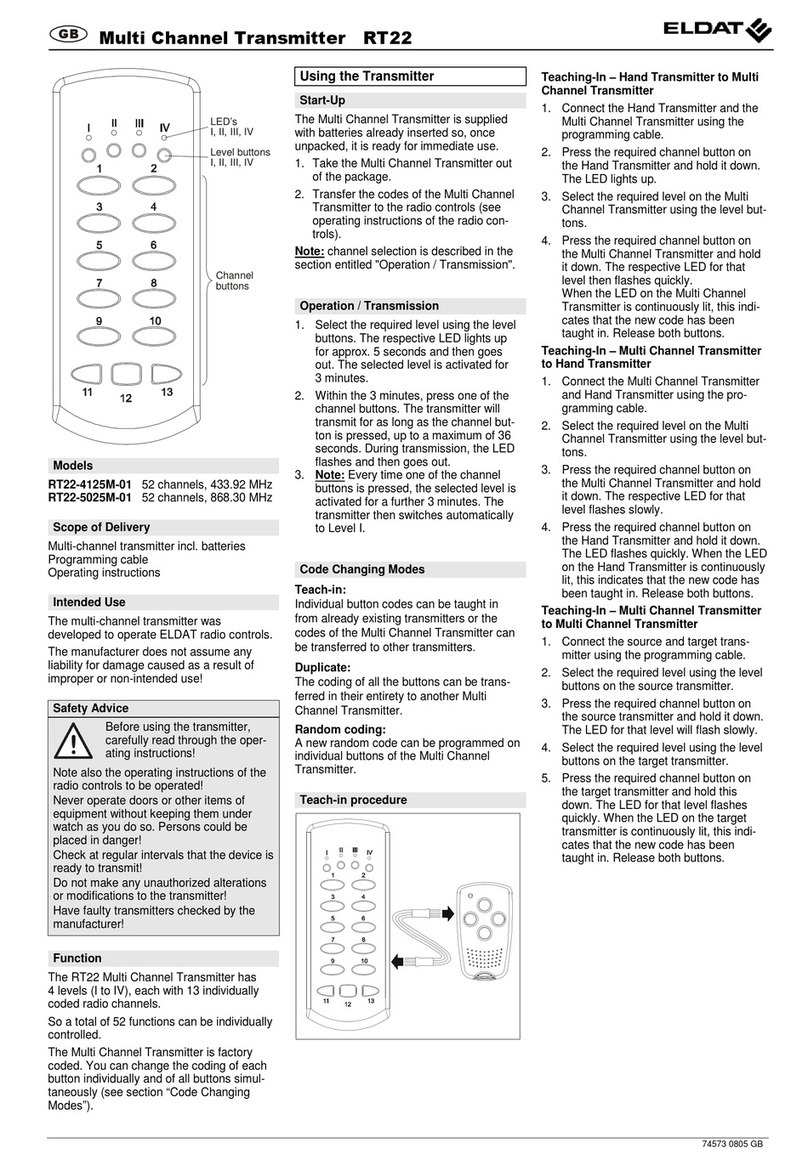
RT35-4104M-01
4 channel 433.92 MHz
RT35-5004M-01
4 channel 868.30 MHz
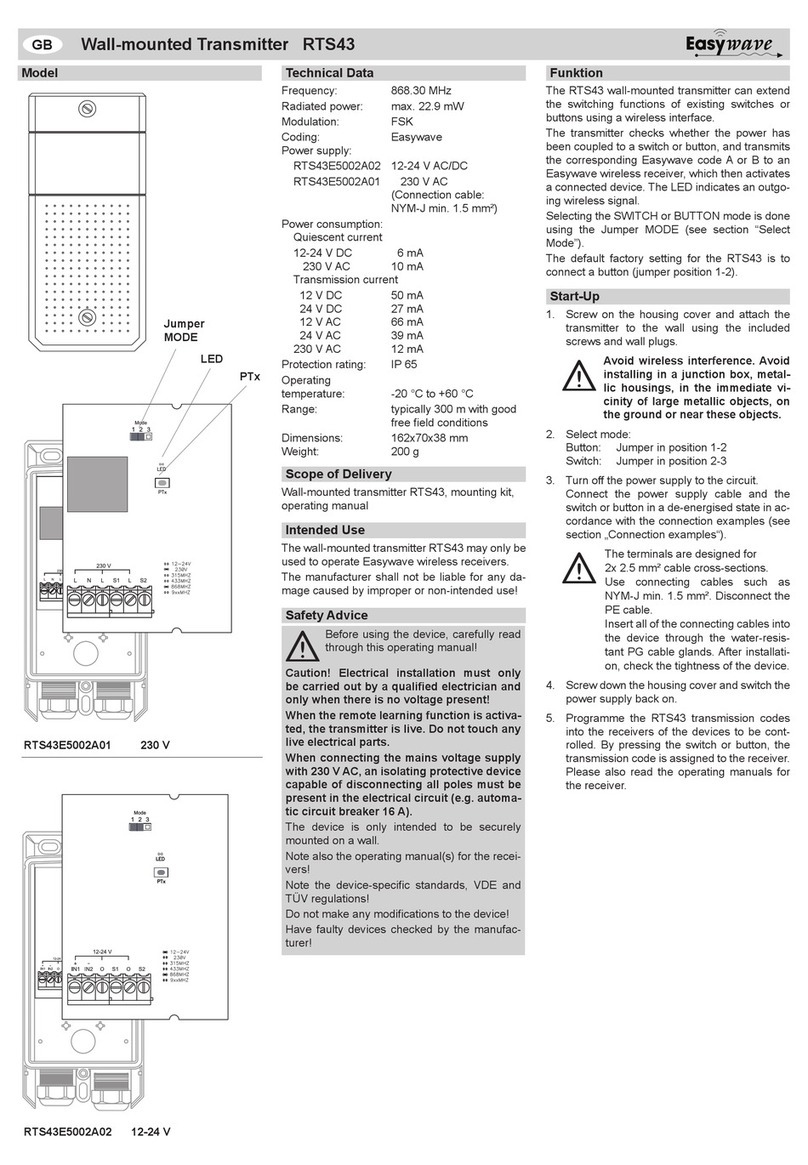
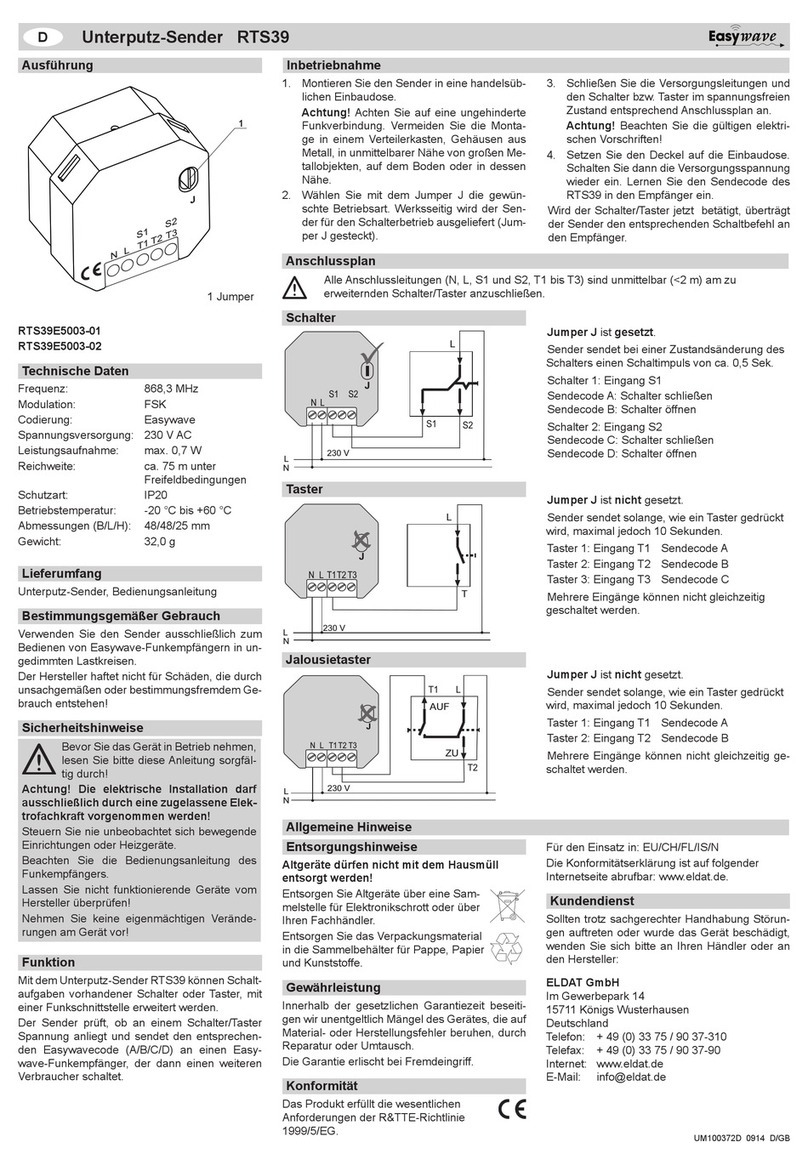
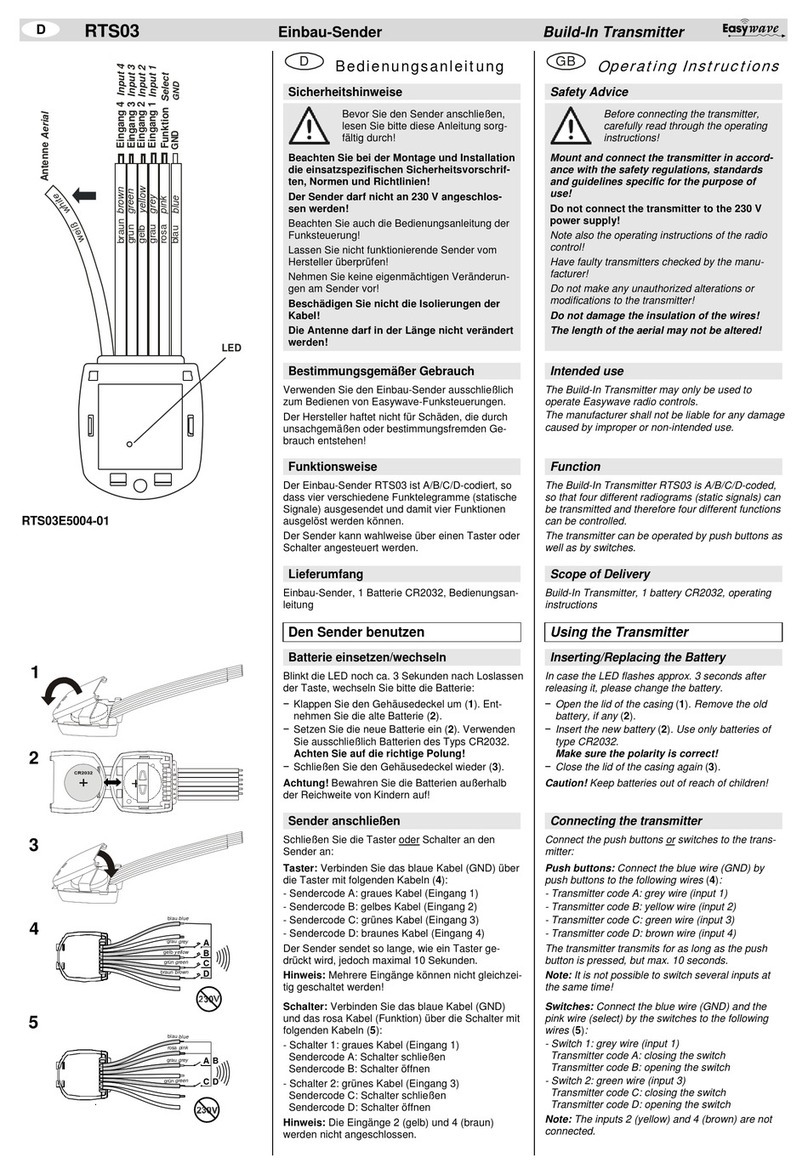
This transmitter may only be
used to operate ELDAT radio
controls.
The manufacturer shall not
be liable for any damage
caused by improper or non-
intended use!
Do not make any
unauthorized altera
tions or modifica-
tions to the trans-
mitter.
Keep the transmitter away
from children!
Note also the operating
instructions of the radio
control!
Coding: Factory coding with
over 70 million options.
Range: approx. 200 m (un-
der favourable free-field
conditions)
Power supply:
1x 3 V battery, CR 2032
Indicator: LED
Degree of protection: IP 54
Operating temperature:
- 20°C to +60°C
Dimensions: (WxHxD)
70 x 40 x 17 mm
Weight: 25 g (incl. battery)
Transmitter incl. battery
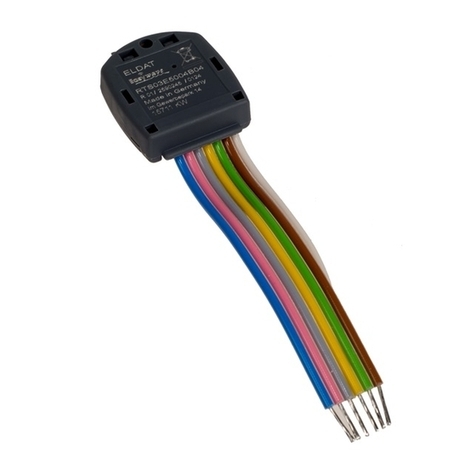
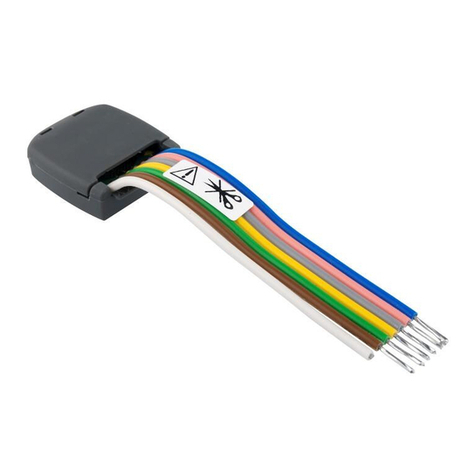
Programming connector
Operating instructions
Transmit the transmitter
code to the receiver (see
operating instructions of the
receiver / radio control).
This function allows to trans-
fer the codes of one trans-
mitter to other hand transmit-
ters.
1. Connect the source
transmitter to the target
transmitter using the pro-
gramming connector.
2. Press and hold the se-
lected channel button of
the source transmitter.
The LED in the source
transmitter lights up.
3. Press and hold the re-
spective channel button of
the target transmitter. The
LED in the target trans-
mitter initially starts flash-
ing and then lights up af-
ter approx. 2 sec.
4. Release the channel but-
tons and to remove the
programming connector.
The programming is com-
pleted.
Repeat steps 1 to 4 for pro-
gramming each individual
channel.
This function allows the re-
ceiver to be re-coded in case
a transmitter is lost.
1. Put the programming
connector into the trans-
mitter to be re-coded.
2. Short-circuit one of the
two outer wires of the
programming connector
with the centre wire.
3. Press the respective
channel button for approx.
5 seconds. The channel is
coded anew (random
programming).
4. Release the channel but-
ton of the transmitter and
remove the programming
connector. The re-coding
is completed.
Repeat steps 1 to 4 for re-
coding each individual chan-
nel.
Note: The new coding must
be transferred to the receiver
(consult the operating in-
structions of the receiver /
radio control).
Press and hold the button
until the LED lights up.
The transmitter has a battery
check function, which checks
the capacity of the battery
during the transmission
process.
If the battery is weak, the
LED blinks during transmis-
sion.
Insert a small coin into the
notch on the top of the
transmitter. Turn the coin
diagonally and carefully pull
the housing parts apart.
Replace the battery. Use
only batteries of type
CR2032. Observe the cor-
rect polarity!
Caution! Keep batteries out
of reach of children!
The LED is only faint when lit
up: change the battery.
The LED does not light up at
all: Check the polarity of the
battery.
The receiver still does not
respond: move closer to the
radio control or re-transmit
the transmitter codes to the
receiver.
Waste electrical products
and batteries should not
be disposed of with
household waste!
Dispose of the waste
product via a collec-
tion point for electron-
ic scrap or via your
specialist dealer.
Dispose of used bat-
teries in a recycling
bi
the specialist trade.
Put the packaging
material into the re-
cycling bins for card-
board, paper and
plastics.
Within the statutory warranty
period we undertake to recti-
fy free of charge by repair or
replacement any product
defects arising from material
or production faults.
Any unauthorized tampering
with, or modifications to, the
product shall render this
warranty null and void.
This product con-
forms to the basic
requirements of the R&TTE
Directive 1999/5/EG.
For use in: EU/CH/FL/IS/N
The Declaration of Confor-
mity can be found on the
Internet at: www.eldat.de.
If, despite correct handling,
faults or malfunctions occur
or if the product was dam-
aged, please contact the
company at the address
below:
ELDAT GmbH
Im Gewerbepark 14
15711 Königs Wusterhausen
Germany
Tel.: + 49 (0)3375 / 9037-0
Fax: + 49 (0)3375 / 9037-90
Website: www.eldat.de
E-Mail: info@eldat.de
RT35-4104M-01
4 channel 433.92 MHz
RT35-5004M-01
4 channel 868.30 MHz
This transmitter may only be
used to operate ELDAT radio
controls.
The manufacturer shall not
be liable for any damage
caused by improper or non-
intended use!
Do not make any
unauthorized altera
tions or modifica-
tions to the trans-
mitter.
Keep the transmitter away
from children!
Note also the operating
instructions of the radio
control!
Coding: Factory coding with
over 70 million options.
Range: approx. 200 m (un-
der favourable free-field
conditions)
Power supply:
1x 3 V battery, CR 2032
Indicator: LED
Degree of protection: IP 54
Operating temperature:
- 20°C to +60°C
Dimensions: (WxHxD)
70 x 40 x 17 mm
Weight: 25 g (incl. battery)
Transmitter incl. battery
Programming connector
Operating instructions
Transmit the transmitter
code to the receiver (see
operating instructions of the
receiver / radio control).
This function allows to trans-
fer the codes of one trans-
mitter to other hand transmit-
ters.
1. Connect the source
transmitter to the target
transmitter using the pro-
gramming connector.
2. Press and hold the se-
lected channel button of
the source transmitter.
The LED in the source
transmitter lights up.
3. Press and hold the re-
spective channel button of
the target transmitter. The
LED in the target trans-
mitter initially starts flash-
ing and then lights up af-
ter approx. 2 sec.
4. Release the channel but-
tons and to remove the
programming connector.
The programming is com-
pleted.
Repeat steps 1 to 4 for pro-
gramming each individual
channel.
This function allows the re-
ceiver to be re-coded in case
a transmitter is lost.
1. Put the programming
connector into the trans-
mitter to be re-coded.
2. Short-circuit one of the
two outer wires of the
programming connector
with the centre wire.
3. Press the respective
channel button for approx.
5 seconds. The channel is
coded anew (random
programming).
4. Release the channel but-
ton of the transmitter and
remove the programming
connector. The re-coding
is completed.
Repeat steps 1 to 4 for re-
coding each individual chan-
nel.
Note: The new coding must
be transferred to the receiver
(consult the operating in-
structions of the receiver /
radio control).
Press and hold the button
until the LED lights up.
The transmitter has a battery
check function, which checks
the capacity of the battery
during the transmission
process.
If the battery is weak, the
LED blinks during transmis-
sion.
Insert a small coin into the
notch on the top of the
transmitter. Turn the coin
diagonally and carefully pull
the housing parts apart.
Replace the battery. Use
only batteries of type
CR2032. Observe the cor-
rect polarity!
Caution! Keep batteries out
of reach of children!
The LED is only faint when lit
up: change the battery.
The LED does not light up at
all: Check the polarity of the
battery.
The receiver still does not
respond: move closer to the
radio control or re-transmit
the transmitter codes to the
receiver.
Waste electrical products
and batteries should not
be disposed of with
household waste!
Dispose of the waste
product via a collec-
tion point for electron-
ic scrap or via your
specialist dealer.
Dispose of used bat-
teries in a recycling
bi
the specialist trade.
Put the packaging
material into the re-
cycling bins for card-
board, paper and
plastics.
Within the statutory warranty
period we undertake to recti-
fy free of charge by repair or
replacement any product
defects arising from material
or production faults.
Any unauthorized tampering
with, or modifications to, the
product shall render this
warranty null and void.
This product con-
forms to the basic
requirements of the R&TTE
Directive 1999/5/EG.
For use in: EU/CH/FL/IS/N
The Declaration of Confor-
mity can be found on the
Internet at: www.eldat.de.
If, despite correct handling,
faults or malfunctions occur
or if the product was dam-
aged, please contact the
company at the address
below:
ELDAT GmbH
Im Gewerbepark 14
15711 Königs Wusterhausen
Germany
Tel.: + 49 (0)3375 / 9037-0
Fax: + 49 (0)3375 / 9037-90
Website: www.eldat.de
E-Mail: info@eldat.de