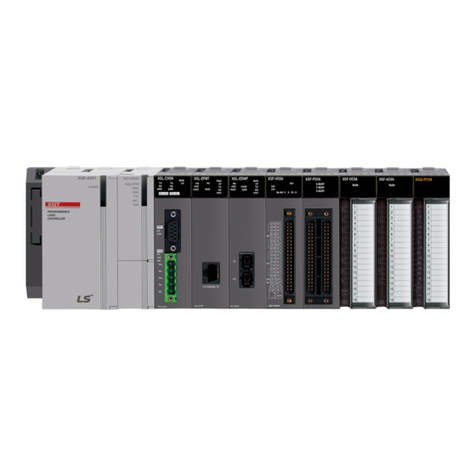
LSIS XGT Series User manual

Right choice for ultimate yield
LSIS strives to maximize customers' profit in gratitude of choosing us for your partner.
Programmable Logic Controller
Ethernet/IP I/F Module
User’s Manual
Read this manual carefully before
installing,
wiring, operating, servicing
or inspecting this equipment.
Keep this manual within easy reach
for quick reference.
XGL-EIPT
XGT Series
http://www.lsis.com

Safety Instruction
Before using the product …
For your safety and effective operation, please read the safety instructions thoroughly before using the product.
►Safety Instructions should always be observed in order to prevent accident or risk with the safe and
proper use the product.
►Instructions are divided into “Warning”and “Caution”, and the meaning of the terms is as follows.
This symbol indicates the possibility of serious injury or death if some applicable
instruction is violated
This symbol indicates the possibility of severe or slight injury, and property
damages if some applicable instruction is violated
Moreover, even classified events under its caution category may develop into serious accidents relying on
situations. Therefore we strongly advise users toobserve all precautions properly just like warnings.
►The marks displayed on the product and in the user’s manual have the following meanings.
Be careful! Danger may be expected.
Be careful! Electric shock may occur.
►The user’s manual even after read shall be kept available and accessible to
any user of the product.
Warning
Caution

Safety Instruction
Safety Instructions for design process
Please install a protection circuit on the exterior of PLC so that the whole system may
operate safely regardless of failures from external power or PLC. Any abnormal output or
operation from PLC may cause serious problems to safety in whole system.
- Install protection units on the exterior of PLC like an interlock circuit that deals with opposite
operations such as emergency stop, protection circuit, and forward/reverse rotation or install an
interlock circuit that deals with high/low limit under its position controls.
- If any system error (watch-dog timer error, module installation error, etc.) is detected during
CPU operation in PLC, all output signals are designed to be turned off and stopped for safety.
However, there are cases when output signals remain active due to device failures in Relay and
TR which can’t be detected. Thus, you are recommended to install an addition circuit to monitor
the output status for those critical outputs which may cause significant problems.
Never overload more than rated current of output module nor allow to have a short circuit.
Over current for a long period time maycause a fire .
Never let the external power of the output circuit to be on earlier than PLC power, which may
cause accidents from abnormal output oroperation.
Please install interlock circuits in the sequence program for safe operations in the system
when exchange data with PLC or modify operation modes using a
computer or other
external equipments
Read specific instructions thoroughly when conducting control operations
with PLC.
Warning

Safety Instruction
Safety Instructions for design process
Safety Instructions on installation process
I/O signal or communication line shall be wired at least 100mm away from a high-voltage
cable or power line.Fail to follow this
Caution
Use PLC only in the environment specified in PLC manual or general standard of data
sheet. If not, electric shock, fire, abnormal operation of the product may be caused.
Before install or remove the module, be sure PLC power is off. If not, electric shock or damage
on the product may be caused.
Be sure that every module is securely attached after adding a module or an extension
connector.If the product is installed loosely or incorrectly, abnormal operation, error or dropping
may be caused. In a
ddition, contact failures under poor cable installation will be causing
malfunctions as well.
Be sure that screws get tighten securely under vibrating environments. Fail to do so will put
the product under direct vibrations which will cause electric shock, fire and abnormal operation.
Do not come in contact with conducting parts in each module, which may cause electric
shock, malfunctions or abnormal operation.
Caution

Safety Instruction
Safety Instructions for wiring process
Prior to wiring works, make sure that every power is turned off. If not, electric shock or
damage on the product may be caused.
After wiring process is done, make sure that terminal covers are installed properlybefore
its use.Fail to install the cover may cause electric shocks.
Warning
Check rated voltages and terminal arrangements in each product prior to its wiring
process.Applying incorrect voltages other than rated voltages and misarrangement among
terminals may cause fire or malfunctions.
Secure terminal screws tightly applying with specified torque.If the screws get loose, short
circuit, fire or abnormal operation may be caused.
Securing screws too tightly will cause
damages to the module or malfunctions, short circuit, and dropping.
Be sure to earth to the ground using Class 3 wires for FG terminals which is exclusively
used for PLC. If the terminals not grounded correctly, abnormal operation or electric shock
may be caused.
Don’t let any foreign materials such as wiring waste inside the module while wiring,
which may causefire, damage on the product orabnormal operation.
Make sure that pressed terminals get tighten following the specified torque. External
connector type shall be pressed or soldered using proper equipments.
Caution

Safety Instruction
Safety Instructions for test-operation and maintenance
Don’t touch the terminal when powered. Electric shock or abnormal operation may occur.
Prior to cleaning or tightening the terminal screws, let all the external power off including
PLC power. If not,electric shock or abnormal operation may occur.
Don’t let the battery recharged, disassembled, heated, short or soldered. Heat, explosion
or ignition may cause injuries or fire.
Warning
Do not make modifications or disassemble each module.Fire, electric shock or abnormal
operation may occur.
Prior to installing or disassembling the module, let all the external power off including
PLC power. If not,electric shock or abnormal operation may occur.
Keep any wireless equipment such as walkie-talkie or cell phones at least 30cm away
from PLC. If not, abnormal operation maybe caused.
When making a modification on programs or using run to modify functions under PLC
operations, read and comprehend all contents in the manual fully. Mismanagement will
cause damages to products and accidents.
Avoid any physical impact to the battery and prevent it from dropping as well. Damages
to battery may cause leakage from its fluid. When battery was dropped or exposed under strong
impact, never reuse the b
attery again. Moreover skilled workers are needed when exchanging
batteries.
Caution

Safety Instruction
Safety Instructions for waste disposal
Product or battery waste shall be processed as industrial waste. The waste may discharge
toxic materials or explode itself.
Caution

Revision History
1
Revision History
Version Date Contents Revised position
V 1.0 ’09.12 First edition -
V 1.1 ’11.05 How to enable link through flag added CH 6.3.1
V 2.0 ’12.06 Add service setting by tag CH5, 6
V 2.1 ’14.09 XG5000 V4.0 UI Updated Entire
※The number of User’s manual is indicated right part of the back cover.
ⓒ2009LSIS Co.,Ltd AllRightsReserved.

About User’s Manual
1
Thank you for purchasing PLC of LSIS Co.,Ltd.
Before use, make sure to carefully read and understand the User’s Manual about the functions, performances, installation and
programming of the product you purchased in order for correct use and importantly, let the end user and maintenance
administrator to be provided with the User’s Manual.
The User’s Manual describes the product. If necessary, you may refer to the following description and order accordingly. In
addition, you may connect our website (http://www.lsis.biz/) and download the information as a PDF file.
Relevant User’s Manuals
Title Description
XG5000 User’s Manual
(for XGK, XGB)
XG5000 software user manual describing online function such as
programming, print, monitoring, debugging by using XGK, XGB
CPU
XG5000 User’s Manual
(for XGI, XGR)
XG5000 software user manual describing online function such
as programming, print, monitoring, debugging by using XGI,
XGRCPU
XGK/XGB Instructions & Programming
User’s Manual
User’s manual for programming
to explain how to use
instructions that are used PLC system with XGK, XGB CPU.
XGI/XGR/XEC Instructions & Programming
User’s Manual
User’s manual for programming
to explain how to use
instructions that are used PLC system with XGI, XGR, XEC
CPU.
XGK CPU User’s Manual
(XGK-CPUU/CPUH/CPUA/CPUS/CPUE)
XGK-CPUU/CPUH/CPUA/CPUS/CPUE user manual describing
about XGK CPU module, power module, base, IO module,
specification of extension cable and system configuration, EMC
standard
XGI CPU User’s Manual
(XGI-CPUU/D,CPUU,CPUH,CPUS,CPUE)
XGI-CPUU/D,CPUU,CPUH,CPUS,CPUE user manual
describing about XGICPU module, power module, base, IO
module, specification of extension cable and system
configuration, EMC standard
XGR redundant series User’s
Manual
XGR-CPUH/F, CPUH/T user manual describing about XGR
CPU module, power module, extension drive, base, IO module,
specification of extension cable and system configuration, EMC
standard
Current XGL-EIPT manual is written based on the following version.
Related OS version list
Product name OS version
XGK-CPUU, CPUH, CPUA, CPUS, CPUE V4.2
XGI-CPUU/D, CPUU, CPUH, CPUS, CPUE V4.0
XGR-CPUH/F, CPUH/T, CPUH/S V2.6
XG5000 V4.0

Contents
1
◎Contents ◎
Chapter 1 Overview
1.1 Overview -------------------------------------------------------------------------------------------------------------------- 1-1
1.2 Features -------------------------------------------------------------------------------------------------------------------- 1-2
1.3 Product Components ------------------------------------------------------------------------------------------------------- 1-3
1.3.1 Indication of Type Names ---------------------------------------------------------------------------------------------- 1-3
1.3.2 The Number of Installation available – units by CPUs ------------------------------------------------------ 1-3
1.4 Software for Using Products ------------------------------------------------------------------------------------- 1-4
1.4.1 Confirms for Software ---------------------------------------------------------------------------------------------- 1-4
1.4.2 XG5000 ------------------------------------------------------------------------------------------------------------- 1-4
1.4.3 Confirmation of Versions --------------------------------------------------------------------------------------------- 1-5
Chapter 2 Specification
2.1 General Specification -------------------------------------------------------------------------------------------------------------- 2-1
2.2 Performance Specification ---------------------------------------------------------------------------------------------------- 2-2
2.3 Name in Each Part ------------------------------------------------------------------------------------------------------------- 2-3
2.4 Cable Standards ---------------------------------------------------------------------------------------------------------------- 2-5
2.4.1 UTP Cable ---------------------------------------------------------------------------------------------------- 2-5
Chapter 3 Installation and Test operation
3.1 Installation Environment --------------------------------------------------------------------------------------------------------- 3-1
3.2 Cautions when Handling ------------------------------------------------------------------------------------------------------------------ 3-2
3.3 The Order for Setting up Products till Running ------------------------------------------------------------------------ 3-3
3.4 I/O Allotment and Device Information ------------------------------------------------------------------------------- 3-4
3.4.1 I/O Allotment --------------------------------------------------------------------------------------------------------------- 3-4
3.4.2 Available device area per CPU series ------------------------------------------------------------------------------- 3-10
3.5 Installation of Products ------------------------------------------------------------------------------------------------- 3-11
3.5.1 Installation of XGL-EIPT ------------------------------------------------------------------------------------ 3-11
3.6 Test operation -------------------------------------------------------------------------------------------------------------------- 3-13
3.6.1 Directions when Configuring Systems -------------------------------------------------------------------------------------- 3-13
Chapter 4 System Configuration
4.1 Configuration of a Usable System ------------------------------------------------------------------------------ 4-1
4.1.1 System Configuration using a Switch --------------------------------------------------------------------- 4-1
4.1.2 System Configuration not using a Switch -------------------------------------------------------------- 4-1
4.2 Configuration of an unusable System ----------------------------------------------------------------------------------- 4-2
4.2.1 System Configuration using a Switch---------------------------------------------------------------------- 4-2
4.2.2 Configuration of a Ring System (Configuration of a XGL-EIPT Ring) -------------------- 4-2

Contents
2
Chapter 5 Installation of Software and Communication Parameters
5.1 Installation and Execution of Software -------------------------------------------------------------------------- 5-1
5.1.1 Installation of XG5000-------------------------------------------------------------------------------------- 5-1
5.1.2 Installation of USB Device Drive --------------------------------------------------------------------- 5-4
5.1.3 Confirmation on the Installation of USB Device Driver ----------------------------------------- 5-7
5.2 How to Register Communication Modules ------------------------------------------------------------ 5-15
5.2.1 In case of Offline --------------------------------------------------------------------------------- 5-15
5.2.2 In case of Online ----------------------------------------------------------------------------- 5-17
5.2.3 In case of Reading Parameter stored in PLC ----------------------------------------- 5-19
5.2.4 How to Set-up Modules ----------------------------------------------------------------------- 5-20
5.2.5 Menu bar and shortcut of XG5000------------------------------------------------------------ 5-22
Chapter 6 EIP Service
6.1 EtherNet/IP Communication Method ---------------------------------------------------------------------- 6-1
6.1.1 EtherNet/IP Terms --------------------------------------------------------------------------------------- 6-1
6.1.2 EDS File -------------------------------------------------------------------------------------------------- 6-1
6.1.3 Periodic Communication (Implicit) System ---------------------------------------------------- 6-2
6.1.4 Aperiodic Communication (Explicit) System ---------------------------------------------- 6-3
6.2 EIP Service ---------------------------------------------------------------------------------------------------------------------- 6-4
6.3 Tag setup --------------------------------------------------------------------------------------------------------------------- 6-5
6.4 Setup of Periodic/Non-periodic Communication Service --------------------------------------------------------- 6-8
6.4.1 Periodic Client Communication Service ----------------------------------------------------------------- 6-8
6.4.2 Setup of Non-periodic Client Communication Service ----------------------------------------------- 6-15
6.4.3 Periodic Server Communication Service ------------------------------------------------------------------ 6-17
6.5 Operation Start ------------------------------------------------------------------------------------- 6-19
6.5.1 XG5000 Set-up ------------------------------------------------------------------------------- 6-19
6.6 Use Examples ----------------------------------------------------------------------------------------- 6-21
6.6.1 Communication with Rockwell 1756-ENBT Communication Module -------------- 6-21
Chapter 7 Diagnosis
7.1 System Diagnosis ---------------------------------------------------------------------------------------------------- 7-1
7.2 System Diagnosis Items and Contents ---------------------------------------------------------------------- 7-3
7.3 Troubleshooting -------------------------------------------------------------------------------------- 7-8
7.3.1 Check-out through LED in Communication Module ------------------------------------------------------------------ 7-8
7.3.2 Check out of Module Errors through XG5000 ----------------------------------------------------------- 7-9
7.3.3 Check-out on Module Errors through System Log ------------------------------------------------------- 7-10
7.4 Remote Communication control ------------------------------------------------------------------------------------------- 7-12
7.4.1 Introduction -------------------------------------------------------------------------------------------------------------- 7-12
7.4.2 Setting and Connection --------------------------------------------------------------------------------------------------------- 7-13
Appendix
A.1 Terms ---------------------------------------------------------------------------------------- A-1
A.2 Flag List ---------------------------------------------------------------------------------- A-5
A.2.1 Special Relay (F) List ---------------------------------------------------------------------- A-5
A.2.2 Communication Relay (L) List -------------------------------------------------------------------------- A-13
A. 3 External Dimension ---------------------------------------------------------------------------------------------------- A-14

Chapter 1 Overview
1-1
Chapter 1 Overview
1.1 Overview
This user guide is made out to describe EtherNet/IP I/F module (Referred to as “EPI Module”) among XGT PLC system
networks. EtherNet/IP is the protocols where Common Industrial Protocol (CIP: industrial protocols used in common, such
as Device Net, ControlNet, CompoNet, etc) has been laid on an upper layer of open protocol Ethernet. Thus, EtherNet/IP
allows DeviceNet, ControlNet, and CompoNet developers to secure the interoperability between multi-band and lower network
devices by applying the same objects and profiles. EIP module provides two Ethernet Ports (Ethernet Port) and the switch
function required for the existing STAR system is built in and it is the module for transmitting data between PCCs or
between PLC and EtherNet/IP I/F IO module.
Make a program in reference with these following user guides
•XG5000 User Guide
•XGK Instructions
•XGK User Guide
•XGI Instructions
•XGI User Guide
•XGR Instructions
•XGR User Guide
Be careful of these configuration items when you constitute XGT EIPmodule system.
•XGT PLC XG5000 ProgrammingTool: Over V4.0
•XGK CPU: Over V4.2
•XGICPU: Over V4.0
•XGRCPU: Over V2.6

Chapter 1 Overview
1-2
1.2 Features
XGT EtherNet/IP I/F Module have the following features.
(1) Communication Methods: Extensive Client Messaging Support
▶Encapsulated Messages, UCMM Explicit Messaging
▶Class 3 Connected Explicit Messaging(Server Only)
▶Class 1 Connected Implicit(IO) Messaging(Cyclic I/O Service Only)
(2) Compatibility: XGT EtherNet/IPI/F meet EtherNet/IP Conformance Test Suite Version 2.10
(3) 100BASE-TX media is provided and 100Mbps/ (Full Duplex) are supported.
(4) It is possible to be equipped with 24 units per CPU and installation to basic base and extension base is available.
However, only installation to base is possible in XGR system. .
(5) With the built - in switch, there is no need to install a separate switch and hub and wiring is saved and flexibility in
installation is provided.
(6)AsAuto Cross Over-function is provided, cabling job is convenient.
(7)Avariety of diagnose functions, the states information of modules and networks are provided.
▶The state of a communication module
▶The state of a communication service(EIP, Non-circular server)
▶Auto Scan-function providing an information of own corporation’s and other corporations’ modules
connected into network
▶The kinds of packets and the quantity of data received by communication module (Network load –prediction
is available)
▶The diagnosis function through network is available

Chapter 1 Overview
1-3
1.3 Product Components
1.3.1 Indication of Type Names
Components of XGT EtherNet/IPI/F module product are described.
Type Name
Components
Remarks
XGL-EIPT
Electric 2 –port EtherNet/IP Module
More than category 5
1.3.2 The Number of Installation available – units by CPUs
Up to 24 units of XGT EtherNet/IP I/F module are possible to be installed regardless of basic base and extension base.
However, when XGR CPU is applied, it is possible to be installed into the basic base. To achieve the maximum
performance, if possible, install this module to the basic module. The following table shows the kinds of services which
are possible to be used by CPUs. When you configure the system, consider the number of communication modules.
Segment
XGK
XGI
XGR
CPUH
CPUU
CPUA CPUS CPUE CPUU CPUH CPUS CPUE
CPUU/D CPUH/T
CPUH/F
CPUH/S
Number of P2P use
modules(maximum)
8 units 6 units
Maximum number of
modules(server use
modules included)
24 units 6 units

Chapter 1 Overview
1-4
1.4 Software for Using Products
The following explains main programming tools and other production software for using EIP module. For more exact
application of programs and communication, refer to the contents below and apply it to systems.
1.4.1 Confirms for Software
Segment Component Products Communication Set-up Tool
XGL-EIPT Communication Module for XGT XG5000
Notice
1) To use the above program, download from the current website you are visiting. In case you can not use the
internet, visit near agencies and ask for CD-ROM for installation.
Internet Web -address : http://www.lsis.biz
2) To program XG5000, use RS-232C port and USB of CUP module. For cable, refer to the XGT catalogue.
(USB-301A, K1C-050A)
1.4.2 XG5000
XG5000 is the software for dedicatedly using all communication modules including Ethernet/IP I/F module for basic
parameter set-up,frame make-up, module and network diagnosis.
The following illustration shows the initial screen of XG5000.
[Figure 1.4.1] XG5000 –Initial Screen

Chapter 1 Overview
1-5
1.4.3 Confirmation of Versions
Check out the version of the module before using XGT EtherNet/IP I/F.
1) Confirmation through XG5000
To read the information of a communication module, access to the communication module.
.
If interface is normally maintained with CPU, the information like the following illustration can be got.
(1) Execute XG5000.
(2) Connect with CPU via access through [Online]-[Connect] on menu.
(3) When connected with CPU, execute the diagnosis of XG5000.
(4) Locate the mouse to the communication module in system diagnosis screen of online menu.
(5) Double-click the communication module or click right button of mouse and select Detailed Module Information.
`
[Figure 1.4.2] Confirmation of Versions through XG5000
2) Confirmation of Versions through Case Label of Products
In each module, the information of the module product is attached to the exterior case.
In case there is no connector with PC and it is impossible to check out online, confirmation is available after you
remove the module in case. The label attached to the backside of a product and the type name and the version
information is marked.

Chapter 2 Specification
2-1
Chapter 2 Specification
2.1 General Specification
The general specification of XGT series is as follows.
No. Items Specifications Relatedstandards
1 Ambient
temperature 0~55°C
2 Storage
temperature
−25~ +70°C
3
Ambient
humidity
5~95%RH(Non-condensing)
4 Storagehumidity 5~95%RH(Non-condensing)
5 Vibration
resistance
Occasional vibration -
Frequency Acceleration Amplitude How manytimes
IEC61131-2
5
≤
f
<
8.4Hz
−3.5mm
10 timeseach
directions
(X,Yand Z)
8.4
≤
f
≤
150Hz
9.8m/s2(1G)
−
Continuous vibration
Frequency Acceleration Amplitude
5≤f <8.4Hz
−
1.75mm
8.4
≤
f
≤
150Hz
4.9m/s
2
(0.5G)
−
6 Shock
resistance
•Peakacceleration:147m/s
2
(15G)
•Duration:11ms
•
Half-sine,3times eachdirectionpereach axis
IEC61131-2
7 Noise resistance
Squarewave
Impulsenoise AC: ±1,500V
DC : ±900VLSISstandard
Electrostaticdischarge Voltage: 4kV(Contactdischarge) IEC61131-2
IEC61000-1-2
Radiated
electromagnetic field
noise
80~1000 MHz,10V/m IEC61131-2,
IEC61000-1-3
Fasttransient/bust
noise Segment Powersupplymodule Digital/analoginput/output
communicationinterface IEC61131-2
IEC61000-1-4
Voltage
2kV
1kV
8 Operation
ambience
Free fromcorrosivegases and excessivedust
9
Altitude
Less than2,000m
10
Pollutiondegree
Less than2
11
Coolingmethod
Air-cooling
N0ote
1) IEC (International Electrotechnical Commission):
An international nongovernmental organization which promotes internationally cooperated standardization in
electric/electronic field, publishes international standards and manages applicable estimation system related with.
2)Pollution degree:
An index indicating pollution degree of the operating environment which decides insulation performance of the devices. For instance, Pollution
degree 2 indicates the state generally that only non-conductive pollution
occurs. However, this state contains temporary conduction due to dew
produced.

Chapter 2 Specification
2-2
2.2 Performance Specification
The following table describes the specification of system configuration in accordance with Ethernet/IP I/F module’s media.
When you configure systems, refer to the below table.
Notice
1)As XGR CPU can be installed into basic base, the number of maximum installments is limited to 6 units .
2) 정상 통신 보장의 경우 EIP블록 64개에 대해 각블록 당최대/최소 데이터로 설정 시정상 동작이 가능한 송신주기를
의미합니다
▶정상통신 보장 기준은 시스템에서 하나의 XGT EtherNet/IP I/F 모듈만 주기 클라이언트로 동작하고 나머지 모듈은 주기
서버로 동작할 경우를 조건으로 합니다.
▶비주기 서버 또는 네트워크의 부하에 따라서 차이가 있을 수있습니다.
▶데이터 수신 시주기, 비주기를 포함한 모든 통신서비스(서버 포함)는CPU의한스캔당 7000바이트를 넘을 수
없습니다.
▶스캔 당수신 데이터(바이트) 초과 여부는 (30×총수신 블록 수) + 총수신 블록의 설정 데이터 크기로 판단할 수
있습니다.
▶이때 시스템은 하나의 EtherNet/IP I/F 모듈이 주기 클라이언트로 동작하고 나머지 국은 서버로 동작할 때를 조건으로
합니다
.
Item Standard
Transmission
Standard
Transmission Speed 100Mbps
Transmission Method Base Band
Maximum Extension Distance
between Nodes
100m
Communication Zone Excess
Method
CSMA/CD
Frame Error –Checking Method
CRC 32 = X32 + X26 + X23+ ,,,,,+ X2 + X+ 1
The Number of Maximum
Installments (When server is
included )
24 units*주commet1)
Topology Line , Star
Diagnosis Function
Module Information , Service State , Media Information ,
Auto Scan,Ping Test
Service Periodic Cline t Implicit IO Client
Aperiodic Client UCMM Client
Periodic Server
Implicit IO Server
The Number of
Connections
(Client/Server)
TCP 64/128
CIP(IO Communication) 64/128
The Number of Maximum Services 8
The Number of Maximum Installments 24
Media UTP/STP Category 5
Basic Standards
Dimension (mm)
98(H) X 27(W) X 90(D)
Consumption Current (mA)
400
Weight (g)
102

Chapter 2 Specification
2-3
2.3 Name in Each Part
The name in each module is as follows.
[Figure 2.3.1] The Front View for Module PLC
▶LED Names and Contents
Silk Mark
LED State
Contents
RUN
ON
Power -on and Process normally operating
OFF
Power –off and Process abnormally operating
I/F
OFF
I/F operating normally with CPU
Flicker/OFF
I/F operating abnormally with CPU
P2P
ON
In case of stetting up P2P Service
OFF
In case of canceling P2P Service
PADT
ON
XG5000 being connected via remote control
OFF
XG5000 remote connection has been released
SVR
ON
When exterior client has been connected, Light ON
OFF
When there is no exterior client connection, Light OFF
MS
Green Light ON
When normal operating
Green Light flickers
When configuration for device is not over
Red Light flickers
In case of wrong set-up or restorable errors happened
Red Light ON
When errors which are impossible to restore have been made
Red Green Light flickers
When self-diagnosis is proceeding
NS
Green Light flickers
When there isno connection of a device
Green Light ON
When there is connection more than 1 with a device at least
Red Light flickers
When Timeout with a device more than 1unit happened
Red Light ON
When repeated IP address has been detected
Red / Green Light
flickers
When self-diagnosis is preceding
nACT Flicker In case of frame –transmitted and received (n=1,2)
n LNK
ON
When network link has been formed (n=1,2)
OFF
When network link has not been formed (n=1,2)
LED Display
IP Set-up Switch
LOG Switch
Ethernet Connector (Channel No. 1)
Ethernet Connector (Channel No.2)

Chapter 2 Specification
2-4
▶Log Switch
In case of reading Log in communication module and needing to store the Log, if you push it for more than 1 second, it is
stored into Flash area from Memoryarea. The Log in the memory area is the one erased when power is supplied again
and the Log in Flash area is the one which is maintained when power is supplied again.
▶IP Set-up Switch (1~89)
(1) IP Set-up Switch (1~89)
When IP address has not been inserted via XG5000 within 10 seconds after power was supplied, switch value
‘192.168.250’ is set up.
(2) IP Set-up Switch (90~98)
This switch is designed for setting up the inside of communication. If you change it arbitrary, it may cause problems.
(3) IPSet-up Switch (90~98)
This switch functions to configure the system into a ring form and when set-up is not finished, normal operation is
impossible. It is possible to form a ring system in terms of appearance by supporting 2 connectors but actual ring
system is not supported.
Other manuals for XGT Series
21
Table of contents
Other LSIS Control Unit manuals

LSIS
LSIS SV-iS7 series User manual

LSIS
LSIS CENT-S100 User manual
LSIS
LSIS XGB Series User manual

LSIS
LSIS S100 Series User manual

LSIS
LSIS XGT Series User manual
LSIS
LSIS XGT Series User manual
LSIS
LSIS XGT Series User manual
LSIS
LSIS XGT Series User manual

LSIS
LSIS XGT Series User manual

LSIS
LSIS XGT Series User manual