manuals.online logo
Brands
  1. Home
  2. •
  3. Brands
  4. •
  5. Mazda
  6. •
  7. Automobile Accessories
  8. •
  9. Mazda Bluetooth Mobile Phone Kit User manual

Mazda Bluetooth Mobile Phone Kit User manual

Other Mazda Automobile Accessories manuals

Mazda 4100-78-828A User manual

Mazda

Mazda 4100-78-828A User manual

Mazda C830-V7-050A User manual

Mazda

Mazda C830-V7-050A User manual

Mazda DF71-V4-085 User manual

Mazda

Mazda DF71-V4-085 User manual

Mazda 0000-89-N01 User manual

Mazda

Mazda 0000-89-N01 User manual

Mazda GS2A -V1-132 User manual

Mazda

Mazda GS2A -V1-132 User manual

Mazda 0000 81 L25 User manual

Mazda

Mazda 0000 81 L25 User manual

Mazda A2DP User manual

Mazda

Mazda A2DP User manual

Mazda CX-3 User manual

Mazda

Mazda CX-3 User manual

Mazda 0000-8L-K01 User manual

Mazda

Mazda 0000-8L-K01 User manual

Mazda DN4J-V7-055 User manual

Mazda

Mazda DN4J-V7-055 User manual

Mazda Highbay BY007P User manual

Mazda

Mazda Highbay BY007P User manual

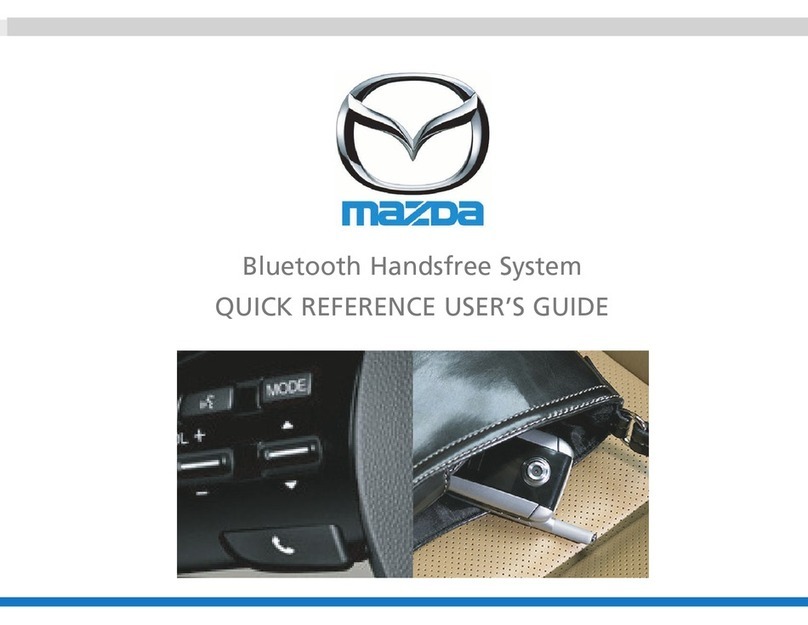
Mazda Bluetooth Handsfree System User manual

Mazda

Mazda Bluetooth Handsfree System User manual

Mazda 0000-8E-G01 User manual

Mazda

Mazda 0000-8E-G01 User manual

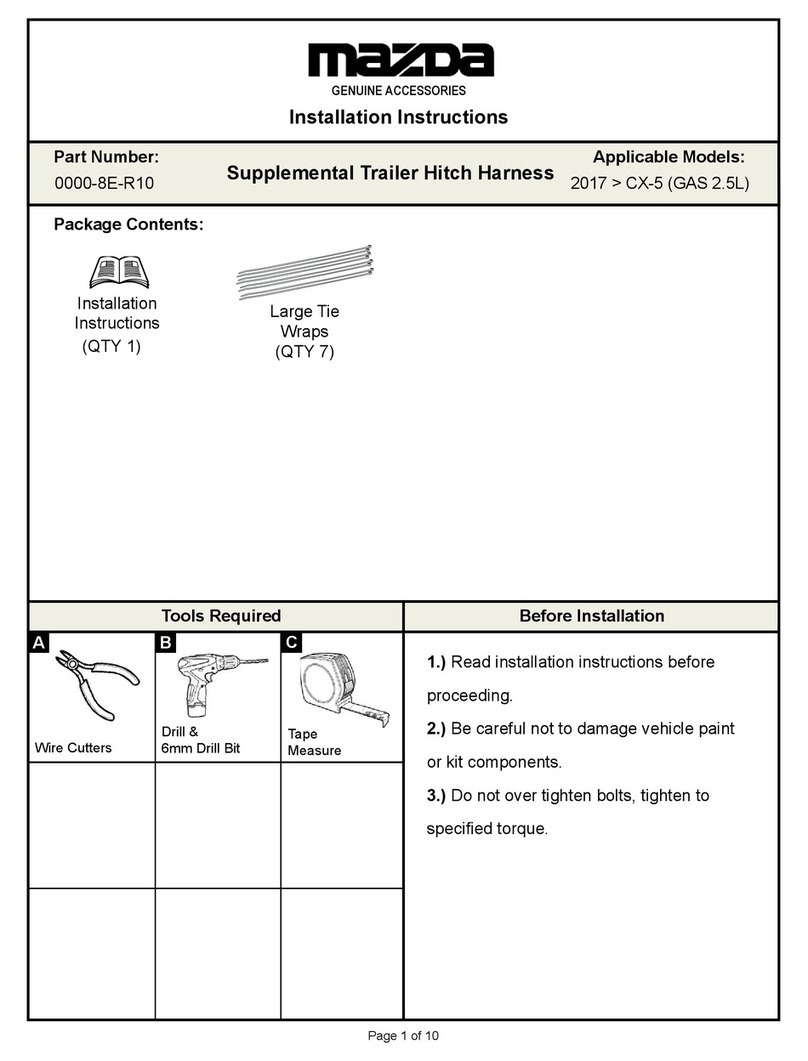
Mazda GENUINE ACCESSORIES User manual

Mazda

Mazda GENUINE ACCESSORIES User manual

Mazda Connect User manual

Mazda

Mazda Connect User manual

Mazda KA0G V1 370 User manual

Mazda

Mazda KA0G V1 370 User manual

Mazda 0000-8P-R04 User manual

Mazda

Mazda 0000-8P-R04 User manual

Mazda TD11 V3 460F Guide

Mazda

Mazda TD11 V3 460F Guide

Mazda 0000-8C-Z05 User manual

Mazda

Mazda 0000-8C-Z05 User manual

Mazda Auto-Dimming Mirror User manual

Mazda

Mazda Auto-Dimming Mirror User manual

Mazda DC3L-V1-370A User manual

Mazda

Mazda DC3L-V1-370A User manual

Mazda 6 GJ 2.2 D 2012 User manual

Mazda

Mazda 6 GJ 2.2 D 2012 User manual

Mazda KMV6V7210 User manual

Mazda

Mazda KMV6V7210 User manual

Mazda MVG 4507 F User manual

Mazda

Mazda MVG 4507 F User manual

Popular Automobile Accessories manuals by other brands

Magneti Marelli AC161 Installation instruction

Magneti Marelli

Magneti Marelli AC161 Installation instruction

FDI uEZ GUI Start here

FDI

FDI uEZ GUI Start here

JCROffroad JT Install instructions

JCROffroad

JCROffroad JT Install instructions

Rostra VOXXElectronics 250-1930 owner's guide

Rostra

Rostra VOXXElectronics 250-1930 owner's guide

TOP VEHICLE TECH GR3FORD5 installation manual

TOP VEHICLE TECH

TOP VEHICLE TECH GR3FORD5 installation manual

Safe Fleet PRIME DESIGN AR-2000-BLK manual

Safe Fleet

Safe Fleet PRIME DESIGN AR-2000-BLK manual

Skoda Fabia Combi 5J Fitting instructions

Skoda

Skoda Fabia Combi 5J Fitting instructions

Camcar 40077 Al Mounting instructions

Camcar

Camcar 40077 Al Mounting instructions

Camcar 40089 AL Mounting instructions

Camcar

Camcar 40089 AL Mounting instructions

Impac Tradesman 2000 installation manual

Impac

Impac Tradesman 2000 installation manual

DVB OFFROAD BRSB-01 installation manual

DVB

DVB OFFROAD BRSB-01 installation manual

Safari Snorkel SS385HF installation guide

Safari Snorkel

Safari Snorkel SS385HF installation guide

ULTIMATE SPEED 279746 Assembly and Safety Advice

ULTIMATE SPEED

ULTIMATE SPEED 279746 Assembly and Safety Advice

SSV Works DF-F65 manual

SSV Works

SSV Works DF-F65 manual

ULTIMATE SPEED CARBON Assembly and Safety Advice

ULTIMATE SPEED

ULTIMATE SPEED CARBON Assembly and Safety Advice

Witter F174 Fitting instructions

Witter

Witter F174 Fitting instructions

WeatherTech No-Drill installation instructions

WeatherTech

WeatherTech No-Drill installation instructions

TAUBENREUTHER 1-336050 Installation instruction

TAUBENREUTHER

TAUBENREUTHER 1-336050 Installation instruction

manuals.online logo
manuals.online logoBrands
  • About & Mission
  • Contact us
  • Privacy Policy
  • Terms and Conditions

Copyright 2025 Manuals.Online. All Rights Reserved.

Owner's Manual Part No: MZDA-A2DP-OM
®
Bluetooth Mobile Phone Kit
Owner's Manual
Issue 2 - 19/03/09
02 Owner's Manual Part No: MZDA-A2DP-OM
Contents
Overview
Introduction
Bluetooth Wireless Technology . . . . . . . . . . . . . . . . . . . . . . . . . . . . . . . . .
Mobile Phone Functionality. . . . . . . . . . . . . . . . . . . . . . . . . . . . . . . . . . . .
Further Information . . . . . . . . . . . . . . . . . . . . . . . . . . . . . . . . . . . . . . . . . . .
Definitions . . . . . . . . . . . . . . . . . . . . . . . . . . . . . . . . . . . . . . . . . . . . . . . . . . .
Bluetooth Microphone . . . . . . . . . . . . . . . . . . . . . . . . . . . . . . . . . . . . . . . .
Vehicle Audio System . . . . . . . . . . . . . . . . . . . . . . . . . . . . . . . . . . . . . . . . .
Setting Up Your Mobile Phone
Pairing . . . . . . . . . . . . . . . . . . . . . . . . . . . . . . . . . . . . . . . . . . . . . . . . . . . . . .
Pairing Multiple Mobile Phones . . . . . . . . . . . . . . . . . . . . . . . . . . . . . . . . .
Connecting Your Mobile Phone (After Initial Pairing) . . . . . . . . . . . . . . .
Phone Functions
Dialling Using Your Mobile Handset . . . . . . . . . . . . . . . . . . . . . . . . . . . . . .
Voice Dialling . . . . . . . . . . . . . . . . . . . . . . . . . . . . . . . . . . . . . . . . . . . . . . . .
Answering/Receiving a Call . . . . . . . . . . . . . . . . . . . . . . . . . . . . . . . . . . .
Rejecting a Call . . . . . . . . . . . . . . . . . . . . . . . . . . . . . . . . . . . . . . . . . . . . . .
Ending a Call . . . . . . . . . . . . . . . . . . . . . . . . . . . . . . . . . . . . . . . . . . . . . . . .
Redialling Last Number . . . . . . . . . . . . . . . . . . . . . . . . . . . . . . . . . . . . . . . .
Private Mode . . . . . . . . . . . . . . . . . . . . . . . . . . . . . . . . . . . . . . . . . . . . . . . .
Cancelling Bluetooth Connection . . . . . . . . . . . . . . . . . . . . . . . . . . . . . .
Streaming A2DP Audio
A2DP via Mobile Phone . . . . . . . . . . . . . . . . . . . . . . . . . . . . . . . . . . . . . . .
Connecting/Pairing . . . . . . . . . . . . . . . . . . . . . . . . . . . . . . . . . . . . .
Functions . . . . . . . . . . . . . . . . . . . . . . . . . . . . . . . . . . . . . . . . . . . . . .
A2DP via Mazda Bluetooth Audio Transmitter . . . . . . . . . . . . . . . . . . . . .
Connecting/Pairing . . . . . . . . . . . . . . . . . . . . . . . . . . . . . . . . . . . .
Functions . . . . . . . . . . . . . . . . . . . . . . . . . . . . . . . . . . . . . . . . . . . . . .
Thank you for purchasing a Mazda Bluetooth mobile phone kit. Before using the
Mazda Bluetooth mobile phone kit, thoroughly read this manual and follow the
instructions on how to operate this product.
04
05 - 06
05
05
05
06
06
06
06 - 07
06
07
07
08 -09
08
08
08
08
09
09
09
09
10-12
10
10
10
10
11
12
Bluetooth Mobile Phone Kit Owner's Manual
Contents - Continued
System Reset
Troubleshooting
Phone . . . . . . . . . . . . . . . . . . . . . . . . . . . . . . . . . . . . . . . . . . . . . . . . . . . . . .
A2DP . . . . . . . . . . . . . . . . . . . . . . . . . . . . . . . . . . . . . . . . . . . . . . . . . . . . . . .
Technical Specifications
Further Information Contact
12
13 - 14
13
14
15
16
03
Owner's Manual Part No: MZDA-A2DP-OM
Bluetooth Mobile Phone Kit Owner's Manual
Overview
Initial Phone Pairing
1. Turn key to accessories.
2. Hold Bluetooth button pressed for 4 seconds.
3. Activate Bluetooth on phone and search for Bluetooth device.
4. Select device ‘MAZDA’
5. Key password: ‘0000’
Connecting Phone
Automatic - Activate Bluetooth on phone and turn car on.
Manual - Turn car on, then activate Bluetooth on phone and press
Bluetooth button once.
Incoming Call
Answer - Press Bluetooth button once.
Reject - Press and Hold Bluetooth button for 3 seconds.
Making a Call
Voice dial - Press Bluetooth button once.
Redial - Press Bluetooth button twice.
During a Call
Activate Private Mode - Press and hold Bluetooth button for 3 seconds.
Deactivate Private Mode - Press Bluetooth button once.
Activate Call Hold - Press Bluetooth button twice.
Deactivate Call Hold - Press Bluetooth button twice.
End Call - Press Bluetooth button once.
04 Owner's Manual Part No: MZDA-A2DP-OM
Bluetooth Mobile Phone Kit Owner's Manual
Introduction
Your Bluetooth mobile phone kit allows you to answer incoming calls on your
mobile phone without looking at or touching your mobile phone. Your Bluetooth
voice capable mobile phone needs to only be inside the vehicle for it to connect
to the Bluetoothmobile phone kit.
Bluetooth Wireless Technology
Bluetooth devices communicate using radio waves. The Bluetooth
mobile phone kit is specifically designed for mobile phones that support
Bluetooth wireless technology. The Bluetooth mobile phone kit can be
used with devices that support the hands-free profile. "Profile" in this
instance means a set of Bluetooth commands that your mobile phone
uses for controlling your Bluetoothmobile phone kit.
Your Bluetooth mobile phone and Bluetooth mobile phone kit do not
need to be in a line of sight. For example, your mobile may be in your bag
whilst connected to the Bluetooth mobile phone kit. The two devices
need to be within a maximum of 10 metres of each other.
Mobile Phone Functionality
Mobile phones differ in their method of menu navigation. Furthermore,
software releases of mobile phones with the same design can vary
significantly. Therefore, please carefully read the operating guidelines of
your mobile phone. Specifically take note of the functions relating to the
topics ’Bluetooth’, ‘Hands-Free’ and ‘Headset Mode’.
The capacity of your mobile phone's battery can quickly decrease when
the Bluetooth function is active. If you do not want to use the Bluetooth
function (i.e. when leaving your vehicle for an extended period) then
deactivate this function on your mobile phone.
Some functions described in this owners manual may not be available on
your mobile phone.
Further Information
Refer to your mobile phone's owners manual, mobile phone retailer or
mobile phone service provider for information that relates specifically to
your mobile phone. If you have any questions concerning the installation
or operation of your Bluetooth mobile phone kit, please contact your
Authorised Mazda Dealer.
05
Owner's Manual Part No: MZDA-A2DP-OM
Definitions
Paired: The mobile phone handset is set up to communicate with the
Bluetoothmobile phone kit.
Connected: The mobile phone handset is currently linked with the
Bluetooth mobile phone kit. The functions on the Bluetooth mobile phone
kit are active.
HF: Hands Free profile, used to transmit Bluetooth call data from a phone
to the Bluetooht kit.
AVRCP: Audio/Video Remote Control Profile, used to navigate through
music features such as Play/Pause/Next/previous.
A2DP: Advanced Audio Distribution Profile, used to transmit stereo music
data from a Bluetooth device to the Bluetooth kit.
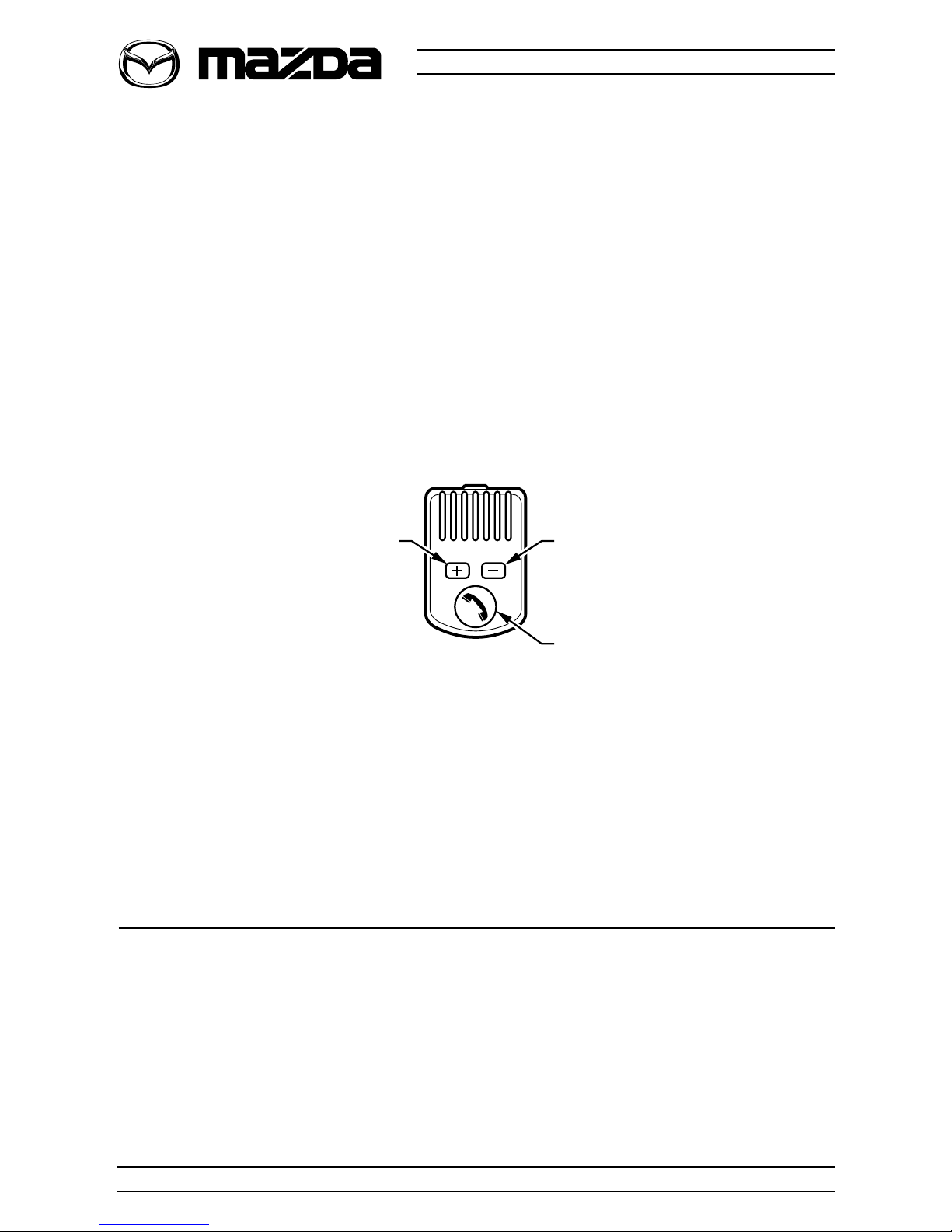
Bluetooth Microphone
Vehicle Audio System
The vehicle’s audio system volume is automatically muted when you
make or receive a call. The voice of the caller is heard through the audio
system and the volume of the Bluetooth mobile phone kit can be
adjusted using the microphone during a phone call.
Setting Up Your Mobile Phone
Pairing
The connection between your Bluetooth capable mobile phone and the
Bluetoothmobile phone kit can be established as follows:
1. Switch on your mobile phone.
Note: If Mazda Bluetooth Audio Transmitter is connected to iPod,
disconnect Transmitter from iPod.
2. Switch on the ignition.
Bluetooth Mobile Phone Kit Owner's Manual
• Increase Volume
• Play A2DP*
• Next Track*
• Decrease Volume
• Pause A2DP*
• Previous Track*
Bluetooth Button
* Function in A2DP mode
06 Owner's Manual Part No: MZDA-A2DP-OM
Bluetooth Mobile Phone Kit Owner's Manual
4. Perform the following steps on your mobile phone:
a. Enter the Bluetooth menu.
b. Activate the Bluetooth function.
c. Search for Bluetooth devices.
d. Select the device labelled ‘MAZDA’.
e. Enter the following PIN: 0000. This establishes the connection between
your mobile phone and the Bluetoothmobile phone kit.
f. Set the mobile phone to accept Bluetooth connection requests
automatically without your permission.
If it is not possible to establish a connection, refer to Troubleshooting.
Pairing Multiple Mobile Phones
The Bluetooth mobile phone kit can be paired with up to seven mobile
phones, but can only be connected to one mobile phone at a time.
When the ignition is turned on, the Bluetooth mobile phone kit searches
for the most recently paired mobile phone. If this phone is not found, the
Bluetooth mobile phone kit will continue searching for the next most
recently paired mobile phone until a connection is made.
Connecting Your Mobile Phone (After Initial Pairing)
To connect your mobile phone to the Bluetoothmobile phone kit:
1. Move your mobile phone to within 10 metres of the Bluetooth mobile
phone kit, preferably inside the vehicle.
2. Ensure that your mobile phone is switched on and the Bluetooth function
on your mobile phone is enabled.
Note: Ensure iPod dongle is not connected to iPod.
3. Switch on the ignition. Ensure the radio is switched ON.
4. The Bluetooth mobile phone kit will search for the last paired phone,
followed by the next recently paired phone, until a connection is made.
Note: If there are multiple phones in the vehicle which have been
previously paired to the system, you must disconnect the currently
paired phone before you can use the second phone in the vehicle.
Follow the standard pairing procedure to connect the second phone.
07
Owner's Manual Part No: MZDA-A2DP-OM

Phone Functions
Dialling Using Your Mobile Phone Handset
When the Bluetooth mobile phone kit is connected to your mobile phone,
you can make calls using your mobile phone handset.
Voice Dialling
If you wish to use the voice dial functions of your mobile phone (provided
that your mobile phone is capable), entries for dialling phone numbers
with voice dialling may have to be pre-recorded. These voice
commands can then be called via the Bluetooth mobile phone kit with
the active Bluetooth connection. To configure voice dialling on your
mobile phone, refer to your mobile phone's owner's manual.
To voice dial:
1. Ensure that there is no call in progress.
2. Press the Bluetooth button once. A tone will be heard indicating
readiness to accept voice input.
3. Speak into microphone.
4. The Bluetooth mobile phone kit plays back the voice tag and dials the
corresponding phone number.
Answering / Receiving a Call
To answer an incoming call:
1. Press the Bluetooth button once.
Rejecting a Call
If you do not wish to answer a call:
1. Press and hold the Bluetooth button until the ring tone stops.
Bluetooth Mobile Phone Kit Owner's Manual
08 Owner's Manual Part No: MZDA-A2DP-OM
It is dangerous and may be illegal to use a hand-held mobile phone
when you are driving. Always pull over to the side of the road (when
safe to do so) before answering or making a call with a hand-held
mobile phone.
Important
It is dangerous and may be illegal to use a hand-held mobile phone
when you are driving. Always pull over to the side of the road (when
safe to do so) before answering or making a call with a hand-held
mobile phone.
Important
Bluetooth Mobile Phone Kit Owner's Manual
Ending a Call
To end a call:
1. Press the Bluetooth button once.
Redialling Last Number
To redial the last number dialled:
1. Ensure that there is no call in progress.
2. Press the Bluetooth button twice.
Private Mode
Private Mode transfers the call from hands-free to the mobile phone
handset.
To activate Private Mode:
1. Press and hold the Bluetooth button for three seconds.
2. Continue the call on the mobile phone handset.
Cancelling Bluetooth Connection
The Bluetooth connection is automatically disconnected when:
1. You move your mobile phone outside of the reception range of the
Bluetooth mobile phone kit. (approximately 10 metres)
OR
2. The ignition switch is turned off and the system is not on a call.
OR
3. The mobile phone is switched off.
It is dangerous and may be illegal to use a hand-held mobile phone
when you are driving. Always pull over to the side of the road (when
safe to do so) before answering or making a call with a hand-held
mobile phone.
Important
09
Owner's Manual Part No: MZDA-A2DP-OM
Streaming A2DP Audio
The Bluetooth kit can stream audio music from an A2DP device via your stereo.
A2DP via Mobile Phone
Given that your mobile phone is enabled with A2DP Bluetooth Profile, you
will be able to stream the music via the Bluetooth kit to your stereo.
Note: The radio has to be set to AUX mode in order for the music to be
heard.
Connecting/Pairing
Given a mobile phone is enabled with A2DP it will pair and connect
automatically after the phone has previously been paired and
connected.
See ‘Setting up your mobile phone’ section.
Functions
Using your mobile phone, open the music player and select the desired
song you want to play. The music will be heard through the stereo.
All functionality can be done through the mobile phone. If AVRCP
Bluetooth Profile is available on the phone the following functions can be
done through the microphone:
Previous Track - Short Press ‘-’ button on Bluetooth microphone.
Next track - Short Press ‘+’ button on Bluetooth microphone.
Pause - Long Press ‘-’ button on Bluetooth microphone.
Play - Long Press ‘+’ button on Bluetooth microphone.
Note: Connecting any other media device to the vehicle AUX IN jack will
deactivate A2DP streaming.
A2DP via Mazda Bluetooth Audio Transmitter
Given you have a Mazda Bluetooth Audio Transmitter
you will be able to stream the music from your iPod via
the Bluetooth kit to your stereo.
Note: The radio has to be set to AUX mode in order for
the music to be heard.
Bluetooth Mobile Phone Kit Owner's Manual
10 Owner's Manual Part No: MZDA-A2DP-OM
It is dangerous and may be illegal to use a hand-held mobile phone
when you are driving. Always pull over to the side of the road (when
safe to do so) before answering or making a call with a hand-held
mobile phone.
Important