Contents
◎Legal Statement
◎Contents
1Brief Introduction................................................................................................................. 1
User-guide instructions ................................................................................................................. 1
Learn more information................................................................................................................. 1
Safety precautions ......................................................................................................................... 1
2Overview ............................................................................................................................. 2
View of 3D Printer.......................................................................................................................... 2
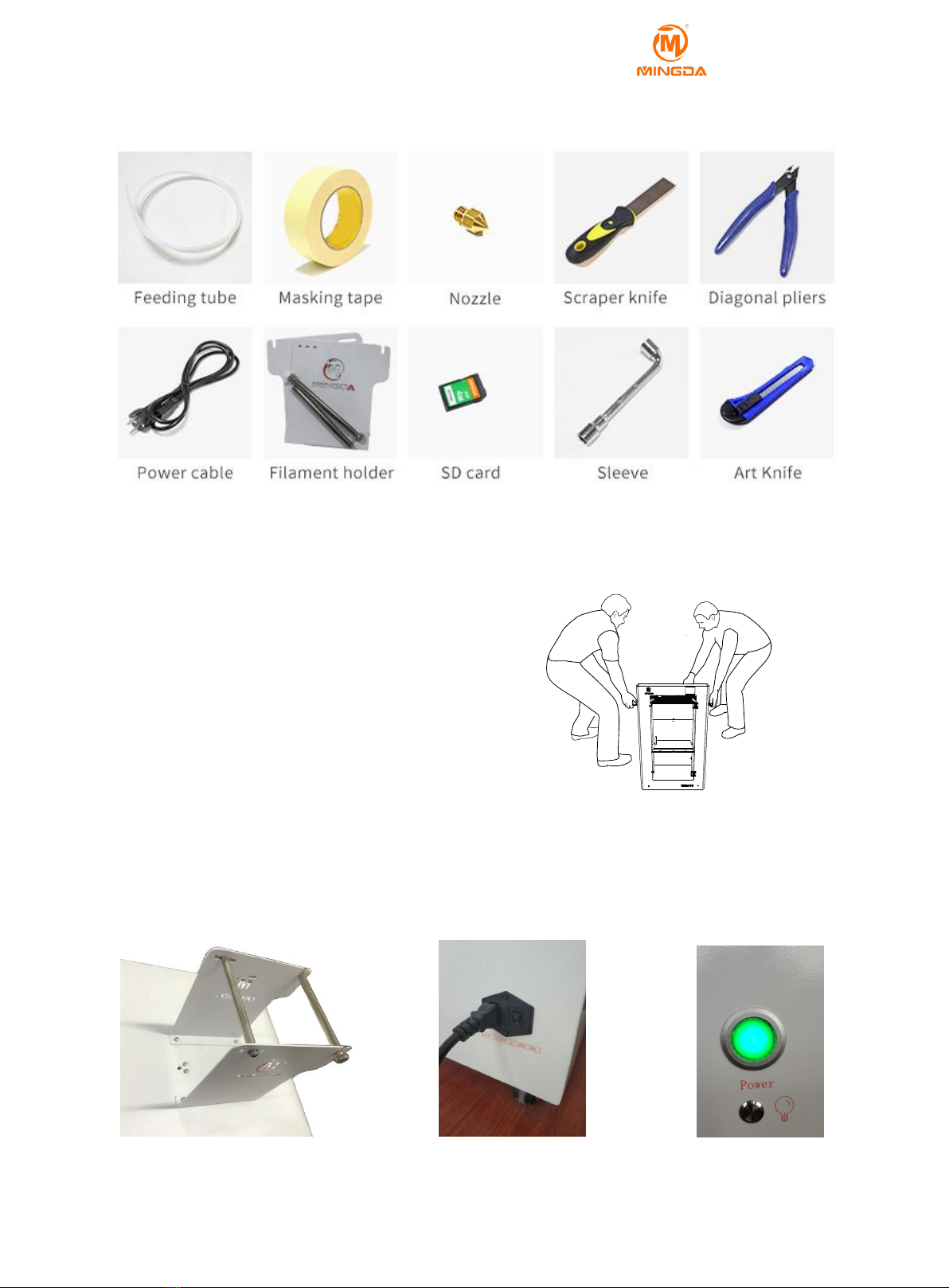
Tool box accessories ...................................................................................................................... 3
3 Installation........................................................................................................................... 3
Take Out the Machine.................................................................................................................... 3
Install the Material Shelf................................................................................................................ 3
Plugged in ...................................................................................................................................... 3
Turn on the power switch.............................................................................................................. 3
Dismantle the Model ..................................................................................................................... 3
Paste the Masking Tape ................................................................................................................. 4
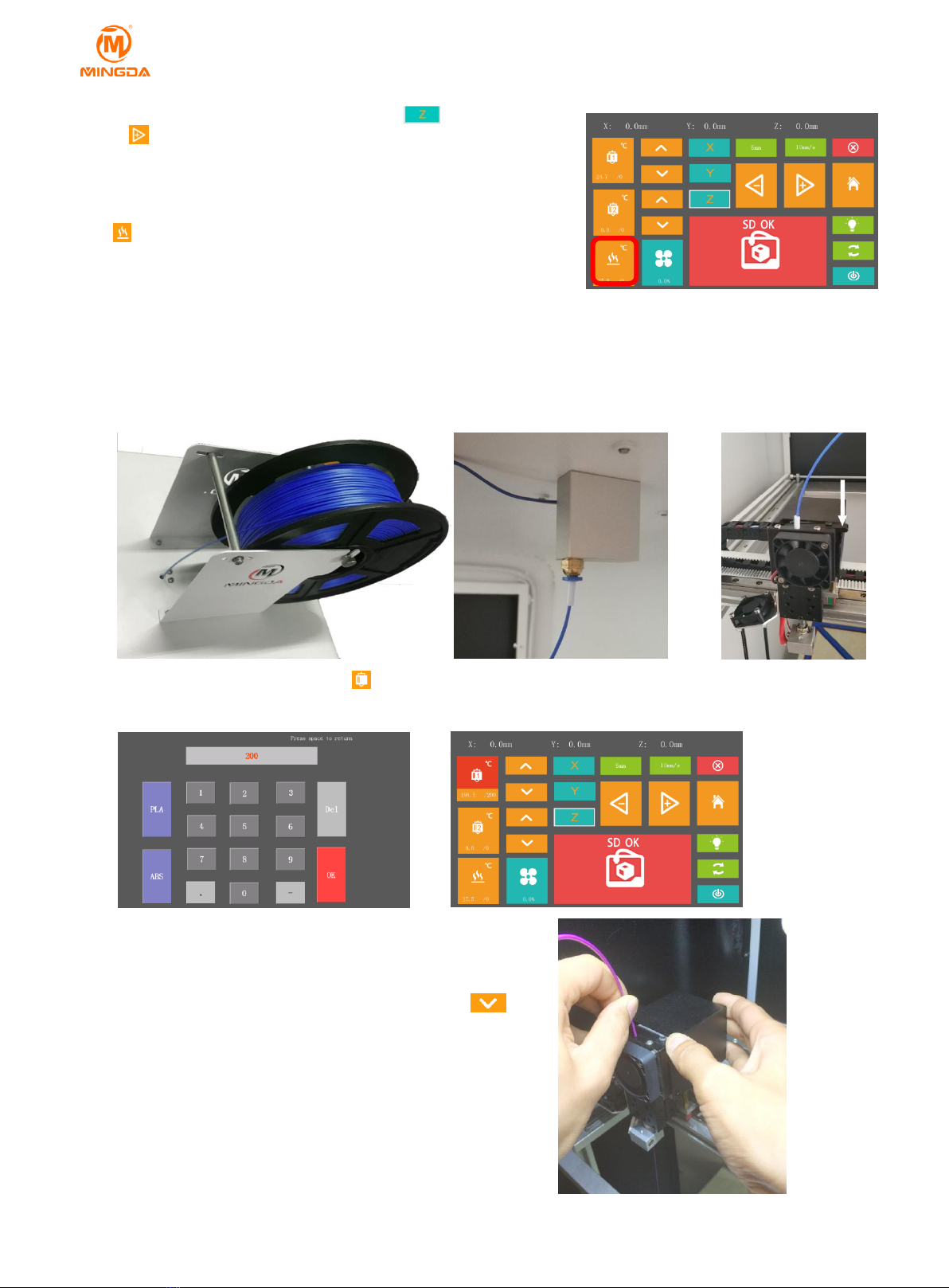
Install the Material ( for example, PLA materials ) ........................................................................ 4
4Manual Calibration............................................................................................................... 5
Fine Tune the Printing Platform..................................................................................................... 5
Adjusting the overall height of the Printing Platform.................................................................... 5
Printing the Test Files..................................................................................................................... 5
5Printing Operation................................................................................................................ 6
Display panel.................................................................................................................................. 6
6 Software .............................................................................................................................. 7
Download Printing Software.......................................................................................................... 7
Install the Printing Software ( for example, Cura ) ...................................................................... 7
Create STL File................................................................................................................................ 8
Cura Overview ............................................................................................................................... 9
Open STL File with Cura ............................................................................................................... 11
Model rotation, scaling, mirroring with Cura .............................................................................. 12
Transfer stl Model into gcode Document with Cura.................................................................... 13
Printing Parts ............................................................................................................................... 14
Pause and Continue to Print ........................................................................................................ 14
Power Outages............................................................................................................................. 14
7 General Maintenance ..........................................................................................................14
Daily Preventive Maintenance..................................................................................................... 14
500 hours maintenance ............................................................................................................... 15
1000 hours maintenance............................................................................................................. 15
8 Trouble Removal .................................................................................................................15
9Support...............................................................................................................................16
Customer Support....................................................................................................................... 16
Working Computer Specifications .............................................................................................. 16
MINGDA Limited Warranty Statement ....................................................................................... 16
10 Quality Assurance...................................................................................................................... 16