manuals.online logo
Brands
  1. Home
  2. •
  3. Brands
  4. •
  5. MSA
  6. •
  7. Respiratory Product
  8. •
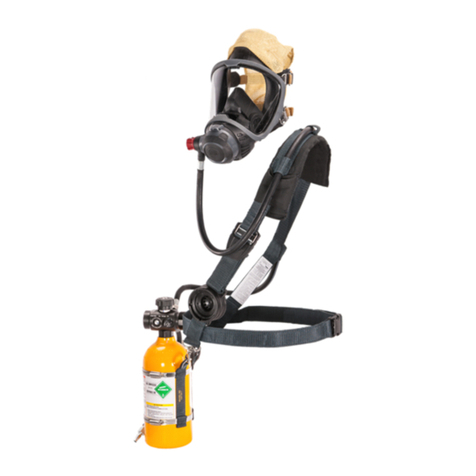
  9. MSA FireHawk Ultra Elite 10048814 Setup guide

MSA FireHawk Ultra Elite 10048814 Setup guide

This manual suits for next models

5

Other MSA Respiratory Product manuals

MSA G1 SCBA User manual

MSA

MSA G1 SCBA User manual

MSA PremAire Mask-Hood User manual

MSA

MSA PremAire Mask-Hood User manual

MSA PremAire Combination User manual

MSA

MSA PremAire Combination User manual

MSA G1 Facepiece User manual

MSA

MSA G1 Facepiece User manual

MSA FSR W65 User manual

MSA

MSA FSR W65 User manual

MSA Versa-Hood User manual

MSA

MSA Versa-Hood User manual

MSA AirHawk MMR User manual

MSA

MSA AirHawk MMR User manual

MSA 3S small User manual

MSA

MSA 3S small User manual

MSA OptimAir TL PAPR User manual

MSA

MSA OptimAir TL PAPR User manual

MSA SSR 30/100 User manual

MSA

MSA SSR 30/100 User manual

MSA SSR 90 User manual

MSA

MSA SSR 90 User manual

MSA PremAire System User manual

MSA

MSA PremAire System User manual

MSA 3S small User manual

MSA

MSA 3S small User manual

MSA Abrasi-Blast Series User manual

MSA

MSA Abrasi-Blast Series User manual

MSA G1 Industrial SCBA User manual

MSA

MSA G1 Industrial SCBA User manual

MSA Advantage 200 User manual

MSA

MSA Advantage 200 User manual

MSA FireHawk M7 User manual

MSA

MSA FireHawk M7 User manual

MSA Advantage 400 Series User manual

MSA

MSA Advantage 400 Series User manual

MSA PremAire Escape User manual

MSA

MSA PremAire Escape User manual

MSA G1 PAPR User manual

MSA

MSA G1 PAPR User manual

MSA SSR 30/100 User manual

MSA

MSA SSR 30/100 User manual

MSA AirHawk II User manual

MSA

MSA AirHawk II User manual

MSA Advantage 200 LS User manual

MSA

MSA Advantage 200 LS User manual

MSA Advantage 200 LS User manual

MSA

MSA Advantage 200 LS User manual

Popular Respiratory Product manuals by other brands

Dräger PSS Series Instructions for use

Dräger

Dräger PSS Series Instructions for use

ResMed MIRAGE SWIFT II 60891/1 user guide

ResMed

ResMed MIRAGE SWIFT II 60891/1 user guide

Omron COMP A-I-R NE-C801 instruction manual

Omron

Omron COMP A-I-R NE-C801 instruction manual

Ombra 63506 Instructions for use

Ombra

Ombra 63506 Instructions for use

Lotus M-9520A quick start guide

Lotus

Lotus M-9520A quick start guide

CERES nosko nebulizer kit manual

CERES

CERES nosko nebulizer kit manual

Dr.Frei NE-SM1 user manual

Dr.Frei

Dr.Frei NE-SM1 user manual

North 5400 series instruction manual

North

North 5400 series instruction manual

John Bunn Neb-u-Lite LX2 user manual

John Bunn

John Bunn Neb-u-Lite LX2 user manual

Philips Respironics EE Leak 1 AF541 Instructions for use

Philips

Philips Respironics EE Leak 1 AF541 Instructions for use

Sperian Panther Hip-Pac P9684 Series Operation manual

Sperian

Sperian Panther Hip-Pac P9684 Series Operation manual

Dräger X-plore 6570 quick start guide

Dräger

Dräger X-plore 6570 quick start guide

3M 8000 Series quick start guide

3M

3M 8000 Series quick start guide

Respironics SideStream HS860 Instructions for use

Respironics

Respironics SideStream HS860 Instructions for use

Sundstrom SR 500 Instructions for use

Sundstrom

Sundstrom SR 500 Instructions for use

Ambu SPUR II Instructions for use

Ambu

Ambu SPUR II Instructions for use

BLS 8000 Instructions for the use

BLS

BLS 8000 Instructions for the use

Dräger saver PP Series Instructions for use

Dräger

Dräger saver PP Series Instructions for use

manuals.online logo
manuals.online logoBrands
  • About & Mission
  • Contact us
  • Privacy Policy
  • Terms and Conditions

Copyright 2025 Manuals.Online. All Rights Reserved.

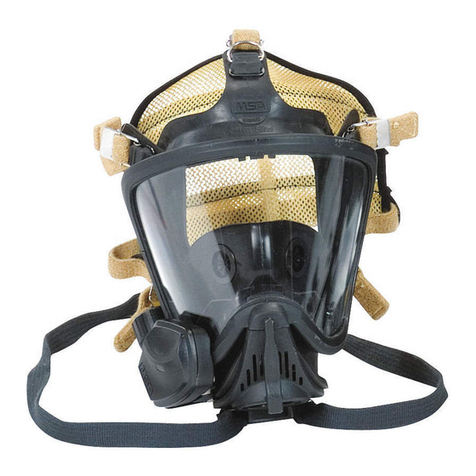
Ultra Elite®Facepiece
TAL 805 (L) Rev. 4 © MSA 2008 Prnt. Spec. 10000005389 (I) Mat. 10042830
Doc. 10000015248
MAINTENANCE AND REPAIR
2
TAL 805 (L) Rev. 4 - 10042830
ULTRA ELITE FACEPIECE
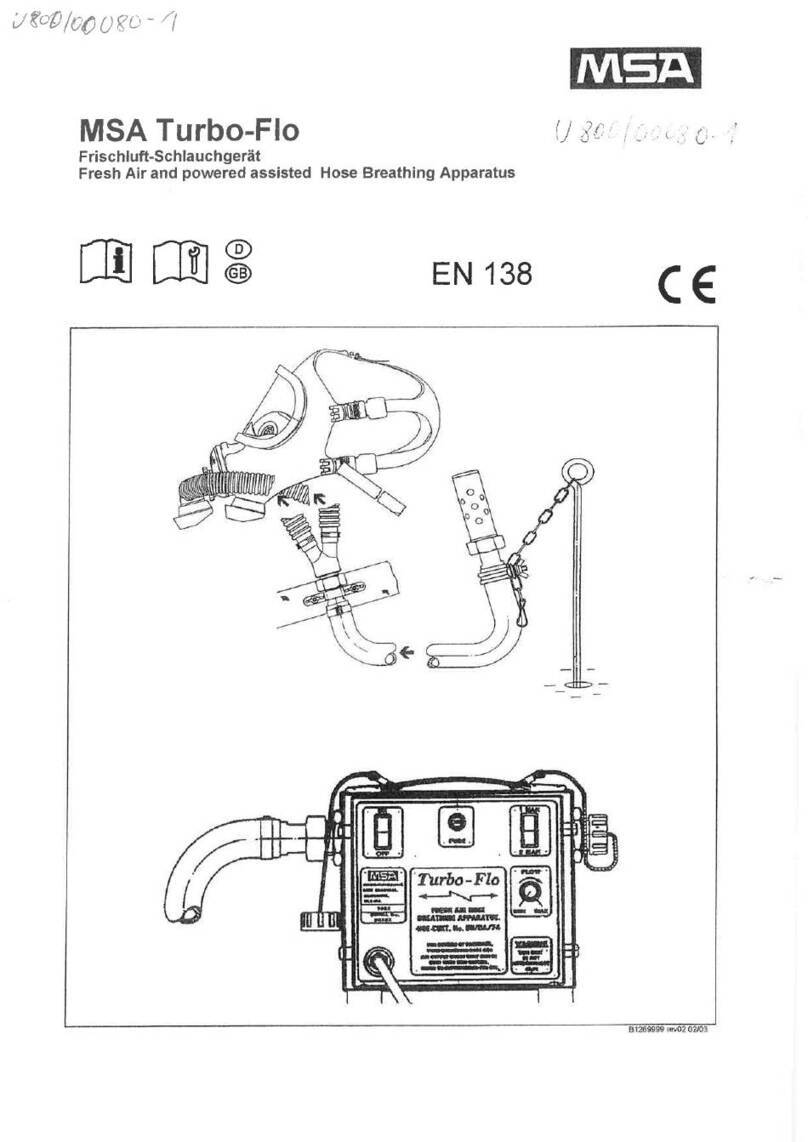
ULTRA ELITE FACEPIECE COMPONENTS
Item Part No. Description
1804804 Upper Lens Ring
210031102 SpeeD ON Head Harness Assembly
3804806 1/4 Turn Screw Kit (4 Req’d)
5805020 Lens Super Hardcoat
6804805 Lower Lens Ring
710034500 Slide Cover
7a 10033115 Component Housing Cover (Push to Connect)
7b 804819 Component Housing Cover (1/4 Turn)
8494297 Buckles (2 Req’d)
9804807 Buckle Ass’y with D Ring (2 Req’d)
10 See Chart Facepiece Blank
11 804822 Valve Seat (2 Req’d)
12 804823 Valve Disc (2 Req’d)
13 804811 Component Housing Ring
14 804812 Screw Kit
15 10018621 Slide Adapter Ass’y
15a 10033115 Push To Connect Adapter Ass’y
15b 813556 1/4 Turn Adapter Ass’y
17 804829 Neckstrap
18 815604 Component Housing Assembly (Complete)
18a 804813 Inlet Disc
18b 804814 Valve Spider (1/4 Turn)
18c 804808 Speaking Diaphragm Retainer
18d 804809 Speaking Diaphragm
18e 815605 Component Housing with Exhalation Valve Kits
818107 Retaining Bar Spring it (not shown)
814459 Exhalation Valve (not shown)
18f 805011 Valve Spider (Firehawk)
19 Nosecup Assembly with valves)
19c 495188 Medium, Black
19d 495189 Large, Black
19e 804638 Spectacle Kit
20 804821 Screw Kit (2 Req’d)
23 637865 Spacer (1/4 Turn)
24 813543 Retaining Ring (1/4 Turn)
10037791 NightFighter Bracket (not shown)
3TAL 805 (L) Rev. 4 - 10042830
ULTRA ELITE FACEPIECE
7a
7
7b
15b
23
24
3
12-27 in. lbs.
pressure demand facepiece NFPA
Facepiece Components
Type Small Medium Large
Hycar 10048814 10048813 10048815
Silicone 805581 805580 805582
Facepiece Blank
4
TAL 805 (L) Rev. 4 - 10042830
ULTRA ELITE FACEPIECE
CLEANING AND DISINFECTING
Depending on the cleaning policy adopted, either a desig-
nated person or the user should clean each device after
each use. ANSI standards suggest that users should be
trained in the cleaning procedure. Confidence Plus
Cleaning Solution (P/N 10009971) from MSA is recom-
mended. It cleans and disinfects in one operation. It
retains its germicidal efficiency in hard water to inhibit the
growth of bacteria. It will not deteriorate rubber, plastic,
glass, or metal parts. Refer to label for user instructions.
• DO NOT use any cleaning substances that can or
might attack any part of the apparatus.
• Alcohol should not be used as a germicide
because it may deteriorate rubber parts.
• If not rinsed thoroughly, cleaning agent residue
may irritate the wearer’s skin.
1. Preparing Solution
a. Follow the instructions with the Confidence Plus
Cleaning Solution.
b. If the Confidence Plus Cleaning Solution is not
used, wash in a mild cleaning solution, rinse thor-
oughly, and submerge in a germicide solution for
the manufacturer’s recommended time.
2. Clean and Disinfect the Facepiece
a. Remove the mask mounted regulator from the face-
piece.
b. Unthread the thumb screw of NightFighter Heads-
Up Display System receiver Voicemitter Assembly,
slide the receiver from facepiece bracket.
c. Thoroughly wash the facepiece (and nosecup) in the
cleaning solution. A soft brush or sponge can be
used to clean the soiled facepiece.
d. Rinse the facepiece and components in clean,
warm (110 F) water (preferably running and
drained).
e. Clean the pressure-demand exhalation valve by
pressing in on the stem with a blunt object and
flushing with clean water.
f. Allow the facepiece to air dry. Do not dry the parts
by placing them near a heater or in direct sunlight.
The rubber will deteriorate.
g. Operate the exhalation valve by hand to be sure it
works properly.
Note: Do not force-dry the parts by placing them in a
heater or in direct sunlight. The rubber will deteriorate.
When the facepiece is thoroughly dry, store the facepiece
in the plastic bag that it was shipped in.
3. In general, only the facepiece requires cleaning and
disinfecting after each use.
4. Re-attach NightFighter Heads-Up Display System
Receiver and Voicemitter Assembly.
a. Slide receiver onto facepiece bracket.
b. Finger-tighten thumb screw.
5. Thoroughly dry the facepiece and regulator after
cleaning and disinfecting. The facepiece can trap
water, which could enter the regulator.
REMOVING THE SPEED-ON®HEAD HARNESS
1. To remove a damaged SpeeD-ON Head Harness from
the facepiece, lay the facepiece on a table or other flat
surface.
2. To remove a damaged rubber head strap from the
facepiece, lay the facepiece on a table or other flat
surface.
a. Grasp the facepiece lug with the thumb and forefin-
ger of one hand. Grasp the headstrap metal buckle
with the thumb and forefinger of the other hand.
b. Lift the metal buckle up with your thumb as you
stretch the facepiece lug.
c. Turn the facepiece and switch hands to pry up on
the other side of the metal buckle.
d. Pull the facepiece lug out of the metal buckle.
e. Repeat steps a through d for each remaining strap
surface.
3. To remove the bottom buckles, pull the back of the
buckle away from the rubber strap and pull slightly so
the rubber harness end-tab is at the buckle.
4. Fold the end-tab sides together, then slide each tab
through its buckle.
5. Repeat steps 3 and 4 for the other buckle.
CLEANING SPEED-ON HEAD HARNESS
Machine wash in warm water (maximum 120 F) with a
mild detergent. Hang the harness in an open area to air-
dry. Do not dry clean. Do not bleach or use abrasive
cleaners. Do not fold or store when wet.
INSTALLING THE SPEED-ON HEAD HARNESS
1. Install the harness strap buckles on the facepiece rub-
ber lug at the crown and temple locations:
a. Insert the long tab end of the rubber lug into the
metal ring.
b. Pull the entire
rubber lug
through the
metal ring.
5TAL 805 (L) Rev. 4 - 10042830

ULTRA ELITE FACEPIECE
2. Refer to Kit 817088 Head Harness Installation instruc-
tions to attach the harness.
REMOVING THE COMPONENT HOUSING COVER
1. Remove the two component housing cover screws.
2. Remove the locking
ring, if applicable.
3. Remove the component housing cover.
a. For the 1/ Turn Facepiece: Lift up on the cover
release hook located forward of the adapter assem-
bly opening. Once the release is lifted, remove the
cover by pulling it away from the housing. Tilt the
cover and work it over one adapter bayonet at a
time.
b. For the Firehawk Slide Facepiece: Remove the
cover by pulling it away from the housing.
c. For the Firehawk
Push-To-Connect
Facepiece: Pull the
cover to release the
retaining hook. With
the cover between
the hex flats and
flange of the adapter,
turn the adapter
counter-clockwise to
remove.
4. Unthread and remove the adapter assembly, if applic-
able. For the Firehawk Slide Facepiece, turn the cover
upside down and backwards to use the cover as a
wrench to unthread the adapter.
Note: Be careful that you do not damage internal parts of
the component housing assembly (exhalation valve,
spring, retainer, or speaking diaphragm) once the cover is
removed.
MMR EXHALATION VALVE
Do not pull the spring retainer out of component hous-
ing slots. This could damage the component housing.
Removing the Spring and Spring Retainer
1. Slide the spring retainer to one side, then, carefully
push center of the retainer down into the component
housing freeing retainer from slots in the housing. Lift
the retainer and the spring out of the component hous-
ing. Discard spring and spring retainer.
Be careful not to damage the slots or valve seat in the
component housing. If either the slots or valve seat is
damaged, the entire component housing must be
replaced. Also be careful not to damage the soft rub-
ber surface of the valve.
2. Inspect the slots in the component housing. If either
appears to be damaged or distorted replace the dam-
aged component housing.
Installing the Pressure Demand Exhalation Valve
Spring and Spring Retainer
1. Place the new spring on the new (ivory) spring retain-
er. Place the free end of the spring over the exhalation
valve boss.
Note: The retainer ends are angled. The shorter end goes
down (toward the bottom part of the component housing).
In this position, the part number on the retainer is on the
left side facing the exhalation valve (down).
2. Insert one angled end of the spring retainer all the way
into the slot on one side of the component housing.
Place the other angled end of the retainer against the
side of the housing above the slot, push the center of
retainer down (above spring), then slide the retainer
toward the bottom of the housing until the retainer
snaps into slot.
Ensure spring retainer is secured in the sides of com-
ponent housing. If the retainer does not remain secure
the component housing must be replaced.
3. Check that the spring retainer is securely engaged in
the slots of component housing.
a. Carefully lift up the center of retainer. (the retainer
might snap again)
b. Make sure the retainer is fully engaged in the slots
6
TAL 805 (L) Rev. 4 - 10042830
ULTRA ELITE FACEPIECE
of component housing.
c. Ensure that the spring is centered on the exhalation
valve.
4. Inspect the slots in the component housing. If either
appears to be damaged or distorted replace the dam-
aged component housing.
5. Install Component Housing Cover
Note: If the cover hook does not snap in place, hand-
tighten the adapter assembly clockwise until two corners
of a flat line up with the two notches in the top of the
component housing inlet. The cover should snap into
place.
Don the facepiece and check the face-to-facepiece
seal. Follow the Facepiece Fit Check procedures.
1. Don the facepiece.
2. Cycle exhalation valve by inhaling and exhaling six
times before testing the face-to-facepiece seal.
3. To check for facepiece fit, hold the palm of your hand
over the inlet connection and inhale. Hold your breath
at least 10 seconds. The facepiece should collapse
and stay collapsed against your face. If it does not,
readjust the facepiece and test again. If this does not
correct the leak, do not use the facepiece.
4. To test the exhalation valve, take a deep breath and
hold it. Block the inlet connection with the palm of
your hand and exhale. If the exhalation valve is stuck,
you may feel a heavy rush of air around the facepiece.
You may need to exhale sharply to open the valve.
INSTALLING THE ADAPTER ASSEMBLY
1. The 1/ Turn Facepiece
a. Holding the adapter
assembly in one
hand, rotate the slip
nut so that the octa-
gon flange on the
slip nut lines up with
the octagon flange
on the adapter.
b. Thread the adapter assembly into the facepiece.
Use the spanner wrench to torque the adapter to
12-27 in.lbs. If necessary, continue to torque until
the top flat on the octagon is horizontal.
c. The bayonets must
be in a horizontal ori-
entation. If the bayo-
nets are not horizon-
tal, remove the
adapter assembly
and turn the slip nut.
d. Re-install the adapter assembly so that the bayo-
nets are horizontal when the adapter assembly is
torqued 12-27 in.lbs.
2. The Firehawk Slide Facepiece
a. Thread the slide adapter into the component hous-
ing, handtight.
b. Use the component housing cover to tighten the
adapter so that the next hex flat is aligned with the
two index marks near the top of the component
housing.
3. The Firehawk Push-To-Connect Facepiece
a. With the cover
between the hex flats
and flange of the
adapter, thread the
adapter into the com-
ponent housing.
b. Insert the tab on the cover into the slot in the lens
ring.
c. Tighten the adapter so that the top hex flat is hori-
zontal.
d. Press the cover until the retaining hook snaps into
place.
INSTALLING THE COMPONENT HOUSING COVER
1. Place the component housing cover over the adapter
assembly. Tilt and rotate the cover to work it over one
bayonet at a time, if applicable.
2. Insert the tab on the cover into the slot in the lens ring.
3. Press in on the front of the cover until the cover hook
snaps in place.
4. Install the locking ring by sliding it into the groove on
the adapter, if applicable. (Do not slide it into the
space between the slip nut flange and the adapter
flange.)
5. Place the spacers in the cover sockets under the lock-
ing ring, if applicable.
7TAL 805 (L) Rev. 4 - 10042830
ULTRA ELITE FACEPIECE
6. Install the phillips screws and tighten.
7. Verify each of the following features.
a. The adapter bayonets are locked into a horizontal
position, if applicable, and CANNOT be rotated.
b. The slip nut is threaded completely into the face-
piece and locked securely, if applicable. It CANNOT
be rotated.
c. The metal locking ring is locked into position, if
applicable, and CANNOT be rotated.
d. There is no loose play in the assembly of parts.
7. Don the facepiece and check the face-to-facepiece
seal. Follow the Facepiece Fit Check.
REMOVING THE FACEPIECE LENS AND RING
Keep the protective papers on the lens until the lens is
completely assembled in the facepiece.
Note: Remove the adapter assembly and component
housing cover.
1. Use a phillips screw-
driver to loosen and
remove the screw from
each side of the face-
piece lens retaining
ring.
2. Remove the upper and
lower lens retaining
rings.
3. Fold the facepiece flange rubber back and pull the
lens out of the groove.
INSTALLING THE FACEPIECE LENS AND RING
1. Remove any dirt, lens fragments, or other debris from
the groove.
2. Line up the new lens
center-line marks (top
and bottom) with the
facepiece center-line
mark. Insert the top of
the lens into the
groove. Work the face-
piece rubber flange
around the lens to fully
seat the lens in the
groove. When installed
correctly, the bottom
lens center-line mark lines up with the bottom face-
piece center-line mark.
3. Moisten the facepiece lens groove and the inside of
the housing ring.
4. Install the bottom ring.
Insert the tab at the top
of the component
housing into the slot at
the bottom center of
the lower lens ring. The
tab should snap into
place.
5. Line up the top lens ring center-line with the facepiece
rubber flange center-line mark. Press the ring into
place.
6. Press the ring halves together at the top and bottom
of the facepiece so that the ends mate.
7. Install a screw on each side. Start the screws. They
should thread easily. If not, remove and reinstall the
screws to avoid cross-threading. Keep hand pressure
on both ring halves.
8. As the ring halves come together, alternate tightening
the left and right screws to be sure the rings seat
completely on the rubber flange.
Do not over-tighten. Rubber must not show between
the lens ring ends at the joint. If this happens,
reassemble.
9. Remove all lens protective papers from the new lens.
10. Re-install the component housing and the adapter
assembly.
11. Don the facepiece and check the face-to-facepiece
seal. Follow the Facepiece Fit Check.
12. Install a cover lens to protect the facepiece polycar-
bonate lens during storage.
8
TAL 805 (L) Rev. 4 - 10042830
ULTRA ELITE FACEPIECE
REMOVING THE COMPONENT HOUSING ASSEMBLY
Note: Remove the adapter assembly and the component
housing cover.
1. Use a small phillips screwdriver to remove the compo-
nent housing ring screw.
2. Grasp the ring with the
thumb and forefinger of
each hand. Gently
spread the ring halves
apart at the bottom.
3. When the facepiece
rubber is out of the ring
groove, lift the ring up
away from the face-
piece. You may need to
pull the housing down
slightly to allow enough
room to remove the
ring from between the
housing and the lower
lens ring.
4. Remove the facepiece rubber from the component
housing and pull the housing and nosecup (if installed)
out of the facepiece.
INSTALLING THE COMPONENT HOUSING ASSEMBLY
1. Slide the housing into the front of the facepiece.
2. Starting at the top
(narrow end) of the
housing, place the
housing in the face-
piece groove. Work the
rubber all the way
around the housing.
Check that the housing
is completely captured
inside the groove and
the center-lines are
lined up.
3. Moisten the facepiece housing area and the inside of
the housing ring.
4. Insert the narrow end of the ring into the space
between the lower lens ring and the facepiece housing
area.
5. Line up the component
housing ring mark with
the facepiece center-
line.
6. Starting at the top,
work the housing ring
down on the facepiece
to capture the face-
piece rubber in the ring
groove. Work your way
down each side of the
ring until the facepiece
rubber is completely
captured inside the
ring.
7. Gently squeeze the ring halves together at the bottom
of the housing. Watch the facepiece rubber at the top
as you do this. If you see any bulges or wrinkles in the
facepiece rubber, it is not captured in the groove.
Rework the ring around the facepiece rubber until
there are no bulges or wrinkles.
Bulges or wrinkles mean that the facepiece rubber is
not seated correctly in the ring. Re-install the ring to
seat it correctly. Failure to follow this warning can
cause the facepiece to leak and result in serious per-
sonal injury or death.
8. When the housing ring appears to be seated, grasp
the outside of the ring and the inside of the housing at
the top between your thumb and forefinger and
squeeze them together. Then do the same with the
ring halves at the bottom.
9TAL 805 (L) Rev. 4 - 10042830
ULTRA ELITE FACEPIECE
9. Install the screw and
tighten using a small
phillips screwdriver.
Rubber must not extrude between the component
housing ring ends at the joint. If this happens,
reassemble.
10. Re-install the nosecup or air baffle (if used) in the
facepiece.
11. Re-install the component housing cover and adapter
assembly.
12. Don the facepiece and check the face-to-facepiece
seal. Follow the Facepiece Fit Check.
REPLACING THE SPEAKING DIAPHRAGM
1. Remove the nosecup or air baffle (if installed) from
inside the facepiece.
2. Unscrew and remove
the speaking
diaphragm retaining
ring.
3. Turn the facepiece upside down and shake out the
metal speaking diaphragm and gasket assembly.
4. Check the speaking diaphragm and gasket assembly
for damage. Replace it if it is worn or damaged.
5. Be sure that the gasket is on the diaphragm assembly.
Place the diaphragm in the retaining ring. Be sure that
the gasket side of the speaking diaphragm will be fac-
ing the component housing.
6. Replace the retaining ring and hand-tighten.
7. Re-install the nosecup or air baffle (if used) in the
facepiece.
8. Don the facepiece and check the face-to-facepiece
seal. Follow the Facepiece Fit Check.
REPLACING THE INLET GASKET AND DISC VALVE
1. Remove the component housing cover and the
adapter assembly.
2. Remove the disc from the gasket and inspect both for
wear. The disc should be very soft and pliable. Install
a new disc valve if it is damaged or hardened.
3. To install the inhalation disc valve:
a.Gently, stretch the hole in the center of the disc
valve over the gasket stem.
b. Note that the inlet
gasket has a groove
around its inside.
c. With the pull-tab facing you, insert the gasket into
the facepiece at an angle so that its groove cap-
tures the housing rim. The lower lip on the gasket
must be placed under the rim in the component
housing.
Note: It may be necessary to bend the gasket slightly to
work the groove under the rim all the way around. When
installed correctly, the gasket will lay flat in the housing,
and none of the spokes will be bent.
4. Re-install the adapter assembly.
5. Don the facepiece and check the face-to-facepiece
seal. Follow the Facepiece Fit Check.
ULTRA ELITE FACEPIECE COMPONENT HOUSING
INSPECTION
Note: Ultra Elite Facepieces can be identified by a mold-
ed emblem in the forehead area containing the word
“Ultra Elite”.
See User’s Instructions for additional illustrations and
information.
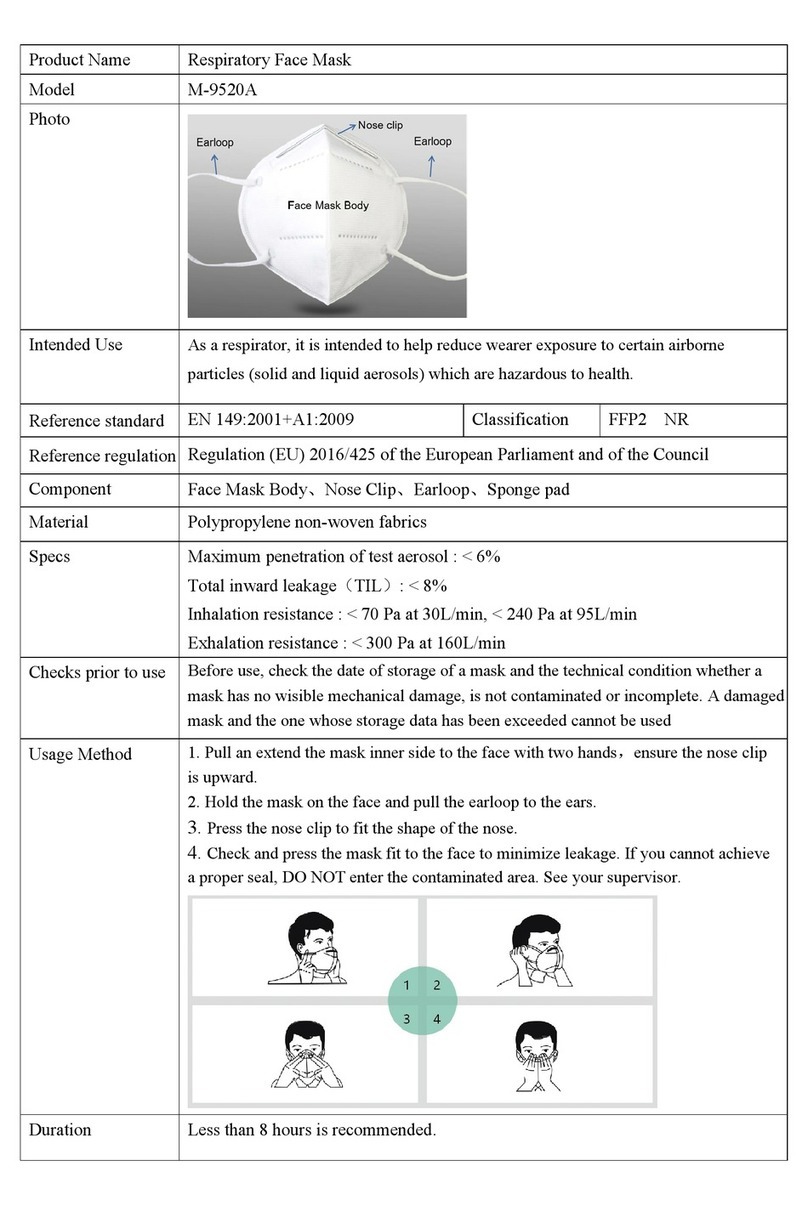
Inspect the component housing on Ultra Elite Facepieces
manufactured from July to December 2003 using the pro-
cedure below.
To locate the date code:
1. Hold the Ultra Elite Facepiece in one hand.
2. Gently pull the chin cup toward you.
3. Under a good light source, locate the stamped circle
on the inside, right side of the facepiece.
10
TAL 805 (L) Rev. 4 - 10042830