manuals.online logo
Brands
  1. Home
  2. •
  3. Brands
  4. •
  5. PowerTraveller
  6. •
  7. Batteries Charger
  8. •
  9. PowerTraveller Discovery User manual

PowerTraveller Discovery User manual

Other PowerTraveller Batteries Charger manuals
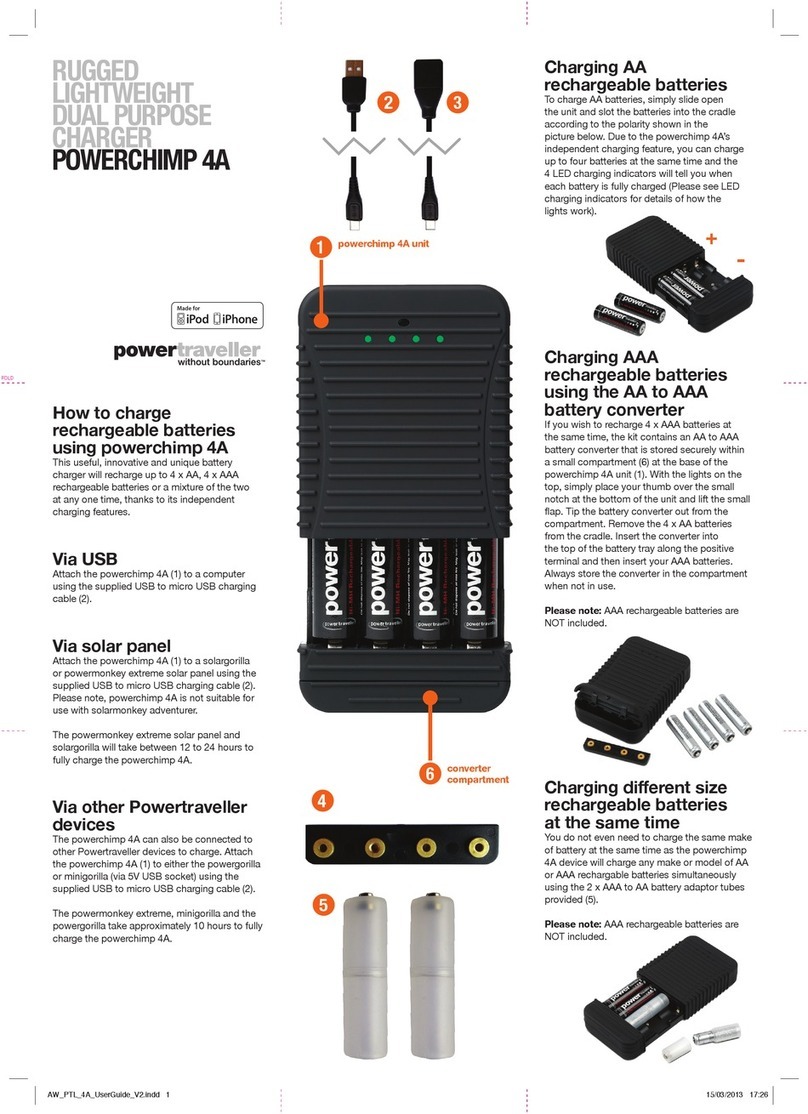
PowerTraveller POWERCHIMP 4A User manual
PowerTraveller

PowerTraveller POWERCHIMP 4A User manual

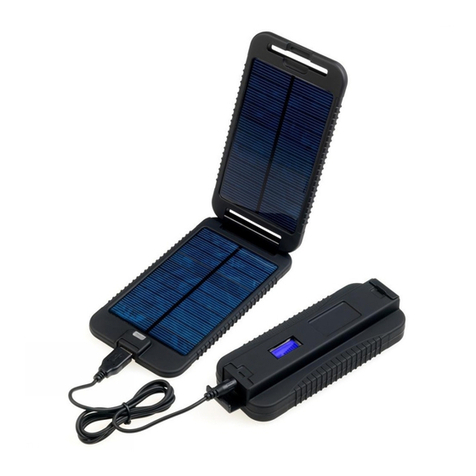
PowerTraveller Powermonkey Extreme User manual
PowerTraveller

PowerTraveller Powermonkey Extreme User manual

PowerTraveller POWERMONKEY EXPLORER User manual
PowerTraveller

PowerTraveller POWERMONKEY EXPLORER User manual

PowerTraveller SOLAR ADVENTURER II User manual
PowerTraveller

PowerTraveller SOLAR ADVENTURER II User manual

PowerTraveller HARRIER 25 User manual

PowerTraveller

PowerTraveller HARRIER 25 User manual
PowerTraveller Powergorilla User manual
PowerTraveller

PowerTraveller Powergorilla User manual
PowerTraveller Powergorilla User manual
PowerTraveller

PowerTraveller Powergorilla User manual

PowerTraveller Powergorilla User manual

PowerTraveller

PowerTraveller Powergorilla User manual

PowerTraveller POWERMONKEY EXPLORER 2 User manual
PowerTraveller

PowerTraveller POWERMONKEY EXPLORER 2 User manual

PowerTraveller Powergorilla User manual
PowerTraveller

PowerTraveller Powergorilla User manual
PowerTraveller SOLAR ADVENTURER User manual

PowerTraveller

PowerTraveller SOLAR ADVENTURER User manual

PowerTraveller MINI-G User manual

PowerTraveller

PowerTraveller MINI-G User manual

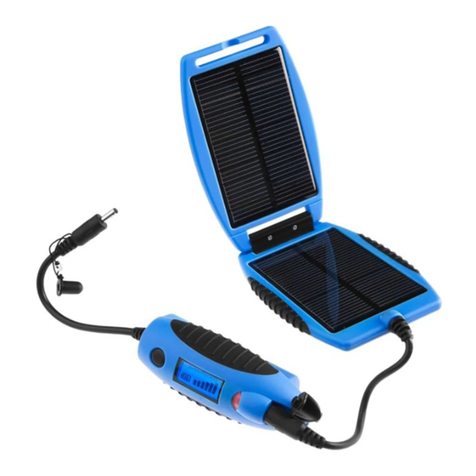
PowerTraveller EXTREME User manual

PowerTraveller

PowerTraveller EXTREME User manual

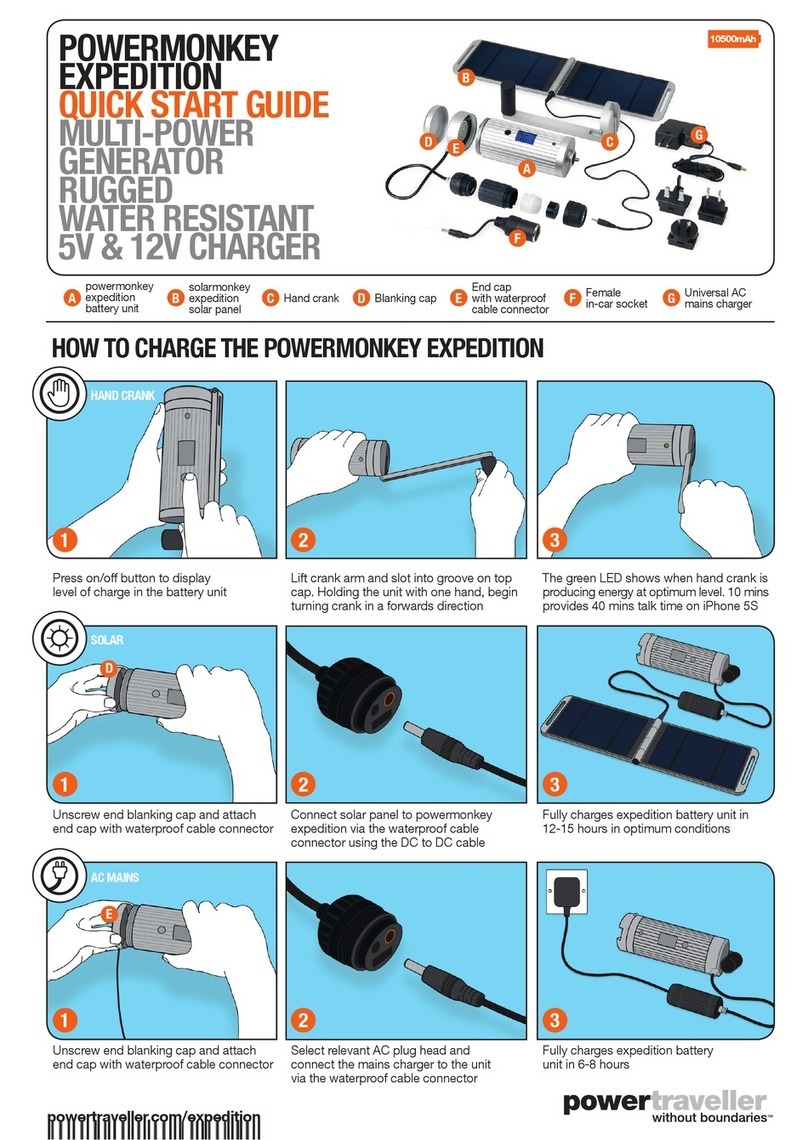
PowerTraveller POWERMONKEY EXPEDITION Operating and maintenance instructions

PowerTraveller

PowerTraveller POWERMONKEY EXPEDITION Operating and maintenance instructions

Popular Batteries Charger manuals by other brands

EVBox BusinessLine manual

EVBox

EVBox BusinessLine manual

Goobay 71808 user manual

Goobay

Goobay 71808 user manual

Kogan KACRDQIS4XA user manual

Kogan

Kogan KACRDQIS4XA user manual

Sealey WCB3 quick start guide

Sealey

Sealey WCB3 quick start guide

Vanner SP00143/181 owner's manual

Vanner

Vanner SP00143/181 owner's manual

KeyOuest KO037515 quick start guide

KeyOuest

KeyOuest KO037515 quick start guide

Enplus Silk Series user manual

Enplus

Enplus Silk Series user manual

Intermec SF51 user guide

Intermec

Intermec SF51 user guide

Colorovo PowerBox 6800 user guide

Colorovo

Colorovo PowerBox 6800 user guide

Smartech WBC-250 Operator's manual

Smartech

Smartech WBC-250 Operator's manual

PIXO C-USB instruction manual

PIXO

PIXO C-USB instruction manual

Gunson G4104 quick start guide

Gunson

Gunson G4104 quick start guide

Dometic NDS SCE320 Short Operating Manual

Dometic

Dometic NDS SCE320 Short Operating Manual

ABB HT572708 Operation manual

ABB

ABB HT572708 Operation manual

EVOline Square80 manual

EVOline

EVOline Square80 manual

Redarc SBC24025 Operating instructions and owner's manual

Redarc

Redarc SBC24025 Operating instructions and owner's manual

Absaar HV04 manual

Absaar

Absaar HV04 manual

DazeTechnology Cover Dazebox Home installation manual

DazeTechnology

DazeTechnology Cover Dazebox Home installation manual

manuals.online logo
manuals.online logoBrands
  • About & Mission
  • Contact us
  • Privacy Policy
  • Terms and Conditions

Copyright 2025 Manuals.Online. All Rights Reserved.

PARAMETERS
• Input: 5V
• Micro USB IN
• Charging time: 6 hours
• USB Output 1&2:
combined 3A
• USB 2 with Quick charge
2.4A
• Weight: 157g
• Dimensions: (L*H*W)
135 x 64 x 15mm
• Battery capacity: 6000mAh
• Power: 22Wh
• Battery chemistry:
Lithium Polymer
• Battery cycle times:
>500 cycles
• 4 LED battery level
indicator. Each blue light
represents 25% of charge
Tips are available to buy at:
powertraveller.com
DISCOVERY
SLEEK COMPACT
STYLISH CHARGER
USER GUIDE
MICRO USB
TO USB
CONNECTION
CABLE
ON/OFF
BUTTON
LED
STATUS
LIGHTS
QUICK CHARGE
YOU CAN: CHARGE TABLETS SMARTPHONES
GOPROS GPS SMART WATCHES HEAD LAMPS
AND MORE
QC
TURN ON/OFF CHECK CHARGE CHARGE A DEVICE RECHARGING DISCOVERY
To activate/deactivate the discovery,
press the button once to turn it on and
twice to turn it o if required.
Discovery turns on automatically
when a device is connected and turns
o when no device is connected. The
blue LEDs will light up.
Always turn the discovery o when
not in use to conserve power.
While the discovery is turned o,
click the on/o button briey. The
blue LEDs will illuminate and the
number of lights will indicate the
amount of charge remaining.
Each illuminated light represents
25% of power.
If the far left ashes blue, the
discovery requires charging.
Connect the included cable to a
5V USB output socket (e.g. a
laptop or wall plug with USB
socket) and connect the micro
USB end into the micro USB
socket on the discovery. A full
charge will take approx. 6 hours
depending on the output of the
USB port.
When fully charged, all 4 LEDs
will be solid blue.
Attach any USB cable to either of
the USB output sockets, USB port
marked ‘5V 2A QC’ is with quick
charge. Then connect the cable to
the device that you wish to charge.
Once your device is fully charged, the
discovery will automatically turn o.