10 11
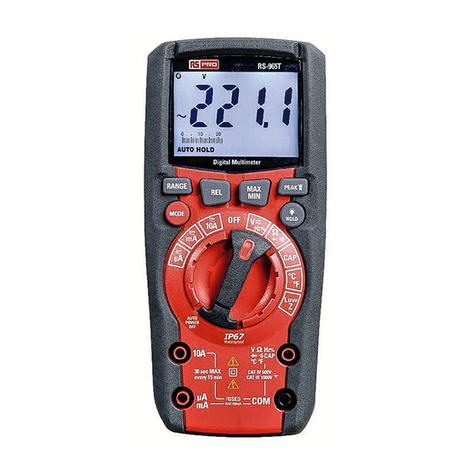
2. Momentarily press the MODE button to select AC or DC voltage. The AC “~” or DC “ ”
symbol will appear on the LCD display.
3. Insert the red cable into input terminal V Hz% CAP Temp and the black cable
into input terminal COM.
4. Touch the test leads to the circuit under test.
5. If the display shows the message "O.L", select a higher range.
To use the HOLD, RANGE, MAX MIN, PEAK, HIRES and REL functions
AC/DC Current Measurements and 4-20mA% reading
WARNINGS: Observe all safety precautions when working on live circuits. Do not
measure current on circuits that exceed 1000V. Measurements in the 10A range should
be limited to 30 seconds maximum every 15 minutes.
1. Insert the black test lead into the negative COM input jack.
2. For current measurements up to 10A, set the rotary function switch to the 10A position
and insert the red test lead into the 10A input jack.
3. For current measurements up to 600mA, set the rotary function switch to the mA position
and insert the red test lead into the µA mA input jack.
4. For current measurements up to 6000µA, set the rotary function switch to the µA
position and insert the red test lead into the µA mA input jack.
5. Momentarily press the MODE button to select AC or DC current. The AC “~” or DC
“ ” symbol will appear on the LCD display.
6. Remove power from the circuit under test, then open up the circuit at the point where you
wish to measure current.
7. Touch the test lead probes in series with the circuit being measured. For DC current, touch
the red probe to the positive side of the circuit and touch the black probe to the negative side
of the circuit.
8. Apply power to the circuit.
9. Read the current on the LCD display.
10. The value of reading 4-20mA% (0mA = -25%, 4mA = 0%, 20mA = 100% and 24mA =
125%) appears on the display. The bargraph is not active in this function.
11. If the display shows the message “ O.L”, the maximum measurable value has been
reached.
12. When symbol "-" appears on the instrument's display, it means that current has the
opposite direction with respect to the connection.
AC 3000A Current ( with Current Transducer ) measurement
Maximum input AC/DC current is 3000A (input VHz%CAPTemp Ω ) . Do not
measure currents exceeding the limits given in this manual.
1. Select positions
2. Insert the Current Transducer red cable into input terminal V Hz% CAP Temp
and the black cable into input terminal COM.
3. Position the red lead and the black lead respectively in the spots of the circuit to be
measured (see). The display shows the value of voltage.
4. Select current Transducer Rang.
5. Press the RANG key to select“30A. 300A. 3000A”, when pressing the RANGE button, the
meter shall display the range selected for 2sec.(before start measuring)
6. To use the HOLD, MAX MIN, and REL functions.
Resistance Measurements
WARNING: Never test resistance on a live circuit.
1. Set the rotary function switch to the Ω CAP position.
2. Momentarily press the MODE button until the Ω symbol appears on the LCD display.
3. Insert the black test lead into the COM input jack and the red test lead into the Ω input jack.
4. Touch the test lead probes to the component under test. If the component is installed in
a circuit, it is best to disconnect one side before testing to eliminate interference with other
devices.
5. Read the resistance in on the LCD display.
Continuity Test
WARNING: Never test continuity on a live circuit.
1. Set the rotary function switch to the Ω CAP position.
2. Momentarily press the MODE button until the “ ” symbol appears on the LCD display.
3. Insert the black test lead into the COM input jack and the red test lead into the Ω input jack.
4. Touch the test lead probes to the device or wire under test.
5. A beeper will sound if the resistance is approximately 50Ω or less and the resistance
value will be shown on the LCD display.
ProfessionalTrue RMS Digital Multimeter/ EnglishProfessionalTrue RMS Digital Multimeter/ English