HOT
E00
7
OLOGY BENCH ERROR CODES
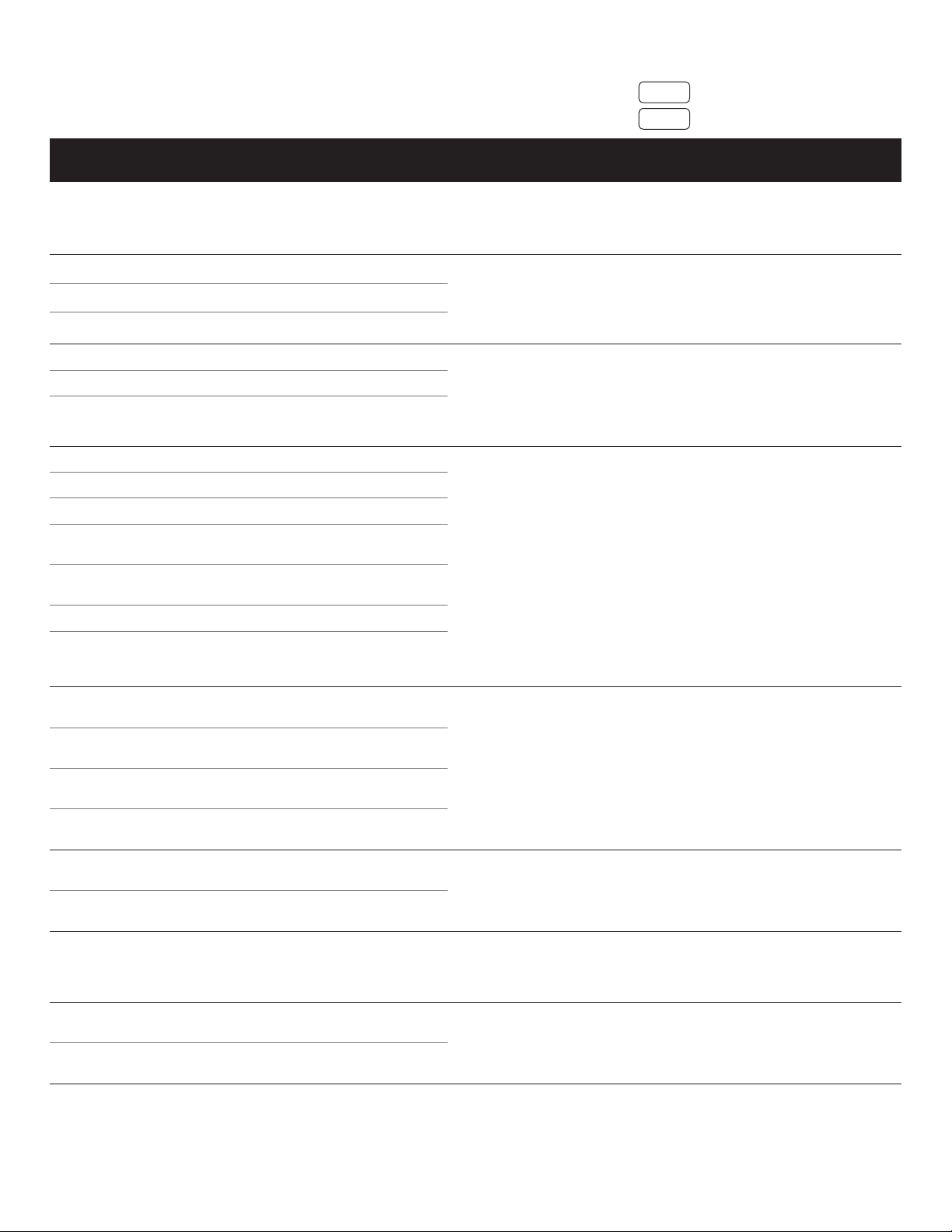
Error codes are only available with the Digital/Preset Controller
ERROR
CODE NAME DESCRIPTION POTENTIAL CAUSE SOLUTION/TROUBLESHOOTING
HOT Overheating The Control Box incorporates
overheating
E00 Internal error, Channel 1 Relay sticks, MOSFET defect
E01 Internal error, Channel 2 Relay sticks, MOSFET defect
E02 Internal error, Channel 3 Relay sticks, MOSFET defect
E12 Defect, Channel 1 Short circuit, impulse timeout
E13 Defect, Channel 2 Short circuit, impulse timeout
E14 Defect, Channel 3 Short circuit, impulse timeout
E24 Overcurrent, Motor M1 Over current on channel
E25 Overcurrent, Motor M2 Over current on channel
E26 Overcurrent, Motor M3 Over current on channel
E48 Overcurrent, Over current on group
Motor Group 1
E49 Overcurrent, Over current on group
Motor Group 2
E60 Collision Protection Collision detected
E62 Overcurrent, Control Box Control box over current over
all motor groups, or SMPS
overload
E36 Plug Detection in Lifting Column not detected on
Motor Socket M1 channel
E37 Plug Detection in Lifting Column not detected on
Motor Socket M2 channel
E38 Plug Detection in Lifting Column not detected on
Motor Socket M3 channel
E61 Lifting Column Changed Lifting Column has been
changed
E55 Synchronization Lost, Synchronization Lost, Motor
Motor Group 1 Group 1
E56 Synchronization Lost, Synchronization Lost, Motor
Motor Group 2 Group 2
E67 High Voltage Over voltage
E70 Motor Configuration Motor Configuration Changed
Changed
E71 Anti-Pinch Configuration Anti-Pinch Configuration
Changed Changed
E81 Internal Error CRC flash
CRC EEPROM
Data not saved at power off
HW initialization
FW-driver initialization
Wait until the HOT error message is no
longer displayed. May need to wait for
entire remaining 18 minutes of 20-minute
duty cycle period.
Try soft reset (unplug, wait 5 sec, plug
back in); if this does not solve the issue,
re-initialize the Control Box. Verify function
of Control Box via troubleshooting steps.
Replace Control Box if faulty.
Control box fault, or fault at
connectors
Exceeding the Duty Cycle;
hot environment
Verify low-voltage connections are
properly made, and that pins / connectors
are not damaged. Test Lifting Columns
per troubleshooting steps, and proceed
through rest of steps if Lifting Columns are
not faulty.
Lifting Column fault, or fault
in Low-Voltage Cables, or at
connections to Control Box.
Remove excessive loads, remove any
obstructions. The Lifting Columns
may need to be re-synchronized.
After this, verify proper function. If not
functioning properly, proceed through
troubleshooting steps.
Desk is overloaded, or
Desk has hit an obstruction.
Check connections for damage / proper
attachment. Check Low-Voltage Cables for
damage. Proceed through troubleshooting
steps.
Low-voltage connectors
disconnected, or not
connected properly;
Lifting Column fault.
Re-synchronize Lifting Columns.Lifting Columns have lost
synchronization.
Verify power at outlet is normal using
another device. If power is abnormal,
disconnect from source. Try soft reset /
initialization of Control Box if power is normal.
Internal fault, or power
supply too high
Try soft reset (unplug, wait 5 sec, plug
back in); if this does not solve the issue,
re-initialize the Control Box. Verify function
of Control Box via troubleshooting steps.
Replace Control Box if faulty.
Control box fault, or fault at
connectors.
The display reads HOT.
The display reads E + an error code.