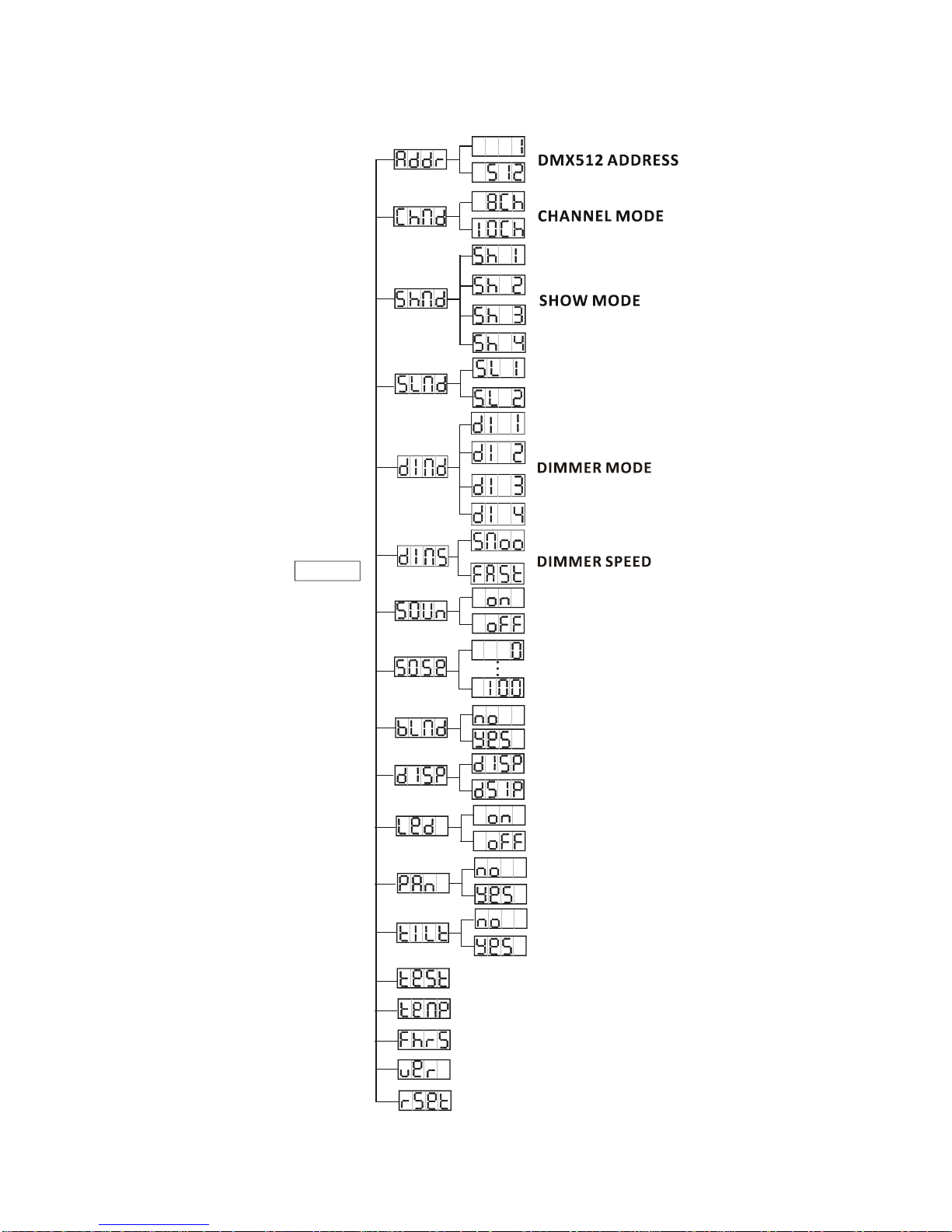
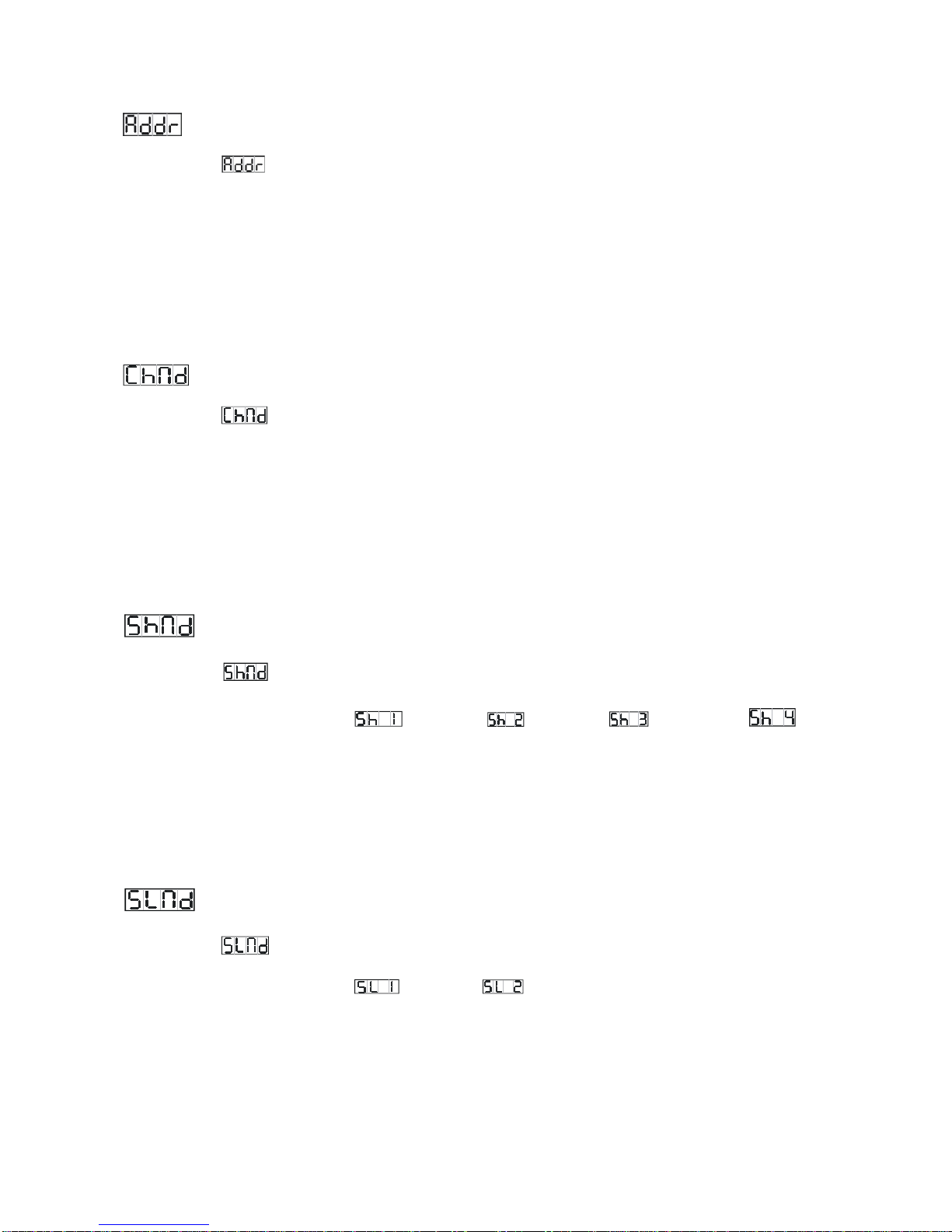
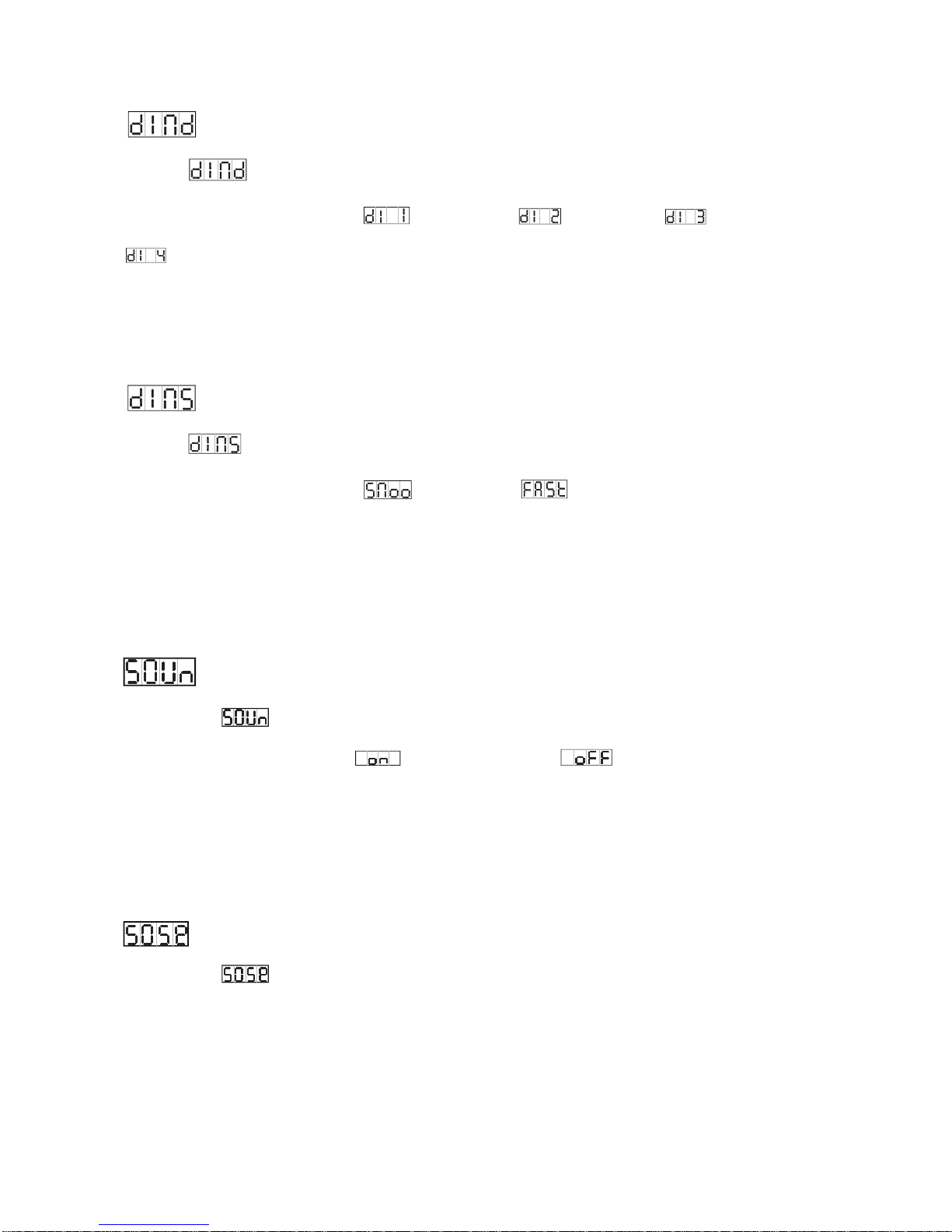
DMX 512 ADDRESS
To select the , press the ENTER button to show the DMX ADDRESS on the display. Use the
DOWN/UP button to adjust the address from 1to 512. Once the address has been selected, press
the ENTER button to setup, to go back to the functions without any changes press the MENU
button again. Hold and press the MENU button for one second or wait for one minute to exit the
menu mode.
CHANNEL MODE
To select the , press the ENTER button to show the DMX CHANNEL MODE on the display.
Use the DOWN/UP button to select the 8 CH or 10 CH mode. Once the mode has been selected,
press the ENTER button to setup, to go back to the functions without any changes press the MENU
button again. Hold and press the MENU button for one second or wait for one minute to exit the
menu mode.
SHOW MODE
To select the , press the ENTER button to show the SHOW MODE on the display. Use the
DOWN/UP button to select the (Show 1), (Show 2), (Show 3) or
(Show 4) mode.Once the show mode has been selected, press the ENTER button to setup, to go
back to the functions without any changes press the MENU button again. Hold and press the
MENU button for one second or wait for one minute to exit the menu mode.
SLAVE MODE
To select the , press the ENTER button to show the SLAVE MODE on the display. Use the
DOWN/UP button to select the (normal), (2 light show) mode.Once the mode has
been selected, press the ENTER button to setup, to go back to the functions without any changes
press the MENU button again. Hold and press the MENU button for one second or wait for one
minute to exit the menu mode.
8