Akuvox E11R Manual

!
E11R Door Phone Admin Guide

!
About This Manual
Thank you for choosing Akuvox’s E11R door phone. This manual is intended for end users, who need to properly configure the door
phone. This manual is applicable to 111.31.XXX.XXX version, and it provides an overview of the most essential functions and
features of the product. Please visit Akuvox forum or consult technical support for any new information or latest firmware.
Note: Please refer to universal abbreviation form in the end of manual when meet any abbreviation letter.

!
Content
1. Product Overview ............................................................................................................................................................................ 1
1.1. Product Description .................................................................................................................................................................. 1
1.2. Connector Introduction ............................................................................................................................................................. 2
1.3. LED Status Information ............................................................................................................................................................ 3
2. Daily Use .......................................................................................................................................................................................... 4
2.1. Making a Call ........................................................................................................................................................................... 4
2.2. Receiving a Call ....................................................................................................................................................................... 4
2.3. Unlock ...................................................................................................................................................................................... 5
2.3.1. Unlock by RF Card ......................................................................................................................................................... 5
2.3.2. Unlock by DTMF Codes .................................................................................................................................................. 5
3. Basic Features ................................................................................................................................................................................. 6
3.1. Access the website setting ....................................................................................................................................................... 6
3.1.1. IP Announcement ............................................................................................................................................................ 6
3.1.2. Access the device website .............................................................................................................................................. 6
3.2. Password Modification ............................................................................................................................................................. 7
3.2.1. Modify the web password ............................................................................................................................................... 7

!
3.3. Phone Configuration ................................................................................................................................................................ 7
3.3.1. Language ........................................................................................................................................................................ 7
3.3.2. Network Setting .............................................................................................................................................................. 8
3.3.3. Sound ............................................................................................................................................................................. 9
3.3.4. Chime bell ..................................................................................................................................................................... 10
3.4. Intercom Call .......................................................................................................................................................................... 10
3.4.1. Direct IP Call ................................................................................................................................................................. 10
3.4.2. SIP Call ......................................................................................................................................................................... 11
3.4.3. .Auto Answer ................................................................................................................................................................. 14
3.4.4. Web Call ....................................................................................................................................................................... 14
3.4.5. No Answer Call ............................................................................................................................................................. 15
3.5. Security .................................................................................................................................................................................. 15
3.5.1. Live view ....................................................................................................................................................................... 15
3.5.2. RTSP ............................................................................................................................................................................ 16
3.5.3. Onvif ............................................................................................................................................................................. 16
3.6. Access Control ....................................................................................................................................................................... 17
3.6.1. Relay ............................................................................................................................................................................. 17

!
3.6.2. Unlock via DTMF code ................................................................................................................................................. 18
3.6.3. Unlock via RF Card(Optional) ....................................................................................................................................... 18
3.6.4. Unlock via HTTP command .......................................................................................................................................... 19
3.6.5. Unlock via Exit Button ................................................................................................................................................... 20
3.6.6. Wiegand ........................................................................................................................................................................ 21
3.7. Reboot .................................................................................................................................................................................... 21
3.8. Reset ...................................................................................................................................................................................... 22
4. Advanced Features ....................................................................................................................................................................... 23
4.1. Phone Configuration .............................................................................................................................................................. 23
4.1.1. LED ............................................................................................................................................................................... 23
4.1.2. IR LED .......................................................................................................................................................................... 24
4.2. Intercom ................................................................................................................................................................................. 25
4.2.1. Call Time Related ......................................................................................................................................................... 25
4.2.2. Return Code When Refuse ........................................................................................................................................... 25
4.2.3. Sip Call Related ............................................................................................................................................................ 25
4.2.4. Codec ........................................................................................................................................................................... 26
4.2.5. Session Timer ............................................................................................................................................................... 28

!
4.2.6. Encryption ..................................................................................................................................................................... 28
4.2.7. NAT ............................................................................................................................................................................... 28
4.2.8. User Agent .................................................................................................................................................................... 29
4.3. Access Control ....................................................................................................................................................................... 30
4.3.1. Web Relay .................................................................................................................................................................... 30
4.4. Security .................................................................................................................................................................................. 31
4.4.1. Anti-alarm ...................................................................................................................................................................... 31
4.4.2. Motion ........................................................................................................................................................................... 31
4.4.3. Action ............................................................................................................................................................................ 32
4.5. Upgrade ................................................................................................................................................................................. 35
4.5.1. Web Upgrade ................................................................................................................................................................ 35
4.5.2. Backup config file .......................................................................................................................................................... 35
4.6. Log ......................................................................................................................................................................................... 36
4.6.1. Call Log ......................................................................................................................................................................... 36
4.6.2. Door Log ....................................................................................................................................................................... 36
4.6.3. System Log ................................................................................................................................................................... 37
4.6.4. PCAP ............................................................................................................................................................................ 37

!
1
E11R
Admin Guide
Figure 1.1 Product Description
1. Product Overview
1.1. Product Description
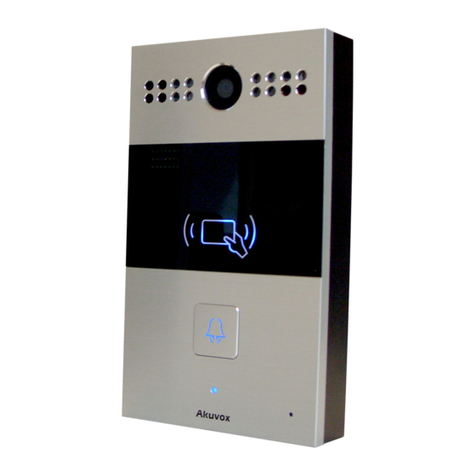
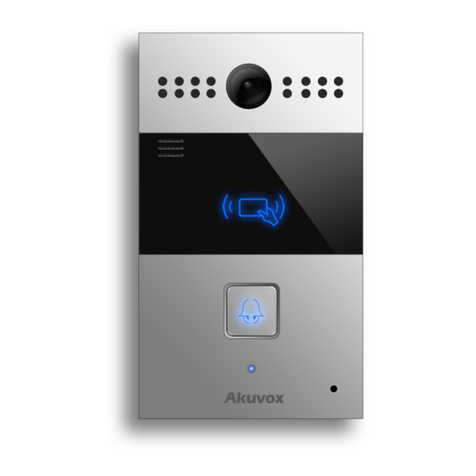
Akuvox E11R is a SIP-compliant, hands-free one button video
outdoor phone. It can be connected with Akuvox indoor monitors for
remote access controlling and monitoring. Users can communicate
with visitors via audio and video calls, and unlock the door if they
need. Users can also use RFID cards to unlock the door. It is
applicable in villas, offices and so on.

!
2
E11R
Admin Guide
1.2. Connector Introduction
Ethernet(POE): Ethernet (POE) connector which can provide both
power and network connection.
12V/GND: External power supply terminal if POE connector is not
available.
WG_D0/WG_D1: Wiegand terminal.
DOORA/B: Trigger signal input terminal.
RelayA/B (NO/COM/NC): Relay control terminal.
Note: The general door phone interface diagram is only for
reference.
Figure 1.2-2 General interface
Figure 1.2.1 Connector Introduction

!
3
E11R
Admin Guide
1.3. LED Status Information
LED Status
Description
Blue
Always on
Normal status
Flashing
Calling
Red
Flashing
Network is unavailable
Green
Always on
Talking on a call
Flashing
Receiving a call
Pink
Flashing
Upgrading

!
4
E11R
Admin Guide
2. Daily Use
2.1. Making a Call
Press the call button to call out the predefined number or IP
address and if LED turns green, it means the call has been
answered.
2.2. Receiving a Call
Users can use IP phone or indoor monitor to call E11R and E11R
will answer it automatically by default. If auto answer is disabled,
pressing call button to answer the incoming call.
Table of contents
Other Akuvox Intercom System manuals
Akuvox
Akuvox C313 Series User manual
Akuvox
Akuvox E21 Series User manual
Akuvox
Akuvox R20A User manual
Akuvox
Akuvox IT81 User manual
Akuvox
Akuvox R29C-L Assembly instructions
Akuvox
Akuvox R20A Manual
Akuvox
Akuvox E21A User manual
Akuvox
Akuvox E21 Series User manual

Akuvox
Akuvox E21V User manual
Akuvox
Akuvox R29 Series Service manual

Akuvox
Akuvox C312X User manual
Akuvox
Akuvox E18 User manual
Akuvox
Akuvox R27A User manual
Akuvox
Akuvox R27 series User manual
Akuvox
Akuvox SPD-R25 User manual
Akuvox
Akuvox R20A User manual
Akuvox
Akuvox R20A-2 Series User manual

Akuvox
Akuvox R26X User manual
Akuvox
Akuvox X916S Assembly instructions
Akuvox
Akuvox R26 User manual