Axiohm A794-D100 User manual

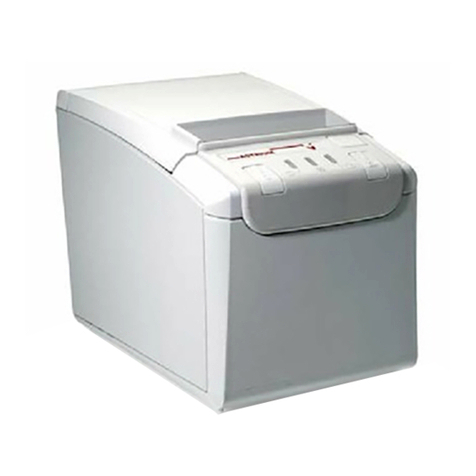
A794 Thermal Receipt Printer
Owner's Guide
A794-D100
TM


March 1999 i
Legal Notices
Disclaimer
Information in this document is subject to change without notice. Consult your Axiohm sales
representative for information that is applicable and current. Axiohm reserves the right to
improve products as new technology, components, software, and firmware become available.
No part of this document may be reproduced or transmitted in any form or by any means,
electronic or mechanical, for any purpose without the express written permission of Axiohm.
Copyright
Copyright © 1999 by AXIOHM
Ithaca, New York USA
All rights reserved
Printed in USA
Confidential, Unpublished
Property of AXIOHM
Trademarks
AXIOHM is a trademark. Other trademarks and registered trademarks are the property of their
respective holders.
Federal Communications Commission (FCC)
Radio Frequency Interference Statement
Warning
Changes or modifications to this unit not expressly approved by the party responsible for
compliance could void the user’s authority to operate the equipment.
Note
This equipment has been tested and found to comply with the limits for a Class A digital device,
pursuant to Part 15 of the FCC Rules. These limits are designed to provide reasonable protection
against harmful interference when the equipment is operated in a commercial environment. This
equipment generates, uses, and can radiate radio frequency energy and, if not installed and used
in accordance with the instruction manual, may cause harmful interference to radio
communications. Operation of this equipment in a residential area is likely to cause harmful
interference in which case the user will be required to correct the interference at his own expense.
Information to the User
This equipment must be installed and used in strict accordance with the manufacturer's
instructions. However, there is no guarantee that interference to radio communications will not
occur in a particular commercial installation. If this equipment does cause interference, which can
be determined by turning the equipment off and on, the user is encouraged to contact Axiohm
immediately.
Axiohm is not responsible for any radio or television interference caused by unauthorized
modification of this equipment or the substitution or attachment of connecting cables and
equipment other than those specified by Axiohm. The correction of interferences caused by such
unauthorized modification, substitution or attachment will be the responsibility of the user.

March 1999ii
In order to ensure compliance with the Product Safety, FCC and CE marking requirements, you
must use the power supply, power cord, and interface cable which were shipped with this
product or which meet the following parameters:
Power Supply
UL Listed (QQGQ), Class 2 power supply with SELV (Secondary Extra Low Voltage), non-energy
hazard output, limited energy source, input rated 100-240 Vac, 1.5/0.8 A, 50/60 Hz, output rated
24 Vdc, 2.3 A.
Use of this product with a power supply other than the Axiohm power supply will require you to
test the power supply and Axiohm printer for FCC and CE mark certification.
Communication Interface Cable
A shielded (360-degree) interface cable must be used with this product. The shield must be
connected to the frame or earth ground connection or earth ground reference at EACH end of the
cable.
Use of a cable other than described here will require that you test the cable with the Axiohm
printer and your system for FCC and CE mark certification.
Power Cord
A UL listed, detachable power cord must be used. For applications where the power supply
module may be mounted on the floor, a power cord with Type SJT marking must be used. For
applications outside the US, power cords that meet the particular country’s certification and
application requirements should be used.
Use of a power cord other than described here may result in a violation of safety certifications
that are in force in the country of use.
Industry Canada (IC)
Radio Frequency Interference Statement
This Class A digital apparatus meets all requirements of the Canadian Interference-Causing
Equipment Regulations.
Cet appareil numérique de la classe A respecte toutes les exigences du Règlement sur le matériel brouilleur
du Canada.

A794 Owner’s Guide Contents
March 1999 iii
Contents
Chapter 1: About the Printer..............................................................1
Description of Printer ....................................................................2
Models Available ...........................................................................3
Model Identification ...............................................................3
Communication Interfaces.....................................................3
Installations.....................................................................................4
On a Flat Surface.....................................................................4
On a Wall (with optional wall-mount kit A794-K260).......4
On a Flat Surface Vertically (see note) .................................5
Features ...........................................................................................5
Options ............................................................................................6
Chapter 2: Using the Printer...............................................................7
Printer Controls..............................................................................8
Changing Paper..............................................................................10
Testing the Printer..........................................................................13
Troubleshooting the Printer..........................................................15
Printer Tone and Green LED.................................................15
Printing Problems ...................................................................16
Printer Does Not Work...........................................................16
Chapter 3: Media and Supplies Guide.............................................17
Ordering Thermal Paper...............................................................18
Thermal Paper Specifications................................................18
Manufacturers .........................................................................18
How to Order...........................................................................18
Ordering Miscellaneous Supplies................................................19
Ordering Cash Drawers.........................................................19
Ordering Power Supply and Power Cord...........................19
Ordering Communication Cables.........................................20
Wall-Mount Kit........................................................................20
Chapter 4: Print Specifications..........................................................21
Characters........................................................................................22
Print Modes..............................................................................22
Size............................................................................................22
Paper Specifications.......................................................................23
Print Zones......................................................................................23
Print Zones for 80 mm Paper.................................................23
Print Zones for 82.5 mm Paper..............................................24
Character Sets.................................................................................25
Code Page 437 .........................................................................25
Code Page 850 .........................................................................26
Code Page 852 .........................................................................27
Code Page 858 .........................................................................28
Code Page 860 .........................................................................29
Code Page 863 .........................................................................30
Code Page 865 .........................................................................31
Code Page 866 .........................................................................32

Contents A794 Owner’s Guide
March 1999
iv
Chapter 5: Communication Interface................................................33
Communication Overview............................................................34
Interface....................................................................................34
Sending Commands................................................................34
RS-232C Interface ...........................................................................35
Print Speed and Timing..........................................................35
XON/XOFF Protocol ..............................................................36
DTR/DSR Protocol..................................................................36
RS-232C Technical Specifications..........................................37
Parallel Interface.............................................................................39
Chapter 6: Programming Information..............................................41
List of Commands..........................................................................42
Comparisons...................................................................................45
Command Descriptions.................................................................46
Command Conventions..........................................................46
Printer Function Commands .................................................47
Vertical Positioning and Print Commands..........................55
Horizontal Positioning Commands ......................................60
Print Characteristics Commands...........................................68
Graphics Commands ..............................................................79
Printer Status Commands......................................................87
Real Time Commands ............................................................100
Bar Code Commands..............................................................108
Page Mode Commands ..........................................................112
Macro Commands...................................................................120
Flash Download Commands .................................................122
Index.................................................................................................129

Chapter 1: About the Printer
♦Description of Printer
♦Models Available
Model Identification
Communication Interfaces
♦Installations
On a Flat Surface
On a Wall
On a Flat Surface Vertically
♦Features
♦Options

Chapter 1: About the Printer A794 Owner’s Guide
March 19992
Description of Printer
The A794 thermal receipt printer is extremely fast, quiet, and very reliable. With
thermal printing technology, there is no ribbon cassette to change, and paper loading is
extremely simple. The printer is small enough to fit almost anywhere and is easy to use
with the receipt exiting from the top. There is no journal as it is kept electronically by
the host system.

A794 Owner’s Guide Chapter 1: About the Printer
March 1999 3
Models Available
There are several models of the printer depending on the communication interface and
the combination of options selected.
Model Identification
See the illustration for the features designated by the printer ID number.
A794 Model ID Key
A7 9 4 - X X X X
1 = noknife
5 = knife
0 = standard character sets
n = other expanded language versions
1 = lightgray case
2 = dark gray case
2 = 80.0mm,512KFlash
3 = 82.5mm,512KFlash
5 = 80.0mm,1MB Flash
6 = 82.5mm,1MB Flash
Communication Interfaces
♦RS-232C Serial Interface
♦IEEE 1284 Bi-Directional Parallel

Chapter 1: About the Printer A794 Owner’s Guide
March 19994
Installations
You can set up the printer three ways: set it flat on any level surface, mount it vertically
on any level surface, or mount it on a wall using a wall-mount kit. Either way, be sure to
leave room to open the cover and access the cables.
For more information about See this document
Setting up the printer A794 Setup Guide
On a Flat Surface
On a Wall (with optional wall-mount kit A794-K260)
This manual suits for next models
1
Table of contents
Other Axiohm Printer manuals

Axiohm
Axiohm SKGG5xxx Series User manual
Axiohm
Axiohm A220 User manual
Axiohm
Axiohm A721 User manual
Axiohm
Axiohm CMBC-XMBC User manual
Axiohm
Axiohm PCPR Printer User manual
Axiohm
Axiohm A630 User manual
Axiohm
Axiohm 24V User manual
Axiohm
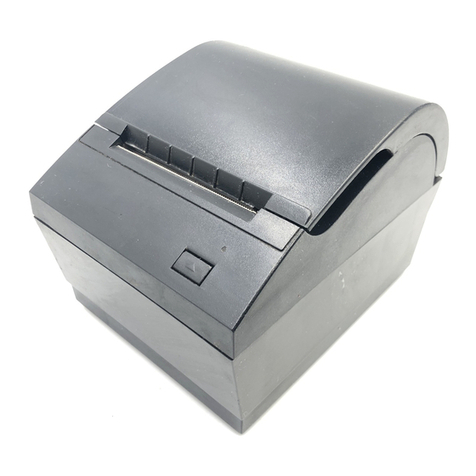
Axiohm A794 User manual
Axiohm
Axiohm APOS PRINTER SERIES User manual
Axiohm
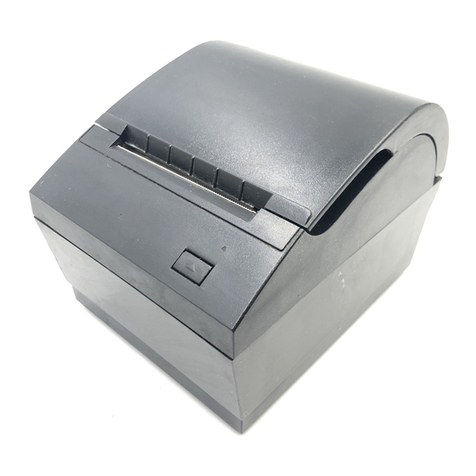
Axiohm A794 User manual
Axiohm
Axiohm APM-90 User manual

Axiohm
Axiohm A795 User manual
Axiohm
Axiohm A758 User manual
Axiohm
Axiohm TPOS PRINTER SERIES User manual
Axiohm
Axiohm TPOSS001 User manual
Axiohm
Axiohm TELESTO User manual
Axiohm
Axiohm A795 User manual
Axiohm
Axiohm THTN Series User manual

Axiohm
Axiohm A758 User manual
Axiohm
Axiohm A794 User manual