1
1-
-3
3
I
I
In
n
nt
t
tr
r
ro
o
od
d
du
u
uc
c
ct
t
ti
i
io
o
on
n
n
A
AT
TX
X
D
Do
ou
ub
bl
le
e
D
De
ec
ck
k
P
Po
or
rt
ts
s
(
(P
PC
C
9
99
9
c
co
ol
lo
or
r-
-c
co
od
de
ed
d
c
co
on
nn
ne
ec
ct
to
or
rs
s)
)
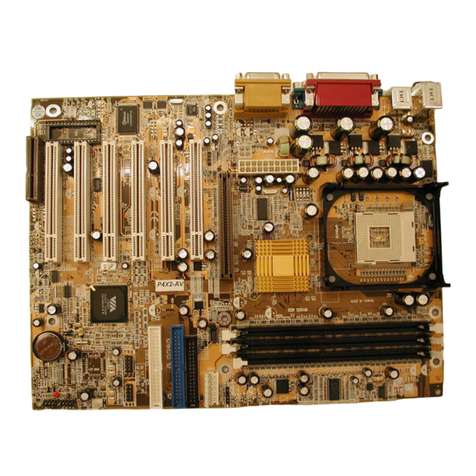
nTwo USB ports.
nTwo NS16C550A-compatible DB-9 serial ports (URATs).
nOne SPP/ECP/EPP DB-25 parallel port.
nOne mini-DIN-6 PS/2 mouse port.
nOne mini-DIN-6 PS/2 keyboard port.
nOne game/MIDI port.
nThree audio jacks: line-out, line-in and mic-in.
P
PC
CI
I
B
Bu
us
s
M
Ma
as
st
te
er
r
I
ID
DE
E
C
Co
on
nt
tr
ro
ol
ll
le
er
r
nTwo PCI IDE interfaces support up to four IDE devices.
nSupports ATA/33 and ATA/66 hard drives for KT133TX.
nSupport ATA/33, ATA/66 and ATA100 hard drives for KT133BX, KT133BL, KT3EBX,
KT3ABX and KT3ABL.
nPIO Mode 3 and Mode 4 Enhanced IDE (data transfer rate up to 16.6MB/sec.).
nBus mastering reduces CPU utilization during disk transfer.
nSupports ATAPI CD-ROM, LS-120 and ZIP
I
Ir
rD
DA
A
I
In
nt
te
er
rf
fa
ac
ce
e
nThe mainboard is equipped with an IrDA connector for wireless connectivity between
your computer and peripheral devices. It supports peripheral devices that meet the
HPSIR or ASKIR standard.
1
1.
.4
4
S
Sy
ys
st
te
em
m
H
He
ea
al
lt
th
h
M
Mo
on
ni
it
to
or
r
F
Fu
un
nc
ct
ti
io
on
ns
s
nThe mainboard is capable of monitoring the following system health conditions: -
1. Monitors processor/system temperature and overheat alarm.
2. Monitors VCORE/3.3V/5V/12V/2.5V voltages and failure alarm.
3. Monitors processor/chassis fan speed and failure alarm.
4. Automatic fan on/off control.
5. Read back capability that displays temperature, voltage and fan speed.
1
1.
.4
4.
.1
1H
Ha
ar
rd
dw
wa
ar
re
e
M
Mo
on
ni
it
to
or
ri
in
ng
g
S
Sy
ys
st
te
em
m
U
Ut
ti
il
li
it
ty
y
nThe mainboard comes with the Hardware Monitoring System utility contained in the
provided CD (CD Driver). It is capable of monitoring the system’s hardware conditions
such as the temperature of the processor and system, voltage, and speed of the CPU
and chassis fans. You are allowed to manually set a range to the items being
monitored. If the values are over or under the set range, a warning message wills
pop-up. The utility can also be configured to allow a beeping alarm to sound
whenever an error occurs. We recommend that you use the Default Setting, which is
the ideal setting that would maintain the system in good working condition.