manuals.online logo
Brands
  1. Home
  2. •
  3. Brands
  4. •
  5. Cardinal Health
  6. •
  7. Medical Equipment
  8. •
  9. Cardinal Health Kangaroo Joey User manual

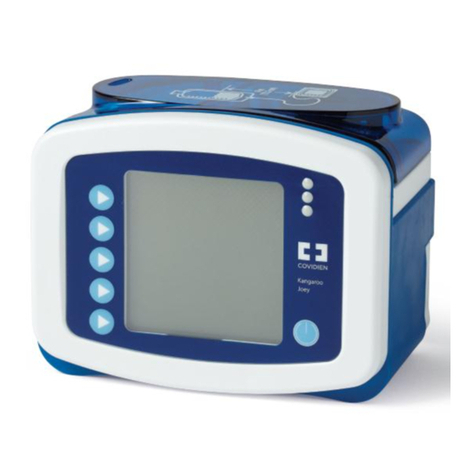
Cardinal Health Kangaroo Joey User manual

Other Cardinal Health Medical Equipment manuals
Cardinal Health CHB-AGS Manual

Cardinal Health

Cardinal Health CHB-AGS Manual

Cardinal Health Kangaroo ePump User manual

Cardinal Health

Cardinal Health Kangaroo ePump User manual

Cardinal Health Kangaroo ePump User manual

Cardinal Health

Cardinal Health Kangaroo ePump User manual

Cardinal Health Alaris GW Operating manual

Cardinal Health

Cardinal Health Alaris GW Operating manual

Cardinal Health CATALYST NPWT User manual

Cardinal Health

Cardinal Health CATALYST NPWT User manual

Cardinal Health ALLY User manual

Cardinal Health

Cardinal Health ALLY User manual

Cardinal Health PRO User manual

Cardinal Health

Cardinal Health PRO User manual

Cardinal Health KANGAROO JOEY Installation guide

Cardinal Health

Cardinal Health KANGAROO JOEY Installation guide

Cardinal Health Alaris GP Operating manual

Cardinal Health

Cardinal Health Alaris GP Operating manual

Cardinal Health Cordis RAILWAY User manual

Cardinal Health

Cardinal Health Cordis RAILWAY User manual

Cardinal Health Kangaroo Joey Assembly instructions

Cardinal Health

Cardinal Health Kangaroo Joey Assembly instructions

Cardinal Health Kangaroo Joey User manual

Cardinal Health

Cardinal Health Kangaroo Joey User manual

Cardinal Health NPWT PRO User manual

Cardinal Health

Cardinal Health NPWT PRO User manual

Cardinal Health Disposable Neonatal Blood Pressure Cuffs Manual

Cardinal Health

Cardinal Health Disposable Neonatal Blood Pressure Cuffs Manual

Cardinal Health Kendall SCD 700 User manual

Cardinal Health

Cardinal Health Kendall SCD 700 User manual

Cardinal Health CATALYST User manual

Cardinal Health

Cardinal Health CATALYST User manual

Cardinal Health Alaris Manual

Cardinal Health

Cardinal Health Alaris Manual

Cardinal Health Kangaroo Omni 385400 User manual

Cardinal Health

Cardinal Health Kangaroo Omni 385400 User manual

Cardinal Health Kangaroo Connect Enteral Feeding Pump User manual
Cardinal Health

Cardinal Health Kangaroo Connect Enteral Feeding Pump User manual

Cardinal Health InPower User manual

Cardinal Health

Cardinal Health InPower User manual

Cardinal Health Kangaroo Connect Enteral Feeding Pump Manual

Cardinal Health

Cardinal Health Kangaroo Connect Enteral Feeding Pump Manual

Cardinal Health Kangaroo ePump User manual

Cardinal Health

Cardinal Health Kangaroo ePump User manual

Cardinal Health NPWT PRO User manual

Cardinal Health

Cardinal Health NPWT PRO User manual
Cardinal Health Kangaroo Joey Instruction Manual

Cardinal Health

Cardinal Health Kangaroo Joey Instruction Manual

Popular Medical Equipment manuals by other brands

Itamar Medical WatchPAT Operation manual

Itamar Medical

Itamar Medical WatchPAT Operation manual

PROTEOR 1P650 KNEE Assembling and adjustment instructions

PROTEOR

PROTEOR 1P650 KNEE Assembling and adjustment instructions

Liberate Medical VentFree user manual

Liberate Medical

Liberate Medical VentFree user manual

Dicarre DA20 user guide

Dicarre

Dicarre DA20 user guide

Stryker Medical M Series Operation manual

Stryker Medical

Stryker Medical M Series Operation manual

Invacare ScanBed 750 user manual

Invacare

Invacare ScanBed 750 user manual

Getinge Arjohuntleigh Nimbus 3 Professional Instructions for use

Getinge

Getinge Arjohuntleigh Nimbus 3 Professional Instructions for use

Mettler Electronics Sonicator 730 Maintenance manual

Mettler Electronics

Mettler Electronics Sonicator 730 Maintenance manual

Pressalit Care R1100 Mounting instruction

Pressalit Care

Pressalit Care R1100 Mounting instruction

Denas MS DENAS-T operating manual

Denas MS

Denas MS DENAS-T operating manual

bort medical ActiveColor quick guide

bort medical

bort medical ActiveColor quick guide

AccuVein AV400 user manual

AccuVein

AccuVein AV400 user manual

agiliti NP Trio user manual

agiliti

agiliti NP Trio user manual

Rocket Medical Rocket Digital Oocyte Aspiration Pump Service manual

Rocket Medical

Rocket Medical Rocket Digital Oocyte Aspiration Pump Service manual

Monteris Medical Neuroblate Instructions for use

Monteris Medical

Monteris Medical Neuroblate Instructions for use

Otto Block 8E33 7 manual

Otto Block

Otto Block 8E33 7 manual

ADVANCED HOME CARE Helios Guide

ADVANCED HOME CARE

ADVANCED HOME CARE Helios Guide

NeuLog NUL-208 Guide

NeuLog

NeuLog NUL-208 Guide

manuals.online logo
manuals.online logoBrands
  • About & Mission
  • Contact us
  • Privacy Policy
  • Terms and Conditions

Copyright 2025 Manuals.Online. All Rights Reserved.

Normal operation “Feed Only Set”
directions for use
Kangaroo™ Joey Enteral Feeding Pump
Battery operation
Unplugging the pump from the AC line will automatically
place the pump on battery power. To recharge the battery,
plug the pump into an AC wall outlet. Pump will automatically
begin charging.
General instructions
1. Fill or spike feeding container prior to setting up pump.
2. Turn pump on — Press Power in lower right-hand corner.
3. In order to achieve proper accuracy, the uid line in the
feeding set bag must be 6 inches above the top of the
feeding pump, when initiating the feeding cycle.
4. Select uKeep Settings or uClear Settings (for day to day
use with the same feeding regimen the uKeep Settings
option should be selected).
5. Load the Feeding Set per diagram.
Do not over stretch the tubing.
Priming the pump
1. Press uPrime Pump to access the pump priming options.
2. Press uAuto Prime to automatically prime the pump set.
The pump will quickly prime the feed line and stop the
formula before reaching the end of the feeding line.
3. Press the uHold To Prime Feed menu selection to manually
top o the line.
4. Press uDone.
Setting the feed rate
1. Select uAdjust Feed then uFeed Rate use the buttons on
the left to program the pump from 1 to 400 in increments of
1ml. Select uEnter when desired rate is set.
Note the Volume To Be Delivered VTBD Rate – is an
Optional Feature.
• Only use the VTBD option if you want the pump to stop
and alarm once a set amount of formula is delivered.
• Select uRun. You will notice a small drop Sscrolling
down the screen when running.
Re-priming the pump after the feed
bag empties
1. A pump set bag that has been emptied will
trigger the Feed Error screen. In this condition
the pump set bag can be relled to continue
the feeding, but only after the pump set has
been re-primed.
2. Disconnect the feeding line from the patient.
3. Rell the bag.
4. Press uContinue to begin the pump running.
5. Press uHold, then press uAdjust Settings,
then press uPrime Pump.
6. Press uHold To Prime to prime the line.
(Do Not Use Auto Prime)
7. Press uDone, then select uRun.
To change rate or clear volume
1. Select uHold.
2. Select uClear Vol Fed to clear the volume.
3. Select uAdjust Settings to adjust all settings.
4. Select uRun to return to normal operations.
Pump sets should not be reused after 24 hours
of initial usage.
© 2020 Cardinal Health. All Rights Reserved. CARDINAL HEALTH, the Cardinal Health LOGO, ESSENTIAL TO CARE
and KANGAROO are trademarks of Cardinal Health and may be registered in the US and/or in other countries.
All other marks are the property of their respective owners. Lit. No. 2MS20-1195642 (07/2020)
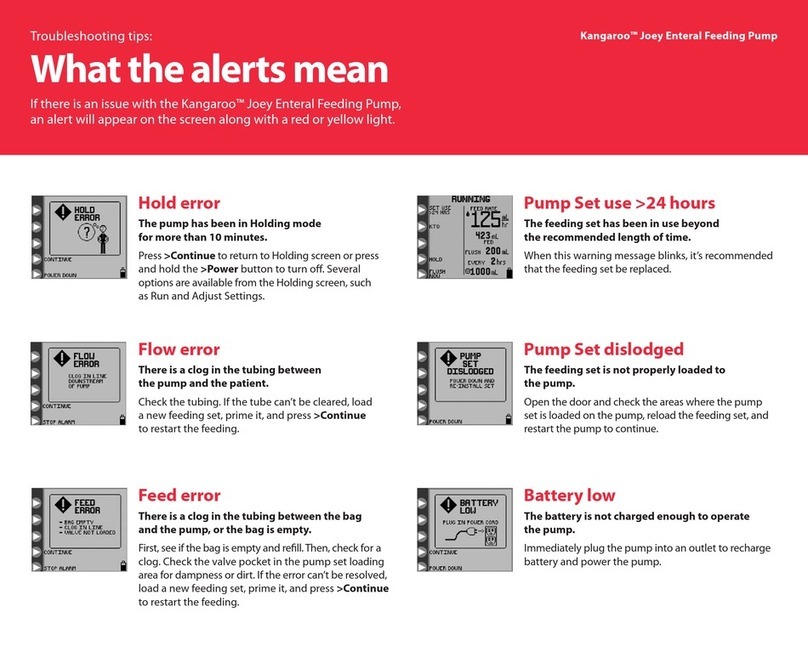
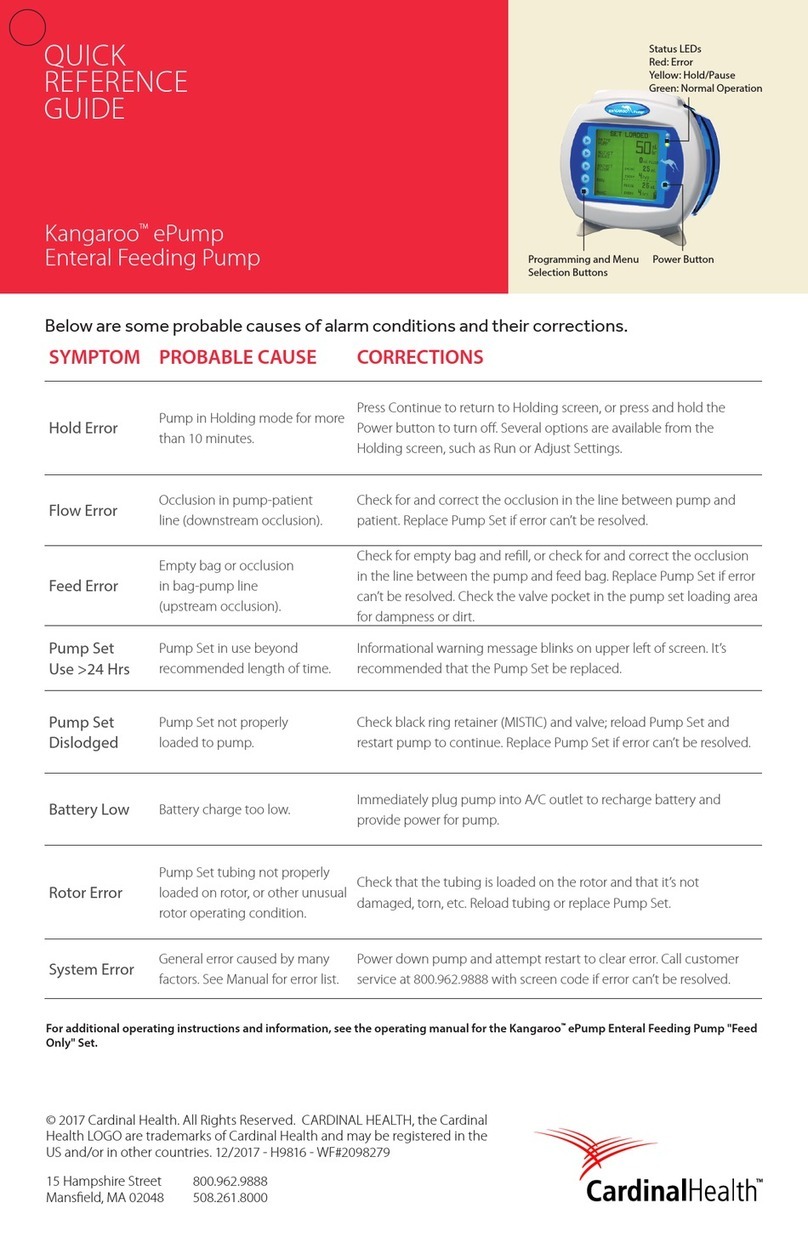
Listed below are some of the probable causes of alarm
conditions and their corrections.
Symptom Probable cause Corrections
Hold error Pump in Holding mode
for more than 10 minutes.
Press u Continue to return to Holding screen, or press and hold the Power
button to turn o. Several options are available from the Holding screen, such as
Run or Adjust Settings.
Flow error Occlusion in pump-
patient line. (downstream
occlusion)
Check for and correct the occlusion in the line between pump and patient.
Replace Pump Set if error cannot be resolved.
Feed error Empty bag or occlusion
in bag- pump line.
(upstream occlusion)
Check for empty bag and rell, or check for and correct the occlusion in the line
between the pump and feed bag. Replace Pump Set if error cannot be resolved.
Flush error Empty bag or occlusion in
ush line.
Check for empty bag and rell, or check for and correct the occlusion in the line
between the pump and feed bag. Replace Pump Set if error cannot be resolved.
Flow error use
> 24 Hrs
Pump Set in use beyond
recommended length
of time.
Informational warning message blinks on upper left of screen. It is
recommended that the Pump Set be replaced.
Pump set
dislodged
Pump Set not properly
loaded to pump.
Check black ring retainer (MISTIC) and valve; reload Pump Set and restart pump
to continue. Replace Pump Set if error cannot be resolved.
Battery low Battery charge too low. Immediately plug pump into A/C outlet to recharge battery and to provide
power for pump.
Rotor error Pump Set tubing not
properly loaded on rotor,
or some other unusual
rotor operating condition.
Check that the tubing is loaded on the rotor and that it is not damaged, torn, etc.
Reload tubing or replace Pump Set.
System error General error caused by
many factors. See Manual
for error list.
Power down pump and attempt restart to clear error. Call customer service with
screen code if error cannot be resolved.
For more information, please contact your sales representative,
call 800.964.5227 or visit cardinalhealth.com/kangaroo
cardinalhealth.com
Cardinal Health™ Kangaroo™ Joey
Enteral Feeding Pump
Troubleshooting
guide
Menu selections
Programming and menu
selection buttons
Status LEDs
Red: Error
Yellow: Hold/Pause
Green: Normal operation
Power button