manuals.online logo
Brands
  1. Home
  2. •
  3. Brands
  4. •
  5. DTS
  6. •
  7. Lighting Equipment
  8. •
  9. DTS DELTA R FULL COLOR User manual

DTS DELTA R FULL COLOR User manual

Other manuals for DELTA R FULL COLOR

2

Other DTS Lighting Equipment manuals

DTS 03.P16.02.01.LED PAR16 LED MR16 BLACK User manual

DTS

DTS 03.P16.02.01.LED PAR16 LED MR16 BLACK User manual

DTS ALCHEMY 5 User manual

DTS

DTS ALCHEMY 5 User manual

DTS Delta 8 White + Amber R User manual

DTS

DTS Delta 8 White + Amber R User manual

DTS Scena LED 150 User manual

DTS

DTS Scena LED 150 User manual

DTS FOS 100 WHITE 36 User manual

DTS

DTS FOS 100 WHITE 36 User manual

DTS FOS 100 FULL RGBW User manual

DTS

DTS FOS 100 FULL RGBW User manual

DTS DOCTUS.D Series User manual

DTS

DTS DOCTUS.D Series User manual

DTS DONUT 6 User manual

DTS

DTS DONUT 6 User manual

DTS FREELINE 30 User manual

DTS

DTS FREELINE 30 User manual

DTS TITAN SOLO User manual

DTS

DTS TITAN SOLO User manual

DTS FOS 100 SOLO FULL RGBW User manual

DTS

DTS FOS 100 SOLO FULL RGBW User manual

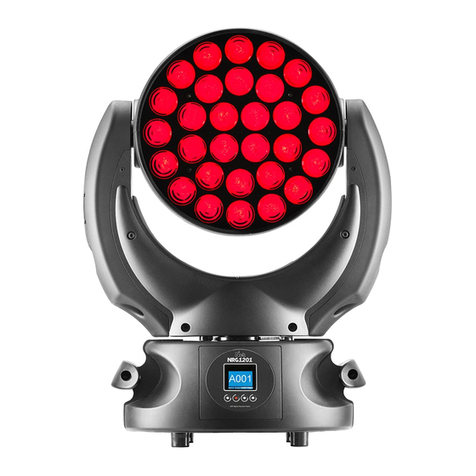
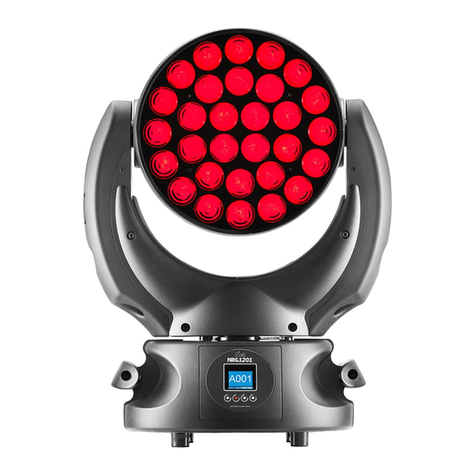
DTS NICK NRG 1201 User manual

DTS

DTS NICK NRG 1201 User manual

DTS XR2000 BEAM User manual

DTS

DTS XR2000 BEAM User manual

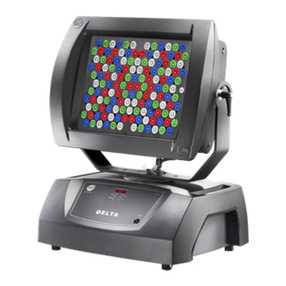
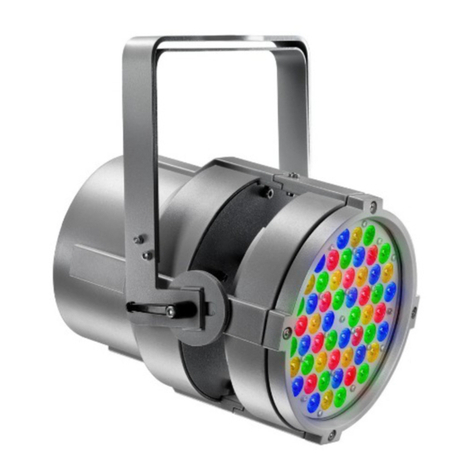
DTS DELTA R FULL COLOR User manual

DTS

DTS DELTA R FULL COLOR User manual

DTS PROFILO LED 80 User manual

DTS

DTS PROFILO LED 80 User manual

DTS PROFILO 500 User manual

DTS

DTS PROFILO 500 User manual

DTS DELTA 8 Series User manual

DTS

DTS DELTA 8 Series User manual

DTS XR5 SPOT User manual

DTS

DTS XR5 SPOT User manual

DTS A.R.C. User manual

DTS

DTS A.R.C. User manual

DTS PAR64Ip66 watertight User manual

DTS

DTS PAR64Ip66 watertight User manual

DTS Scena LED 150 User manual

DTS

DTS Scena LED 150 User manual

DTS Discharge Lamp 35-70-150W User manual

DTS

DTS Discharge Lamp 35-70-150W User manual

DTS SCENA LED 80 WHITE User manual

DTS

DTS SCENA LED 80 WHITE User manual

DTS ARTEMIO FRESNEL User manual

DTS

DTS ARTEMIO FRESNEL User manual

Popular Lighting Equipment manuals by other brands

Life 39.9F70020C quick start guide

Life

Life 39.9F70020C quick start guide

EuroLite LED ML-20 user manual

EuroLite

EuroLite LED ML-20 user manual

LIGMAN OD-50141 installation manual

LIGMAN

LIGMAN OD-50141 installation manual

Home Accents Holiday 1002461144 instructions

Home Accents Holiday

Home Accents Holiday 1002461144 instructions

Experia IRiS Ripple Light instruction manual

Experia

Experia IRiS Ripple Light instruction manual

Erco Gecko Mounting instructions

Erco

Erco Gecko Mounting instructions

Inter-lux ZTA.100.Surface Installation and maintenance instructions

Inter-lux

Inter-lux ZTA.100.Surface Installation and maintenance instructions

Whelen Engineering Company TN Series installation guide

Whelen Engineering Company

Whelen Engineering Company TN Series installation guide

IKEA BJÖRKSPIREA manual

IKEA

IKEA BJÖRKSPIREA manual

Toolland PM 6640 instruction manual

Toolland

Toolland PM 6640 instruction manual

GTD GTD-LP200 user manual

GTD

GTD GTD-LP200 user manual

LIVARNO home 1105-W-UK manual

LIVARNO home

LIVARNO home 1105-W-UK manual

ProLights EclPar IPMFC user manual

ProLights

ProLights EclPar IPMFC user manual

Velvet EVO Series user manual

Velvet

Velvet EVO Series user manual

IDTOLIGHT GENT installation instructions

IDTOLIGHT

IDTOLIGHT GENT installation instructions

MAYTONI S35 installation manual

MAYTONI

MAYTONI S35 installation manual

MaxLite MLFP14DP4535 user manual

MaxLite

MaxLite MLFP14DP4535 user manual

SLV Elektronik 550621 instruction manual

SLV Elektronik

SLV Elektronik 550621 instruction manual

manuals.online logo
manuals.online logoBrands
  • About & Mission
  • Contact us
  • Privacy Policy
  • Terms and Conditions

Copyright 2025 Manuals.Online. All Rights Reserved.

DELTA RDELTA R
GB
User Manual Rel 1.1
www.bluelight.at
2 DELTA R
Le informazioni contenute in questo documento sono state attentamente redatte e controllate. Tuttavia
non è assunta alcuna responsabilità per eventuali inesattezze. Tutti i diritti sono riservati e questo
documento non può essere copiato, fotocopiato, riprodotto per intero o in parte senza previo consenso
scritto della D.T.S .
DTS si riserva il diritto di apportare senza preavviso cambiamenti e modifiche estetiche , funzionali o di
design a ciascun proprio prodotto. D.T.S non assume alcuna responsabilità sull’uso o sull’applicazione dei
prodotti o dei circuiti descritti.
The information contained in this publication has been carefully prepared and checked. However, no
responsibility will be taken for any errors. All rights are reserved and this document cannot be copied,
photocopied or reproduced, in part or completely, without prior written consent from D.T.S.
D.T.S. reserves the right to make any aesthetic, functional or design modifications to any of its products
without prior notice. D.T.S. assumes no responsibility for the use or application of the products or
circuits described herein.
Les informations contenues dans le présent manuel ont été rédigées et contrôlées avec le plus grand soin.
Nous déclinons toutefois toute responsabilité en cas d'éventuelles inexactitudes. Tous droits réservés. Ce
document ne peut être copié, photocopié ou reproduit, dans sa totalité ou partiellement, sans le
consentement préalable de .
se réserve le droit d'apporter toutes modifications et améliorations esthétiques, fonctionnelles ou
de design, sans préavis, à chacun de ses produits. décline toute responsabilité sur l'utilisation ou
sur l'application des produits ou des circuits décrits.
D.T.S
D.T.S.
D.T.S.
Las informaciones contenidas en este documento han sido cuidadosamenteredactadas y
controladas. Con todo, no se asume ninguna responsabilidad por eventuales inexactitudes.
Todos los derechos han sido reservados y este documento no puede ser copiado, fotocopiado o
reproducido, total o parcialmente, sin previa autorizaciónescrita de
se reserva el derecho a aportar sin previo aviso cambios y modificaciones de carácter
estético, funcional o de diseño a cada producto suyo. no se asume responsabilidad de
ningún tipo sobre la utilización o sobre la aplicació
n de los productos o de los circuitos descritos.
D.T.S.
D.T.S.
D.T.S.

www.bluelight.at
3 DELTA R
INDEX:
1- TECHNICAL FEATURES 4
2- IMPORTANT SAFETY INFORMATION 5
2.1 Fire prevention
2.2 Prevention of electric shock
2.3 Protection against direct light radiation
2.4 Safety
2.5 Level of protection against the penetration of solid and liquid matter
3- VOLTAGE AND FREQUENCY 6
4- INSTALLATION 6
4.1 Safety cable
4.2 Risk of fire
4.3 Ambient temperature
5- MAINS CONNECTION 7
5.1 Protection:
6- DMX SIGNAL CONNECTION 7
6.1 DMX Addresses
6.2 Selecting the DMX address
7- MOVEMENT 8
8- DISPLAY FUNCTIONS 9
9- OPENING UP THE PROJECTOR HOUSING 19
9.1 Arms
9.2 base
10- CHANGHING THE LENSES 20
11- PERIODIC CLEANING 21
12- PERIODIC CONTROLS
13- DMX PROTOCOL 22
www.bluelight.at
1- TECHNICAL FEATURES
40 RGB Full Color LEDs/ LED power 3W
Total luminous flux 2.800 Lumens
RGB color generation / 16 million colours
Colour temperature variable on a linear range (3.200°K÷5.500°K)
No infrared emission / no ultraviolet emission
LEDs average lifespan: 100.000 hours
Optical units can be interchanged by users (narrow / medium /wide)
Interface: OLED display + 4 buttons / infrared remote control
Control signals: USITT DMX 512 USITT serial digital signals
15 DMX channels
Independent operation (Master / Slave)
Programmable automated playback (7 days)
Movement on 3 axes (Pan 320° /Tilt1 130° / Tilt2 180°)
Safety-locking system
IP65 protection level
Professional HARTING / ILME sockets (IP65 protection rating)
Full range AC 90-270V, 50-60Hz power supply
Operating ambient temperature -10° / 40°
Weight: 20 Kg
ACCESSORIES
Lenses set narrow° (cod. 03.LK.008)
Lenses set medium° (cod. 03.LK.001)
Lenses set wide° (cod. 03.LK.002)
Flight case for 1 DELTA (cod. 0521C029)
Flight case for 2 DELTA (cod. 0521C030)
Safety wire (3mm x 60 cm), Ring spring catch (max. capacity load 60Kg) (Cod. 0521A010)
“C” Clamp GQUICK with “Fast Lock” connection ¼ turn (max. load 80Kg) (cod. 0521A014)
Dimensions (LxWxH)
projector 430 x 330 x 570 mm
Weight20 Kg (motorized version)
Packaging Dimensions (LxWxH)
870 x 410 x 530 mm
Weight 24 Kg (motorized version)
4 DELTA R
www.bluelight.at
2- IMPORTANT SAFETY INFORMATION
2.1 Fire prevention:
-Never locate the fixture on any flammable surface.
-Minimum distance from flammable materials: 1 m.
-Minimum distance from the closest illuminable surface: 1 m.
-Replace any blown or damaged fuses only with those of identical value. Refer to the wiring diagram if
there is any doubt.
-Connect the projector to mains power via a thermal magnetic circuit breaker.
2.2 Prevention of electric shock:
-High voltage is present inside the unit. Isolate the projector from the mains supply prior to performing
any function which involves touching the inside of the unit.
-The level of technology inherent in the DELTA R requires the assistance of specialised personnel for all
servicing.Please refer to an authorised DTS service centre.
-A good earth connection is essential for proper functioning of the projector.
Never connect the unit without proper earth connection.
-The fixture should be located in places with a good air ventilation.
2.3 Protection against direct light radiation:
-Never turn the unit on if any of the lenses or the glass lenses protection is damaged.
-Never look directly the leds when they are on.
2.4 Safety:
-The projector should always be installed with bolts, clamps and other tools that are capable of
supporting the weight of the unit.
-Always use a second safety chain to sustain the weight of the unit in case of the failure of the main
fixing point.
-The external surface of the unit, at various points, may exceed 80°C. Never handle the unit until it’s on.
-Never install the fixture in an enclosed area lacking sufficient air flow.
-The ambient temperature should not exceed 45°C.
2.5 Level of protection against the penetration of solid and liquid matter:
-The projector is classified as an ordinary appliance and its protection level against the penetration of
solid and liquid matter is IP 65.
5 DELTA R
www.bluelight.at
.
3- VOLTAGE AND FREQUENCY:
Delta R can operate at 90-270V, 50 or 60 Hz.
4- INSTALLATION:
4.1 Safety cable:
4.2 Risk of fire:
Each fixture produces heat and must be installed in a well-ventilated position. The minimum
recommended distance from flammable material is 1m. Minimum distance from the object being
illuminated is 30 cm.
Delta R may be either floor or ceiling mounted.
For floor mounting installations, the unit is supplied with four rubber mounting feet on the base.
For ceiling mounted installations, we reccomend the use of appropriate clamps to fix the unit to the
mounting surface.
The supporting structure from which the unit is hung should be capable of bearing the weight of the
unit, as should any clamps used to hung it. The structure should also be sufficiently rigid so as not to
move or shake whilst the Delta R is moving.
Four quarter turn fast locks placed on the base of the units,allows by using the two fast lock C clamps
provided in the box, to fix the unit in any position.
.
We recommend the use of a safety cable or chain connected to the Delta R and to the suspension truss
in order to avoid the fixture accidentally falling should the main fixing point fail. Make sure that the iron
cable or chain can bear the weight of the entire unit.
You may attach the safety chain to the holes located on the base of the fixture, as shown in the picture
below.
6 DELTA R
SAFETY CABLE
FIXING POINT
www.bluelight.at
4.3 Ambient temperature:
The projector should never be installed in places that lack a constant air flow. The ambient temperature
should NOT exceed 45°C.
5- MAINS CONNECTION:
Delta R can operate at 90-270V, 50 or 60Hz.
For connection purposes, ensure that your plug can handle at least 300W power consuption.
Strict adherence to regulatory norms is strongly
Recommended.
5.1 Protection:
The use of a thermal magnetic circuit breaker is recommended for each Delta R.
A good earth connection is essential for the correct operation of the projector.
6- DMX SIGNAL CONNECTION:
The unit operates using a digital DMX 512 (1990) signal. Connection between the control box and the
projector or between projectors must be carried out using a two pair screened ø0.5 mm cable and a
CANNON XLR 5 or 3 pole connector.
P.S:
If the display showing the DMX address flashes, then one of the following errors has occurred:
- DMX signal not present
- DMX reception problem
Ensure that the conductors do not touch each other.Do not connect the cable ground to the XLR chassy
The plug housing must be isolated. Connect the mixer signal to the DMX IN projector plug and connect
it to the next projector by connecting the DMX OUT plug on the first projector to the DMX IN plug of the
second one.
In this way, all the projectors are cascade connected.
5
3
4 2
11=GND
2=DATA-
3=DATA+
CONTROLLER
S T A N D A R D
DM X 5 1 2
OUT
IN OUT
7 DELTA R
Electronic ballast
90-270V 50 / 60Hz
OUT OUT
IN IN
DMX IN
DMX OUT
FUSE: T 3,15A
MAINS
www.bluelight.at
8 DELTA R
6.1 DMX Addresses:
DELTA R have 15 DMX control channels.
Here below are described the DMX channels addressing for the controller:
Projector 1 A001
Projector 2 A016 If you want to select the next projector, just add “15”
Projector 3 A031
….. A….
projector 6 A091
6.2 Selelcting the DMX address:
1) Press the UP-DOWN key until you reach the required DMX address. The numbers on the display will
start to flash (but the new DMX address hasn't yet been set).
2) Press ENTER to confirm your selection. The numbers on the display will stop flashing and the
projector is now controlled by the new DMX address.
TIPS: if you keep pushed the UP or DOWN keys, the channels are calculated more quickly and you get
a faster selection.
7- Movement
The projector has a maximum movement of 320° for Pan,180° for Tilt 1 and 135° for tilt 2
(7 mechanical steps 22,5° each).
DO NOT place any obstructions in the path of the projector's movement.
MENU
ENTER DOWN
UP
Tilt 2 mechanical regulation TILT1 180°
PAN 320°
TILT2 135°
www.bluelight.at
8- DISPLAY FUNCTIONS
9
DISPLAY FUNCTIONS
The DELTA R display panel shows all the available functions . Using these functions, it is possible
to change some of the parameters and add some functions. Changing the DTS setting can vary the
functions of the unit so that it does not respond to the DMX 512 used to control it. Carefully
follow the instructions below before carrying out any variations or selections.
DELTA R
1)GLOBAL SETTING MENU
LANGUAGE
DEFAULT PAGE
SECURITY
DEFAULT SETTING
SET DATE
SET TIME
REMOTE CONTROL ID
UPDATE
ABOUT
2)MODE SETTING MENU
DMX MODE
MASTER MODE
SLAVE MODE
IR MODE
TEST MODE
TWILIGHT MODE
3)MOVING HEAD SETUP MENU
PAN MIN
PAN MAX
TILT MIN
TILT MAX
CALIBRATE PAN
CALIBRATE TILT
INVERT PAN
INVERT TILT
SWAP PAN & TILT
ENCODER
RESET PAN & TILT
SPEED PAN & TILT
4)LED SETUP MENU
COLOUR MODE
WHITE BALANCE
BOOST DRIVING
MIN RGB
MAX RGB
5)DIPLAY SETUP MENU
CONTRAST
DISPLAY FLIP
SCREEN SAVER SELECT
SCREEN SAVER ENABLE
6)MEASURE MENU
LIFE
DMX
VOLTAGE
TEMPERATURA
TWILIGHT
www.bluelight.at
10 DELTA R
1)GLOBAL SETTING MENU
LANGUAGE
DEFAULT PAGE
SECURITY
DEFAULT SETTING
SET DATE
SET TIME
REMOTE CONTROL ID
UPDATE
ABOUT
Up-Down
Menu
A001 GLOBAL SETTING
ENTER
Language
Up-Down Up-DownENTER
Up-Down
LANGUAGE SELECTION
This menu allow to set the language
English = Default
Default Page
Up-Down Up-DownENTER
Up-Down
DEFAULT PAGE SELECTION
This menu allow to set the
visualisation for the start up page
Four Digit = DMX address
visualisation
ENTER
Status = DMX / Color Mode / Boost
Power / Security
ENTER
ENTER
Security
Up-Down Up-DownENTER
SECURITY PASSWORD
This menu allow to select a security
password to lock the user’s settings
Default 0000 = no password ENTER
Up-Down
Default Setting
Up-Down
DEFAULT SETTINGS
This menu allow to set the unit to
the company settings
Set Date
Up-Down Up-DownENTER
25-12-06 Sunday
DATE SETTING
This menu allow to set the day of
the week the month and the year
ENTER
ENTER
GAME,TIMER and WHITE SETTING
will not be changed
ENTER
Set Language
English
Italian
Set Default Page
Four Digit
Status
A001
Security Unlocked
Enter Security Code
0 0 0 0
Confirm Security Code
0 0 0 0
Set Default
Yes
No
Up-Down
ENTER
Up-Down
Set Date Date setting for Stand Alone mode
www.bluelight.at