FireClass ESSENTIAL 2 User manual

FireClass Essential Panels User Manual
Introduction
Product: ESSENTIAL 2, ESSENTIAL 4
This manual contains necessary details on the FireClass Essential Panels for users.
The following panels are in this range:
• FireClass Essential 2 Zone Panel
• FireClass Essential 4 Zone Panel
The following supporting documentation is also available:
•FireClass Essential Panels Application Manual (A16381GKC_EN)
•FireClass Essential Panels Installation and Commissioning Manual (A16381G5K2_EN)
User interface
The following sections provide an overview of the indications and buttons on the panel user
interface (UI).
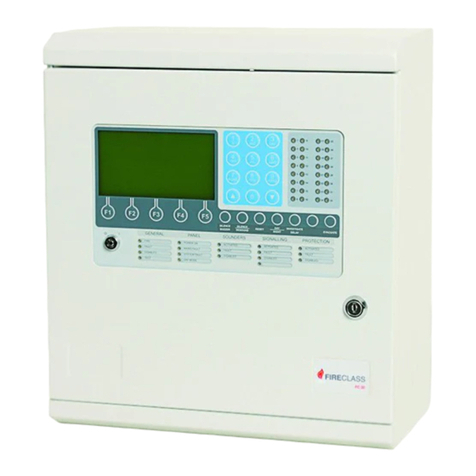
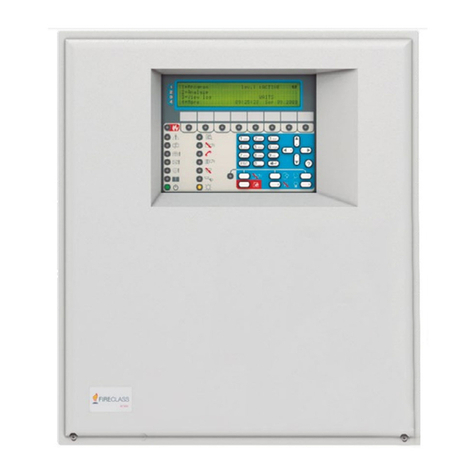
Figure 1: 2 Zone panel UI
Figure 2: 4 Zone panel UI
A16381AH0G_EN 4.0
2023-04-13

Figure 3: Enable key
UI indications
Table 1: General indicators
Indicator icon Indicator description Indicator colour Operating condition
Power supply Green Illuminates steady for
mains or battery power
on
Flashes when any zone
is in test condition
Test Yellow
Steady on while
you select the test
programming
Accessed Yellow Steady on in access
level 3 and flashing in
access level 2
Flashes during enable/
disable programming
Steady on when any
zone or sounder is
disabled
Enabled/disabled Yellow
Steady on while you
select the enable/
disable programming
Flashes for a fire alarm
and turns steady on
when the alarm buzzer
is silenced
General fire/zone fire Red
The general fire
indication and
individual zone
fire indications are
identical
Common fault Yellow See Common fault
detection
FireClass Essential Panels User Manual2

Table 1: General indicators
Indicator icon Indicator description Indicator colour Operating condition
Flashes for mains
failure or power supply
failure
Flashes twice
continuously for panel
overcurrent
Flashes four times
continuously for PSU
over voltage
Power supply fault Yellow
See Power supply fault
detection
Steady on for all
system faults
System fault Yellow
See System fault
detection
Flashes when an earth
fault occurs
Earth fault Yellow
See Earth fault
detection
Flashes for any
sounder fault
See Sounder fault
detection
Sounder fault Yellow
Steady on when the
sounders are disabled
Flashes for an auxiliary
fault
Aux fault Yellow
See Auxiliary power
fault detection
Flashes for a battery
fault
Battery fault Yellow
See Battery fault
detection
Reserved for future use
3FireClass Essential Panels User Manual

Table 1: General indicators
Indicator icon Indicator description Indicator colour Operating condition
Steady on for delay
programming mode
selection
Flashes twice when
the delay time is
overridden
Flashes continuously
when the delay time is
set
Delay Yellow
Off when the delay is
disabled for all zones
Zone fault Yellow See Zone fault
detection
Table 2: Zone location indicators
Indicator icon Indicator description Indicator colour Operating condition
Flashes when a zone is
in an alarm condition
Separate fire LED
indicator for each zone
Red
Steady on when
the alarm buzzer is
silenced
Depending on the type
of fault, this flashes
when a zone is in a
fault condition
Separate fault LED
indicator for each zone
Yellow
Steady on when a zone
is disabled
UI buttons
Table 3: UI buttons
Button icon Button description Button functionality Button availability
Enable/disable See Using the enable/
disable button
In access level 2 and 3
Reset See Using the reset
button
In access level 2 and 3
Buzzer silence See Using the buzzer
silence button
In access level 1, 2, and
3
FireClass Essential Panels User Manual4

Table 3: UI buttons
Button icon Button description Button functionality Button availability
Lamp test See Using the lamp test
button
In access level 1, 2, and
3
Function See Using the function
button
In access level 1, 2 and
3
Silence/resound/
evacuation
See Using the silence/
resound/evacuation
button
In access level 2 and 3
Right navigation See Using the right
navigation button
In access level 2 and 3
Left navigation See Using the left
navigation button
In access level 2 and 3
Using the enable/disable button
Press the Enable/Disable button in the following events:
• To enable or disable the sounder and zones.
• To turn on and off the delay to output on individual zones.
Using the reset button
To reset the state of the panel, press the Reset button. The following events then occur:
• The panel turns off the detectors for 2 seconds. The alarm clears from the panel after reset.
If an alarm condition remains, the alarm indications and sounder restart.
The power to auxiliary outputs turns off for 5 seconds.
The reset output then activates for 5 seconds and turns off. See Resetting the fire alarm.
Using the buzzer silence button
• To silence the buzzer in either a fire or fault event, press the Buzzer Silence button.
Using the lamp test button
• When you press the Lamp Test button for 5 seconds, all the LEDs on the panel and the buzzer
turn on for 10 seconds, then turn off again.
Using the function button
Press the Function button in the following events:
• To enter programming mode in access level 2 and 3.
5FireClass Essential Panels User Manual

• To navigate through functions such as test mode, enable/disable, and delay to output for
individual zone programming.
Using the silence/resound/evacuation button
1. Following a fire alarm condition, to silence the sounders and deactivate the remote output,
press the Silence/Resound/Evacuation button.
The fire alarm LED is unaffected by the sounder silence/resound/evacuation button.
2. To turn on the previously silenced sounders and reactivate the remote output, press the
Silence/Resound/Evacuation button.
3. To turn on the sounders, fire relay, and remote output for manual evacuation, press the
Silence/Resound/Evacuation button.
The general fire LED starts to flash in evacuation.
Using the right navigation button
Press the Right Navigation button in the following events:
• To navigate between zones and the sounder in enable/disable programming.
• To navigate between zones in test programming.
• To navigate between zones in delay to output programming.
Using the left navigation button
Press the Left Navigation button in the following events:
• To navigate between zones and the sounder in enable/disable programming.
• To navigate between zones in test programming.
• To navigate between zones in delay to output programming.
FireClass Essential Panels User Manual6

Access levels
There are four access levels in the Essential Panel:
Access level 1
•Entry
- Level 1 is the default access level for users.
- The accessed LED remains off in access level 1.
•Functionality
- All users can view the panel status.
- Additionally, the internal buzzer silence, lamp test and override delay features are available.
•Exit
- Level 1 is the default access level for users.
Access level 2
•Entry
- To enter access level 2, insert the enable key and rotate it to position 1.
- The accessed LED flashes continuously to indicate that the panel is in access level 2.
•Functionality
- All functions applicable at access level 1 are available at level 2.
- Additionally, sounder silence/resound, reset of the system, manual evacuation, enable/
disable of delays for zones, enable/disable of zones and sounders, and test mode features
are available.
•Exit
- To exit access level 2, turn the enable key switch to position 0 and remove the key.
- The accessed LED turns off to indicate that the panel is in the default access level.
Access level 3
•Entry
- Ensure that the enable key is removed from the panel.
- To enter access level 3, use the appropriate tools to open the front door of the panel.
- Press the Enable/Disable button, Left Navigation button, Right Ravigation button, and
3rd Level Access button in sequence.
-Note: The time taken between button presses must not exceed 10 seconds.
- The accessed LED turns steady on, to indicate that the panel is in access level 3.
Note: If the button sequence is not completed in 10 seconds, then the buzzer beeps to
indicate a login timeout.
•Functionality
- Only qualified users with authorized access are allowed to enter this level.
- All functions applicable at access levels 1 and 2 are applicable at this level.
- Set delay to output time in minutes for all zones.
•Exit
- Press the 3rd Level Access button to exit access level 3.
- The accessed LED turns off.
- Close the front door and insert the screws into the designated areas.
7FireClass Essential Panels User Manual

Note: Access level 3 automatically logs out after 8 hours of inactivity, if you have not
manually logged out.
Access level 4
• Access level 4 is restricted to the manufacturer.
• This level is reserved for repairing and replacing the internals of the panel by the manufacturer.
FireClass Essential Panels User Manual8

User operation: fire and fault conditions
The following section contains information about the fire and fault conditions.
DANGER
Risk of Death, Serious Personal Injury, or Equipment Damage
This equipment contains hazardous voltages. It contains no serviceable parts. Refer all maintenance to
suitably qualified personnel.
Silencing the buzzer
• Press the Buzzer Silence button.
The buzzer is silenced.
The common fault LED is steady on, and the fault LED flashes for the respective fault.
The fire LED on the respective zone and the general fire LED turn steady on.
Fire detection
If a fire is detected on the panel, the following events occur:
1. The buzzer pulses on and off.
2. The general fire and zone fire LED flash to indicate the location of the fire.
3. If the delay to output is disabled on a zone in fire condition then the sounders, fire relay and
remote output activate immediately.
4. If the delay to output feature is enabled on any zone, the delay LED flashes once continuously
and the following events occur:
a. The delay LED flashes continuously until the delay to output expires.
b. The general fire LED and zone fire LED flash.
c. The sounders, fire relay, and remote output turn on when the delay expires.
d. When the delay expires the delay LED flashes twice in a pattern.
5. In the event of fire, immediately evacuate the premises. Only re-enter the premises when it is
safe to do so. Then, locate the source of the fire alarm.
An illuminated LED is visible on the detector or callpoint, which is now activated.
Silencing the fire alarm sounders
• To silence the fire alarm sounders, press the Silence/Resound button in access level 2. The
sounders and remote output turn off.
Resounding the fire alarm sounders
• If the sounders are silenced, press the Silence/Resound button. The sounders and remote
output turn on.
9FireClass Essential Panels User Manual

Manual evacuation
• To do a manual evacuation, press the Silence/Resound/Evacuation button.
The sounders, remote output, and fire relay turn on immediately.
The general fire LED flashes and the buzzer pulses on and off.
Resetting the fire alarm
Before you begin:
Ensure that necessary action is taken for all of the reported fire events are managed, and it is safe
to enter the panel installation premises.
1. After the fire has been suppressed, turn the red key on the panel to log on to access level 2.
a. The buzzer beeps to confirm successful log on to access level 2.
b. The accessed LED flashes in access level 2.
2. Restore any activated manual call points.
3. Press the Reset button.
The following events occur:
a. The zone fire LED, general fire LED, and all fault LEDs turn off.
b. Alarm and fault events clear from the panel after a reset.
The fault relay and fire relay turn off. If any fault is present after reset, the fault relay turns
on again. The same is applicable for the fire relay.
If not previously silenced, the sounder and buzzer turn off.
If the sounders activate due to auxiliary inputs, they turn off momentarily and restart.
c. If any alarm or fault condition remains, it regenerates the alarm or fault on the panel.
d. After 5 seconds, if the panel detects an alarm, it turns on the fire LED.
For an alarm, the system reactivates the buzzer, fire relay, sounders, and remote output.
Fault detection
The following events occur for all new faults:
1. The respective fault LED flashes, depending on the type of fault in the subsystem.
2. The common fault LED flashes on and off continuously for a new fault detection.
3. The buzzer turns on.
4. The fault relay turns on.
The following events occur for restored faults:
1. The fault relay deactivates.
2. The common fault LED and respective fault LED turn off.
3. The buzzer turns off.
Note: After a fault occurs, fault outputs are not active for a minimum of 10 seconds. This
eliminates spurious outputs caused by such conditions as momentary brownouts on the mains
supply.
Zone fault detection
The following LED pattern occurs on respective zones when a zone fault is present.
1. Zone open: The respective zone fault LED flashes twice continuously.
2. Zone short: The respective zone fault LED flashes once continuously.
3. Zone disabled: The respective zone fault LED is steady on.
4. Missing detector in a zone: The respective zone fault LED flashes three times continuously.
FireClass Essential Panels User Manual10
This manual suits for next models
1
Table of contents
Other FireClass Control Panel manuals
FireClass
FireClass 500 User guide
FireClass
FireClass FC501 Series User manual
FireClass
FireClass Precept EN Panel User guide
FireClass
FireClass FC-P-S Installation and user guide

FireClass
FireClass FC503 User manual
FireClass
FireClass FC503 Technical manual

FireClass
FireClass FC501-HK User manual
FireClass
FireClass FC501 Series User manual
FireClass
FireClass FC500 Owner's manual
FireClass
FireClass FC600 User manual