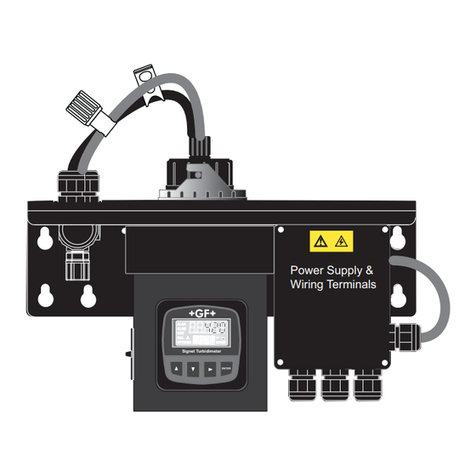
10 Signet 4150 Turbidimeter
Options menu
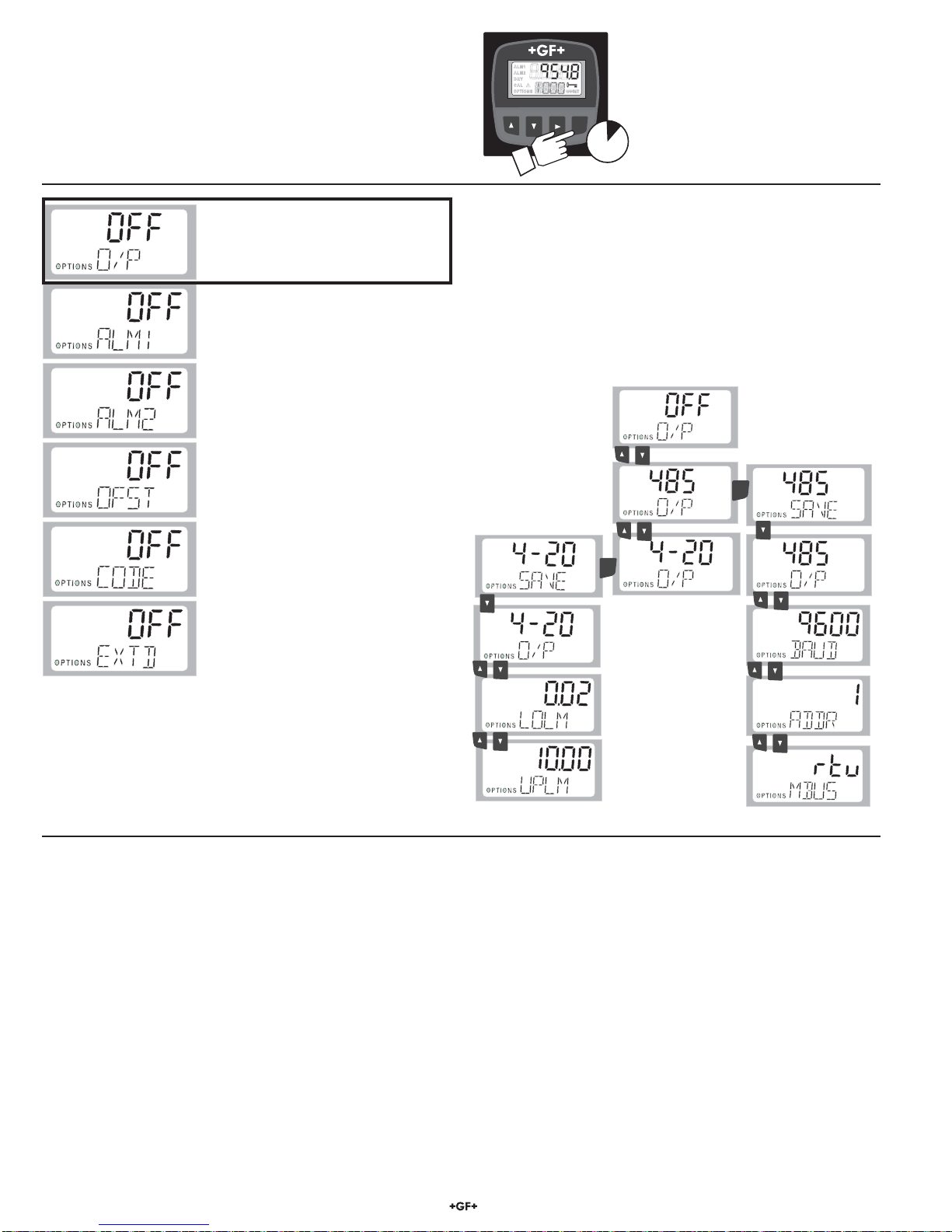
OPTIONS: Output (O/P)
1. The lower display should show O/P. If it does not, Push the ▼
key until the lower display shows O/P.
2. Press the ►key. The upper display will begin blinking.
3. Press the ▲or ▼keys to scroll to the 4-20 mA output or the
RS485 Output.
4. Press the ENTER key to save the selection.
5. See instructions for 4-20 mA settings below.
6. See instructions for configuring the RS-485 port below.
Setting the 4-20 mA Output
1. Press the ▼key. The lower display shows LOLM (Low Limit).
2. Press the ►key. The upper display will begin blinking.
3. Press the ▲and ▼keys to scroll to the NTU value at 4 mA.
4. Press the ENTER key to save the setting.
5. Press the ▼key. The lower display shows UPLM (Upper
Limit).
6. Press the ▲and ▼keys to scroll to the NTU value at 20 mA.
7. Press the ENTER key to save the setting.
Press the ▲and ▼keys simultaneously to exit the OPTIONS
menu and return to normal operation.
Configuring the RS–485 Port Output
1. Press the ▼key. The lower display shows BAUD.
2. Press the ►key. The upper display will begin blinking.
3. Press the ▲and ▼keys to scroll to the baud rate required
(1200, 2400, 4800, 9600, or 19200)
4. Press the ENTER key to save the setting.
5. Press the ▼key. The lower display shows ADDR (Address).
6. Press the ►key. The upper display will begin blinking.
7. Press the ▲and ▼keys to scroll to the correct address.
Address options are from 1 to 255.
Press the ENTER key to save the setting.
8. Press the ▼key. The lower display shows MBUS.
9. Press the ►key. The upper display will begin blinking.
10. Press the ▲and ▼keys to select ASCII or RTU.
Press the ENTER key to save the setting.
Press the ▲and ▼keys simultaneously to exit the OPTIONS
menu and return to normal operation.
The OPTIONS menu contains settings that are generally set once
then rarely changed. The factory setting for all the items in the
OPTIONS menu is OFF. When an option is turned ON, settings
related to that option will appear in the menu. Signet Turbidimeter
ENTER
5
Output Options:
Select the 4-20 mA output or
the RS485 Digital output.
Extended Options:
Enable access to performance and
setup options like brightness and
decimal location.
(See OPTIONS: EXTENDED, pg 11)
Code option:
Turn the Access Code ON or OFF.
Offset option:
Turn the OFFSET option ON or OFF.
Alarm 1 Option:
Turn ALARM RELAY 1 ON or OFF.
Alarm 2 Option:
Turn ALARM RELAY 2 ON or OFF.
ENTER
ENTER
Press and hold the ENTER key until
OPTIONS is illuminated on the display.
Enter the ACCESS CODE if the key is
displayed.
Section 7.2
Section 7.3