8
EN
5. Press SET button again (change to another pa-
rameter) - “SEALING” LED will light up to indi-
cate sealing time. Set the desired value by press-
ing “+” to increase or ”-” to decrease sealing
time. Time range is 0-3.5 seconds. Sealing time
should be gradually increased.
6. Press SET button again (change to another pa-
rameter) - “COOLING” LED will light up to indi-
cate cooling level. Set the desired value by press-
ing “+” to increase or ”-” to decrease cooling
time. Time range is 0-9.9 seconds.
7. Press SET button again - parameter LEDs will
switch off.
8. Press SEALING TEMP button repeatedly to set
the sealing power. Each press will switch on bag
sealing power LEDs (HIGH, MIDDLE, LOW). De-
pending on bag thickness, proper sealing power
will be used. The thicker the bag, the higher the
power.
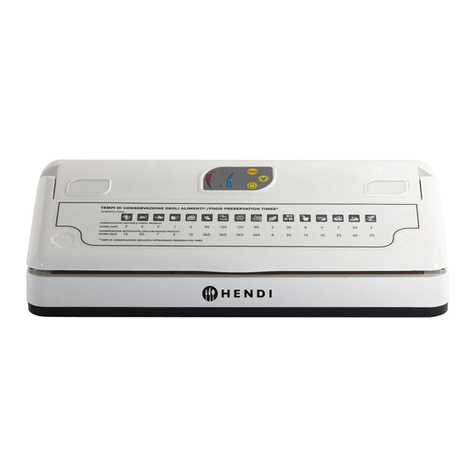
9. Insert the bag in machine’s chamber. Make sure
that the whole length of the bag is placed on the
sealing bar and that the bag is not folded along
the seam.
10.Press the bag onto the sealing bar using a metal
clamp.
11.Close the upper cover of the machine and hold
for a while. The machine will start working auto-
matically. The cover will be sealed shut.
12.
During operation the chamber will generate vacuum
which will prevent accidental opening of the cover.
All processes are carried out in the state of vac-
uum, the display and timer show the current
process (time remaining to generate full vacu-
um, sealing time and then cooling time). During
operation “WORKING” LEDs will switch on.
13.After completion the cover will automatically be
raised and “Ed” message will be displayed.
14.After completion of the cycle, the chamber is
filled with air, the cover opens automatically and
“Ed” is displayed. The cover will not open auto-
matically if a locking clamp is used. Unlock the
clamp to open the cover.
15.To continue working at the same parameters,
close the machine’s cover after inserting another
bag.
16.After completion of work turn the machine off
with the “OFF” switch, flip the blue switch at the
back of the machine downwards and disconnect
power cable from the mains.
NOTE: never obstruct air flow vent in the chamber.
NOTE: In an emergency press “STOP” to stop the
vacuum packaging process. The chamber will be
filled with air thus completing the process, the cover
will open after the process is completed. The cov-
er will not open automatically if a locking clamp is
used. Unlock the clamp to open the cover.
NOTE: in models 975251, 975268, 975275 the GAS”
parameter/function is not active.
NOTE
• Do not turn the machine on without any bag in-
side. Doing so will accelerate the wear of the heat-
ing element.
• Turn the machine off and disconnect the power
cable if the machine will not be used for some
time.
• The vacuum gauge/meter reading may be differ-
ent in different areas. At high altitudes, the data in
vacuum meter goes down.
• Do not use vacuum bags that emit poisonous va-
pours while sealing – use dedicated Victor Vacuum
Bags.
• The machine must be transported in a horizontal
position.
• The transport must proceed strictly according to
the instructing marks on the shipping case.
• The machine should be stored in dry, ventilated
place and room temperature.
• Please be careful during the automatic opening of
the acrylic cover to avoid being hit.
• Please do not try to make any repairs without con-
sulting professional service first.
• Please use spare parts delivered with the machine
or recommended by the manufacturer.