USER MANUAL | Butler II LRSUS.COM | 5
BUTTONS AND INPUT SETUP
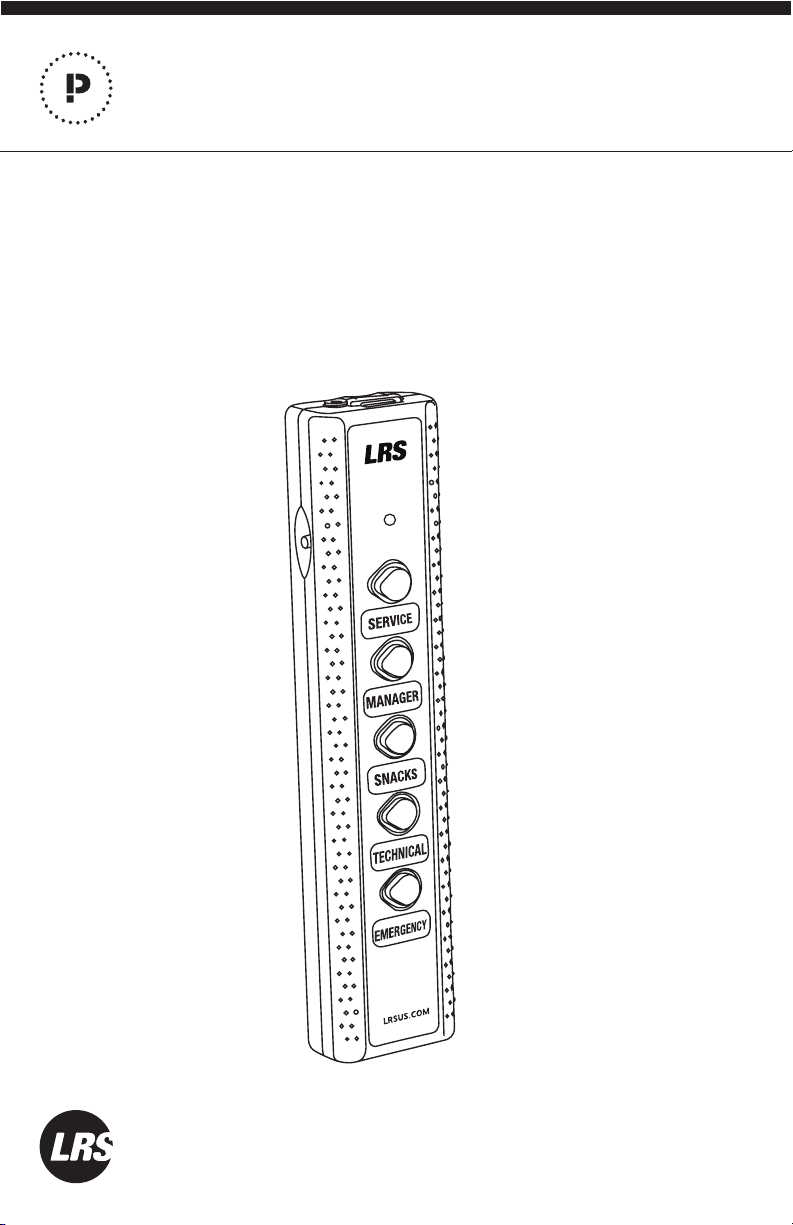
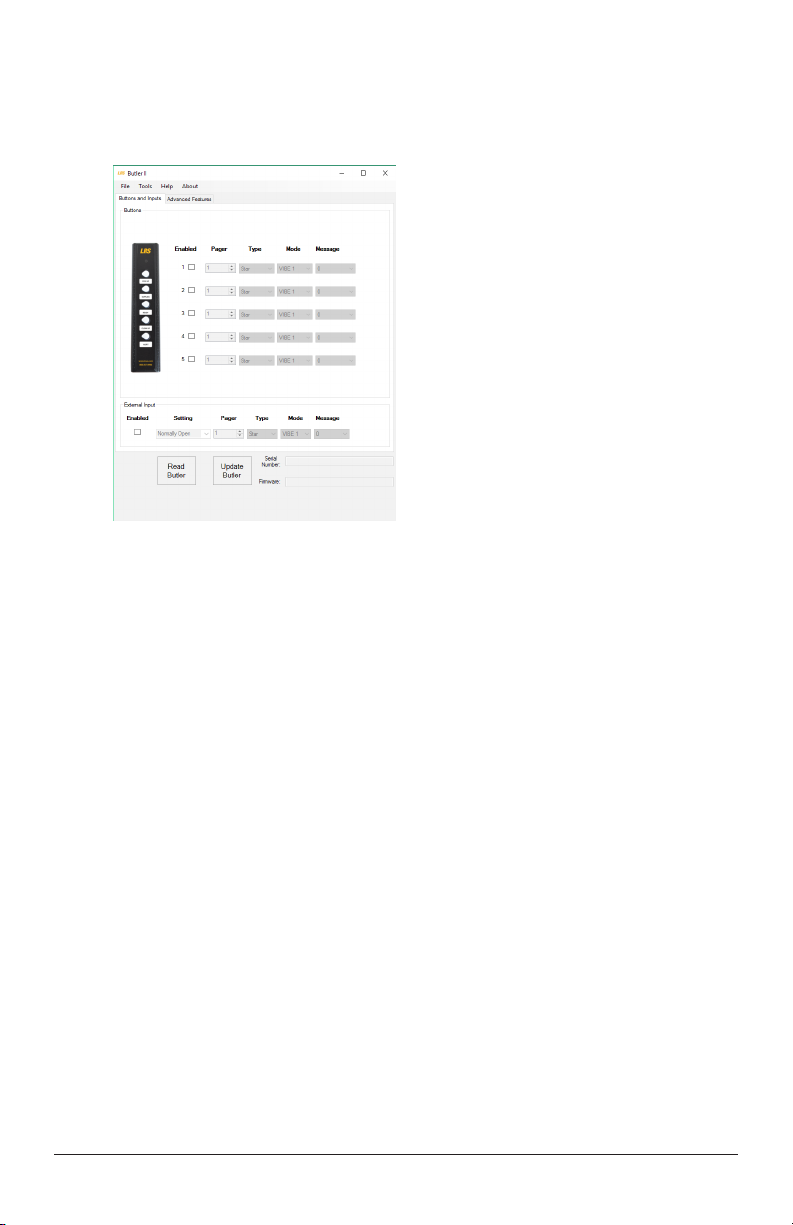
The Buttons section is used to setup the message sent to the pager when a Butler II
button is pressed. To set up a pager message:
NOTE: A button must be enabled to operate. Button 1 is closest to the external
input port.
1. Click the box next to the button number to check, enabling the button. Click again
to uncheck and disable.
2. Enter the pager number this button will page (check the number label on the pager).
3. Enter the pager type this button will page (alpha numeric, “Star” or “Guest”).
4. Type in the associated text message (or select vibe and number 0-9 for “Star”).
5. Do steps 1 through 4 for all buttons to be used.
6. Press Update Butler when done.
External Input Button
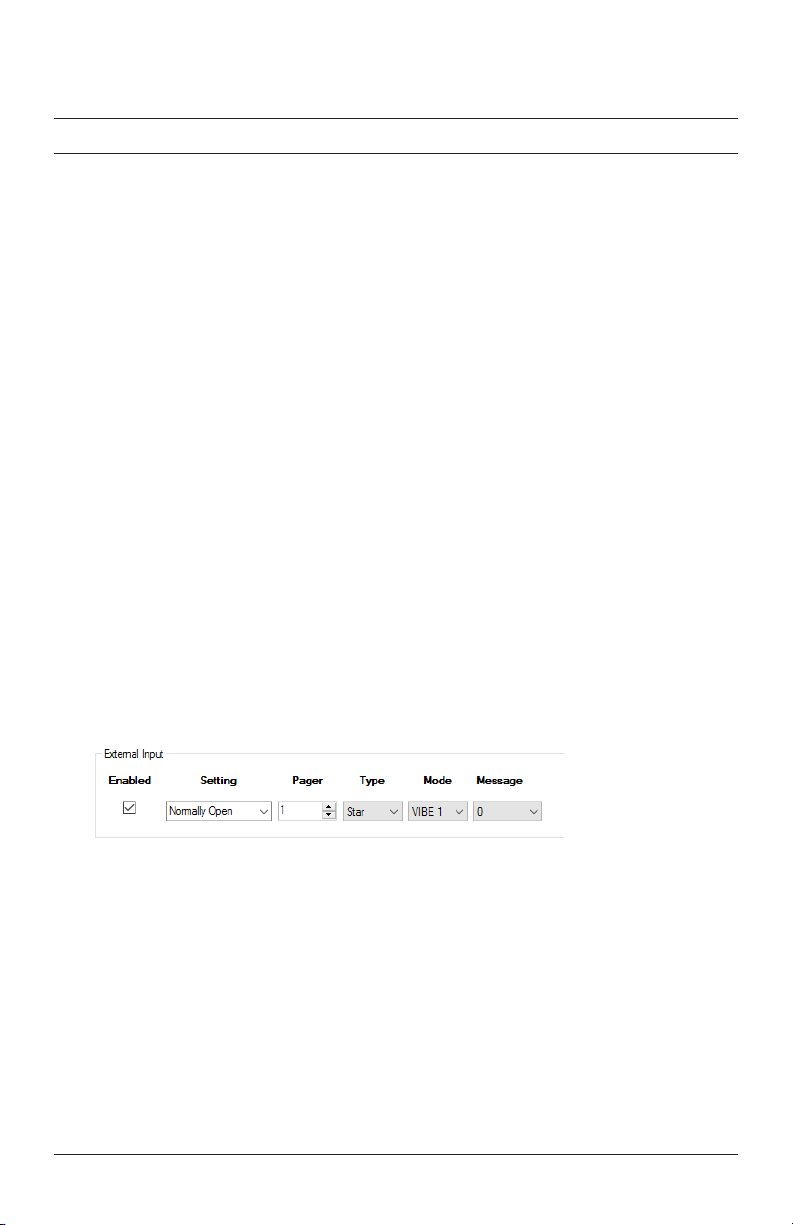
The external input is a contact or switch that is connected through a wire to the Butler
II. This sensor can send a message to the pager when an event happens (e.g., alarm if a
door is opened).
NOTE: The contact must be enabled to operate.
To set up a pager message:
1. Click on Enable box to enable or disable (a check mark indicates input is enabled).
2. Select Normally Open (like a doorbell) or Normally Closed (like a door sensor).
3. Enter the pager number/type this input will page (check the number on the pager).
4. Enter the associated message.
5. Press Update Butler when done.