EN User Manual
shows ’000’.
IMPORTANT!
• Make sure when measuring like above that the
function switch is always in TEST position!
TTL logical level measuring
• Set the function switch to TTL position.
• If the voltage is above 2,4V or the circuit is
open, the display will show an icon
• If the voltage is between 0,7V and 2,4V the
display will show an icon
• If the voltage is lower than 0,7V the display will
show an icon
Square signal function
• Connect the the black measuring wire to
the COM connector and the red one to the V
connector.
• Parameters of the outgoing signal: frequency
~50Hz, duty cycle ~50Hz, threshold: 4V
Usage
• Check the 9V battery and press the POWER
button. If the battery is depleted, the
symbol appears on the screen.
• Signs near the connectors warn about not
exceeding the shown values for inward current
or voltage to prevent damage to the inside
circuits.
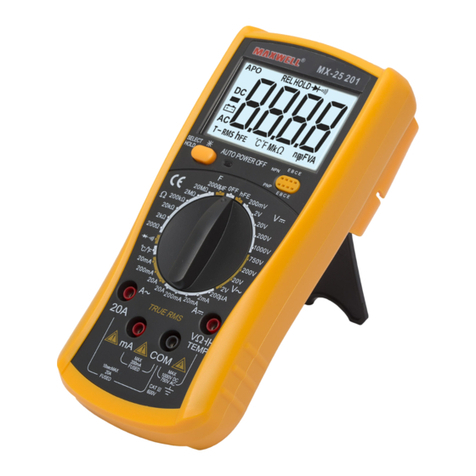
• Set the function selection switch to the proper
position before measuring.
• If you are unsure about the range of the
measured value, switch to the highest
available one and go backwards from that
until you reach the proper range.
DC and AC voltage measuring
• Connect the black wire to the„COM”and the
red one to the„V/ ”connector.
• Set the function selection switch to the proper
V position and connect the wires to the power
source paralelly for the time of measurement.
Note:
• If you are unsure about the range of the measured value,
switch to the highest available one and go backwards
from that until you reach the proper range.
• If only„1”is displayed on the screen, it means overload.
Switch the range switch to a higher value.
• Do not connect voltage exceeding 1000V DC or 750V AC
to the connectors. Results may be displayed with higher
values but this may lead to damage in the inside circuits.
• Do not touch the high voltage circuits while measuring.
DC and AC current measuring
• Connect the black measuring wire to the
„COM”connector and the red one to the„mA”
connector (max. 200mA)
• Set the function switch to the proper range.
• Connect the wires paralelly to the power
source for the measurement.
• To measure current between 200mA and 20A
follow the above points but connect the red
wire to the„20A” connector.
Note:
• If you are unsure about the range of the measured value,
switch to the highest available one and go backwards
from that until you reach the proper range.
• If only„1”is displayed on the screen, it means overload.
Switch the range switch to a higher value.
• Maximum inward current may be 200mA or 20A based
on the connector used. (Time for test is maximum 10
seconds). A current too high may melt the fuse, which
needs to be replaced. The 20A range is not protected.
• Maximum charging voltage: 200mV.
Resistance measuring
• Connect the black wire to the„COM”connector
and the red one to the„V/ ”connector.
• Set the function switch to the desired
resistance range.
• Touch the wires to the measured circuit
paralelly.
WARNING!
• Make sure the measured circuit is not under
power!
• Maximum overload value for the connector is
250V (for max. 10 seconds).
Note:
• If the value of the measured resistor exceeds the
maximum value of the range and the device shows
overload („1”), select a higher range. With resistors
above 1M it may take a few seconds until the device
stabilizes the value. This is completely normal.
• If you do not connect a resistor to the connectors,„1”
will appear on the screen because of the range exceed.
• If measuring a resistor within a circuit, make sure the
circuit is not under power for the time of the test and
that all capacitors are discharged.
• Do not connect inward voltage to the device as that may
lead to damage to the inside circuits.
• Outward voltage in connectors is appr. 3V
Capacity measuring
• Set the function switch to F position.
• Connect the capacitor to the Cx connector, pay