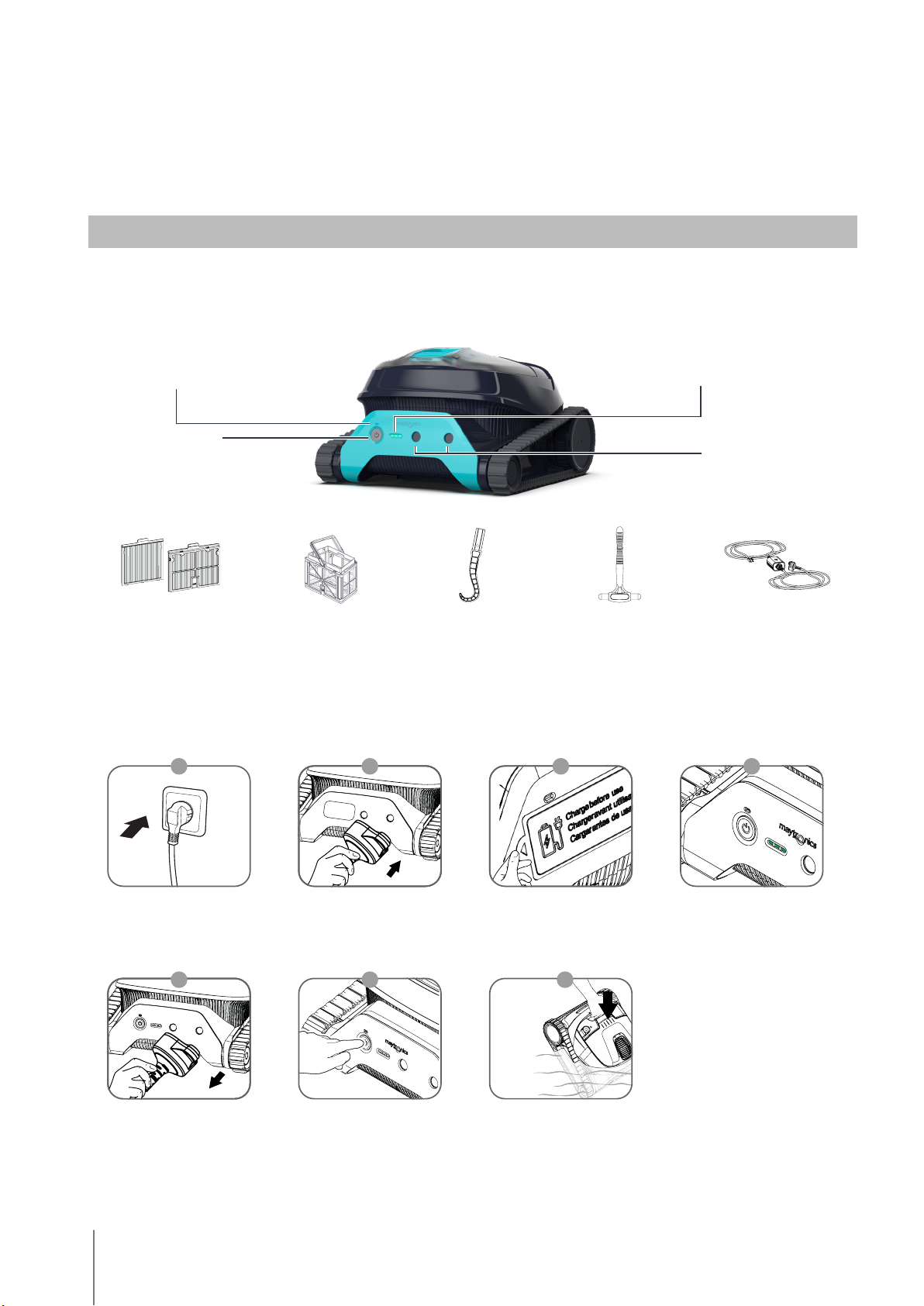
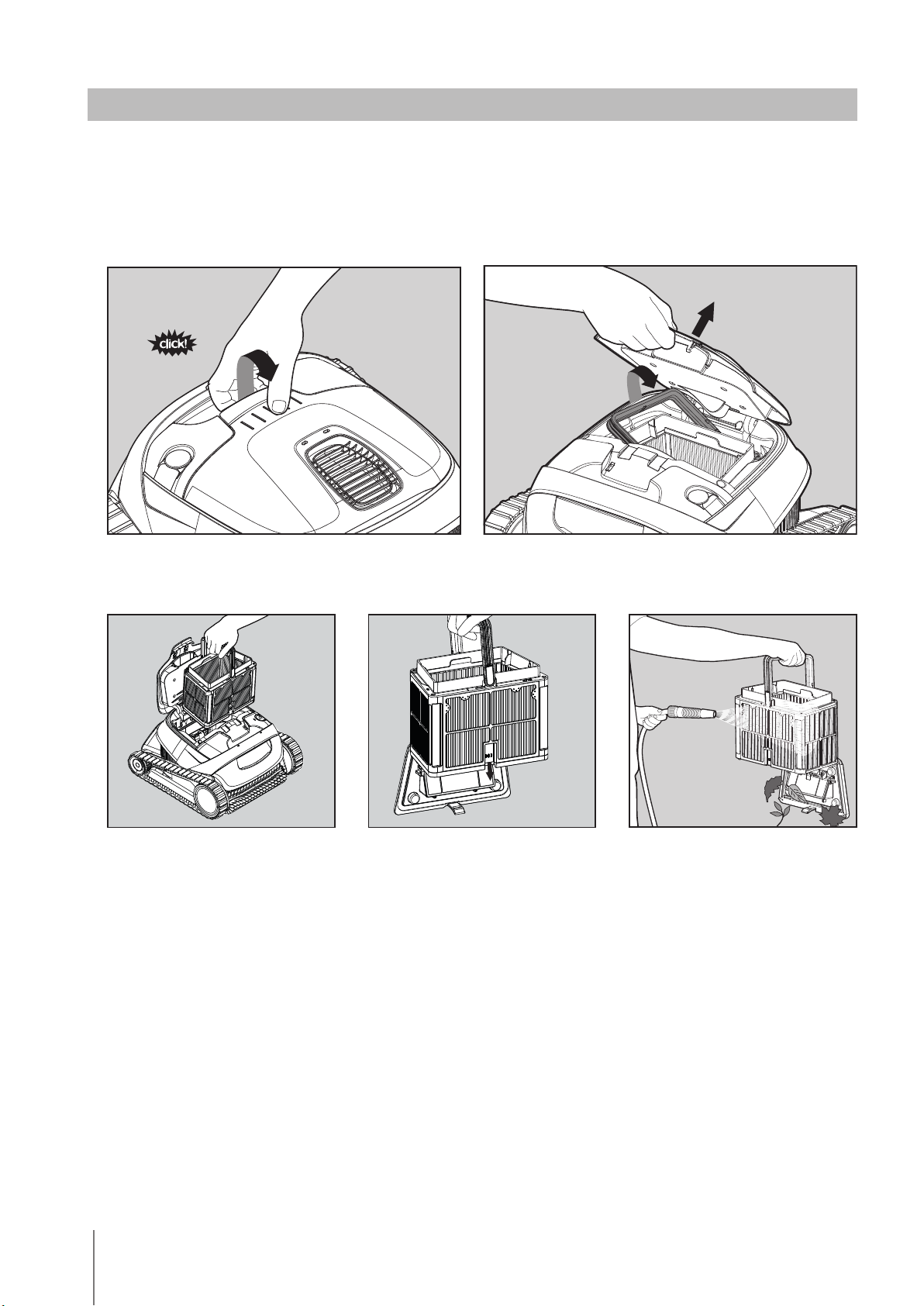
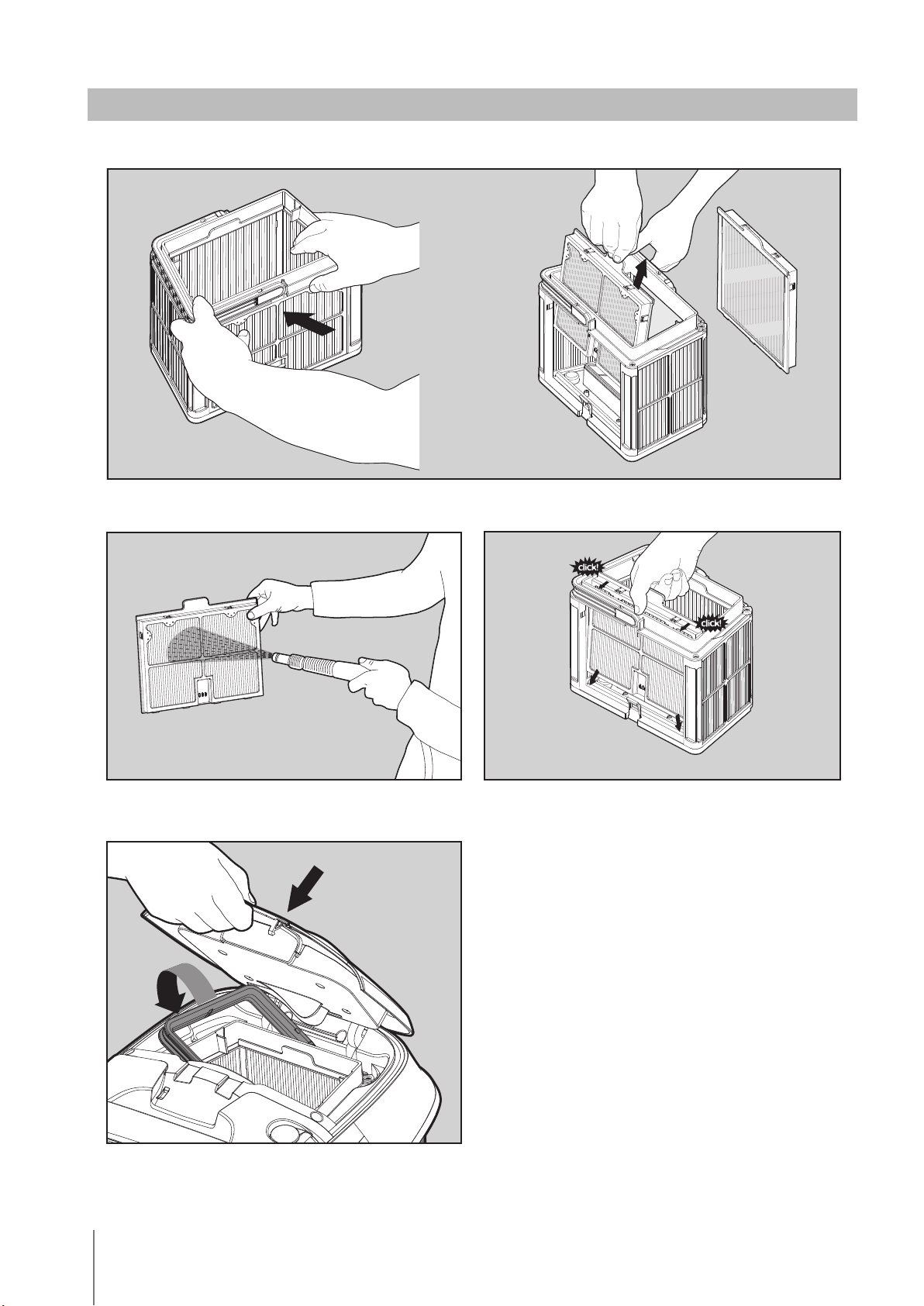
4Robotic Pool Cleaner LIBERTY |User Instructions
2. SPECIFICATIONS
Water temperature range: 6°C - 35°C / 43°F - 95°F
Water depth range: 0.4m - 3m / 1.33ft - 9.8ft
Motor protection: IP 68
Charger protection: IP 54
Battery Lithium-ion | 5,000mAh | 25.2V ; 5Ah / 126Wh
Radio communication: Bluetooth® 5.0 - 2402-2480 MHz - Maximum power 2.1mW
Use the robotic pool cleaner only in the following water conditions:
• Chlorine: 4 ppm max.
• pH: 7.0 – 7.8
• Temperature: 6°C – 35°C / 43°F – 95°F
• NaCl: 5000 ppm max.
3. FEATURES AND INDICATIONS
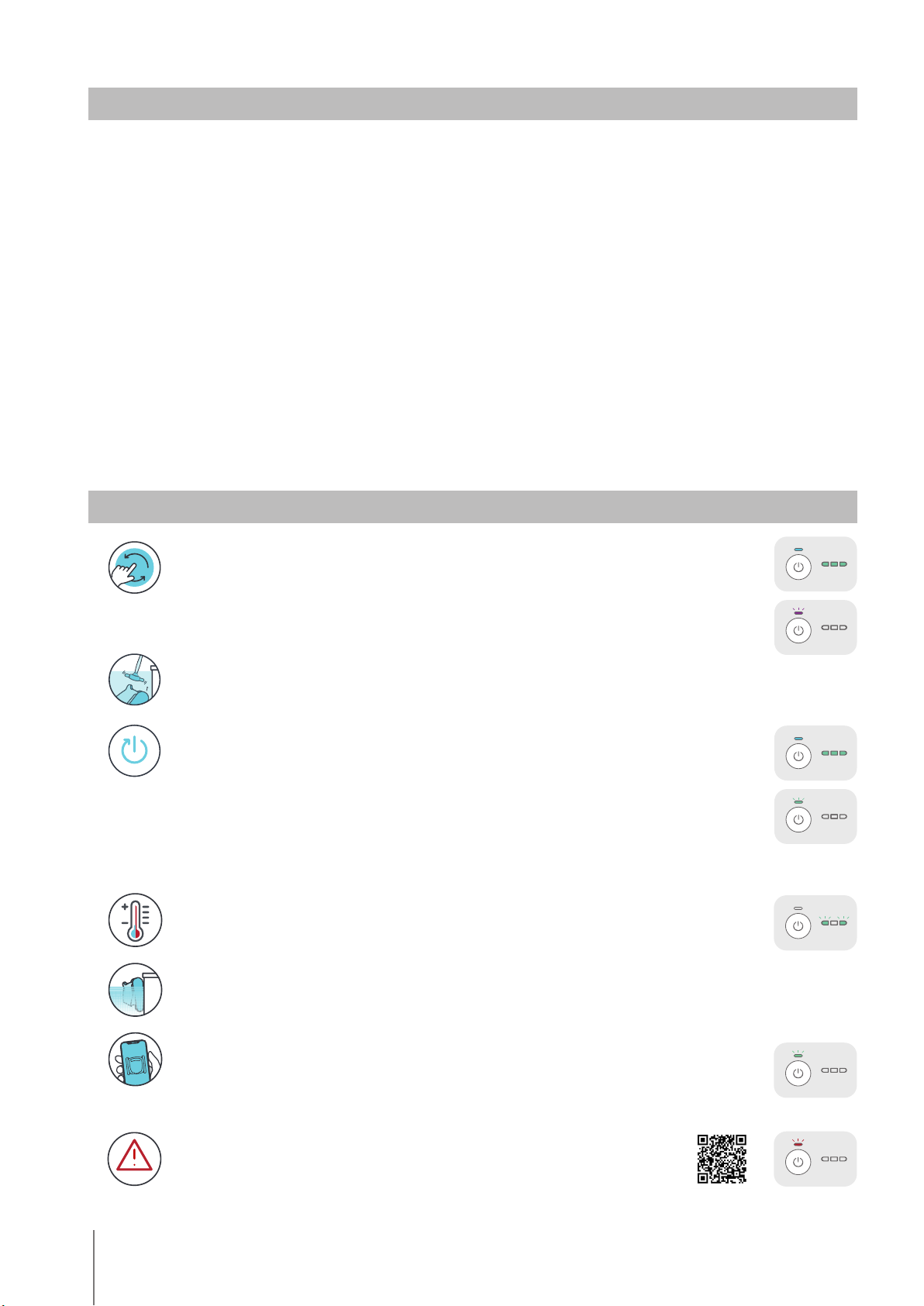
Error
In case of error notification, please refer to User Manual.
Temperature Warning
In case of temperature warning notification, place and charge the pool cleaner in a protected and
shaded area, at a temperature range of 6°C - 35°C / 43°F - 95°F.
Waterline Scrubbing - LIBERTY 400
Scrubs then removes grime and oils that accumulate on the waterline.
MyDolphinTM Plus Mobile App - LIBERTY 400
Download the app, sign-up and follow the app instructions to pair with your robot. You can
configure it with the MyDolphin™ Plus App while the robot is out of the water. When paired, the
LED above the robot’s power button will start flashing. Now you can schedule cleanups,
set cleaning cycle type, and receive notifications when it is ready to be taken out of the pool.
Eco Mode -LIBERTY 300 & 400
Use Eco Mode to keep your pool floor clean for a week on one charge.
The robot will automaticly clean the pool floor for up to 30 min, three times a week, with 48 hours
between cleaning cycles.
1. Press ON to activate until LED lights up.
2. After 3 seconds, you will see a purple LED flashing. Hold the button until you see the green LED flashing.
3. Place the robot in the pool, and within 30 sec, it will start working.
While in Eco Mode you can use the Clicker between cycles and at the end of the third cycle, however
using the clicker will cancel the eco mode.
ClickUpTM -LIBERTY 300 & 400
Easily take the robot out of the pool by shaking the Clicker in the water for 3 seconds when the
robot has finished the cleaning cycle. The robot will climb up its nearest wall and wait a few
seconds to be picked up.
Cycle Selector -LIBERTY 300 & 400
Use Cycle Selector to customize cleaning mode to “Floor only”:
1. Press ON to activate until the LED lights up.
2. Press ON again for 3-6 seconds until the purple LED blinks 3 times.
Place the robot in the pool, and within 30 sec, it will start working.
After each cleaning cycle, the robot will return to default mode.
Step 1 Step 1
Step 2 Step 2
2.1 Robot
2.2 Water Conditions