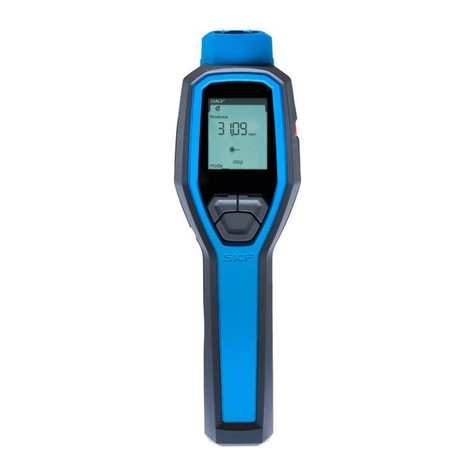
3. Default setting - rpm mode, non autoranging
3.1 Programming - measurement mode selection
Allmeasurementmodesarechosenbythismethodandonceconrmed,
selectedmoderemainsinpermanentmemoryuntilre-programmedby
theuser.
• Tochangemodeholdprogrammebuttononandpressupmeasure
buttonandthenreleasebothbuttons,thedisplaywillnowilluminate
allicons,andthecurrentrangewillash.
• Toselectnewmeasurementmodepresseitherupordownbutton
toscanthroughthemodes,whentherequiredmodeiconsash
releasemeasurebutton&pressprogrammebuttononcetoconrm
settings.Fornon-speedmodestheunitisnowprogrammedand
readyforuse.
• Toselectmx,mn,av.modescontinuetoscrollthrougheachone,if
themodeisnotrequired,stopscanwhenallthreeiconsilluminate
continuously,thenpressprogrammebuttononce.
Theinstrumentisnowreadytouse.
Note:
Selectedparameterswillberetaineduntilreprogrammed.
3.2 Optical revolutions speed measurement - rpm or rps
Seesection3.1
• Attachsmallreectivetargettomachineshaft
(typically6mmx25mm).
• Startmachineandpointthetachometertowardsthetarget.
• PressandholdeitheroftheONup/downbuttonstosuitapplication
andholdcontinuously.
• Aimlightbeamontotarget,ensure“on-target”signislitorashing
steadily.
• Readoffrpm,releasingbuttonwillholdlastreading.
• Lastrpmreadingwillbeheldindisplayfor1minute.
• PresstheOnbuttontozeroreadingortakeanothermeasurement.
• ReleasingtheONswitchwillholdthereadingautomaticallyfor
1minute,automaticswitchoff.
3.3 Contact revolution speed measurement - rpm or rps
Seesection3.1
• Fitcontactadapterintothetachometerandensureagoodclickt
connection.
• Startmachineandmakecleancontactwiththerecessinshaftend
(wheelcanberemoved).
• Contacttheshaftendviatherubbercone,ensureasteadyrm
pressureisappliedandthattheinstrumentisinlineaccuratelywith
themachineshaft.
• Pressandholdeitherupordownmeasurebuttonasrequired&
readspeed.
• ReleasingtheONswitchwillholdthereadingautomaticallyfor
1minute,automaticswitchoff.