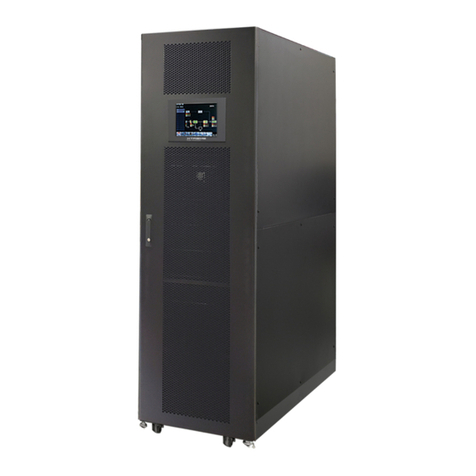
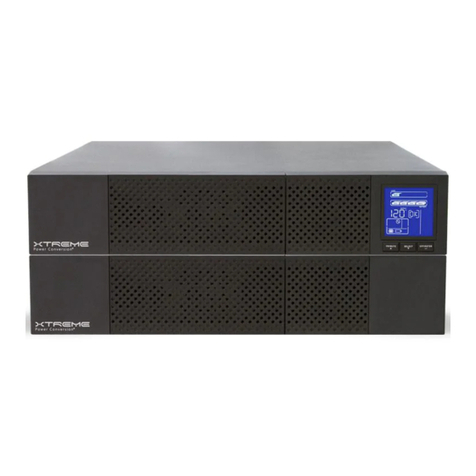
Xtreme X90-5S Guide

X90-5S/10S Modular Three-Phase
UPS
User & Installaon Manual
www.xpcc.com | © 2023 Xtreme Power Conversion Corporaon. All rights reserved. (Rev 8/17/23)

Xtreme Power Conversion Corporaon
X90-5S User’s Manual
Page 2
Table of Contents
1. Safety...................................................................................................... 3
2. Installaon............................................................................................. .5
3. Unpacking................................................................................................7
4. SMB Installaon......................................................................................29

Xtreme Power Conversion Corporaon
X90-5S User’s Manual
Page 3
1. Safety
1.1 Important Safety Instrucons
This baery cabnet contains LETHAL VOLTAGES. All repairs and service must be performed by AUTHORIZED SER-
VICE PERSONNEL ONLY. There are NO USER SERVICEABLE PARTS inside the baery cabnet.
WARNING:
• This baery cabnet is designed for commercial and industrial purpose, it is forbidden to apply for any life
sustainment and support.
• The baery cabnet system contains its own energy source. The output terminals may carry live voltage
even when UPS is disconnected to an AC source.
• To reduce the risk of re or electrical shock, UPS installaon has to be in a controlled room where tem-
perature and humidity are monitored. Ambient temperature must not exceed 40°C. The system is only for
indoor use.
• Ensure all power is disconnected before installaon or service.
• Service and maintenance should be performed by qualied personnel only.
Before working on this circuit
• Isolate Uninterrupble Power System (UPS).
• Then check for Hazardous Voltage between all terminals including the protecve earth.
Risk of Voltage Backfeed
The isolaon device must be able to carry the UPS input current.
1.2 EMC
WARNING:
This is a product for commercial and industrial applicaon in the second environment - installaon restricons or
addional measures may be needed to prevent disturbances.
1.3 Installaon Informaon
WARNING:
• Installaon must be performed by qualied personnel only.
• The cabinets must be installed on a level oor suitable for computer or electronic equipment.
• The UPS cabinet is heavy. If unloading instrucons are not closely followed, cabinet may cause serious
injury.
• Do not lt the cabinets more than 10 degree.
• Before applying electrical power to the UPS, make sure the Ground conductor is properly installed.
• Installaon and Wiring must be performed in accordance with the local electrical laws and regulaons.
• The disconnecon device should be chosen based on the input current and should break line and neutral
conductors - four poles for three phases.
1.4 Maintenance
• Only qualied service personnel should perform the baery installaon.
• The following PRECAUTIONS should be observed:

Xtreme Power Conversion Corporaon
X90-5S User’s Manual
Page 4
1. Remove watches, rings, or other metal objects.
2. Use tools with insulated handles.
3. Wear rubber gloves and boots.
4. Do not lay tools or metal parts on top of baeries or baery cabinets.
5. Disconnect the charging source prior to connecng or disconnecng terminal.
6. Check if the baery is inadvertently grounded. If it is, remove the source of grounding. Contacng
with any part of the ground might result in electrical shock. The likelihood of such shock can be
prevented if such grounds are removed during installaon and maintenance.
• UPS is designed to supply power even when disconnected from the ulity power. Aer disconnect the ul-
ity and DC power, authorized service personnel should aempt internal access to the UPS.
• Do not disconnect the baeries while the UPS is in Baery mode.
• Disconnect the charging source prior to connecng or disconnecng terminals.
• Baeries can result in a risk of electrical shock or burn from high short circuit current.
• When replacing baeries, use the same number of sealed, lead-acid baeries.
• Do not open or mulate the baery. Release electrolyte is harmful to the skin and eyes, and may be toxic.
1.5 Recycling the Used Baery
• Do not dispose of the baery in a re. Baery may explode. Proper disposal of baery is required. Refer
to your local codes for disposal requirements.
• Do not open or mulate the baery. Released electrolyte is harmful to the skin and eyes. It may be toxic.
• Do not discard the UPS or the UPS baeries in the trash. This product contains sealed, lead-acid baeries
and must be disposed properly. For more informaon, contact your local recycling/reuse or hazardous
waste center.
• Do not discard waste electrical or electronic equipment (WEEE) in the trash. For proper disposal, contact
your local recycling/reuse or hazardous waste center.

Xtreme Power Conversion Corporaon
X90-5S User’s Manual
Page 5
2. Unpacking
1. Use a forkli to move the product to installed area. Refer to Figure 2-1. Please make sure
the bearing capacity of forkli is sucient.
2. Please remove wooden case and foam according to order gure 2-2.
Figure 2-1
Figure 2-2

Xtreme Power Conversion Corporaon
X90-5S User’s Manual
Page 6
3. Put a ramp in the front of the cabinet. Refer to Figure 2-3.
Figure 2-4
4. Remove 2 xing cabinet plates and loosen leveling feet by rotang them counterclockwise. Then, move the
cabinet from the pallet. Refer to Figure 2-4.
5. To x the cabinet in posion, simply rotate leveling feet clockwise. Refer to Figure 2-5.
Figure 2-4 Figure 2-5

Xtreme Power Conversion Corporaon
X90-5S User’s Manual
Page 7
3. Installaon
1. Visually examine if there is any damage inside and outside of packages in the process of the transportaon. If
any damage, report it to the carrier immediately.
2. Verify the product label and conrm the consistency of the equipment.
3. If the equipment needs to be returned, carefully repack the equipment by using the originally packing material
that came with.
2.2 Installaon Environment
1. The UPS is designed for indoor use only and should be located in a clean environment with adequate venla-
on to keep the environmental parameters within the required specicaon.
2. Make sure that transportaon routes (e.g. corridor, door gate, elevator, etc.) and installaon area can accom-
modate and bear the weight of the UPS, the external baery cabinet and handling equipment.
3. The UPS uses forced convecon cooling by internal fans. Cooling air enters the module through venlaon
grills located at the front of the cabinet and exhausted through grills located in the rear part of the cabinet.
Please do not block the venlaon holes.
4. Ensure that the installaon area is spacious for maintenance and venlaon.
5. Keep the temperature of installaon area below 40°C and humidity within 90%. The highest operang al-
tude is 1000 meters above sea level.
6. If necessary, install a system of room extractor fans to avoid formaon of room temperature. Air lters are
necessary if the UPS is operated in a dusty environment.
7. It is recommended that you parallel the external baery cabinets to the UPS. The following instrucons of
clearances are suggested:
• Keep a clearance of 100cm from the top of the UPS for maintenance, wiring and venlaon.
• Keep a clearance of 100cm from the back of the UPS and the external baery cabinets for venlaon.
• Keep a clearance of 150cm from the front of the UPS and the external baery cabinets for maintenance and
venlaon.
8. For safety concerns, we suggest that you shall:
• Equip with CO2 or dry powder re exnguishers near the installaon area.
• Install the UPS in an area where the walls, oors and ceilings were constructed by reproof materials.
9. Do not allow unauthorized personnel to enter the installaon area. Assign specic personnel to keep the UPS
key.

Xtreme Power Conversion Corporaon
X90-5S User’s Manual
Page 8
2.4 Moving the Cabinet
The UPS is xed on the pallet with 2 xing cabinet plates. When removing it, pay aenon to the movement of
the casters to avoid accidents.
The cabinet can be pushed forward or backward only. Pushing it sideward is not allowed. When pushing the
cabinet, pay aenon not to overturn it as the gravity center is high.
1. If you need to move the UPS over a long distance, please use appropriate equipment like a forkli. Do not
use the UPS casters to move over a long distance.
2. Aer the UPS has been removed from the pallet to ground, we suggest that at least three people move the
UPS to the installaon area. One person holds a lateral side of the UPS with hands, another holds the other
lateral side of the UPS with hands, and the other person pushes the UPS either from the front side or from
the back side to the installaon area and avoid pping the UPS.
3. The casters are designed to move on level ground. Do not move the UPS on an uneven surface. This might
cause damage to the casters. Toppling the UPS could also damage the unit.
4. Ensure that the weight of UPS is within the designated bearing capacity of any handling equipment.
5. At the boom of the UPS, the four casters help you to move the UPS to a designated area. Before you move
the UPS, please turn the four leveling feet counterclockwise to raise them o the ground. This protects the
leveling feet from damage when moving the UPS.
6. Fix the cabinet rmly to the ground with screwing the xing cabinet plate. Refer to Figure 2-6.
Figure 2-6

Xtreme Power Conversion Corporaon
X90-5S User’s Manual
Page 9
7. Assemble the cabinet
Step 1: Remove one side of case cover from switch and main cabinet.
Slim bypass cabinet (oponal) Main cabinet
Step 2: Remove bus bars of input 1 and bypass input on main cabinet. Remove all terminal retaining plates on
slim bypass cabinet
Slim bypass cabinet (oponal) Main cabinet

Xtreme Power Conversion Corporaon
X90-5S User’s Manual
Page 10
Step 3: Align slim bypass cabinet and main cabinet and assmble both of cabinets together with supplied M10
screws, washers and spring washers. Fix long plate (supplied in slim bypass cabinet package) on the top of two
cabinets.
Step 4: Use supplied 9 sets of bus bars to connect input, bypass and output terminals of Slim bypass cabinet and
main cabinet.
Other manuals for X90-5S
1
This manual suits for next models
1
Table of contents
Other Xtreme UPS manuals