
EnglishDeutsch
 logo
Brands
  1. Home
  2. •
  3. Brands
  4. •
  5. Canon
  6. •
  7. Toy
  8. •
  9. Canon CREATIVE PARK 3D Decoupage User manual

Canon CREATIVE PARK 3D Decoupage User manual

Other Canon Toy manuals

Canon Paper Craft Sydney Opera House(Australia) User manual

Canon

Canon Paper Craft Sydney Opera House(Australia) User manual

Canon Lunar Globe User manual

Canon

Canon Lunar Globe User manual

Canon Creative Park Shaky-Shaky Maracas User manual

Canon

Canon Creative Park Shaky-Shaky Maracas User manual

Canon PaperCraft White striped longhorn beeetle User manual
Canon

Canon PaperCraft White striped longhorn beeetle User manual

Canon Creative Park Ships of the world Esmeralda User manual
Canon

Canon Creative Park Ships of the world Esmeralda User manual

Canon Creative Park Elastic-powered Turtle User manual
Canon

Canon Creative Park Elastic-powered Turtle User manual

Canon Sidewheeler Configuration guide

Canon

Canon Sidewheeler Configuration guide

Canon Paper Craft Snowy owl (Female) User manual

Canon

Canon Paper Craft Snowy owl (Female) User manual

Canon Creative Park Crocodile User manual
Canon

Canon Creative Park Crocodile User manual

Canon Paper Craft Catcher Instruction manual

Canon

Canon Paper Craft Catcher Instruction manual

Canon Jaguar E-Type User manual

Canon

Canon Jaguar E-Type User manual

Canon CREATIVE PARK Sumo wrestling game User manual

Canon

Canon CREATIVE PARK Sumo wrestling game User manual

Canon Creative Park Ford Convertible Cabriolet User manual

Canon

Canon Creative Park Ford Convertible Cabriolet User manual

Canon CREATIVE PARK Yajirobe User manual

Canon

Canon CREATIVE PARK Yajirobe User manual

Canon Creative Park Marine iguana User manual

Canon

Canon Creative Park Marine iguana User manual

Canon Creative Park Shaky-Shaky Maracas User manual
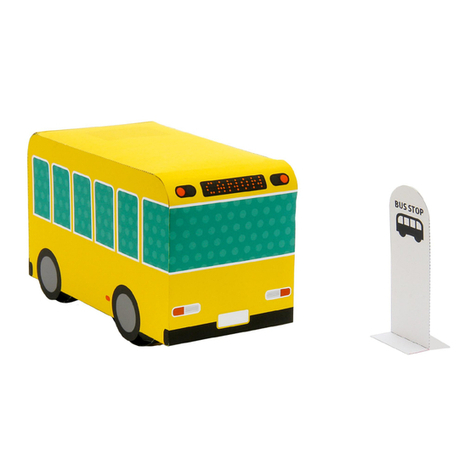
Canon

Canon Creative Park Shaky-Shaky Maracas User manual

Canon Creative Park Elastic-powered Bus Quick start guide
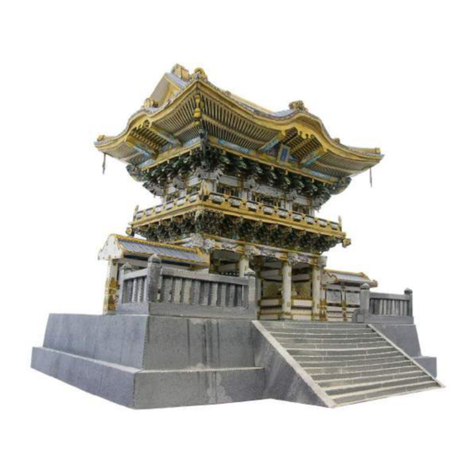
Canon

Canon Creative Park Elastic-powered Bus Quick start guide

Canon Creative Park Nikko Toshogu Shrine Yomeimon User manual

Canon

Canon Creative Park Nikko Toshogu Shrine Yomeimon User manual

Canon CREATIVE PARK Paper Copter User manual

Canon

Canon CREATIVE PARK Paper Copter User manual

Canon CREATIVE PARK Reindeer User manual

Canon

Canon CREATIVE PARK Reindeer User manual
Canon Super Glider User manual

Canon

Canon Super Glider User manual

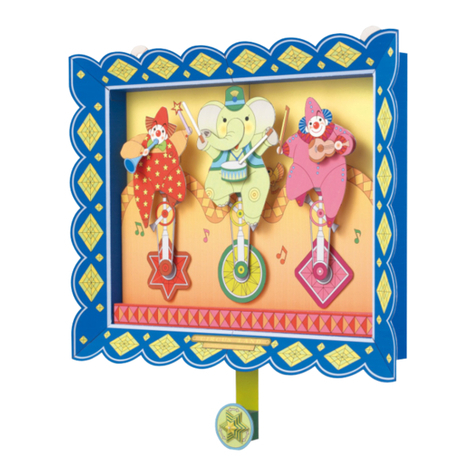
Canon Creative Park Clowns on funny unicycles User manual

Canon

Canon Creative Park Clowns on funny unicycles User manual

Canon PAPER CRAFT Euoplocephalus User manual

Canon

Canon PAPER CRAFT Euoplocephalus User manual

Canon Creative Park Moving Clown in a barrel User manual

Canon

Canon Creative Park Moving Clown in a barrel User manual

Popular Toy manuals by other brands

marklin 37321 instruction manual

marklin

marklin 37321 instruction manual

GREAT PLANES Pitts M-12S instruction manual

GREAT PLANES

GREAT PLANES Pitts M-12S instruction manual

NOCH 14261 manual

NOCH

NOCH 14261 manual

Hausler 450 SE V2 quick start

Hausler

Hausler 450 SE V2 quick start

Dynaflite Daydream instruction manual

Dynaflite

Dynaflite Daydream instruction manual

Kenner Batman 63651 instructions

Kenner

Kenner Batman 63651 instructions

LEGO 8527 instructions

LEGO

LEGO 8527 instructions

Multiplex EasyStar II Building instructions

Multiplex

Multiplex EasyStar II Building instructions

iKarus ECO 8 Assembly instruction

iKarus

iKarus ECO 8 Assembly instruction

Walkera 38 User handbook

Walkera

Walkera 38 User handbook

Hasbro TRANSFORMERS BUMBLEBEE manual

Hasbro

Hasbro TRANSFORMERS BUMBLEBEE manual

MD MXION SWD user manual

MD

MD MXION SWD user manual

Mattel Disney Pixar Cars Cozy Cone Spiral Rampway instructions

Mattel

Mattel Disney Pixar Cars Cozy Cone Spiral Rampway instructions

marklin 39671 user manual

marklin

marklin 39671 user manual

LEGO TECHNIC 8735 instructions

LEGO

LEGO TECHNIC 8735 instructions

Mattel HOTWHEELS DWL04 instructions

Mattel

Mattel HOTWHEELS DWL04 instructions

REVELL Bristol Beaufighter TF.X Assembly manual

REVELL

REVELL Bristol Beaufighter TF.X Assembly manual

Ravensburger 3D Puzzle La Tour Eiffel manual

Ravensburger

Ravensburger 3D Puzzle La Tour Eiffel manual

https://manuals.online logo
https://manuals.online logoBrands
  • About & Mission
  • Contact us
  • Privacy Policy
  • Terms and Conditions

Copyright 2026 Manuals.Online. All Rights Reserved.

5. If you are not using glossy paper, you may like to add some spray-on gloss or varnish
typically used for paper clay, to improve the appearance of your finished product and give
it a ceramic look.
3D decoupage is a piece of work made with 4 to 10 pictures/print cards of the same kind
by cutting out each element and layering them on top of each other to create a three-
dimensional picture with more volume. This craft, originated in Europe and perfected in
America, will serve as a lovely decoration if you set it in a frame that has depth.
What is a 3D Decoupage?
You will need
Assembly Instructions
Warning: This craft requires the use of adhesives, scissors, wooden skewers and other utensils which could be
dangerous to small children. Please be sure to keep them away from children while you work.
1. Cut out all pieces from parts A through G.
2. With a marker, color around the edges of the parts you have cut out.
(This will ensure a clean finish.)
3. For the parts that will be on top, curl the edges inwards using the modeling tool.
4. Use silicon adhesive to attach, making a three-dimensional shape.
(Other types of glue apart from silicon adhesive can be used, but silicon adhesive produces the best results.)
*How-to-make description for use with 6 materials.
Scissors
Wooden Skewer
Water-based marker (gray, light brown)
Silicon adhesive (clear type)
Modeling tool
Craft mat
(If not available, use several layers of tissue or paper towels stacked together.)
Tweezers (if available)
*Apply silicon adhesive to
the wooden skewer by drag-
ging the skewer through it.
PAGE 01
©Canon Inc.
3D Decoupage
(
36 views of Mount Fuji
-
Gaifukaisei
)
:
Assembly Instructions
1Cut out part A. 2Cut out part B and G.
par t B
par t G
par t A
Use the modeling tool to curl inwards the edges of the pieces marked with the lines.
PAGE 02
©Canon Inc.
3D Decoupage
(
36 views of Mount Fuji
-
Gaifukaisei
)
:
Assembly Instructions
3Cut out part C and D. 4Cut out part E.
par t Epar t D
par t C
Use the modeling tool to curl inwards the edges of the pieces marked with the lines.
PAGE 03
©Canon Inc.
3D Decoupage
(
36 views of Mount Fuji
-
Gaifukaisei
)
:
Assembly Instructions
5Cut out part F. 6Attach parts A to G in order to complete.
par t F
Caution: Silicon adhesive
takes a while to dry.
par t A
par t B
par t C
par t D
par t E
par t F
par t G
Backing paper
Complete
Use the modeling tool to curl inwards the edges of the pieces marked with the lines.
*Be careful when applying silicon adhesive to the edges of the parts, as it tends to ooze out
when parts are attached together.
PAGE 04
©Canon Inc.
3D Decoupage
(
36 views of Mount Fuji
-
Gaifukaisei
)
:
Assembly Instructions













