manuals.online logo
Brands
  1. Home
  2. •
  3. Brands
  4. •
  5. IBM
  6. •
  7. Printer
  8. •
  9. IBM 5400-006 Parts list manual

IBM 5400-006 Parts list manual

Other manuals for 5400-006

1

Other IBM Printer manuals

IBM LB20 User manual

IBM

IBM LB20 User manual

IBM InfoPrint 6500 User manual

IBM

IBM InfoPrint 6500 User manual

IBM 4232 PRINTER MODEL 302 User manual

IBM

IBM 4232 PRINTER MODEL 302 User manual

IBM InfoPrint 20 Reference guide

IBM

IBM InfoPrint 20 Reference guide

IBM Infoprint 1130 User manual

IBM

IBM Infoprint 1130 User manual

IBM V03 Setup guide

IBM

IBM V03 Setup guide

IBM 5256-1 Setup guide

IBM

IBM 5256-1 Setup guide

IBM 6400 Series Original instructions

IBM

IBM 6400 Series Original instructions

IBM 4247 Setup guide

IBM

IBM 4247 Setup guide

IBM InfoPrint 6700 Series User manual

IBM

IBM InfoPrint 6700 Series User manual

IBM 1403 User manual

IBM

IBM 1403 User manual

IBM 102 User manual

IBM

IBM 102 User manual

IBM 6400 Series User manual

IBM

IBM 6400 Series User manual

IBM SUREMARK 1NR User manual

IBM

IBM SUREMARK 1NR User manual

IBM 6400 Series User manual

IBM

IBM 6400 Series User manual

IBM 5400-006 Manual

IBM

IBM 5400-006 Manual

IBM 6400 Series User manual

IBM

IBM 6400 Series User manual

IBM 4100 User manual

IBM

IBM 4100 User manual

IBM RS/6000 44P Series 270 User manual

IBM

IBM RS/6000 44P Series 270 User manual

IBM SureMark 4610 User manual

IBM

IBM SureMark 4610 User manual

IBM 5256 User manual

IBM

IBM 5256 User manual

IBM 4247 A00 User manual

IBM

IBM 4247 A00 User manual

IBM 24 User manual

IBM

IBM 24 User manual

IBM 6400 - Model 008 B/W Line-matrix Printer Manual

IBM

IBM 6400 - Model 008 B/W Line-matrix Printer Manual

Popular Printer manuals by other brands

Evolis Elypso user guide

Evolis

Evolis Elypso user guide

Lexmark 522n - C Color Laser Printer Service manual

Lexmark

Lexmark 522n - C Color Laser Printer Service manual

Panduit COUGAR LS9Q Operator's manual

Panduit

Panduit COUGAR LS9Q Operator's manual

Olivetti PG L2140 Operation guide

Olivetti

Olivetti PG L2140 Operation guide

Samsung SL-M2820DW user manual

Samsung

Samsung SL-M2820DW user manual

Kyocera FS-9530DN specification

Kyocera

Kyocera FS-9530DN specification

Canon LASER SHOT LBP-1210 Specifications

Canon

Canon LASER SHOT LBP-1210 Specifications

Canon PIXMA PRO-1 Series Getting started

Canon

Canon PIXMA PRO-1 Series Getting started

Canon LBP113w Getting started

Canon

Canon LBP113w Getting started

Lexmark Infoprint 1332 user manual

Lexmark

Lexmark Infoprint 1332 user manual

Epson M1120 user guide

Epson

Epson M1120 user guide

TransAct POSJET 1500 Spare parts

TransAct

TransAct POSJET 1500 Spare parts

Telpar MTP-1500 user manual

Telpar

Telpar MTP-1500 user manual

Star DP8340 SERIES user manual

Star

Star DP8340 SERIES user manual

MGI JETVARNISH 3DS user manual

MGI

MGI JETVARNISH 3DS user manual

Kyocera TASKalfa PA4500ci Operation guide

Kyocera

Kyocera TASKalfa PA4500ci Operation guide

Emaar EP-360 user manual

Emaar

Emaar EP-360 user manual

Fujitsu DL7400 user manual

Fujitsu

Fujitsu DL7400 user manual

manuals.online logo
manuals.online logoBrands
  • About & Mission
  • Contact us
  • Privacy Policy
  • Terms and Conditions

Copyright 2025 Manuals.Online. All Rights Reserved.

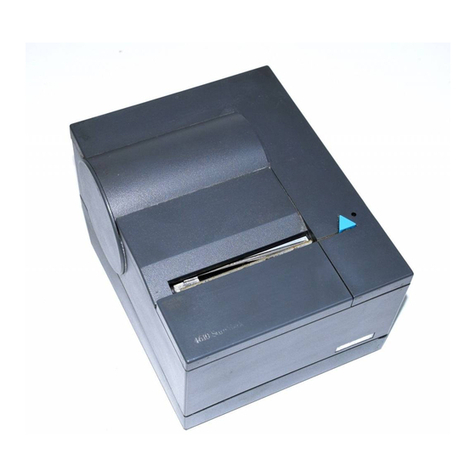
IBM 5400-006 Printer
Setup Instruction and Operator's Guide
Document Number GA18-7709-0
February 4, 1999
IFC Co., Ltd.
Development
T. Greenwood
YMTVM2
VIFC040
LAX-Y74
0462-73-3372
All manuals and user guides at all-guides.com
all-guides.com
First Edition, March 1999
Changes are made occasionally to the information herin; any such changes will be reported in subsequent revisions or Technical
Newsletters.
 Copyright International Business Machines Corporation 1999. All rights reserved.
All manuals and user guides at all-guides.com
Safety Instructions
This instruction manual describes safety instructions for safe, correct use of the product. Please keep it in
a handy place for reference as required.
Icons
In this instruction manual and on safety instruction labels on the product, icons are used for correct use
without causing danger to yourself and other people and for preventing damage to other properties. The
icons used and their meanings are as follows:
Indication by Danger/Caution Labels
If there is a label showing an instruction in black characters on a yellow base either outside or inside of
the product, it is a danger or caution label. Always observe the indicated instruction.
If there are any instructions indicated by a danger or caution label (on the product for example) aside from
the instructions in this manual, always observe the instructions indicated on the label.
DANGER:
This icon indicates a danger of death or serious injury if the product is
handled incorrectly by ignoring the corresponding instruction.
CAUTION:
This icon indicates a danger of personal injury or physical damage if
the product is handled incorrectly by ignoring the corresponding
instruction.
 Copyright IBM Corp. 1999 iii
All manuals and user guides at all-guides.com
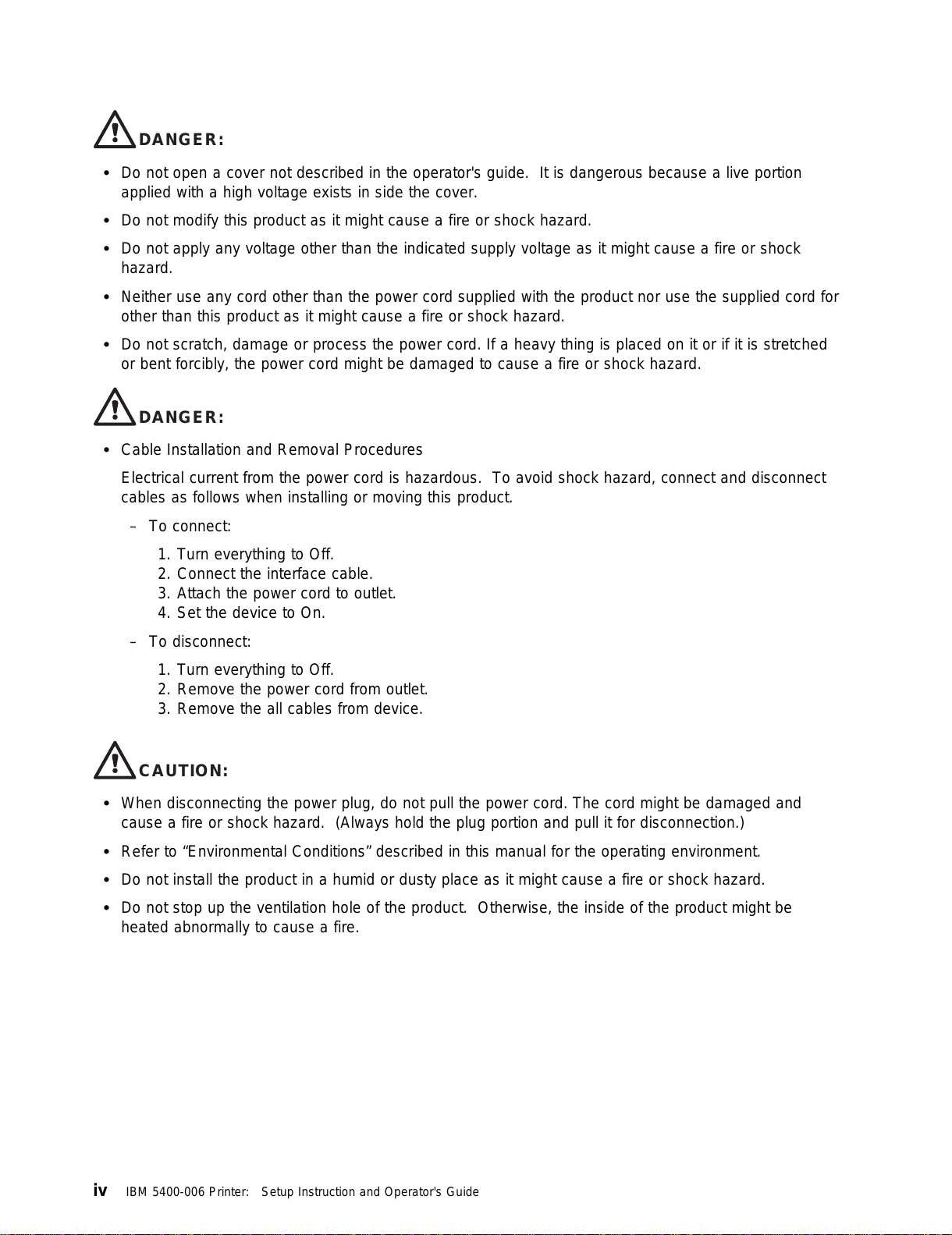
DANGER:
Do not open a cover not described in the operator's guide. It is dangerous because a live portion
applied with a high voltage exists in side the cover.
Do not modify this product as it might cause a fire or shock hazard.
Do not apply any voltage other than the indicated supply voltage as it might cause a fire or shock
hazard.
Neither use any cord other than the power cord supplied with the product nor use the supplied cord for
other than this product as it might cause a fire or shock hazard.
Do not scratch, damage or process the power cord. If a heavy thing is placed on it or if it is stretched
or bent forcibly, the power cord might be damaged to cause a fire or shock hazard.
DANGER:
Cable Installation and Removal Procedures
Electrical current from the power cord is hazardous. To avoid shock hazard, connect and disconnect
cables as follows when installing or moving this product.
– To connect:
1. Turn everything to Off.
2. Connect the interface cable.
3. Attach the power cord to outlet.
4. Set the device to On.
– To disconnect:
1. Turn everything to Off.
2. Remove the power cord from outlet.
3. Remove the all cables from device.
CAUTION:
When disconnecting the power plug, do not pull the power cord. The cord might be damaged and
cause a fire or shock hazard. (Always hold the plug portion and pull it for disconnection.)
Refer to “Environmental Conditions” described in this manual for the operating environment.
Do not install the product in a humid or dusty place as it might cause a fire or shock hazard.
Do not stop up the ventilation hole of the product. Otherwise, the inside of the product might be
heated abnormally to cause a fire.
iv IBM 5400-006 Printer: Setup Instruction and Operator's Guide
All manuals and user guides at all-guides.com
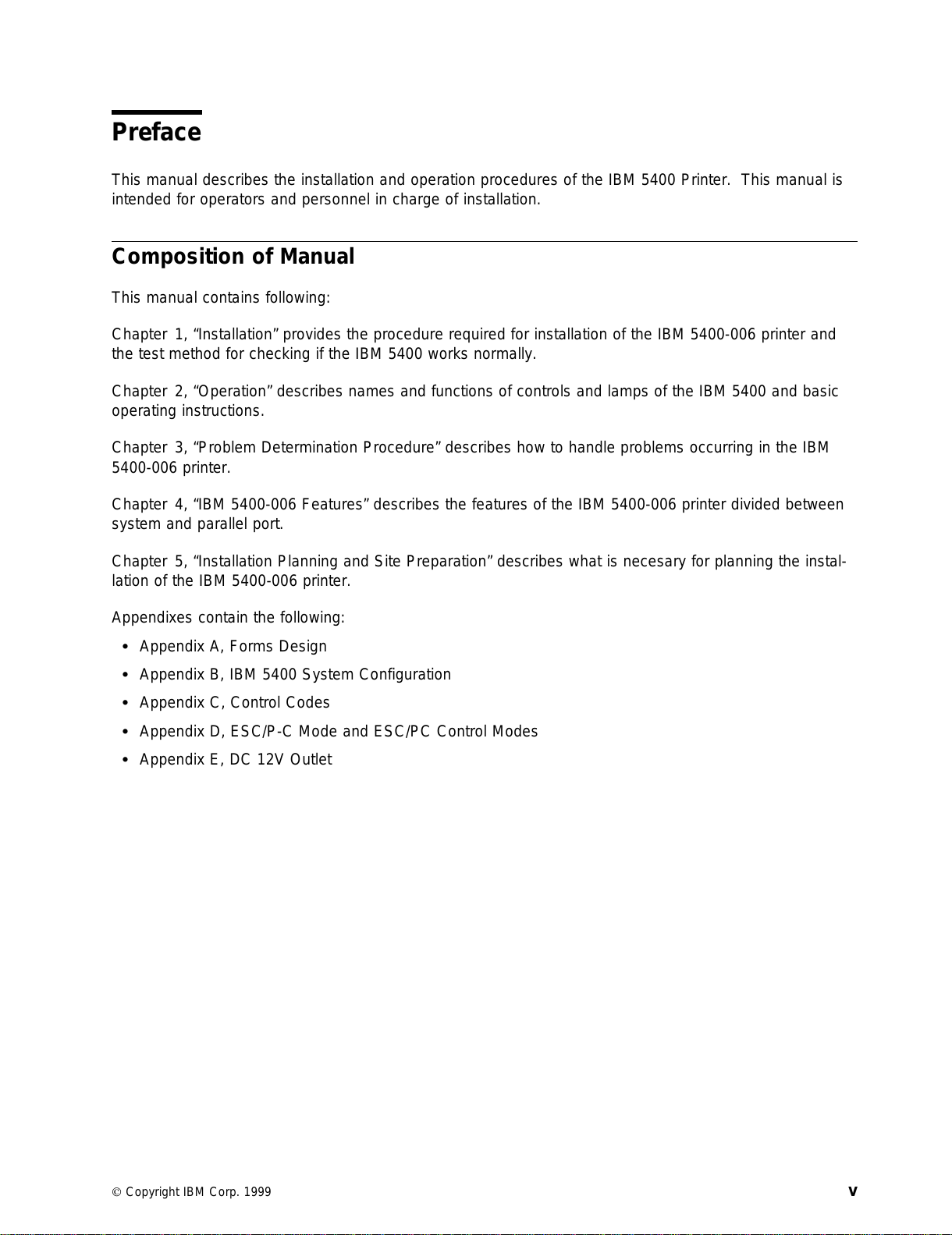
Preface
This manual describes the installation and operation procedures of the IBM 5400 Printer. This manual is
intended for operators and personnel in charge of installation.
Composition of Manual
This manual contains following:
Chapter 1, “Installation” provides the procedure required for installation of the IBM 5400-006 printer and
the test method for checking if the IBM 5400 works normally.
Chapter 2, “Operation” describes names and functions of controls and lamps of the IBM 5400 and basic
operating instructions.
Chapter 3, “Problem Determination Procedure” describes how to handle problems occurring in the IBM
5400-006 printer.
Chapter 4, “IBM 5400-006 Features” describes the features of the IBM 5400-006 printer divided between
system and parallel port.
Chapter 5, “Installation Planning and Site Preparation” describes what is necesary for planning the instal-
lation of the IBM 5400-006 printer.
Appendixes contain the following:
Appendix A, Forms Design
Appendix B, IBM 5400 System Configuration
Appendix C, Control Codes
Appendix D, ESC/P-C Mode and ESC/PC Control Modes
Appendix E, DC 12V Outlet
 Copyright IBM Corp. 1999 v
All manuals and user guides at all-guides.com
vi IBM 5400-006 Printer: Setup Instruction and Operator's Guide
All manuals and user guides at all-guides.com
all-guides.com
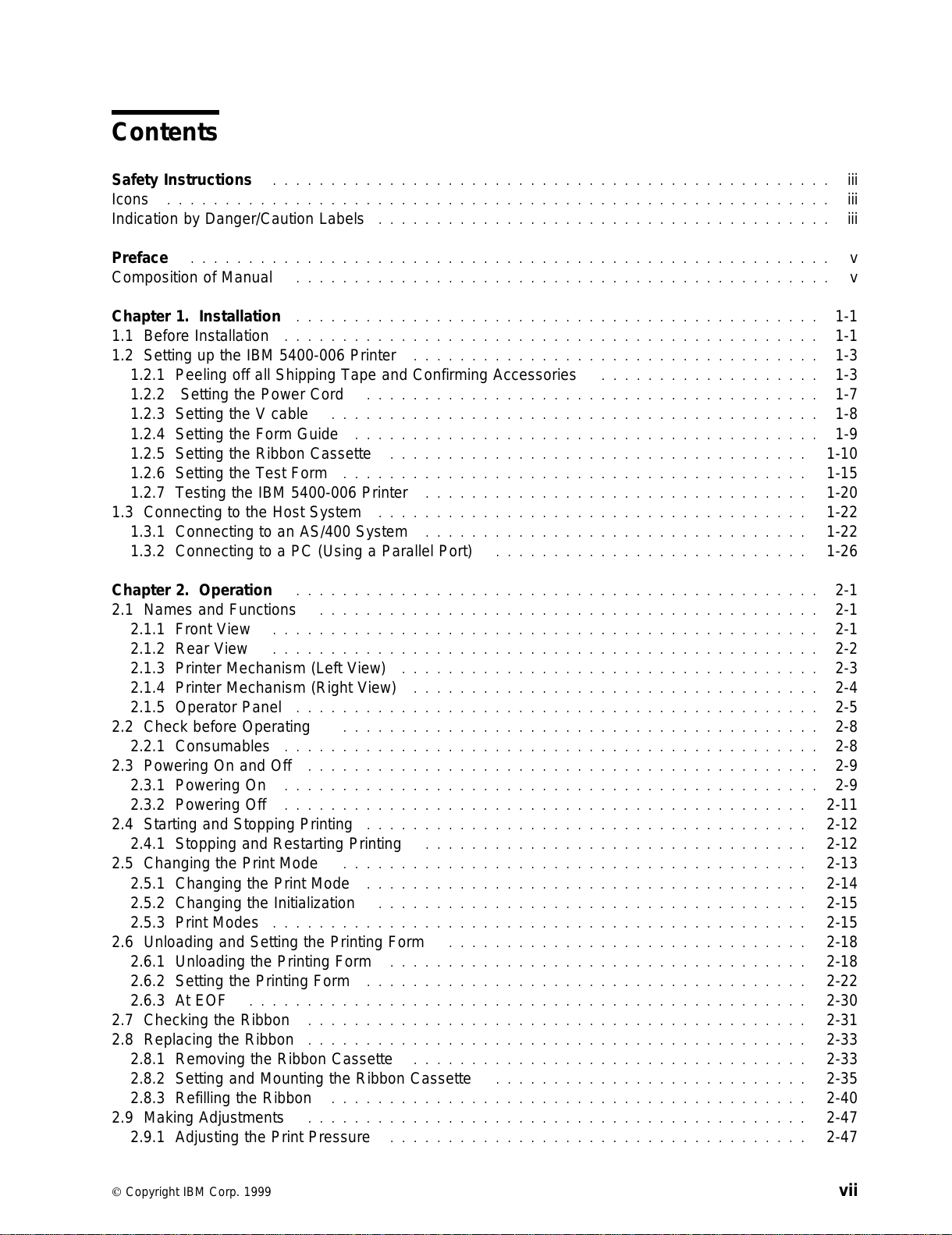
Contents
Safety Instructions . . . . . . . . . . . . . . . . . . . . . . . . . . . . . . . . . . . . . . . . . . . . . . . . iii
Icons . . . . . . . . . . . . . . . . . . . . . . . . . . . . . . . . . . . . . . . . . . . . . . . . . . . . . . . . . iii
Indication by Danger/Caution Labels ....................................... iii
Preface . . . . . . . . . . . . . . . . . . . . . . . . . . . . . . . . . . . . . . . . . . . . . . . . . . . . . . . v
Composition of Manual .............................................. v
Chapter 1. Installation . . . . . . . . . . . . . . . . . . . . . . . . . . . . . . . . . . . . . . . . . . . . . 1-1
1.1 Before Installation . . . . . . . . . . . . . . . . . . . . . . . . . . . . . . . . . . . . . . . . . . . . . . 1-1
1.2 Setting up the IBM 5400-006 Printer ................................... 1-3
1.2.1 Peeling off all Shipping Tape and Confirming Accessories ................... 1-3
1.2.2 Setting the Power Cord ....................................... 1-7
1.2.3 Setting the V cable .......................................... 1-8
1.2.4 Setting the Form Guide ........................................ 1-9
1.2.5 Setting the Ribbon Cassette .................................... 1-10
1.2.6 Setting the Test Form ........................................ 1-15
1.2.7 Testing the IBM 5400-006 Printer ................................. 1-20
1.3 Connecting to the Host System ..................................... 1-22
1.3.1 Connecting to an AS/400 System ................................. 1-22
1.3.2 Connecting to a PC (Using a Parallel Port) ........................... 1-26
Chapter 2. Operation . . . . . . . . . . . . . . . . . . . . . . . . . . . . . . . . . . . . . . . . . . . . . 2-1
2.1 Names and Functions ........................................... 2-1
2.1.1 Front View . . . . . . . . . . . . . . . . . . . . . . . . . . . . . . . . . . . . . . . . . . . . . . . 2-1
2.1.2 Rear View . . . . . . . . . . . . . . . . . . . . . . . . . . . . . . . . . . . . . . . . . . . . . . . 2-2
2.1.3 Printer Mechanism (Left View) .................................... 2-3
2.1.4 Printer Mechanism (Right View) ................................... 2-4
2.1.5 Operator Panel . . . . . . . . . . . . . . . . . . . . . . . . . . . . . . . . . . . . . . . . . . . . . 2-5
2.2 Check before Operating ......................................... 2-8
2.2.1 Consumables . . . . . . . . . . . . . . . . . . . . . . . . . . . . . . . . . . . . . . . . . . . . . . 2-8
2.3 Powering On and Off ............................................ 2-9
2.3.1 Powering On . . . . . . . . . . . . . . . . . . . . . . . . . . . . . . . . . . . . . . . . . . . . . . 2-9
2.3.2 Powering Off . . . . . . . . . . . . . . . . . . . . . . . . . . . . . . . . . . . . . . . . . . . . . 2-11
2.4 Starting and Stopping Printing ...................................... 2-12
2.4.1 Stopping and Restarting Printing ................................. 2-12
2.5 Changing the Print Mode ........................................ 2-13
2.5.1 Changing the Print Mode ...................................... 2-14
2.5.2 Changing the Initialization ..................................... 2-15
2.5.3 Print Modes . . . . . . . . . . . . . . . . . . . . . . . . . . . . . . . . . . . . . . . . . . . . . . 2-15
2.6 Unloading and Setting the Printing Form ............................... 2-18
2.6.1 Unloading the Printing Form .................................... 2-18
2.6.2 Setting the Printing Form ...................................... 2-22
2.6.3 At EOF . . . . . . . . . . . . . . . . . . . . . . . . . . . . . . . . . . . . . . . . . . . . . . . . 2-30
2.7 Checking the Ribbon ........................................... 2-31
2.8 Replacing the Ribbon ........................................... 2-33
2.8.1 Removing the Ribbon Cassette .................................. 2-33
2.8.2 Setting and Mounting the Ribbon Cassette ........................... 2-35
2.8.3 Refilling the Ribbon ......................................... 2-40
2.9 Making Adjustments . . . . . . . . . . . . . . . . . . . . . . . . . . . . . . . . . . . . . . . . . . . 2-47
2.9.1 Adjusting the Print Pressure .................................... 2-47
 Copyright IBM Corp. 1999 vii
All manuals and user guides at all-guides.com
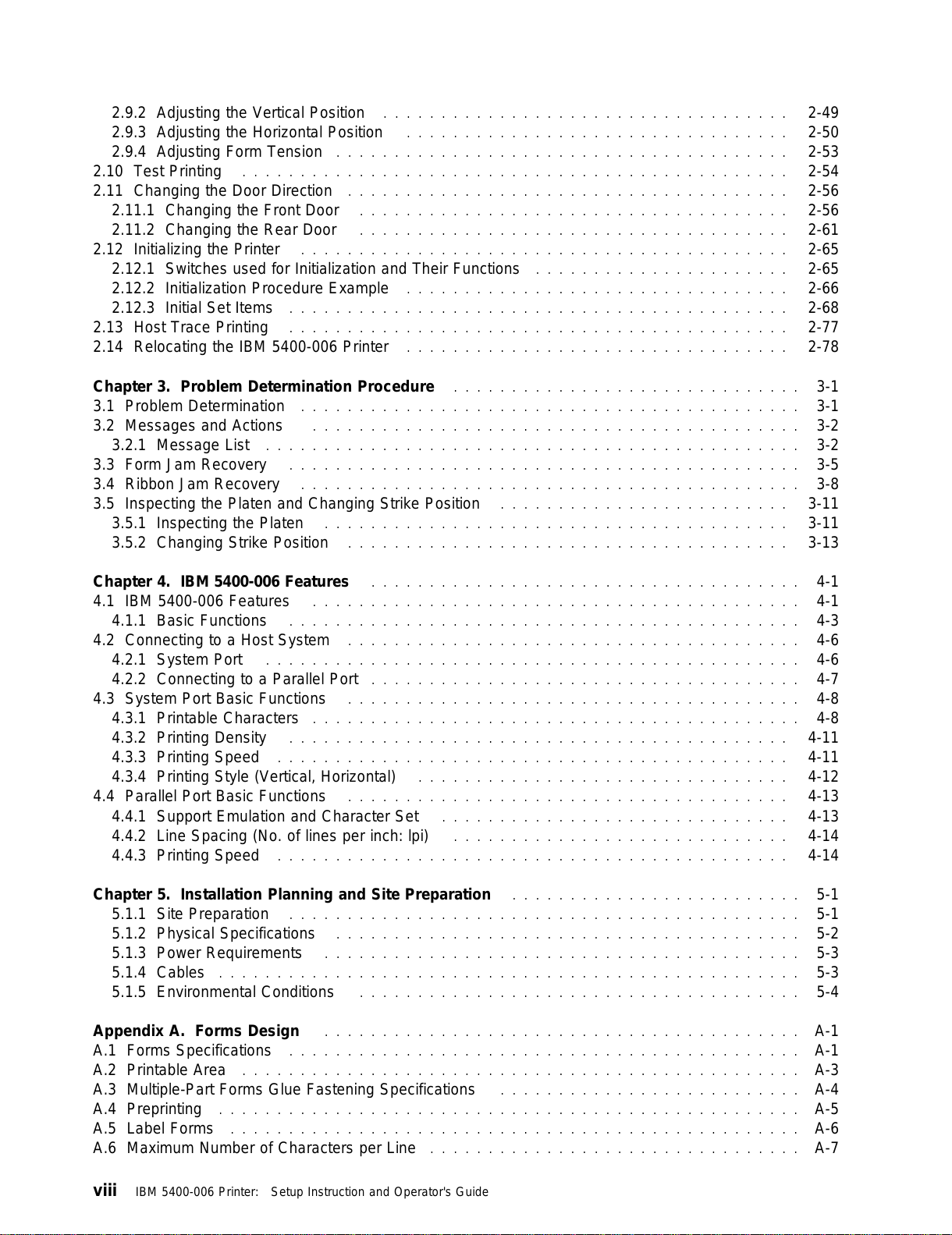
2.9.2 Adjusting the Vertical Position ................................... 2-49
2.9.3 Adjusting the Horizontal Position ................................. 2-50
2.9.4 Adjusting Form Tension ....................................... 2-53
2.10 Test Printing . . . . . . . . . . . . . . . . . . . . . . . . . . . . . . . . . . . . . . . . . . . . . . . 2-54
2.11 Changing the Door Direction ...................................... 2-56
2.11.1 Changing the Front Door ..................................... 2-56
2.11.2 Changing the Rear Door ..................................... 2-61
2.12 Initializing the Printer .......................................... 2-65
2.12.1 Switches used for Initialization and Their Functions ...................... 2-65
2.12.2 Initialization Procedure Example ................................. 2-66
2.12.3 Initial Set Items ........................................... 2-68
2.13 Host Trace Printing ........................................... 2-77
2.14 Relocating the IBM 5400-006 Printer ................................. 2-78
Chapter 3. Problem Determination Procedure .............................. 3-1
3.1 Problem Determination . . . . . . . . . . . . . . . . . . . . . . . . . . . . . . . . . . . . . . . . . . . 3-1
3.2 Messages and Actions .......................................... 3-2
3.2.1 Message List . . . . . . . . . . . . . . . . . . . . . . . . . . . . . . . . . . . . . . . . . . . . . . 3-2
3.3 Form Jam Recovery ............................................ 3-5
3.4 Ribbon Jam Recovery ........................................... 3-8
3.5 Inspecting the Platen and Changing Strike Position ......................... 3-11
3.5.1 Inspecting the Platen ........................................ 3-11
3.5.2 Changing Strike Position ...................................... 3-13
Chapter 4. IBM 5400-006 Features ..................................... 4-1
4.1 IBM 5400-006 Features .......................................... 4-1
4.1.1 Basic Functions . . . . . . . . . . . . . . . . . . . . . . . . . . . . . . . . . . . . . . . . . . . . 4-3
4.2 Connecting to a Host System ....................................... 4-6
4.2.1 System Port . . . . . . . . . . . . . . . . . . . . . . . . . . . . . . . . . . . . . . . . . . . . . . 4-6
4.2.2 Connecting to a Parallel Port ..................................... 4-7
4.3 System Port Basic Functions ....................................... 4-8
4.3.1 Printable Characters . . . . . . . . . . . . . . . . . . . . . . . . . . . . . . . . . . . . . . . . . . 4-8
4.3.2 Printing Density . . . . . . . . . . . . . . . . . . . . . . . . . . . . . . . . . . . . . . . . . . . 4-11
4.3.3 Printing Speed . . . . . . . . . . . . . . . . . . . . . . . . . . . . . . . . . . . . . . . . . . . . 4-11
4.3.4 Printing Style (Vertical, Horizontal) ................................ 4-12
4.4 Parallel Port Basic Functions ...................................... 4-13
4.4.1 Support Emulation and Character Set .............................. 4-13
4.4.2 Line Spacing (No. of lines per inch: lpi) ............................. 4-14
4.4.3 Printing Speed . . . . . . . . . . . . . . . . . . . . . . . . . . . . . . . . . . . . . . . . . . . . 4-14
Chapter 5. Installation Planning and Site Preparation ......................... 5-1
5.1.1 Site Preparation . . . . . . . . . . . . . . . . . . . . . . . . . . . . . . . . . . . . . . . . . . . . 5-1
5.1.2 Physical Specifications . . . . . . . . . . . . . . . . . . . . . . . . . . . . . . . . . . . . . . . . 5-2
5.1.3 Power Requirements . . . . . . . . . . . . . . . . . . . . . . . . . . . . . . . . . . . . . . . . . 5-3
5.1.4 Cables . . . . . . . . . . . . . . . . . . . . . . . . . . . . . . . . . . . . . . . . . . . . . . . . . . 5-3
5.1.5 Environmental Conditions . . . . . . . . . . . . . . . . . . . . . . . . . . . . . . . . . . . . . . 5-4
Appendix A. Forms Design . . . . . . . . . . . . . . . . . . . . . . . . . . . . . . . . . . . . . . . . . A-1
A.1 Forms Specifications . . . . . . . . . . . . . . . . . . . . . . . . . . . . . . . . . . . . . . . . . . . . A-1
A.2 Printable Area . . . . . . . . . . . . . . . . . . . . . . . . . . . . . . . . . . . . . . . . . . . . . . . . A-3
A.3 Multiple-Part Forms Glue Fastening Specifications .......................... A-4
A.4 Preprinting . . . . . . . . . . . . . . . . . . . . . . . . . . . . . . . . . . . . . . . . . . . . . . . . . . A-5
A.5 Label Forms . . . . . . . . . . . . . . . . . . . . . . . . . . . . . . . . . . . . . . . . . . . . . . . . . A-6
A.6 Maximum Number of Characters per Line ................................ A-7
viii IBM 5400-006 Printer: Setup Instruction and Operator's Guide

All manuals and user guides at all-guides.com
A.6.1 When Connected to the AS/400 ................................... A-7
A.6.2 Connecting to a PC .......................................... A-8
Appendix B. Print Control Characters (Connected to a System Port) ................ B-1
B.1.1 System Printer Control Characters (SCS Mode) ......................... B-1
B.2 Bar Code Print Function .......................................... B-3
Appendix C. Control Codes (Connected to a Parallel Port) ...................... C-1
C.1 Control Code List .............................................. C-1
C.2 Overview of Control Codes ........................................ C-4
C.2.1 Terms . . . . . . . . . . . . . . . . . . . . . . . . . . . . . . . . . . . . . . . . . . . . . . . . . . C-4
C.2.2 Conditions to Start Printing ..................................... C-4
C.3 Control Codes . . . . . . . . . . . . . . . . . . . . . . . . . . . . . . . . . . . . . . . . . . . . . . . . C-6
C.4 Considerations in Creating a 5577 Data Stream ........................... C-22
C.4.1 About Level E Printers ....................................... C-22
C.4.2 Printer Initial Values ......................................... C-23
C.4.3 Character Layout . . . . . . . . . . . . . . . . . . . . . . . . . . . . . . . . . . . . . . . . . . C-24
C.4.4 Difference Between Line Pitch and Actual Line Pitch Distance ................ C-27
C.4.5 Setting a Format (Setting a Print Area and Tabs and Moving the Print ........... C-28
C.4.6 Specifying a Font Style ....................................... C-29
C.4.7 Combining Character Decorations ................................ C-29
C.4.8 Printing Data Exceeding the Right Margin ............................ C-30
Appendix D. ESC/P-C Mode and ESC/P-C Control Modes ....................... D-1
D.1 Initialization for ESC/P-C ......................................... D-1
D.2 Control Codes . . . . . . . . . . . . . . . . . . . . . . . . . . . . . . . . . . . . . . . . . . . . . . . . D-1
D.2.1 Limits When Using ESC/P-C Mode ................................. D-4
D.3 ESC/P-C Character Set .......................................... D-5
Appendix E. DC 12V Outlet ......................................... E-1
Contents ix
All manuals and user guides at all-guides.com
xIBM 5400-006 Printer: Setup Instruction and Operator's Guide
All manuals and user guides at all-guides.com