manuals.online logo
Brands
  1. Home
  2. •
  3. Brands
  4. •
  5. KI
  6. •
  7. Indoor Furnishing
  8. •
  9. KI 700 Series User manual

KI 700 Series User manual

This manual suits for next models

2

Other KI Indoor Furnishing manuals

KI RT User manual

KI

KI RT User manual

KI KI 700 Series User manual

KI

KI KI 700 Series User manual
KI Instruct All Terrain Instructor's Desk User manual
KI

KI Instruct All Terrain Instructor's Desk User manual

KI InTandem Leg-Mounted CPU Holder User manual
KI

KI InTandem Leg-Mounted CPU Holder User manual

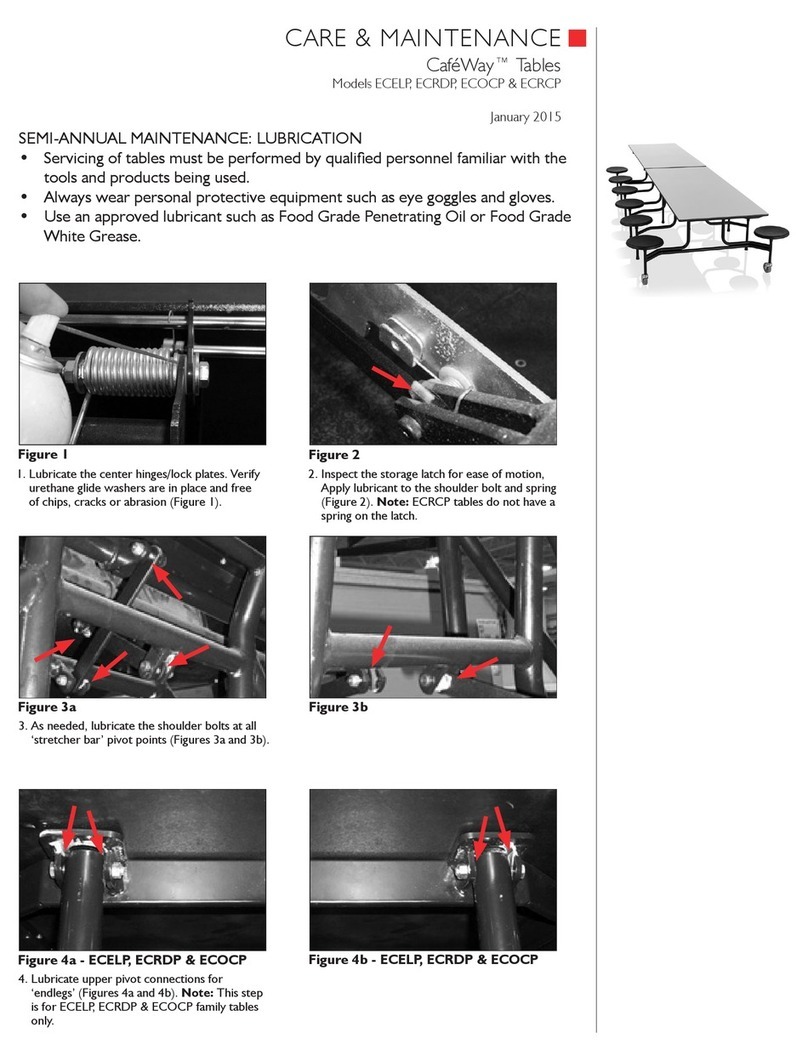
KI CafeWay ECELP Maintenance manual

KI

KI CafeWay ECELP Maintenance manual
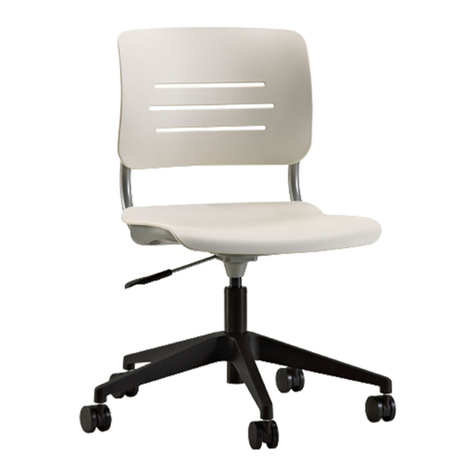
KI Grazie Installation guide

KI

KI Grazie Installation guide

KI Hiatus Sleeper Bench User manual

KI

KI Hiatus Sleeper Bench User manual
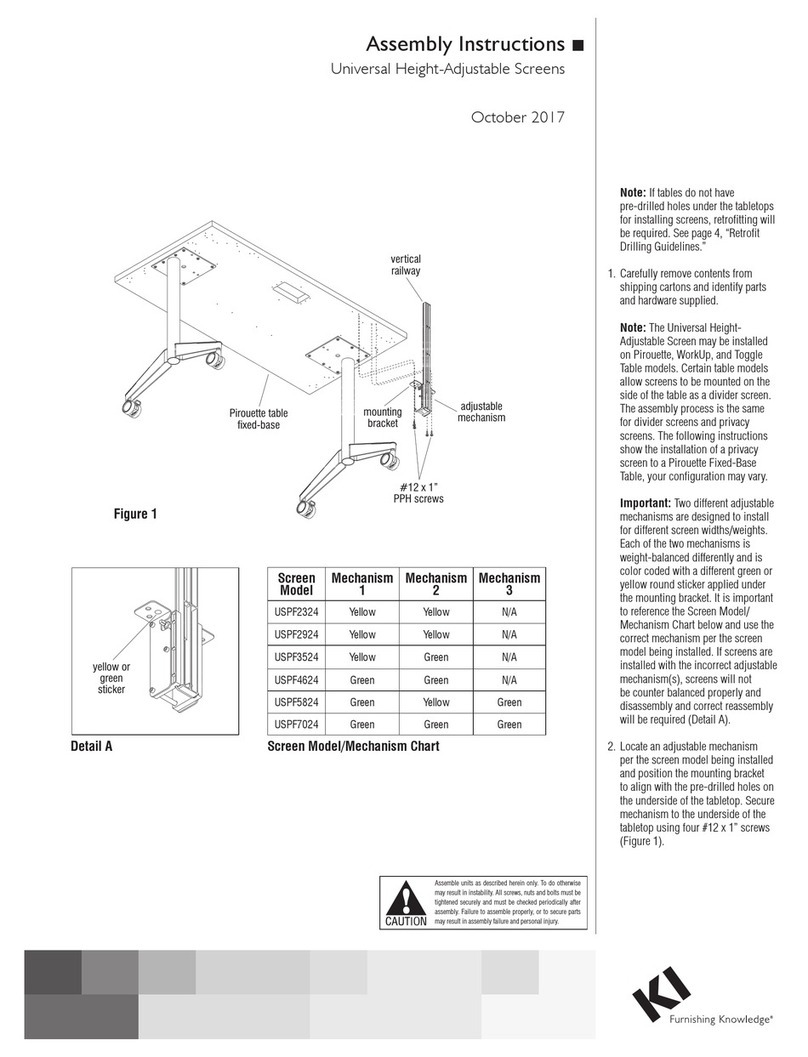
KI USPF2324 User manual

KI

KI USPF2324 User manual

KI Serenade User manual

KI

KI Serenade User manual
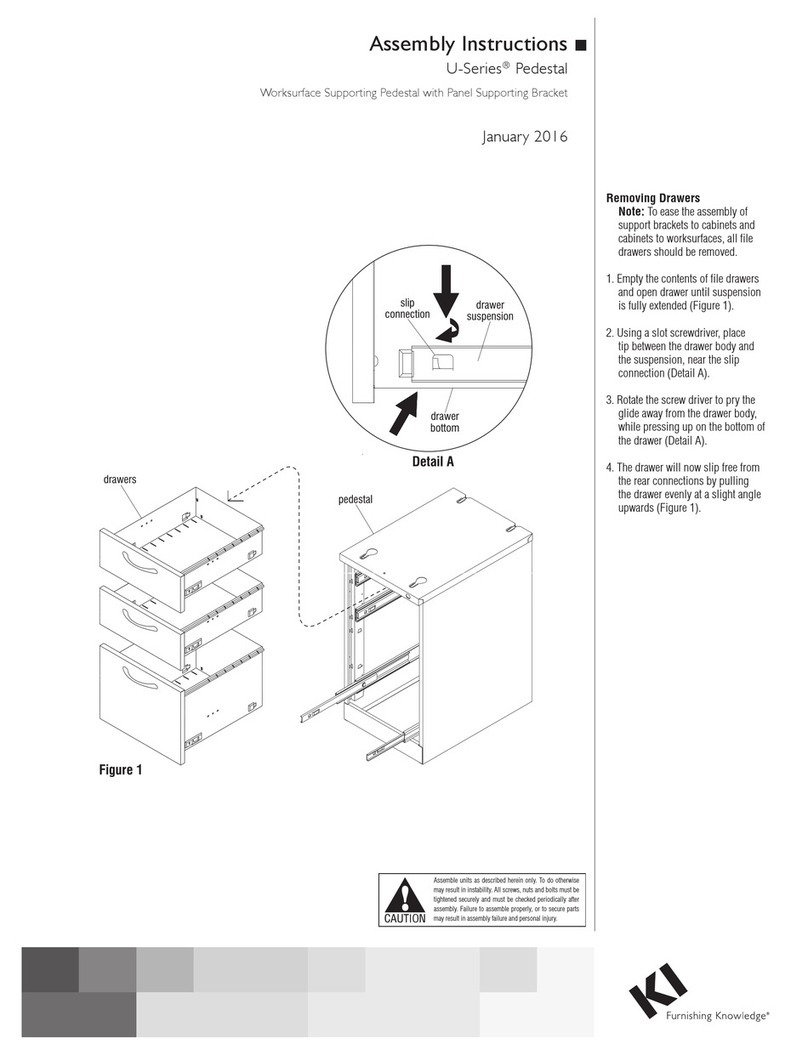
KI U Series User manual

KI

KI U Series User manual

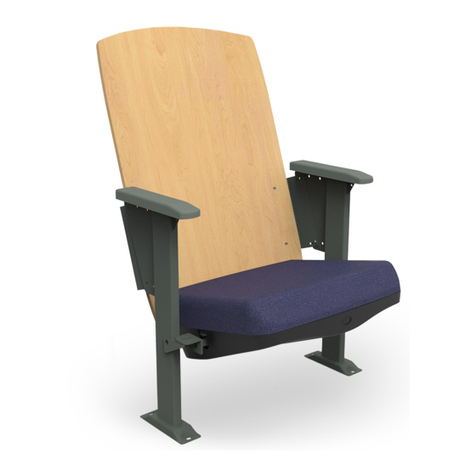
KI Instruct All Terrain Mobile Instructor's... User manual
KI

KI Instruct All Terrain Mobile Instructor's... User manual

KI Lancaster Auditorium Seating Installation instructions

KI

KI Lancaster Auditorium Seating Installation instructions

KI Concerto Installation instructions

KI

KI Concerto Installation instructions

KI Sift Installation instructions

KI

KI Sift Installation instructions

KI Ruckus Desk User manual

KI

KI Ruckus Desk User manual

KI 700 Series User manual

KI

KI 700 Series User manual
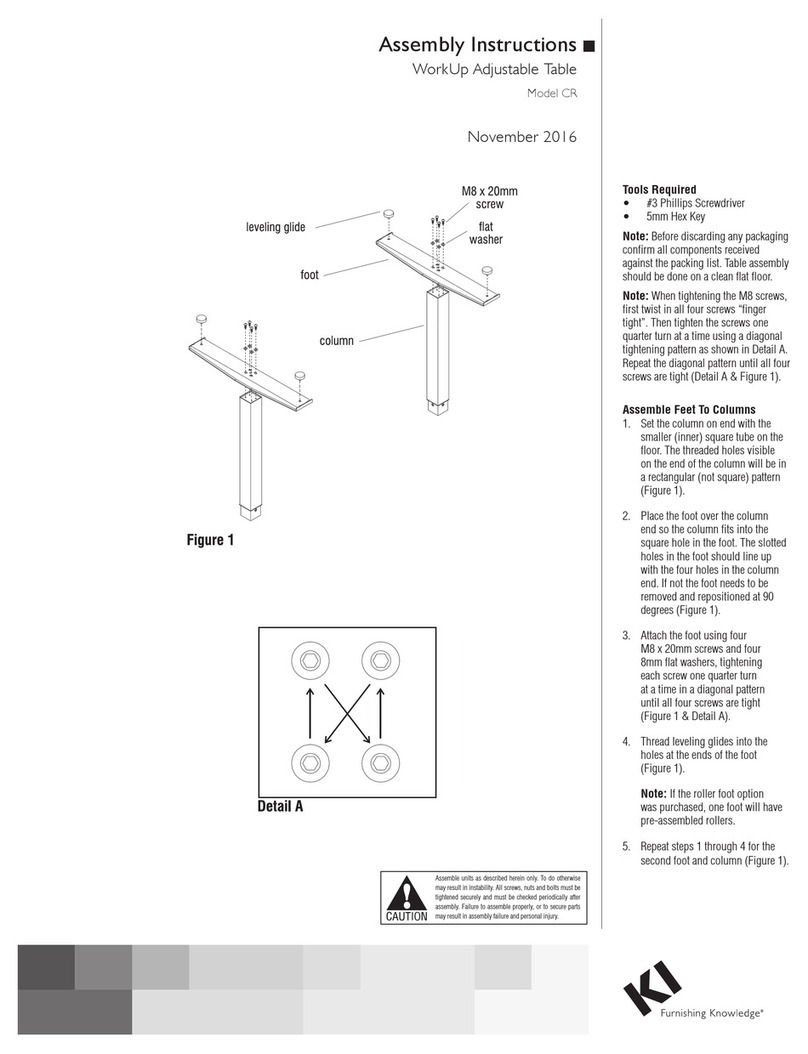
KI CR User manual

KI

KI CR User manual

KI WorkUp RT User manual

KI

KI WorkUp RT User manual
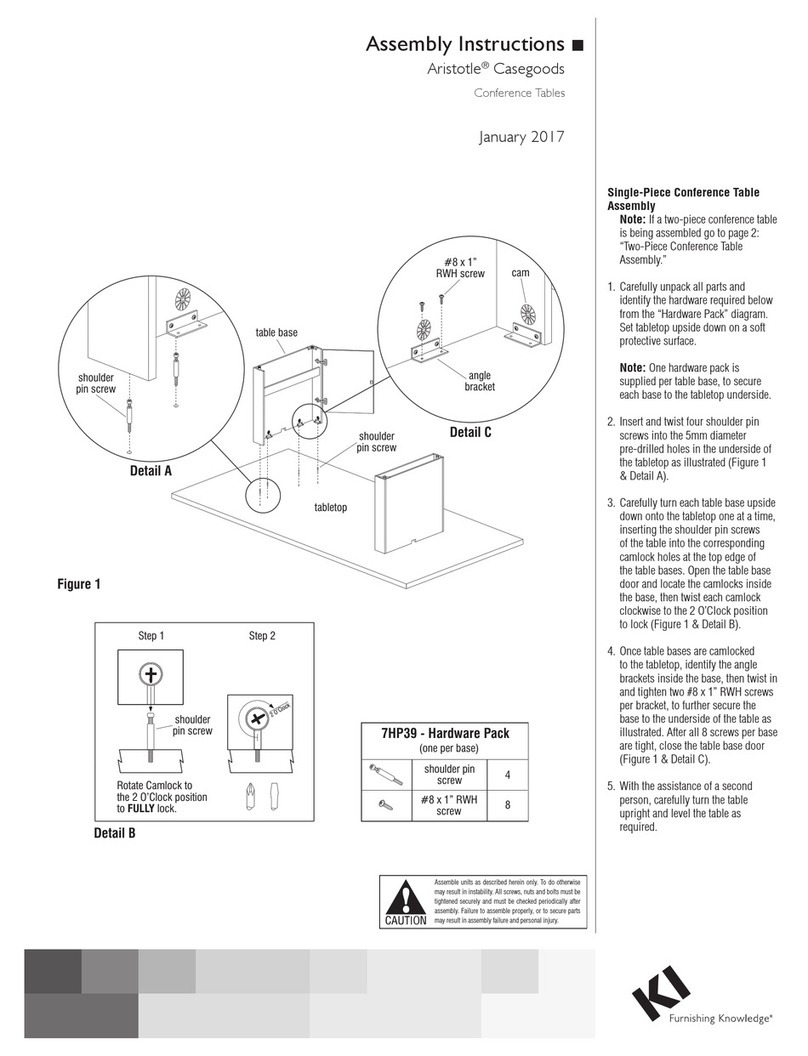
KI Aristotle Casegoods Conference Table User manual
KI

KI Aristotle Casegoods Conference Table User manual

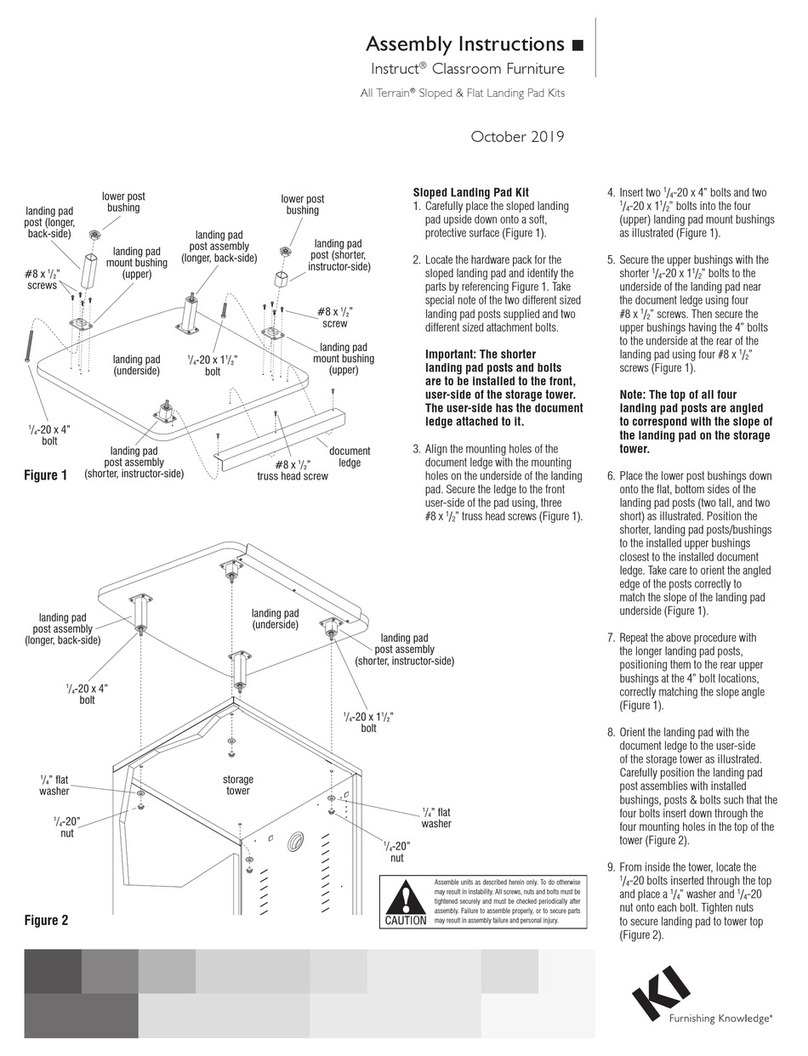
KI Instruct All Terrain Sloped Landing Pad Kit User manual
KI

KI Instruct All Terrain Sloped Landing Pad Kit User manual

KI Inquire Table User manual

KI

KI Inquire Table User manual

KI Pirouette User manual

KI

KI Pirouette User manual

KI WireWorks User manual

KI

KI WireWorks User manual

KI Concerto User manual

KI

KI Concerto User manual

Popular Indoor Furnishing manuals by other brands

Regency LWMS3015 Assembly instructions

Regency

Regency LWMS3015 Assembly instructions

Furniture of America CM7751C Assembly instructions

Furniture of America

Furniture of America CM7751C Assembly instructions

Safavieh Furniture Estella CNS5731 manual

Safavieh Furniture

Safavieh Furniture Estella CNS5731 manual

PLACES OF STYLE Ovalfuss Assembly instruction

PLACES OF STYLE

PLACES OF STYLE Ovalfuss Assembly instruction

Trasman 1138 Bo1 Assembly manual

Trasman

Trasman 1138 Bo1 Assembly manual

Costway JV10856 manual

Costway

Costway JV10856 manual

moss DESIGN Caisson Credenza Assembly instructions

moss DESIGN

moss DESIGN Caisson Credenza Assembly instructions

Aquaglide FULL DECK 15.0 owner's manual

Aquaglide

Aquaglide FULL DECK 15.0 owner's manual

AREBOS AR-HE-SW30 user manual

AREBOS

AREBOS AR-HE-SW30 user manual

Till-Hilft Fulda 87005.330 Assembly instructions

Till-Hilft

Till-Hilft Fulda 87005.330 Assembly instructions

Twoey Outside 2010 quick start guide

Twoey Outside

Twoey Outside 2010 quick start guide

Hettich Easys 200 operating instructions

Hettich

Hettich Easys 200 operating instructions

The bedboss RELAX 404 Series owner's manual

The bedboss

The bedboss RELAX 404 Series owner's manual

Oeseder Möbelindustrie Bern 991 720 Assembly instructions

Oeseder Möbelindustrie

Oeseder Möbelindustrie Bern 991 720 Assembly instructions

Costway HW68469 user manual

Costway

Costway HW68469 user manual

Next ALIX A27743 Assembly instructions

Next

Next ALIX A27743 Assembly instructions

BROSA Hans Assembly guide

BROSA

BROSA Hans Assembly guide

Prodigg MINIKA PBA015T-FUR installation manual

Prodigg

Prodigg MINIKA PBA015T-FUR installation manual

manuals.online logo
manuals.online logoBrands
  • About & Mission
  • Contact us
  • Privacy Policy
  • Terms and Conditions

Copyright 2025 Manuals.Online. All Rights Reserved.

Assemble units as described herein only. To do otherwise
may result in instability. All screws, nuts and bolts must be
tightened securely and must be checked periodically after
assembly. Failure to assemble properly, or to secure parts
may result in assembly failure and personal injury.
Assembly Instructions
KI 700 Series/E-Series/Areus/System Wall Pedestals
Worksurface Supporting & Mobile Pedestals
August 2020
Worksurface Supporting
Pedestal - Installation to
Worksurface
Method “A”
1. To avoid scratching the
worksurface, place face down on a
soft protective surface (Figure 1).
Note: For installation of pedestal
to worksurface without holes
pre-drilled to underside, see
Figure 3, next page.
2. Determine on which side of the
worksurface the pedestal will install
to, then twist four hanger bolts into
the worksurface pedestal holes.
Caution: Do not over-tighten bolts.
3. Position pedestal so hanger bolts
insert through top of pedestal at
larger opening of keyhole slots.
Then slide pedestal back to engage
four hanger bolts in smaller slot of
keyholes (Figure 1).
4. Open top drawer of pedestal and
locate front, center hole in pedestal.
Make sure pedestal mounting
hole aligns with predrilled hole in
worksurface and install thumbscrew
through pedestal, into worksurface
to secure pedestal in place (Detail A).
5. Once pedestal is secured to
underside of worksurface, and
worksurface is right-side up at its
final location on-site, adjust the
four glides under the pedestal to
achieve a level, stable worksurface.
Method “B”
Note: This method should be used
only when attaching a pedestal to
worksurface that cannot be placed
face down on the floor.
1. Follow notes and instructions
in Method “A” excluding step 1
(Figure 2).
Caution: To avoid injury this
operation requires more than one
person to install pedestal.
worksurface
thumbscrew
hole hanger
bolt
pedestal
thumbscrew
Method “B”
Figure 2
Method “A”
Figure 1
hanger
bolt
worksurface
pedestal
adjustable
glide
thumbscrew
hole
thumbscrew
adjustable
glide
predrilled hole
thumbscrew
Detail A
Assemble units as described herein only. To do otherwise
may result in instability. All screws, nuts and bolts must be
tightened securely and must be checked periodically after
assembly. Failure to assemble properly, or to secure parts
may result in assembly failure and personal injury.
2
Mounting Worksurface Supporting Pedestal
Assembly Instructions
edge of pedestal
9 /”
3
8
2 /”
13 16
7 /”
12
1 /”
1
16 1 /”
9
16
15 / ” (for 20” pedestal)
15
16
19 / ” (for 24” pedestal)
15
16
22 / ” (for 30” pedestal)
15
16
front edge of worksurface
Figure 4
Figure 3
Mobile Pedestal - Casters
Installation
Note: Five casters are provided
for installation to the base of the
mobile pedestal. The four larger
casters will thread into the four
corners. One small anti-tip, 5th
wheel caster will fasten to the front
of the drawer body for all pedestals
that contain only one file drawer.
1. Thread the four larger casters into
the inner-most weld-nuts at each
corner of the pedestal base
(Detail B). Position two casters
with locking brakes at the front
of the unit. Be sure to twist the
caster shank in tight such that the
shoulder of the shank is flush and
tight to the weld-nut (Figure 4).
2. If applicable, extend the bottom
pedestal drawer out to expose
the 5th wheel mounting location.
Fasten the anti-tip 5th wheel caster
to the drawer bracket and secure
firmly in place with the 5/16-18 lock
washer nut (Figure 4).
21150-3
non-locking
caster
anti-tip
5th wheel
caster
Detail B
pedestal
/ -18 lock
5
16
washer nut
caster with
locking brake
caster with
locking brake
1330 Bellevue Street • P.O. Box 8100 • Green Bay, WI 54308-8100 • Tel 1-800-424-2432 • www.ki.com
© 2020 Krueger International, Inc. All Rights Reserved • Code KI-60041R3/KI/PDF/0820
Note: Drill all holes using a 3/16”
diameter drill bit. Bore holes no
deeper than 3/8” into underside
of worksurface. To avoid piercing
through the top, add a depth-gauge
to the drill bit by wrapping tape
around the bit.