manuals.online logo
Brands
  1. Home
  2. •
  3. Brands
  4. •
  5. Mitel
  6. •
  7. IP Phone
  8. •
  9. Mitel 5201 User manual

Mitel 5201 User manual

Other manuals for 5201

9

Other Mitel IP Phone manuals

Mitel 5320 User manual

Mitel

Mitel 5320 User manual

Mitel Mitel 5330 User manual

Mitel

Mitel Mitel 5330 User manual

Mitel MiVoice 5360 User manual

Mitel

Mitel MiVoice 5360 User manual

Mitel MiVOICE 5304 User manual

Mitel

Mitel MiVOICE 5304 User manual

Mitel IP PHONE 5201 User manual

Mitel

Mitel IP PHONE 5201 User manual

Mitel 5224 User manual

Mitel

Mitel 5224 User manual

Mitel MiVoice 5312 User manual

Mitel

Mitel MiVoice 5312 User manual

Mitel 6865i User manual

Mitel

Mitel 6865i User manual

Mitel MiVOICE 6930 Instruction manual

Mitel

Mitel MiVOICE 6930 Instruction manual

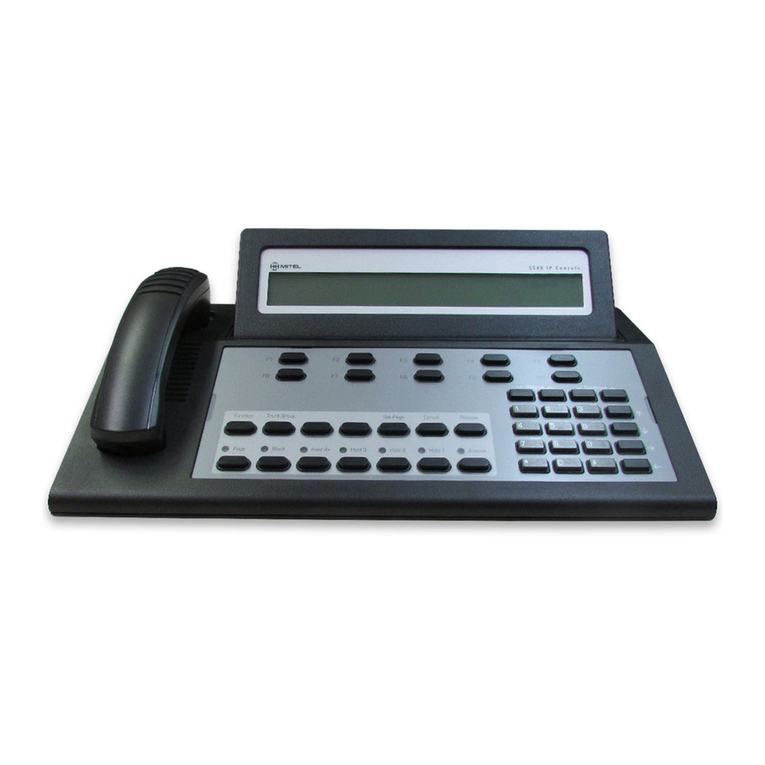
Mitel 5550 User manual

Mitel

Mitel 5550 User manual

Mitel 5220 User manual

Mitel

Mitel 5220 User manual

Mitel 6869i User manual

Mitel

Mitel 6869i User manual

Mitel NAVIGATOR Service manual

Mitel

Mitel NAVIGATOR Service manual

Mitel OfficeConnect 5304 User manual

Mitel

Mitel OfficeConnect 5304 User manual

Mitel 5001 User manual

Mitel

Mitel 5001 User manual

Mitel 5201 User manual

Mitel

Mitel 5201 User manual

Mitel OfficeConnect 5212 User manual

Mitel

Mitel OfficeConnect 5212 User manual

Mitel 6863i User manual

Mitel

Mitel 6863i User manual
Mitel OfficeConnect 5340 User manual

Mitel

Mitel OfficeConnect 5340 User manual

Mitel 6873i User manual

Mitel

Mitel 6873i User manual

Mitel 8660 User manual

Mitel

Mitel 8660 User manual

Mitel Mitel 5330 User manual

Mitel

Mitel Mitel 5330 User manual

Mitel MiVOICE 6930 User manual

Mitel

Mitel MiVOICE 6930 User manual

Mitel MiVoice 5312 User manual

Mitel

Mitel MiVoice 5312 User manual

Popular IP Phone manuals by other brands

Cortelco C62 VoIP Phone user guide

Cortelco

Cortelco C62 VoIP Phone user guide

VanillaIP Polycom IP300 user manual

VanillaIP

VanillaIP Polycom IP300 user manual

Yealink Yealink SIP-T22P Quick installation guide

Yealink

Yealink Yealink SIP-T22P Quick installation guide

Viking SR-IP product manual

Viking

Viking SR-IP product manual

Yealink VP59 Teams user guide

Yealink

Yealink VP59 Teams user guide

Panasonic KX-UT133-B Administrator's guide

Panasonic

Panasonic KX-UT133-B Administrator's guide

Avaya one-X 9600 Series overview

Avaya

Avaya one-X 9600 Series overview

AVA Enterprises B179 Installation and administration guide

AVA Enterprises

AVA Enterprises B179 Installation and administration guide

Cisco Unified 7900 Series System guide

Cisco

Cisco Unified 7900 Series System guide

Polycom SoundPoint IP 450 datasheet

Polycom

Polycom SoundPoint IP 450 datasheet

Cisco SPA-500 Series user guide

Cisco

Cisco SPA-500 Series user guide

IPitomy IP290 user manual

IPitomy

IPitomy IP290 user manual

Polycom SoundPoint IP 650 user guide

Polycom

Polycom SoundPoint IP 650 user guide

Proximus Maestro 3016 IP quick start guide

Proximus

Proximus Maestro 3016 IP quick start guide

Polycom IP 450 user guide

Polycom

Polycom IP 450 user guide

Fanvil X4 user manual

Fanvil

Fanvil X4 user manual

Snom 320 quick start guide

Snom

Snom 320 quick start guide

Avaya Integral 5 R3.0 user guide

Avaya

Avaya Integral 5 R3.0 user guide

manuals.online logo
manuals.online logoBrands
  • About & Mission
  • Contact us
  • Privacy Policy
  • Terms and Conditions

Copyright 2025 Manuals.Online. All Rights Reserved.

MITEl
5201
IP Phone
USER GUIDE
@MITEL
it's about
Telephone Status Indicators
Designation Card
About Feature Access Codes
For Users on Resilient 3300 ICPSystems
Tips for Your Comfort and Safety
Adjusting the ringer volume
Adjusting the handset receiver volume
Making and answering calls
Redial
Redial - Saved Number
Hold
Messaging
Callback
Callback -Cancel Individual
Callback -Cancel All
Call Transfer
Conference Calls
Call Forward
Call Forward - Remote
Call Forward -End Chaining
Call Forward - Override
Attendant Call Hold - Remote Retrieve
Call Park
Call Pickup
Camp-on
Do Not Disturb
Override
Paging
Direct Paging
Tag Call
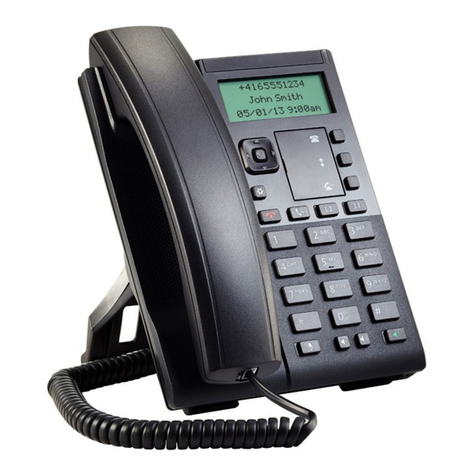
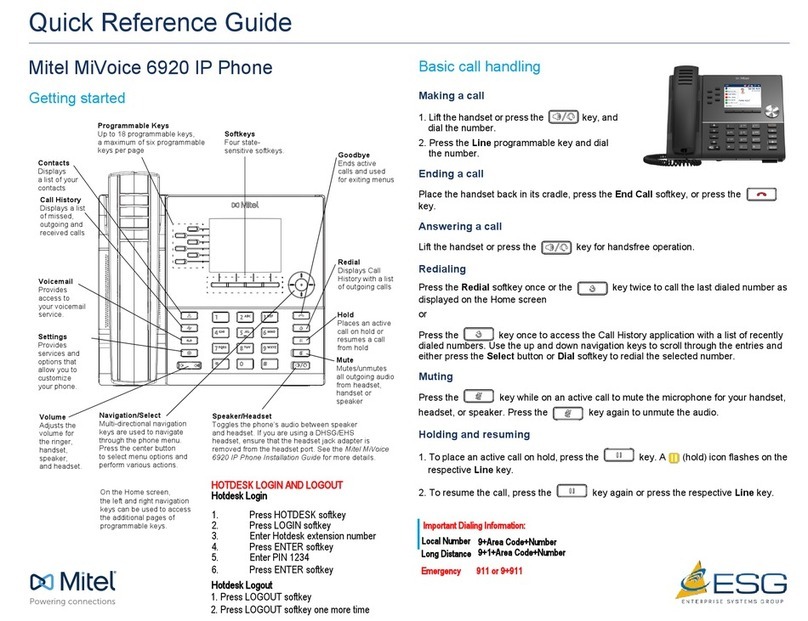
The Mitel Networks 5201 IP Phone is a digital telephone that connects
directly to a 10/1OOBaseTEthernet network. It is supported by the Mitel
Networks 3300 Integrated Communications Platform (ICP) Release 3.1 and
later software.
The 5201 IP Phone has three fixed-function keys along with a Volume
Up/Down key and a standard numeric keypad. The fixed-function keys are
MESSAGE HOLD
and
TRANS/CONF.
1. Handset
2. Speaker
3. Volume Control
4. MessageWaiting Indicator
5. Designation Card
6. Function Keys
7.Keypad
Situation:
Line is idle
Line is ringing
Message waiting/Voice mail
The message waiting indicator is:
Off
Flashing rapidly
Flashing slowly
Designation Card
Use the designation card to write frequently called numbers of feature
access codes.
Note:
Your designation card should show Trans/Conf at the bottom right
of the card. If it does not, get the correct designation card from your
administrator.
Toremove the designation card cover
• Press the tab at the top of the cover downwards, and lift the cover.
Toreplace the designation card cover
• Insert the the cover in the slots right above the function keys,then press
the tab at the top of the cover into place.
Use of some features requires dialing access codes. The codes are flexible
and may be different than those in this guide.Ask your administrator for a
list of codes you should use.
For Users on Resilient 3300 ICP Systems
If during a call, you hear two beeps repeated every 20 seconds it means that
your phone is switching to a secondary 3300 fCP system.The call continues
but the keys and features on your phone stop working.The keys and most
features begin working again after you hang up. Normal operation resumes
when your phone switches back to the primary system.
Tips for Your Comfort and Safety
Don't cradle the handset
Prolonged use of the handset can lead to neck, shoulder, or back discomfort,
especially if you cradle the handset between your ear and shoulder.
Protect your hearing
Your phone has a control for adjusting the volume of the handset receiver.
Becausecontinuous exposure to loud sounds can contribute to hearing loss,
keep the volume at a moderate level.
Adjusting the ringer volume
To acjjust the Ringer Volume while the set is ringing:
• Pressthe Volume control button.
Adjusting the handset receiver volume
To acjjust the Handset Receiver Volume when you are using the
handset:
• Pressthe Volume control button.
Making and answering calls
To make a call:
1. Lift the handset.
2.Dial the number.
To answer a call:
• Lift the handset.
Redial
Toredial the last number that you manually dialed:
1. Lift the handset.
2.Dial *01.
Redial - Saved Number
Tosave the last number that you manually dialed:
1.Lift handset.
2. Dial * *79.
ToRedial a saved number:
1.Lift handset.
2. Dial *6*.
Toplace a call on Hold:
• Press HOLD and replace the handset in the cradle.
Toretrieve a call from Hold:
1.Lift the handset.
2. Press HOLD.
Messaging
If the messaqe indicator is f1ashinqslowly while the phone is not rinqinq, this
indicates that you have a message or a voice mail.
Note:
For voice mail to work properly with the
5201
IP Phone, Call Forward
must be activated. See Call Forward later in this guide for more information.
The response to a message indication changes depending on whether the
caller wants you to call back or if they have left a voice message.
To respond to a message indication:
1.
Lift the handset.
2. Press
MESSAGE.
If the caller has left a voice message,the phone will automatically call
the voice mail system.
OR
If the caller has activated your message indicator instead of leaving a
voice message,the phone will automatically call their number.
To leave a callback message at another extension:
• While listening to ringing or bUsytone, press the
MESSAGE
key.
Thecalled extension user is informed of the message waiting indication by
their Message Indicator flashing and, if they have a display, "MESSAGE
WAITING" on their display.
Callback -
Cancel Individual
To cancel a Callback:
1.
Lift the handset.
2.Dial
*1 .
3. Dial the number of the called extension.
4.Hang up.
Callback - Cancel All
Tocancel all Callbacks:
1.Lift the handset.
2. Dial
1.
3. Hang up.
To Transfer an active call:
1. Press
TRANS/CONF.
2.Dial the number of the third party.
3.Do one of the following:
• To complete the Transfer, hang up.
• To announce the Transfer, wait for an answer, consult, and hang up.
• To retrieve the call, press
TRANS/CONF
and dial
*
1.
Conference Calls
Toform a Conference when a two-party call is already in place, or to
add another party to an existing Conference:
1.Press
TRANS/CONF.
2.Dial the number of the next party.
3. Wait for an answer.
4.Press
TRANS/CONF.
Toleave a Conference:
• Hang up.
Tosplit a Conference and speak privately with the original party:
1.Press
TRANS/CONF.
2.Dial
*41.
Call Forward lets you redirect incoming calls to an alternate number.
Always redirects all incoming calls regardless of the state of your
telephone. Busy redirects internal calls when your telephone is bUsy, and
No Answer redirects calls after several rings if you don't answer.
For Busy and No Answer Call Forward, you can select the destination
according to the whether the incoming call is internal or external, or use the
same number for all calls.
Note:
You can also forward your calls to your voice mailbox (if available) by
programming the number of your voice mail system (
555 .
Toprogram and activate Call Forward:
1. Lift the handset.
2. Do one of the following:
• To program Call Forward Always, dial
*
1
*
• To program Call Forward Busy, All Calls, dial
*
*70
• To program Call Forward Busy, Internal Calls, dial
63
• To program Call Forward Busy, External Calls, dial
62
• To program Call Forward No Answer, All Calls, dial
*
*71
• To program Call Forward No Answer, Internal Calls,dial
65
• To program Call Forward No Answer, External Calls, dial
66
3.Dial the destination number.
4. Hang up.
Tocancel Call Forward settings:
1. Lift the handset.
2. Do one of the following:
• To cancel Call Forward Busy (internal and/or external), dial
* *
72.
• To cancel Call Forward no Answer (internal and/or external), dial
*
*74.
• To cancel all Call Forward settings, dial ##8
3. Hang up.
Tocancel all Call Forward types:
1.Lift the handset.
2. Dial ##8.
3.Hang up.
Toforward calls from a remote extension to your current location:
1. Lift the handset.
2.Dial * *8.
3. Dial the extension of the remote extension.
4.Hang up.
Tocancel Call Forward - Remote from the extension that set the
remote forwarding:
1. Lift the handset.
2. Dial
**77.
3. Dial the extension of the remote extension.
4. Hang up.
Tocancel Call Forward - Remote from the extension that was
forwarded:
1. Lift the handset.
2. Dial #8.
3. Hang up.
Call Forward - End Chaining
Toensure that calls do not get forwarded again by the destination
number:
1. Lift the handset.
2.Dial 64.
3. Hang up.
Toagain allow calls to be forwarded by the destination number:
1. Lift the handset.
2. Dial * *73.
3.Hang up.