VHDCI Terminator Press
Doc. No: ATS-622004500 Release Date: 0 -20-01 UNCONTROLLED COPY Page 9 of 19
Revision: H Revision Date: 09-0 -17
Figure 2-3
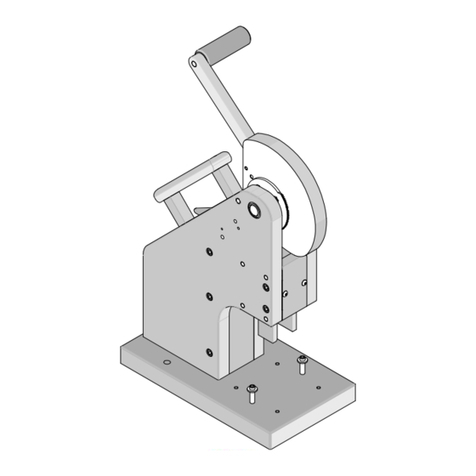
SET SCREWS
DOWN STOP
Figure 2-2
2.1 Ins alla ion
Place termination press on a solid level surface
with enough space around it to allow for operation
and easy loading of connectors.
Holes are provided for 1/4in lag bolts to secure the
press to work surface if desired.
Make sure there is adequate lighting and enough
room around the press to allow easy access to the
press and easy handling of cables and connectors.
2.2 Se up
Termina ion Dep h Adjus men
The termination depth can be changed by adjusting
the set screws on the Adjustable Down Stop.
Turning them clockwise (CW) reduces termination
depth, while turning them counter-clockwise (CCW)
increases the termination depth. See Figure 2-2.
Die blocks should be used to set tool closure height
at 4.61 ± 0.12mm (.1 2±.005)
Termina ing 28 AWG Wire
The Termination Press is furnished with the 30 AWG
wire comb and nest spring pad installed.
Terminators using 2 AWG wire require wire comb
order no. 62200-4510 and nest spring pad order
no.62200-4507.
To change the wire comb and nest spring pad follow
the steps below: (see Sheet 2 of the Assembly
Drawing.)
1. Remove the (2) #10 screws from the front of the
lower slide and pull the lower tooling out of the
slide.
2. Turn the lower tooling over. Remove the (4) #
screws located in the middle of the tooling using
a 9/64” hex key.
3. Remove the nest assembly Item numbers (6, 7,
, and 9) from the lower tooling,
4. Remove the (2) # BHCS holding the combs
(Item 6).
5. Install the appropriate nest spring pad (Item 7)
and springs.
6. Install the appropriate wire comb (Item 6) to the
left and right locators (Item and 9).
7. Install the nest assembly on the lower tooling.
. Put the lower tooling back in its slide.
9. Install the (2) #10 screws in the front of the lower
slides.
2.3 Opera ion
Firs Side Termina ion
1. Pull the bottom slide out to access the nest.
2. Load the Wire Cover into the Nest with the wire
cover grooves facing up. See Figure 2-3.
3. Place the cable into the Nest and press into the
clamp making sure the cable is against the
Cable Jacket Stop.
4. Fold the wires under the Wire Retainer Hook to
keep wires clear while loading the nest. See
Figure 2-4.