manuals.online logo
Brands
  1. Home
  2. •
  3. Brands
  4. •
  5. YOKOGAWA
  6. •
  7. Test Equipment
  8. •
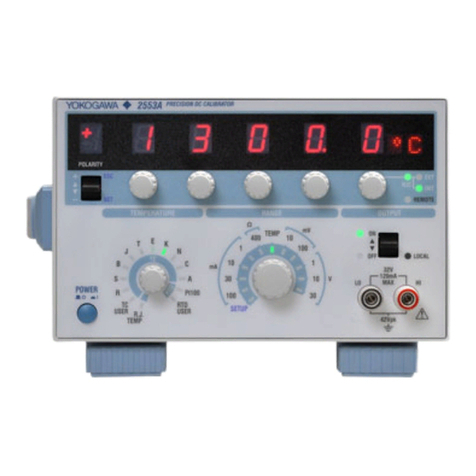
  9. YOKOGAWA 2560A User manual

YOKOGAWA 2560A User manual

Other manuals for 2560A

1

Other YOKOGAWA Test Equipment manuals

YOKOGAWA 240413 User manual

YOKOGAWA

YOKOGAWA 240413 User manual

YOKOGAWA DL1720E User manual

YOKOGAWA

YOKOGAWA DL1720E User manual

YOKOGAWA 3226 User manual

YOKOGAWA

YOKOGAWA 3226 User manual

YOKOGAWA 279301 User manual

YOKOGAWA

YOKOGAWA 279301 User manual

YOKOGAWA DLM2000 Series User manual

YOKOGAWA

YOKOGAWA DLM2000 Series User manual

YOKOGAWA EY200 User manual

YOKOGAWA

YOKOGAWA EY200 User manual

YOKOGAWA CA330 User manual

YOKOGAWA

YOKOGAWA CA330 User manual

YOKOGAWA CA11E User manual

YOKOGAWA

YOKOGAWA CA11E User manual

YOKOGAWA DL6000 Series User manual

YOKOGAWA

YOKOGAWA DL6000 Series User manual

YOKOGAWA DLM4000 Series User manual

YOKOGAWA

YOKOGAWA DLM4000 Series User manual

YOKOGAWA 2560A User manual

YOKOGAWA

YOKOGAWA 2560A User manual

YOKOGAWA 90020B User manual

YOKOGAWA

YOKOGAWA 90020B User manual

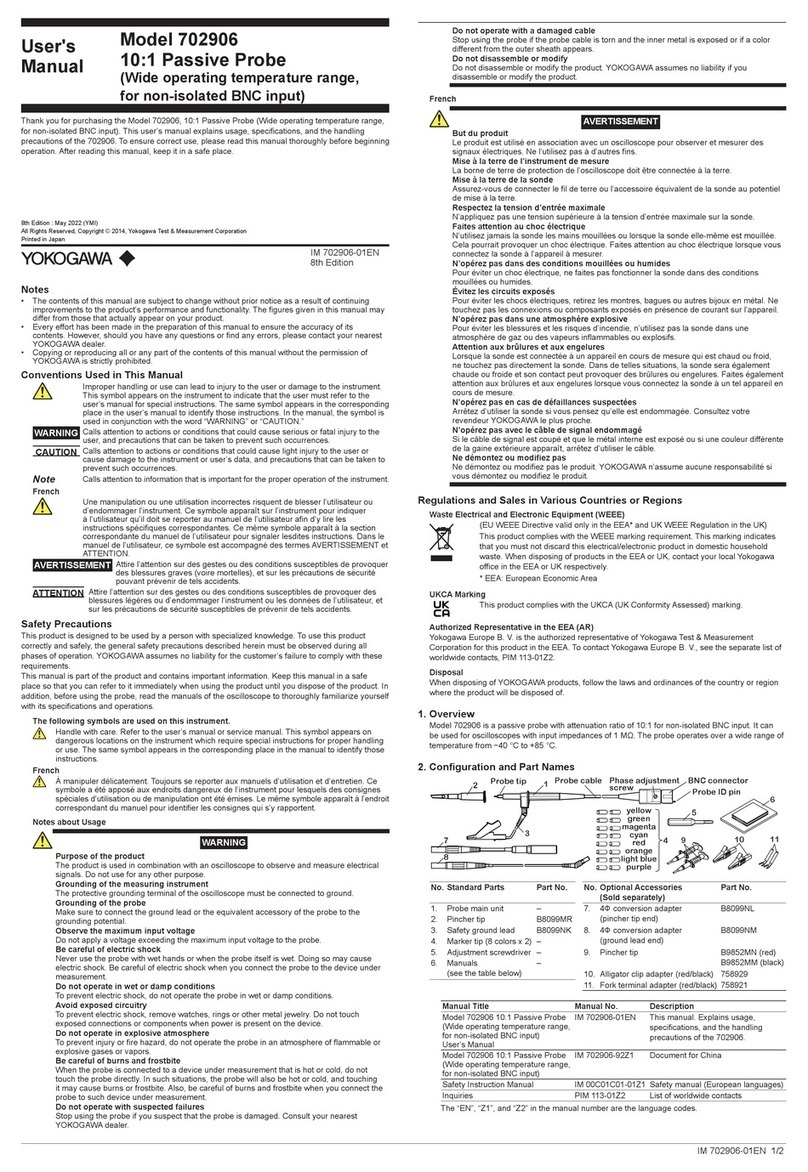
YOKOGAWA 702906 User manual

YOKOGAWA

YOKOGAWA 702906 User manual

YOKOGAWA DL850E User manual

YOKOGAWA

YOKOGAWA DL850E User manual

YOKOGAWA DL 1540 User manual

YOKOGAWA

YOKOGAWA DL 1540 User manual

YOKOGAWA 240413 User manual

YOKOGAWA

YOKOGAWA 240413 User manual

YOKOGAWA MY40 User manual

YOKOGAWA

YOKOGAWA MY40 User manual

YOKOGAWA AQ1301 User manual

YOKOGAWA

YOKOGAWA AQ1301 User manual

YOKOGAWA DLM2000 Series User manual

YOKOGAWA

YOKOGAWA DLM2000 Series User manual

YOKOGAWA FC800D User manual

YOKOGAWA

YOKOGAWA FC800D User manual

YOKOGAWA CA150 User manual

YOKOGAWA

YOKOGAWA CA150 User manual

YOKOGAWA DLM3022 User manual

YOKOGAWA

YOKOGAWA DLM3022 User manual

YOKOGAWA DL7440 User manual

YOKOGAWA

YOKOGAWA DL7440 User manual

YOKOGAWA DL7200 User manual

YOKOGAWA

YOKOGAWA DL7200 User manual

Popular Test Equipment manuals by other brands

Ambit P.F. Series instruction manual

Ambit

Ambit P.F. Series instruction manual

Megger BMM500 Series user guide

Megger

Megger BMM500 Series user guide

RJG Lynx Sensor Tester operating instructions

RJG

RJG Lynx Sensor Tester operating instructions

Mark-10 TT02 Series user guide

Mark-10

Mark-10 TT02 Series user guide

Martel 3001 Operator's manual

Martel

Martel 3001 Operator's manual

ElproSys DiagProg4 instruction manual

ElproSys

ElproSys DiagProg4 instruction manual

Redtech TRAILERteck T05 user manual

Redtech

Redtech TRAILERteck T05 user manual

Venmar AVS Constructo 1.0 HRV user guide

Venmar

Venmar AVS Constructo 1.0 HRV user guide

Test Instrument Solutions SafetyPAT operating manual

Test Instrument Solutions

Test Instrument Solutions SafetyPAT operating manual

Hanna Instruments HI 38078 instruction manual

Hanna Instruments

Hanna Instruments HI 38078 instruction manual

Kistler 5495C Series instruction manual

Kistler

Kistler 5495C Series instruction manual

Waygate Technologies DM5E Basic quick start guide

Waygate Technologies

Waygate Technologies DM5E Basic quick start guide

StoneL DeviceNet CK464002A manual

StoneL

StoneL DeviceNet CK464002A manual

Seica RAPID 220 Site preparation guide

Seica

Seica RAPID 220 Site preparation guide

Kingfisher KI7400 Series Training manual

Kingfisher

Kingfisher KI7400 Series Training manual

Kurth Electronic CCTS-03 operating manual

Kurth Electronic

Kurth Electronic CCTS-03 operating manual

SMART KANAAD SBT XTREME 3G Series user manual

SMART

SMART KANAAD SBT XTREME 3G Series user manual

Agilent Technologies BERT Serial Getting started

Agilent Technologies

Agilent Technologies BERT Serial Getting started

manuals.online logo
manuals.online logoBrands
  • About & Mission
  • Contact us
  • Privacy Policy
  • Terms and Conditions

Copyright 2025 Manuals.Online. All Rights Reserved.

User’s
Manual
IM 2560A-71EN 1/9
2nd Edition
2nd Edition : October 2017 (YMI)
All Rights Reserved, Copyright © 2015, Yokogawa Test & Measurement Corporation
Printed in Japan
Model 2560A
Precision DC Calibrator
Simple Adjustment Procedure
Have a qualified engineer perform simple adjustment of the 2560A at a specialized facility with sufficient
precision. The simple adjustment values are retained even when the settings are initialized.
If you need to adjust the 2560A more accurately than that is possible with the simple adjustment feature or if you
want calibration and adjustment to be performed at a YOKOGAWA factory, contact your nearest YOKOGAWA
dealer. If calibration and adjustment are performed at a YOKOGAWA factory, all settings will be initialized to
their factory default values including the simple adjustment values.
WARNING
• Groundtheinstrumentbeforeconnectingtheinstrumenttothetargetdevice.Thepowercord
that comes with the instrument is a three-prong type power cord. Insert the power cord into a
grounded three-prong outlet.
• Besuretoturnofftheoutputbeforeconnectingordisconnectingthetargetdevice.
French
AVERTISSEMENT
• Relierl’instrumentàlaterreavantdelebranchersurl’appareilcible.Lecordond’alimentation
livréavecl’instrumentestdotédetroisbroches.Brancherlecordond’alimentationsurune
prisedecourantàtroisplotsmiseàlaterre.
• Toujoursmettrehorstensionavantdebrancheroudedébrancherl’appareilcible.
In addition to the above items, be sure to observe the warnings and precautions provided in
the“WiringPrecautions”and“ConnectingWires”sectionsinthe2560AUser’sManual,IM
2560A-01EN.
Required Equipment and Components
• Digitalmultimeter(DMM) KeysightTechnologies3458Aorequivalent
• Standard0.1Ωand10Ωresistors YokogawaTest&MeasurementCorporation2792A03and2792A05,or
equivalents
• Standardtemperaturedevice CoperElectronicsZC-114Aorequivalent
• ThermocoupletypeK JISC1602orIEC60584-1compliantproduct
• DCcurrentsensor YokogawaTest&MeasurementCorporationCT200orequivalent
Each piece of equipment and component must be calibrated and with sufficient precision.
Adjustment Conditions
• Ambienttemperature:23°C±2°C,humidity:20%RHto60%RH(nocondensation),warm-uptime:atleast60
minutes
• Permittedsupplyvoltagerange:90VACto132VACand180VACto264VAC,permittedsupplyfrequency
range:48Hzto63Hz
• For100mVandthermocoupleadjustmentrangesofthe2560A,performadjustmentwiththe2560Aoutput
terminaltemperaturebalancedandstable.Duringadjustment,becarefulinkeepingtheoutputterminal
temperature from changing.
• SettheDMM’sintegrationtime(NPLC)to100PLCorlonger.
* NPLC:AnacronymforNumberofPowerLineCycles.Itisawayofexpressingtheintegrationtime.
Wiring
The 2560A and equipment are wired according to each function, namely voltage, current, thermocouple,
resistance,andinternalRJC.
Forthewiringdiagrams,seethewiringexamplesinthelater“Explanation”section.
Afterwiring,operatethe2560Aaccordingtotheprocedureonthenextpage.
2/9 IM 2560A-71EN
Procedure
Initializing the 2560A
Initialize the 2560A settings.
Initializethe2560Aaccordingtotheprocedurein“InitializingtheSettings”inthe2560AUser’sManual,
IM 2560A-01EN.
Switching to Simple Adjustment Mode
1.
Turn the RANGEdialtoselectSETUP.
TheSETUPmenuappears.
RANGE dial
1. Select SETUP.
The SETUP indicator turns on.
2.
Turn a main settingdialtoselectCAL.
“NEXT”appearsonthedeviationdisplay.AllthePRESETindicatorsturnon.
3.
FlipthePRESET switch down.
A password authentication menu appears.
PRESET switch
3. Display the password
authentication menu.
Main setting dials (use any)
2. Select CAL.
PRESET indicators
4.
Turn the deviation dials to set the password to “111”.
5.
FlipthePRESET switch down.
Whenauthenticationissuccessful,the2560Aswitchestosimpleadjustmentmode.AllthePRESETindicatorsturn
off.
Deviation dials
4. Set the password “111”.
PRESET switch
5. When authentication is successful, the
2560A switches to simple adjustment mode.
PRESET indicators
3/9IM 2560A-71EN
Display Example of Simple Adjustment Mode
Simple adjustment
value
Adjustment range Adjustment point
Displays the rated value or
zero when the output is
turned on
Main setting dials 1 to 4 Main setting dial 5 Deviation dials
Output displayDeviation display
Selecting the Adjustment Range and Adjustment Point, Setting the Simple Adjustment Value
6.
Turn main setting dials 1 to 4 to select the adjustment range.
7.
FliptheOUTPUTswitchup.The2560Aoutputturnson.
• TheOFFindicatorturnsoff,andtheONindicatorturnson.
• Theoutputvaluethatcorrespondstothecurrentadjustmentrange,adjustmentpoint,andsimpleadjustmentvalue
istransmittedfromeach2560Aoutputterminaltothemeasuringinstrument(DMM).
8.
Turn main setting dial 5 to select an adjustment point.
• Selectanadjustmentpointthatcorrespondstotheadjustmentrangeselectedinstep6.
• Thecurrentsimpleadjustmentvaluefortheselectedadjustmentrangeandadjustmentpointisshownonthe
deviation display.
• Theratedvalueorzerothatcorrespondstotheselectedadjustmentrangeandadjustmentpointisshownonthe
output display.
• Theoutputvaluethatcorrespondsto(1)theselectedadjustmentrange,(2)theselectedadjustmentpoint,and(3)
the current simple adjustment value for the adjustment range and adjustment point is transmitted from the relevant
2560A output terminals.
Output Terminal Adjustment range Adjustment point
High voltage output
terminals
(OUTPUT2)
1000V
100V
+F,±0,
-
F
Lowvoltage-current
output terminals
(OUTPUT1)
10V
1V
100mV
Thermocouple
Resistance +F,±0
100 µA
1 mA
10 mA
100 mA
1 A
+F,±0,
-
F
Largecurrentoutput
terminals
(OUTPUT2)
10 A +F,±0,
-
F
30A +F,±0
Lowvoltage-current
output terminals
(OUTPUT1)
InternalRJC ±0
9.
While viewing the measured value, turn the deviation dialstosetthe2560A’ssimpleadjustmentvalue.
• Whenyouchangethesimpleadjustmentvalue,allPRESETindicatorsturnon.
• Ifthemeasuringinstrument(DMM)isthe3458A,waitatleast5secondsforadjustmentranges1000V,10A,and
30Aandatleast2secondsforotheradjustmentrangesbeforereadingthemeasuredvalue.
• Fordetailsontheadjustablerangeofeachadjustmentrange,seethelaterexplanation.
10.
To set the simple adjustment values of other adjustment points in the same adjustment range, repeat
steps8and9.
11.
FlipthePRESET switch down. The specified simple adjustment value for each adjustment point is
confirmed.
• Afterallthedisplaysturnoffforafewseconds,theadjustmentrange,adjustmentpoint,simpleadjustmentvalue,
and output value are displayed.
• IfyouchangetheadjustmentrangeorflipthePRESETswitchupbeforeconfirmingthesimpleadjustmentvalue,it
is discarded and not updated.
12.
To set simple adjustment values of other adjustment ranges, repeat steps 6 to 11.
Whenyouchangetheadjustmentrange,the2560Aoutputturnsoff.TheONindicatorwillturnoff,andtheOFF
indicator will turn on.
OUTPUT switch
Example of a rated value display
when the adjustment range is 100 V
and the adjustment point is +F
Output display
4/9 IM 2560A-71EN
Exiting Simple Adjustment Mode
13.
FlipthePRESET switch up twice.
Simpleadjustmentmodeends,andtheSETUPmenureturns.
Explanation
Voltage
Wiring Example
FUNCTION: DCV
DMM
2560A HI
LO
HI
LO
Adjustment
2560A DMM
Adjustment
range Output at Each
Adjustment Point Adjustable Range Range
+F ±0
-
F
100mV +100mV 0mV
-
100mV ±1000ppmoftheadjustmentrange
(equivalentto±0.1mV) 100mV
1V +1V 0V
-
1V ±1000ppmoftheadjustmentrange
(equivalentto±0.001V) 1V
10V +10V 0V
-
10V ±1000ppmoftheadjustmentrange
(equivalentto±0.01V) 10V
100V +100V 0V
-
100V ±1000ppmoftheadjustmentrange
(equivalentto±0.1V) 100V
1000V +1000V 0V
-
1000V ±1000ppmoftheadjustmentrange
(equivalentto±1V) 1000V
Current (100µ range, 1 mA range, 10 mA range)
Wiring Example
FUNCTION: DCI
DMM
2560A HI
LO
I
LO
Adjustment
2560A DMM
Adjustment
range Output at Each
Adjustment Point Adjustable Range Range
+F ±0
-
F
100 µA +100 µA 0 µA
-
100 µA ±1000ppmoftheadjustmentrange
(Equivalentto±0.1µA) 100 µA
1 mA +1 mA 0 mA
-
1 mA ±1000ppmoftheadjustmentrange
(equivalentto±0.001mA) 1 mA
10 mA +10 mA 0 mA
-
10 mA ±1000ppmoftheadjustmentrange
(equivalentto±0.01mA) 10 mA
 DependingontheDMMcurrentrange,youmaynotbeabletoattainsufficientaccuracy.Ifnecessary,usea
standardresistorandadjustbyusingaDMMvoltagerange,asshowninthenextsection.Useeithermethod
dependingontheaccuraciesoftheavailablerangesontheDMM.
5/9IM 2560A-71EN
Current (100 mA range, 1 A range)
Wiring Example
2560A
HI
LO
2792A05 (when the 2560A is set to 100 mA range)
2792A03 (when the 2560A is set to 1 A range)
DMM
HI
LO
FUNCTION: DCV
RANGE: 1 V (when the 2560A is set to 100 mA range)
RANGE: 100 mV (when the 2560A is set to 1 A range)
Adjustment
2560A Standard
Resistor DMM
Adjustment
range Output at Each
Adjustment Point Adjustable Range (Nominal
resistance) Range
+F ±0
-
F
100 mA +100 mA 0 mA
-
100 mA ±1000ppmoftheadjustmentrange
(equivalentto±0.1mA:(DMMmeasurement/R0))
2792A05
(10Ω) 1V
1 A +1 A 0 A
-
1 A ±1000ppmoftheadjustmentrange
(equivalentto±1mA:(DMMmeasurement/R0))
2792A03
(0.1Ω) 100mV
R0:2792A03or2792A05resistance(calibrationvalue)
Current (10 A range, 30 A range)
Wiring Example
2560A
HI
LO
Secondary connector
Power supply
−15 V
0 V (common)
+15 V
Direction of current flow
CT200
Load resistor*
6
1
4
5
9
Pass the lead wire through as close to the center of the hole as possible.
DMM
I
LO
FUNCTION: DCI
RANGE: 10 mA (when the 2560A is set to 10 A range)
RANGE: 100 mA (when the 2560A is set to 30 A range)
* Nominal resistance: 20 Ω
Rated power: 1 W
• Passtheleadwirefromthe2560A’slargecurrentoutputterminals(OUTPUT2)throughtheprimary
current hole of the CT200.
• ConnectthesecondarysideoftheCT200totheDMM’scurrentinputterminals.
Adjustment
2560A DMM
Adjustment
range Output at Each
Adjustment Point Adjustable Range Range
+F ±0
-
F
10 A +10 A 0 A
-
10 A ±1000ppmoftheadjustmentrange
(equivalentto±0.01A:(DMMmeasurement×1000)) 10 mA
30A +30A 0 A —±1000ppmoftheadjustmentrange
(equivalentto±0.03A:(DMMmeasurement×1000)) 100 mA
6/9 IM 2560A-71EN
Thermocouple
Wiring Example
FUNCTION: DCV
DMM
2560A HI
LO
HI
LO
Adjustment
2560A DMM
Adjustment range Output at Each Adjustment Point Adjustable Range Range
+F ±0
Thermocouple(TC) 50mV 0mV ±1000ppmoftheadjustmentrange
(equivalentto±0.1mV) 100mV
Resistance
Wiring Example
HI
LO
FUNCTION: OHMF (4wire)
RANGE: 1 kΩ
HI
HS
LO
LS
2560A DMM
Adjustment
2560A DMM
Adjustment range Output at Each Adjustment Point Adjustable Range Range
+F ±0
Resistance(OHM) 400Ω 1Ω ±500ppmoftheadjustmentrange
(equivalentto±0.2Ω)
1kΩ,excitation
current 1 mA
7/9IM 2560A-71EN
Internal RJC
Wiring Example
Copper wire
Standard temperature device ZC-114A
FUNCTION: DCV
RANGE: 100 mV
DMM
2560A LO
HI
LO
HI
Adjust to 0°C equivalent.
Thermocouple
Type K
Adjustment
• TheinternalRJCisaffectedbytheadjustmentresultsofthethermocoupleadjustmentrange,mentioned
earlier.AdjusttheinternalRJCafteryouhaveadjustedthethermocoupleadjustmentrange.
• Adjusttoavalueequivalentto0°Cbytakingintoaccounttheerrorinthethermocouplethatyouwillbeusing.
• The2560Aoutputdisplayisinunitof°C,buttheoutputterminalsproducethethermoelectromotiveforce
corresponding to the specified temperature.
• Fordetailsonhandlingthestandardtemperaturedevice,followtheinstructionmanualofthedevice.
2560A DMM
Adjustment range Output at Each Adjustment Point
±0 Adjustable Range Range
InternalRJC(RJC) 0°C ±2.00°C 100mV
8/9 IM 2560A-71EN
Communication Commands
CALibrate Group
:CALibrate:ADJust:POINt
Function Setsorqueriestheadjustmentpoint.
Syntax :CALibrate:ADJust:POINt
{PFULL|MFULL|
ZERO}
:CALibrate:ADJust:POINt?
 PFULL:Positiveadjustmentpoint
 MFULL:Negativeadjustmentpoint
 ZERO:0
Example :CALIBRATE:ADJUST:POINT PFULL
:CALIBRATE:ADJUST:POINT? -> PFULL
DescriptionTheselectableparametersvarydependingon
thefunctionsetwiththe:CALibrate:FUNCtion
command as follows.
 VOLTage:{PFULL|MFULL|ZERO}
 CURRent:{PFULL|MFULL|ZERO},exceptthe
MFULLparameterisnotavailableforthe30A
range.
 TCouple:{PFULL|ZERO}
 RESistance:{PFULL|ZERO}
 RJC:{ZERO}
:CALibrate:ADJust:VALue
Function Setsorqueriesthesimpleadjustmentvaluefor
the selected adjustment point.
Syntax :CALibrate:ADJust:VALue <NRf>
:CALibrate:ADJust:VALue?
 • Whenthe:CALibrate:FUNCtioncommand
issetto<Voltage>,<Current>,or
<Thermocouple>
  <NRf>=
-
1000ppm to 1000ppm
(1ppmresolution)
 • Whenthe:CALibrate:FUNCtioncommandis
setto<Resistance>
  <NRf>=
-
500ppm to 500ppm
(resolution:1ppm)
 • Whenthe:CALibrate:FUNCtioncommandis
setto<InternalRJC>
  <NRf>=
-
2.00°Cto2.00°C
(resolution:0.01°C)
Example :CALIBRATE:ADJUST:VALUE 1000
:CALIBRATE:ADJUST:VALUE? -> 1000
Description Theadjustablerangeandresolutionvary
dependingonthe:CALibrate:FUNCtioncommand
setting. If a value outside the adjustable range
isspecified,a“222:Dataoutofrange”errorwill
occur.
:CALibrate:FUNCtion
Function Setsorqueriesthefunction(voltage,current,
resistance,thermocouple,internalRJC)to
perform simple adjustment on.
Syntax :CALibrate:FUNCtion {VOLTage|
CURRent|TCouple|RESistance|RJC}
:CALibrate:FUNCtion?
 VOLTage:Voltage
 CURRent:Current
 TCouple:Thermocouple
 RESistance:Resistance
 RJC:InternalRJC
Example :CALIBRATE:FUNCTION VOLTAGE
:CALIBRATE:FUNCTION? -> VOLTAGE
Description Ifyouchangethefunctionbeforeexecuting
the:CALibrate:WRITecommand,thesimple
adjustment values that you have set will return to
theiroriginalvalues.Besuretowritethesimple
adjustmentvaluesusingthe:CALibrate:WRITe
command before changing the function.
:CALibrate:INITialize
Function Initializesthe2560Asimpleadjustmentvalues.
Syntax :CALibrate:INITialize
Example :CALIBRATE:INITIALIZE
Description Executingthiscommandwillresetallsimple
adjustment values to zero.
:CALibrate:PASSword
Function Entersthepasswordforswitchingtosimple
adjustment mode.
Syntax :CALibrate:PASSword <String>
 <String>:Password
Example :CALIBRATE:PASSWORD "111"
Description Youmustenterapasswordtousethecommands
intheCALibrategroup.Useacharacterstring
tosetthepassword.Toexitsimpleadjustment
mode,enteranemptystring(twoconsecutive
doublequotationmarks).
:CALibrate:RANGe
Function Setsorqueriestheadjustmentrange.
Syntax :CALibrate:RANGe {<Voltage>|<Current>|
<Resistance>}
:CALibrate:RANGe?
 <Voltage>:100mV,1V,10V,100V,1000V
 <Current>:100 uA, 1 mA, 10 mA, 100 mA, 1 A,
10A,30A
 <Resistance>:400OHM
Example :CALIBRATE:RANGE 1V
:CALIBRATE:RANGE?
-> :CALIBRATE:RANGE 1.0E+00
Description • Beforesetting<Voltage>,usethe
:CALibrate:FUNCtioncommandtosetthe
functiontoVOLTage.
Beforesetting<Current>,usethe
:CALibrate:FUNCtioncommandtosetthe
functiontoCURRent.
  Beforesetting<Resistance>,usethe
:CALibrate:FUNCtioncommandtosetthe
functiontoRESistance.

9/9IM 2560A-71EN
Ifyousetrangeofadifferentfunction,a“131:
Invalidsuffix”errorwilloccur.
 • IfthefunctionisTCoupleorRJCandyouset
therange,a“221:Settingconflict”errorwill
occur. 9.91E+37isreturnedasaresponsetoa
query.
 • Ifyouchangetheadjustmentrangebefore
executingthe:CALibrate:WRITecommand,
the simple adjustment values that you have
changed will return to their original values.
Besuretowritethesimpleadjustmentvalues
usingthe:CALibrate:WRITecommandbefore
changing the adjustment range.

:CALibrate:READ?
Function Queriestheoutputvalue.

Syntax :CALibrate:READ?
Example :CALibrate:READ? ->
100 uA range
:CAL:READ 100.000E-06
1 mA range
:CAL:READ 1.00000E-03
10 mA range
:CAL:READ 10.0000E-03
100mV,100mA,andTCrange
:CAL:READ 100.000E-03
1Vor1Arange
:CAL:READ 1.00000E+00
10Vor10Arange
:CAL:READ 10.0000E+00
30Arange
:CAL:READ 30.0000E+00
100Vrange
:CAL:READ 100.000E+00
1000Vrange
:CAL:READ 1.00000E+03
400OHMrange
:CAL:READ 400.00E+00
RJC
:CAL:READ 0.000E+00
WhentheoutputisOFF
:CAL:READ 9.91E+37
:CALibrate:STATe
Function Setsorqueriestheoutputon/offstateforsimple
adjustment.
Syntax :CALibrate:STATe <Boolean>
:CALibrate:STATe?
 ON|1:Enabled
 OFF|0:Disabled
Example :CALIBRATE:STATE ON
:CALIBRATE:STATE?
-> :CALIBRATE:STATE 1
:CALibrate:WRITe
Function Writesthesimpleadjustmentvaluestothe2560A
internal memory.
Syntax :CALibrate:WRITe
Example :CALIBRATE:WRITE