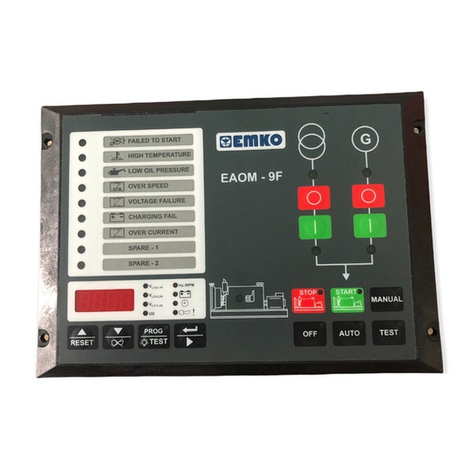
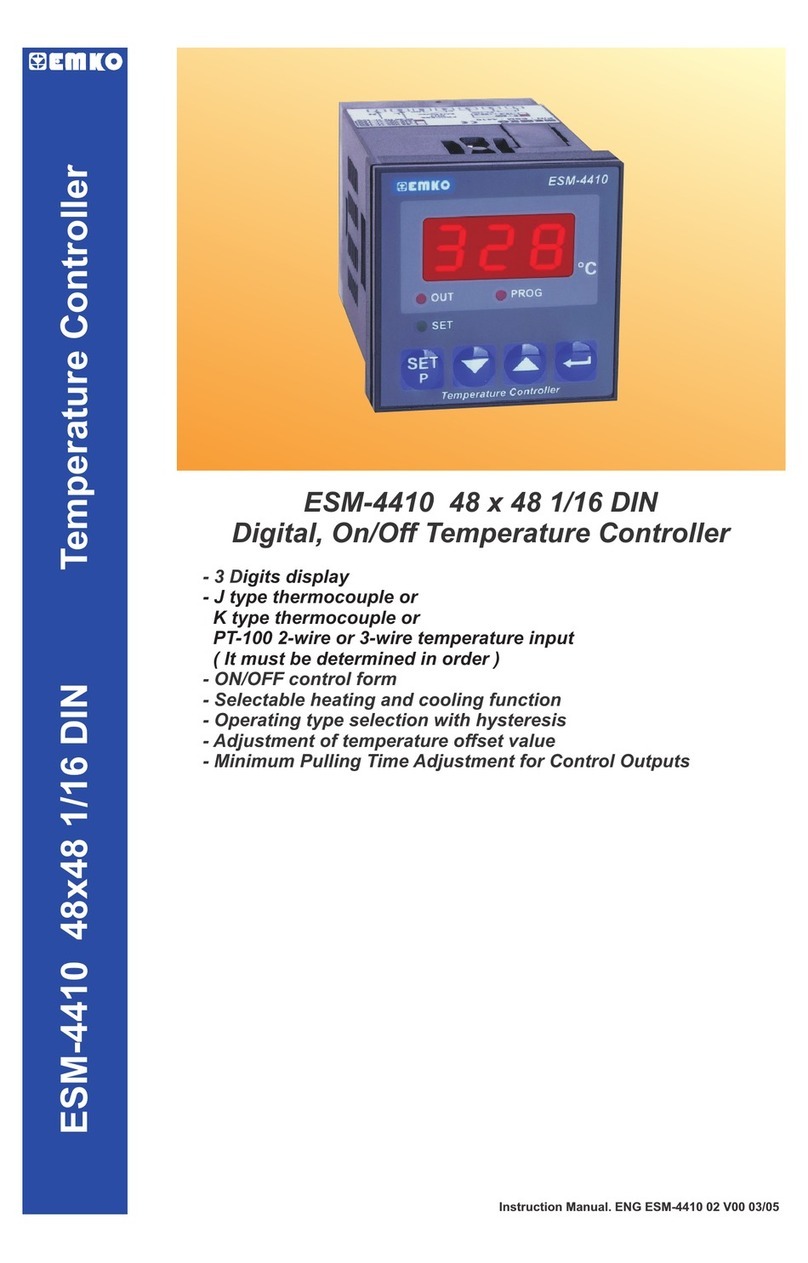
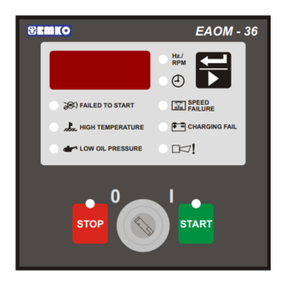
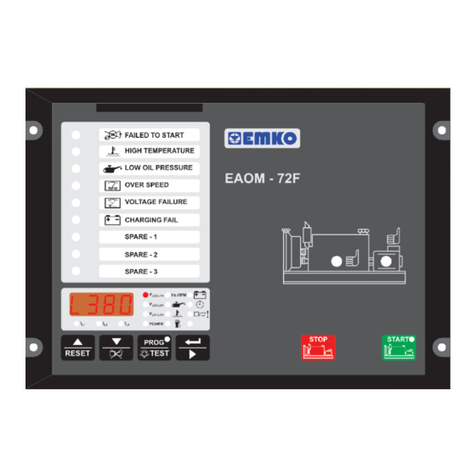
EMKO EAOM-9F ND User manual

Instruction Manual. ENG 9 01 V01 04/21EAOM- F
EAOM-9F Automatic Transfer Switch Controllers, Flat Type
-
-
-
-
-
-
-
-
-
-
-
Battery voltage
Engine running time
Error Indication
Program Parameters
- Controls
Engine fuel supply or Engine Stopping Load transfer on mains failure
Starter motor Return to mains
Alarm horn Mains contactor
Preheat Generator contactor
Automatic generator start
- Fail Monitoring
Mains Supply Voltage Engine Start
Alternator Voltage and Frequency Alternator Over Current
Engine Speed Emergency Stop
Engine Temperature Maintenance Due
Oil Pressure Low Battery Voltage
Charge Generator Voltage
- Monitors
3-phase mains supply voltage
Alternator voltage
Alternator frequency
Engine Speed
- Programming using the buttons and display on the front panel or RS-232
communication port, using PC based software.
Protection, control and metering
Automatic engine start/stop and load transfer
Automatic shutdown on fault condition
LED status and fault indication
Simple push-button controlled operation
Manual, automatic and test mode control
Two user- inputs
One user- output
Fully programmable
RS-232 communication port
Standard modem communication
configurable
configurable
EAOM-9F
Automatic Transfer Switch Controllers,
Flat Type
Technician Parameters
EAOM-9F
File Programming
Adjustment
Settings About
COM1 Communication
Observation Operator Parameters
Measurement Values
Mains Voltage (L12)
Mains Voltage (L1N)
Mains Voltage (L23)
Mains Voltage (L2N)
Mains Voltage (L31)
Mains Voltage (L3N)
Vac
Vac
Vac
Vac
Vac
Vac
Generator UV Voltage
Generator Frequency
Battery Voltage
Maintenance Time
Exercise Time
Running Time
0
0
0
0
0
0
0
0.0
11.0
0 / 0
0
0
Vac
Hz
Vdc
Hour / Day
Hour
Hour
Failures
Start Failure
High Temperature
Low oil Pressure
Battery Fail
Over Speed
Generator Voltage Failure
Charge Genarator Failure
Emergency Stop
Over Current
Spare-1
Spare-2
Routine Maintenance
Outputs
Mains Contactor Out
Generator Contactor Out
Configurable Out Output1
Selenoid Out
Start Out
Horn Out
Modes
Off Auto Manual Test Program

EU DECLARATION OF CONFORMITY
Manufacturer’s Name : EMKO ELEKTRONIK A.S.
Manufacturer’s Address : DOSAB, Karanfil Sk., No:6,
16369 Bursa, TURKEY
Product Name :
Type Number : EAOM-9F
Product Category : Electrical equipment for measurement, control and
laboratory use
The manufacturer hereby declares that the product:
Conforms to the following directives :
Electrical control equipment for generating sets
2006 / 95 / EC The Low Voltage Directive
2004 / 108 / EC The Electromagnetic Compatibility Directive
has been designed and manufactured to the following specifications:
EN 61000-6-4:2007 EMC Generic Emission Standard for Industrial Environments
EN 61000-6-2:2005 EMC Generic Immunity Standard for Industrial Environments
EN 61010-1:2001 Safety Requirements for electrical equipment for measurement, control
and laboratory use
25 February 2011 Name : Serpil YAKIN
Bursa-TURKEY Position : Quality Manager
When and Where Issued Authorized Signature
th

3
CONTENTS
1. Introduction . . . . . . . . . . . . . . . . . . . . . . . . . . . . . . . . . . . . . . . . . . . . . . . . . . . . . . . . . . . . . . . . . . . Page 4
2. Instaliation . . . . . . . . . . . . . . . . . . . . . . . . . . . . . . . . . . . . . . . . . . . . . . . . . . . . . . . . . . . . . . . . . . . . Page 5
3. Electrical Connection . . . . . . . . . . . . . . . . . . . . . . . . . . . . . . . . . . . . . . . . . . . . . . . . . . . . . . . . . . . . Page 6
4. Front Panel Description and Error Messages . . . . . . . . . . . . . . . . . . . . . . . . . . . . . . . . . . . . . . . . . Page 7
5.Accessing To The Parameters . . . . . . . . . . . . . . . . . . . . . . . . . . . . . . . . . . . . . . . . . . . . . . . . . . . . . Page 9
6. Parameters . . . . . . . . . . . . . . . . . . . . . . . . . . . . . . . . . . . . . . . . . . . . . . . . . . . . . . . . . . . . . . . . . . . . Page 11
7. Specifications . . . . . . . . . . . . . . . . . . . . . . . . . . . . . . . . . . . . . . . . . . . . . . . . . . . . . . . . . . . . . . . . . . Page 14
1.1 General Specifications . . . . . . . . . . . . . . . . . . . . . . . . . . . . . . . . . . . . . . . . . . . . . . . . . . . . . . . Page 4
1.2 Warranty . . . . . . . . . . . . . . . . . . . . . . . . . . . . . . . . . . . . . . . . . . . . . . . . . . . . . . . . . . . . . . . . . . Page 4
1.3 Maintenance . . . . . . . . . . . . . . . . . . . . . . . . . . . . . . . . . . . . . . . . . . . . . . . . . . . . . . . . . . . . . . . Page 4
2.1 Unit Configuration . . . . . . . . . . . . . . . . . . . . . . . . . . . . . . . . . . . . . . . . . . . . . . . . . . . . . . . . . . . Page 5
2.2 Panel Mounting . . . . . . . . . . . . . . . . . . . . . . . . . . . . . . . . . . . . . . . . . . . . . . . . . . . . . . . . . . . . . Page 5
3.1 1-Phase Connections Schematic . . . . . . . . . . . . . . . . . . . . . . . . . . . . . . . . . . . . . . . . . . . . . . . . Page 6
3.2 3-Phase Connections Schematic . . . . . . . . . . . . . . . . . . . . . . . . . . . . . . . . . . . . . . . . . . . . . . . . Page 6

1. Introduction
1.1 General Specifications
1.2 Warranty
EMKO Elektronik warrants that the equipment delivered is free from defects in material and
workmanship. This warranty is provided for a period of two years. The warranty period starts from
the delivery date. This warranty is in force if duty and responsibilities which are determined in
warranty document and instruction manual performs by the customer completely.
1.3 Maintenance
Repairs should only be performed by trained and specialized personnel. Cut power to the device
before accessing internal parts.
Do not clean the case with hydrocarbon-based solvents (Petrol, Trichlorethylene etc.). Use of
these solvents can reduce the mechanical reliability of the device. Use a cloth dampened in ethyl
alcohol or water to clean the external plastic case.
4
The provides for automatic transfer of a load from mains to generator in the event of a
mains supply failure. Intended for unattended operation, it is able to detect failure of any phase of
the mains and to start and switch over to a generator if the mains voltage goes outside pre-set
limits. Both automatic and manual control is possible. A test mode is also available which allows
the generator to be run without taking the load.
The unit monitors generator operation and gives warning of any faults that are detected, by LED
indicators. The unit monitors:
It controls:
A four-digit, seven-segment LED display providing extensive monitoring of unit and generator
parameters, including:
The unit is extensively programmable through the front panel, with password protection on two
levels. Operational parameters can also be monitored and controlled from a PC via a built-in RS-
232 port.
If the engine fails to start on the first attempt, further attempts are made up to a programmed
number of times or until successful.
If a fault is detected, the unit shuts down the engine and indicates the failure by flashing a relevant
fault LED.
Emergency stop and remote inhibit inputs provide for remote control of the engine. Configurable
inputs can be programmed to perform many functions, such as warning alarms, stopping the
engine or disconnecting the load. A configurable output can be programmed for various
functions, including alarms, operation as a pre-heat output, indication of engine running status
and indication that the product is inAutomatic mode.
Mains supply voltage
Alternator voltage and frequency
Engine temperature
Oil Pressure
Charge generator voltage
Engine speed
Engine fuel supply or engine stopping Mains and Generator contactors
Starter motor
Alarm horn
Automatic generator start and load transfer
on mains failure
Three phase mains voltage Elapsed time
Alternator output voltage and frequency Engine running time
Engine RPM Error indication
Battery voltage Program Parameters
EAOM-9F
Over Current
Emergency Stop
Maintenance Due
Low Battery Voltage
Engine Start
Alternator
Preheat
Automatic generator start
Return to mains

Ýçindekiler
A visual inspection of this product for possible damage occured during shipment is
recommended before installation. It is your responsibility to ensure that qualified mechanical
and electrical technicians install this product.
If there is danger of serious accident resulting from a failure or defect in this unit , power off
the system and seperate the electrical connection of the device from the system.
Keep the power off until all of the wiring is completed so that electric shock and trouble with
the unit can be prevented.
Before beginning installation of this product, please read the instruction
manual and warnings below carefully.
2. Installation
c
Ýçindekiler
2.1 Unit Configuration
Ýçindekiler
2.2 Panel Mounting
The unit is designed for panel mounting. Fixing is by four screw fixings. (See Figure 2.1)
Insert the unit in the panel cut-out from the front.
Insert the fixings in the slotted at the corners of the unit and tighten the fixing screws to secure
the unit against the panel.
1-
2-
During the equipment is putted in hole on the metal panel while mechanical
installation some metal burrs can cause injury on hands, you must be careful.
c
Figure 2.1 Front View Figure 2.2 Panel Cut-Out
The unit can be programmed using the buttons and LED display on the front panel or PC
Software.
144mm
204mm
186mm
138mm
5

MAINS CONTACTOR
N
L1
L2
L3
MAINS
L3 L2 L1 N
LOAD
GENERATOR CONTACTOR
R-5
MAINS VOLTAGE
R-6
GENERATOR VOLTAGE
GENERATOR
N
L1
L2
L3
- BATTERY
FUSE-3
FUSE-4
FUSE-5
FUSE-6
+ BATTERY
FUSE-1
START OUTPUT
HORN OUTPUT
CONFIGURABLE
CONTROL OUTPUT
CONTACTOR
CONTROL OUTPUT
SOLENOID OUTPUT
FUSE-2
BATTERY
R-1
R-2
R-3
R-4 R-5
CHARGE GENERATOR
LOW OIL PRESSURE
HIGH TEMPERATURE
OVER CURRENT
E.STOP
REMOTE INHIBIT
CONFIGURABLE
FAILURE INPUT-1
CONFIGURABLE
FAILURE INPUT-2
Magnetic
Pickup
(up to 10kHz)
BATTERY NEGATIVE MUST BE GROUNDED
R-6
+
c
1
c
1
c
2
123
456
13 14 12 11 10 9 8 724 23 22 21 20 19 18 17 16 15
GEN. CONTACTOR
OUTPUT
MAINS
D+(W.L)
MAINS CONTACTOR
N
L
MAINS
L N
LOAD
GENERATOR CONTACTOR
R-5
MAINS VOLTAGE
R-6
GENERATOR VOLTAGE
GENERATOR
N
L
- BATTERY
FUSE-3
FUSE-6
+ BATTERY
FUSE-1
START OUTPUT
HORN OUTPUT
CONFIGURABLE OUTPUT
GEN. CONTACTOR
CONTROL OUTPUT
MAINS CONTACTOR
CONTROL OUTPUT
SOLENOID OUTPUT
FUSE-2
BATTERY
R-1
R-2
R-3
R-4 R-5
D+(W.L)
CHARGE GENERATOR
LOW OIL PRESSURE
HIGH TEMPERATURE
OVER CURRENT
E.STOP
REMOTE INHIBIT
CONFIGURABLE
FAILURE INPUT-1
CONFIGURABLE
FAILURE INPUT-2
Magnetic
Pickup
(up to 10kHz)
BATTERY NEGATIVE MUST BE GROUNDED
R-6
+
24 23 22 21 20 19 18 17 16 158 7
c
1
c
1
c
2
432 1 56
12 11 10 9
13 14
3. Electrical Connection
3.1 1-Phase Connections Schematic
3.2 3-Phase Connections Schematic
6
Ensure the battery supply is of the correct polarity and that the battery negative rail is grounded. The connectors can be unplugged from
the rear of the unit for convenience and to speed up installation.
The fuses should be as follows:
FUSE-1, FUSE 3, FUSE-4, FUSE-5, FUSE-6 1A. T
FUSE-2 2A. T
1- Connect the unit as shown in the appropriate diagram above. Be sure to connect the battery supply the right way round and
battery negative should be grounded. The connectors can be unplugged from the rear of the unit to facilitate connection.
2- Screened cable must be used for connecting the Magnetic Pickup, ensuring that the screen is grounded at one end ONLY.
c

4. Front Panel Description and Error Messages
7
Number
The green LED indicates that the engine has started and is running.
26
25
16 17 15 24
8
3
18 19 20
222321
12 14 13
9 10 11
67
5
2
28
1
27
4
Comment
1
2
3
The LED indicates that the load is connected to the mains.
The LED shows that the load is supplied from the generator.
The red LED illuminates only when EAOM-9F is in programming mode.
5
4
6
7
8
9
10
11 This red LED shows that the unit is in the Manual mode.
This red LED shows that the unit is in OFF mode.
This red LED shows that the Unit is in TEST mode.
12
13
This red LED shows that the Unit is in the AUTO mode.
14
15
16
17
18
19 The Stop button is used for stopping the engine when the unit is in the
Manual mode.
Prog/Lamp Test.. Lights all the LEDs and segments on the panel so that you
can see if any are not working. Holding the button pressed for five seconds puts
the unit into Programming mode and LED (8) illuminates

This button opens the mains contactor only operative when manual mode is
selected
Multi Function Display. This is used for displaying the electrical measurements
during normal operation and editing / inspecting programming parameters in
programming mode.
The Display Scroll Button is used for rotating between measurement screen in
normal operation and between programming parameters in programming mode.
TheAUTO button is used for changing operating mode of the unit to theAuto mode
The TEST button is used for changing operating mode of the unit to the Test mode
The MAN button is used for changing operating mode of the unit to the Manual mode
The OFF button is used for changing operating mode of the unit to the Off mode
Number Comment
20
21
22
23
24
25
Failure Indicators. Detailed information available in Section 9
26
27
28 This button opens the alternator contactor only when manual mode is selected
Error Messages and Explanations :
EStP -
bAT1 -
Serv -
Emergency Stop
Low Battery Voltage
Routine maintenance due
8

5. Accessing To The Parameters
9
VL31/L3N
VL23/L2N
VL12/L1N
UV
Hz./RPM
PROG
RESET TEST
Operation Screen When button is
pressed, all leds and digits
are energised, because
prog button is also used as
test button. Continue to
press the prog buton for 5
seconds, Operator Menu
Entering screen is shown
and prog led lights on.
VL31/L3N
VL23/L2N
VL12/L1N
UV
Hz./RPM
PROG
RESET TEST
VL31/L3N
VL23/L2N
VL12/L1N
UV
Hz./RPM
PROG
RESET TEST
When button is pressed
for 10 seconds, technician
menu entering screen is
shown.
VL31/L3N
VL23/L2N
VL12/L1N
UV
Hz./RPM
PROG
RESET TEST
Technician Password
Entering Screen
Change the password with
and buttons
After entering the
password, press the
button for confirming the
password and accessing to
the first parameters of
technician parameters.
Operator Menu
Entering Screen
VL31/L3N
VL23/L2N
VL12/L1N
UV
Hz./RPM
PROG
RESET TEST
Technician Menu
Entering Screen
When button is
pressed, technician
password entering screen
is shown.
Technician Password
Entering Screen
NOTE : If no operation is performed for 20 seconds, the device exits from the
programming mode and turns to the main operation screen.

10
NOTE : If no operation is performed for 20 seconds, the device exits from the
programming mode and turns to the main operation screen.
VL31/L3N
VL23/L2N
VL12/L1N
UV
Hz./RPM
PROG
RESET TEST
VL31/L3N
VL23/L2N
VL12/L1N
UV
Hz./RPM
PROG
RESET TEST
VL31/L3N
VL23/L2N
VL12/L1N
UV
Hz./RPM
PROG
RESET TEST
VL31/L3N
VL23/L2N
VL12/L1N
UV
Hz./RPM
PROG
RESET TEST
Mains Voltage

Connection Level
Value
Mains Voltage
Connection Level
Value
Mains Voltage

Connection Level
Parameter
Mains Voltage

Disconnection Level
Parameter
Press button for
accessing to the
Value
Press button for
saving the value
and accessing to the
Parameter
Change the
parameter with and
buttons
NOTE : Other technician paramaters can be accessed as explained for
For exiting from programming mode, press
Other manuals for EAOM-9F ND
1
Table of contents
Other EMKO Controllers manuals

EMKO
EMKO EZM-4950 User manual

EMKO
EMKO DT-9910 User manual

EMKO
EMKO EAOM-6 User manual

EMKO
EMKO ESM-7311-H User manual

EMKO
EMKO ESM 30 Series User manual

EMKO
EMKO Trans-midiAUTO.MPU.232... User manual

EMKO
EMKO ESM-3721HT User manual

EMKO
EMKO ESM-3711-CL User manual

EMKO
EMKO ESM-3712-H User manual

EMKO
EMKO ESM-3711-CN User manual
Popular Controllers manuals by other brands

Digiplex
Digiplex DGP-848 Programming guide

YASKAWA
YASKAWA SGM series user manual

Sinope
Sinope Calypso RM3500ZB installation guide

Isimet
Isimet DLA Series Style 2 Installation, Operations, Start-up and Maintenance Instructions

LSIS
LSIS sv-ip5a user manual

Rockwell Automation
Rockwell Automation 1769-L31 installation instructions