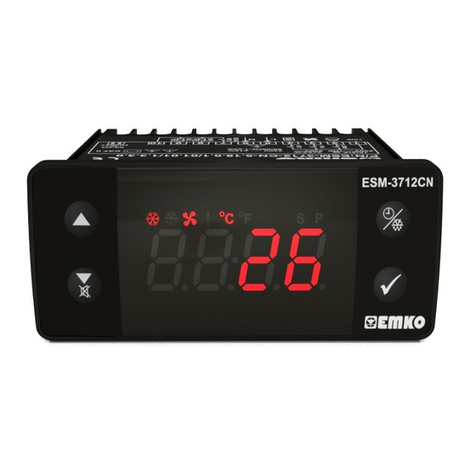
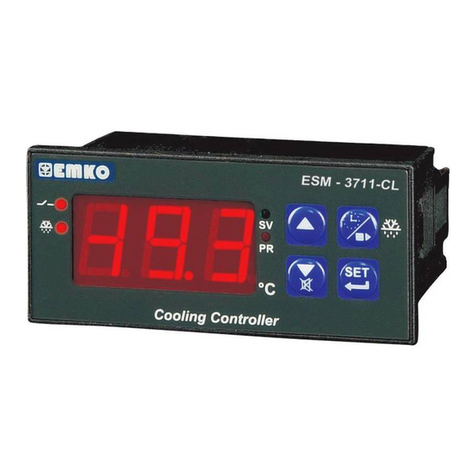
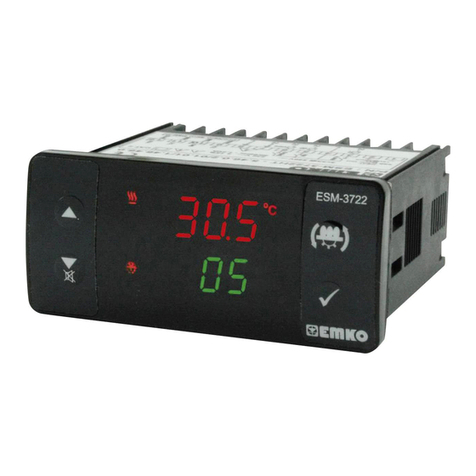
EMKO ESM-3721HT User manual

ESM-3721HT 77x35 DIN Size Hatcher Controller
Instruction Manual. ENG ESM-3721 01 V04 04/16
- 4 Digits Display
- PT-100 Input
- 3 Output
Heating Control Output
Egg tray rotator Output
Alarm Control Output
- Selectable Temparature Control (ON / OFF or PID)
- Auto-Tune PID
- Set value boundaries
- Manual Start of tray rotator from front panel
- Alarm parametreters
- Adjustable internal buzzer according to the alarm situations
- Password protection for programming mode,
- Having CE mark according to European Norms
ESM-3721HT 77 x 35 DIN Size
Digtal, ON / OFF Hatcher Controller
ENGLISH

ENGLISH
c
1.2. General Specifications
1.Preface
ESM 3721HT series Hatcher controllers are designed for controlling hatcher process.Device can be
used easily with PID or On-Off control form and manual start of egg tray rotator properties.
ESM-3721HT
Power Supply
Input
Output
Output
PT-100
2
Egg Tray Rotator Output
Alarm Humidifier or
1.1 Environmental Ratings
230V ( %15)50/60HzV ±
Optional Supply
Voltage
- 30 V Z
115 V (±%15)50/60Hz
24 V (±%15)50/60Hz
24 V (±%15)50/60Hz
10
V
V
W
Standard
Output Heating
Operating Temperature : 0 to 50 °C
Max. Operating Humidity : 90% Rh (non-condensing)
Altitude : Up to 2000 m.
Forbidden Conditions
Corrosive atmosphere
Explosive atmosphere
Home applications (The unit is only for industrial applications)
Temperature
Sensor Input

3
A visual inspection of this product for possible damage occurred during shipment is recommended
before installation.
It is your responsibility to ensure that qualified mechanical and electrical technicians install this product.
If there is danger of serious accident resulting from a failure or defect in this unit, power off the system
and separate the electrical connection of the device from the system.
The unit is normally supplied without a power supply switch or a fuse. Use power switch and fuse as
required.
Be sure to use the rated power supply voltage to protect the unit against damage and to prevent failure
Keep the power off until all of the wiring is completed so that electric shock and trouble with the unit can
be prevented.
Never attempt to disassemble, modify or repair this unit. Tampering with the unit may results in
malfunction, electric shock or fire.
Do not use the unit in combustible or explosive gaseous atmospheres.
During putting equipment in hole on the metal panel while mechanical installation some metal burrs can
cause injury on hands, you must be careful.
Montage of the product on a system must be done with it’s fixing clamps. Do not do the montage of the
device with inappropriate fixing clamp. Be sure that device will not fall while doing the montage.
It is your responsibility if this equipment is used in a manner not specified in this instruction manual.
EMKO Elektronik warrants that the equipment delivered is free from defects in material and
workmanship. This warranty is provided for a period of two years. The warranty period starts from the
delivery date. This warranty is in force if duty and responsibilities which are determined in warranty
document and instruction manual performs by the customer completely.
Repairs should only be performed by trained and specialized personnel. Cut power to the device before
accessing internal parts.
Do not clean the case with hydrocarbon-based solvents (Petrol, Trichlorethylene etc.). Use of these
solvents can reduce the mechanical reliability of the device. Use a cloth dampened in ethyl alcohol or
water to clean the external plastic case.
1.3 Installation
1.4 Warranty
1.5 Maintenance
1.6 Manufacturer Company
Manufacturer Information:
Emko Elektronik Sanayi ve Ticaret A.Ş.
Demirtaş Organize Sanayi Bölgesi Karanfil Sk. No:6 16369 BURSA/TURKEY
Phone : +90 224 261 1900
Fax : +90 224 261 1912
Repair and maintenance service information:
Emko Elektronik Sanayi ve Ticaret A.Ş.
Demirtaş Organize Sanayi Bölgesi Karanfil Sk. No:6 16369 BURSA/TURKEY
Phone : +90 224 261 1900
Fax : +90 224 261 1912
ENGLISH

ENGLISH
2.2 Panel Cut- Out
2. General Description
2.1 Front View and Dimensions of ESM-3721 Hatcher Controller
76 mm / 3 inch
34,5 mm / 1.36 inch
4
Mounting Clamp
Panel Surface
(maximum thickness 15 mm / 0.59 inch)
Front panel
IP65 Protection
NEMA 4X
65 mm / 2.56 inch
6 mm / 0.24 inch
110 mm / 4.33 inch (min)
71 mm / 2.79 inch
29 mm / 1.14 inch
50 mm / 1.97 inch (min)
Maximum 15 mm / 0.59 inch
ü
ü

ENGLISH
2.3 Panel Mounting and Removing
3. Electrical Wiring Diagram
5
Relay Outputs Power Supply Input Temparature Sensor Input
( PT-100)
230V ( %15) 50/60Hz ,
115V ( %15) 50/60Hz ,
24V ( %15) 50/60Hz ,
Z
V ±
V ±
V ±
W ±
10...30 V 1.5 W
Must be determined in order.
1-Before mounting the device in your panel, make
sure that the cut-out is of the right size.
2-Insert the device through the cut-out. If the
mounting clamps are on the unit, put out them
before inserting the unit to the panel.
3- Insert the mounting clamps to the fixing sockets
that located left and right sides of device and
make the unit completely immobile within the
panel
1-Pull mounting clamps from left and right
fixing sockets.
2-Pull the unit through the front side of the
panel
Before starting to remove the unit
from panel, power off the unit and
the related system.
c
2
13 54 6 87 9 10
P/N : ESM-3721
L
N
1112
a
3
2
1
3
3
2
To reduce the effect of electrical noise on device, Low voltage line (especially sensor input
cable) wiring must be separetely from high current and voltage line.
If possible, use shielded cable and shield must be connected to ground only one side.
c
78910
a
2x3A@ 250V V
5A @250VV
230 VV ± 15%
50/60Hz - 1.5VA
2341
ALARM
ENGINE
56 11 12
HEAT
78910
a
2x3A@ 250V V
5A @250VV
230 VV ± 15%
50/60Hz - 1.5VA
2341
ALARM
ENGINE
56 11 12
HEAT

ENGLISH
6
3.2 Device Label and Connection Diagram
3.1 Supply Voltage Input Connection of the Device
230VV CONNECTION DIAGRAM
Make sure that the power supply voltage is the same
indicated on the instrument.
Switch on the power supply only after that all the electrical
connections have been completed.
Supply voltage range must be determined in order. While
installing the unit, supply voltage range must be controlled
and appropriate supply voltage must be applied to the unit.
c
There is no power supply switch on the device. So a power
supply switch must be added to the supply voltage input.
Power switch must be two poled for seperating phase and
neutral, On/Off condition of power supply switch is very
important in electrical connection.
External fuse that on Vpower supply inputs must be on
phase connection.
External fuse that on Zpower supply inputs must be on (+)
connection.
c
Power Supply Input
c
a
External
Fuse
(1A T)
Note-1
Supply
Switch
78
L
N
Supply Voltage
230V ( %15) 50/60Hz ,
115V ( %15) 50/60Hz ,
24V ( %15) 50/60Hz ,
Z
V ±
V ±
V ±
W ±
10...30 V 1.5 W
Must be determined in order.
Note-1: External Fuse is recommended.
78910
a
2x3A@ 250V V
5A @250VV
L
N
230 VV ± 15%
50/60Hz - 1.5VA
2341
ALARM
ENGINE
PT-100
56 11 12
HEAT
N
L
8A T Fuse
230 VV ± 15%
50/60Hz - 1.5VA
+
-
N
L
3A T Fuse
P/N : ESM-3721 - 5.09.0.1/01.01/1.0.0.0
78910
a
2x3A@ 250V V
5A @250VV
L
230 VV ± 15%
50/60Hz - 1.5VA
2341
ALARM
ENGINE
PT-100
56 11 12
HEAT
LL NNN N
Note-1
Note-1 : User must be connected the resistor which is inside the box serially as shown in
connection diagram when use the ultrasonic humidifier(30W...50W power supply) to protect
the relay output contact problem.

4.Front Panel Definition and Accessing to the Menus
7
BUTTON DEFINITIONS
1. Increment Button :
** It is used to increase the value in the Temperature and Humidity Set screens and Programming
mode.
2. Decrement, Silencing Buzzer Button :
** It is used to decrease the value in the Set screen and Programming mode.
** It is used to silence the buzzer.
3. Manual Start of Egg Tray Rotator Operation Button:
** When the button is released the
engine start will be passive and engine stops.
4. Set Button:
** In the main operation screen; if this button pressed, set value will be displayed. Value can be
changed using increment and decrement buttons. When Set button pressed again, value is saved
and returns back to main operating screen.
** To access the programming screen; in the main operation screen, press this button for 3 seconds.
** It is used to saving value in the Set screen and programming screen.
5. Heating Output Led :
** This led indicates that heating output is active.
6.Humidifier Led :
** This led indicates that Humidifier output is active.
7. Led :
** This led indicates that is active.
8.Alarm led :
**
9.Set led :
** Indicates that device is in Set value changing mode.
10.Program led :
** Indicates that device is in programming mode .
11.Auto Tune led :
**This led indicates that Auto Tune operation is active.
12.Celcius led :
o
** Indicates that device is in C mode.
13.Fahrenheit led :
o
** Indicates that device is in F mode.
In the main operation screen, if this button pressed engine starts.
LED DEFINITIONS
Output
Egg Tray Rotator Output
It is active when alarm statuses.
5 7 891213
10
1
2
611
3
4
ü
ü
ENGLISH

ENGLISH
5. Changing and Saving Temperature Set Value
Main Operating Screen
When SET button pressed ‘’S’’ led will
be active and temperature set value will
be displayed.
SET Value Screen
Temperature set value can
be changed with increment
and decrement buttons.
When SET button pressed
temperature set value can be saved. ‘’S’’ will be inactive and goes
back to main operation screen.
Main Operating Screen
Temperature set value parameter ( Default = 37.4 )
Temperature set value, can be programmed between minimum temperature set value and
maximum temperature set value .
°C
If no operation is performed in temperature set value changing mode for 5 seconds, device
turns to main operation screen automatically.
i
5.1 Programming Mode Parameter List
8
Decimal Seperator Enabling Parameter ( Default = 1 )
None.
Only Temperature parameters with decimal seperator.
Temperature Unit Selection Parameter ( Default = 0 )
°C selected.
°F selected.
Temperature Control Selection Parameter On/Off or PID ( Default = 0 )
On - Off selected.
PID selected.
Note: If this parameter is select 0, PID parameters will be not observed.If this parameter
select 1, parameter will be not observed.
SET Value Screen
Auto Tune (Limit Cycle Tuning) Selection Parameter ( Default = 0 )
Device does not do(Limit cycle Tuning) operation.
Device does operation.
Note : When value of C-F or Pnt parameters are changed , the values of Set ,hSt, Suh,
SUL ,oFt, Ast, ALh,AUL and Auh parameters should be changed accordingly.
ü
ü
PAUSE
ü
ü
ü
PAUSE
ü
ü
ü
PAUSE
ü
ü
ü
PAUSE
ü

Hysteresis Parameter for Temperature ( Default = 0.1 )
From 1 to 10°C , PT-100 (0°C, 100°C)
From 1 to 18°F, PT-100 (32°F, 212°F)
From 0.1 to 10.0°C ,PT-100(0.0°C,100.0°C)
From 0.1 to 18.0°F ,PT-100(32.0°F,212.0°F)
In ON/OFF control algorithm,
temperature value is tried to keep equal
to set value by opening or closing the last
control element. ON/OFF controlled
system, temperature value oscillates
continuously. Temperature value’s
oscillation period or amplitude around set
value changes according to controlled
system. For reducing oscillation period of
temperature value, a threshold zone is
formed below or around set value and
this zone is named hysteresis.
Minimum Temperature Set Value Parameter ( Default = 10.0°C)
Temperature set value can not be lower than this value. This parameter value can be
adjusted from minimum value of device scale to maximum temperature set value
parameter
Maximum Temperature Set Value Parameter ( Default = 40.0 °C )
Temperature set value can not be greater than this value.
This parameter value can be adjusted from minimum temperature set value parameter
to maximum value of the device scale.
Temperature Sensor Offset Parameter ( Default = 0.0 )
From -10 to 10°C , PT-100 (0°C, 100°C)
From -18 to 18°F, PT-100 (32°F, 212°F)
From -10.0 to 10.0°C ,PT-100(0.0°C,100.0°C)
From -18.0 to18.0°F ,PT-100(32.0°F,212.0°F)
9
PID - Proportional Control Parameter ( Default = 50 )
This parameter value can be adjusted form 0 to 100.
PID - Integral Parameter ( Default = 1000 )
This parameter value can be adjusted form 0 to 3600.
PID - Derivative Parameter ( Default = 250 )
This parameter value can be adjusted form 0 to 3600.
PID - Period Parameter ( Default = 1 )
This parameter value can be adjusted form 1 to 50 second.
Time of Automatic Egg Tray Rotator ( Default = 00:00 )
This parameter value can be adjusted form 00:00 to 99:00 minute/second.
Repeat cycle of Automatic Egg Tray Rotator ( Default = 00:00 )
This parameter value can be adjusted form 00:00 to 24:00 hour/minute.
HumidifierAlarm or Output Function Selection Parameter ( Default = 3 )
Alarm is inactive
Alarm-Temperature sensor failures.
ON
OFF
Temperature
Control
Output
Set
HSt
Time
HSt
Time
Alarm-Temperature or Temperature sensor failures.
5.1 Programming Mode Parameter List
Humidifier Output
Note : if Lou parameter value is 3, Hdt and HdP parameters are observed.
Time of Humidifier ( Default = 00:00 )
This parameter value can be adjusted form 00:00 to 99:00 minute/second.
ENGLISH

ENGLISH
Alarm Set Maximum Parameter ( Default = Maximum Value of Device Scale)
if temperature alarm is active, this parameter value can be adjusted from temperature
alarm set value parameter to maximum value of the device scale.
Alarm Set Minimum Parameter (Default = Minimum Value of Device Scale)
if temperature alarm is active, this parameter value can be adjusted from minimum value of
device scale to temperature alarm set maximum parameter value.
Temperature Alarm Delay After Power On Parameter
It can be adjusted from 0 to 99 minutes.
( Default = 0)
When power is first applied to the device, this time delay must be expired for activation of
temperature alarm.
10
Buzzer Function Selection Parameter ( Default = 0 )
Button Protection Parameter ( Default = 0 )
Buzzer Active Time
If buzzer function selection parameter
Buzzer active time can be define with this parameter. It can be adjusted from 1 to 99
minutes. When this parameter is 1, if decrement button is pressed, is observed. In
this condition buzzer is active till buzzer silence button is pressed.
( Default = )
value = 0, this parameter is not observed.
Programming Mode Accessing Password
It is used for accessing to programming mode. It can be adjusted from 0 to 9999. If it is 0,
password is not entered for accessing to the parameters. If password is ‘12’ only ,
Can be accesible.
( Default = 0 )
Temperature Alarm Set Parameter
This parameter value can be programmed between temperature minimum alarm set
parameter and temperature alarm set maximum parameter.
( Default = 50.0 °C )
Temperature Alarm Parameter
This parameter value can be adjusted form 0.1 to %50 of the device scale if Pnt parameter
is 1, 1 to %50 of the device scale if Pnt parameter is 0.
Hysteresis ( Default = 0.1)
Temperature Alarm On Delay Time Parameter
Temperature Alarm On Delay Time can be defined with this parameter. It can be
adjusted from 0 to 99 minutes.
( Default = 0)
Buzzer is inactive.
Buzzer is active during temperature alarm
There is no protection.
Temperature set value can not be changed.
Buzzer is active during Temperature sensor failures.
Buzzer is active during Temperature sensor failures or temperature alarm.
Manual engine start is not available.
Temperature set value can not be change and Manual engine start is not
available.
Note : if Lou parameter value is 2 or 3, Temperature Alarm parameters are observed.
Temperature Alarm Function Selection Parameter ( Default = 0 )
Process High alarm selected.
Process Low alarm selected.
Deviation Band alarm selected.
Deviation Range alarm selected.
Repeat cycle of Humidifier ( Default = 00:00 )
This parameter value can be adjusted form 00:00 to 24:00 hour/minute.
Table of contents
Languages:
Other EMKO Controllers manuals

EMKO
EMKO ESM-3711-CL User manual

EMKO
EMKO Trans-midiAUTO.MPU.232... User manual

EMKO
EMKO ESM-3722 User manual

EMKO
EMKO ESM-3711-CN User manual

EMKO
EMKO ESM-9995 User manual

EMKO
EMKO PID QUADRO EPLC9600 User manual

EMKO
EMKO ESM-4410 User manual

EMKO
EMKO EDA-3700 User manual

EMKO
EMKO ESM-7311-H User manual

EMKO
EMKO ESM-9430 User manual
Popular Controllers manuals by other brands

Digiplex
Digiplex DGP-848 Programming guide

YASKAWA
YASKAWA SGM series user manual

Sinope
Sinope Calypso RM3500ZB installation guide

Isimet
Isimet DLA Series Style 2 Installation, Operations, Start-up and Maintenance Instructions

LSIS
LSIS sv-ip5a user manual

Rockwell Automation
Rockwell Automation 1769-L31 installation instructions