EnglishDeutsch
 logo
Brands
  1. Home
  2. •
  3. Brands
  4. •
  5. Enabling Devices
  6. •
  7. Toy
  8. •
  9. Enabling Devices ABC Train 5129 User manual

Enabling Devices ABC Train 5129 User manual

Other Enabling Devices Toy manuals

Enabling Devices Mini Tropical Fish Aquarium 3271 User manual

Enabling Devices

Enabling Devices Mini Tropical Fish Aquarium 3271 User manual

Enabling Devices 2241 User manual

Enabling Devices

Enabling Devices 2241 User manual

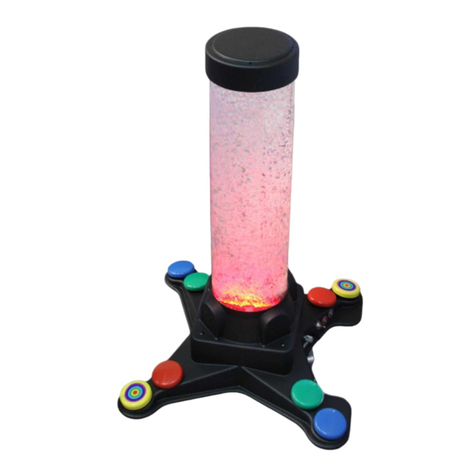
Enabling Devices Musical Bubble Tube User manual

Enabling Devices

Enabling Devices Musical Bubble Tube User manual

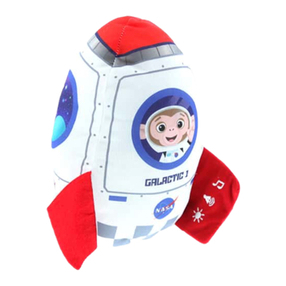
Enabling Devices Baa Baa Baby Lamb User manual

Enabling Devices

Enabling Devices Baa Baa Baby Lamb User manual

Enabling Devices 9339 User manual

Enabling Devices

Enabling Devices 9339 User manual

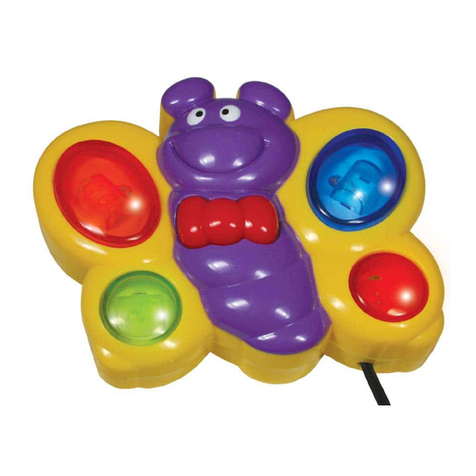
Enabling Devices Butterfly 148 User manual

Enabling Devices

Enabling Devices Butterfly 148 User manual

Enabling Devices 9230 User manual

Enabling Devices

Enabling Devices 9230 User manual

Enabling Devices Mini-Shooting Stars User manual

Enabling Devices

Enabling Devices Mini-Shooting Stars User manual

Enabling Devices Cheap Talk 8 Six Level User manual

Enabling Devices

Enabling Devices Cheap Talk 8 Six Level User manual

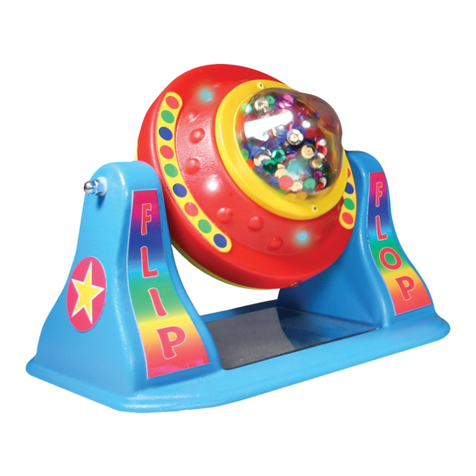
Enabling Devices Flip Flop 503 User manual

Enabling Devices

Enabling Devices Flip Flop 503 User manual

Enabling Devices 1439 User manual

Enabling Devices

Enabling Devices 1439 User manual

Enabling Devices 2336 User manual

Enabling Devices

Enabling Devices 2336 User manual

Enabling Devices Nature's Fire User manual

Enabling Devices

Enabling Devices Nature's Fire User manual

Enabling Devices 1593 User manual

Enabling Devices

Enabling Devices 1593 User manual

Enabling Devices Peek-a-Boo 7508M User manual

Enabling Devices

Enabling Devices Peek-a-Boo 7508M User manual

Enabling Devices Dance and Move BeatBo 9231 User manual

Enabling Devices

Enabling Devices Dance and Move BeatBo 9231 User manual

Enabling Devices 646 Mini User manual

Enabling Devices

Enabling Devices 646 Mini User manual

Enabling Devices 2241 User manual

Enabling Devices

Enabling Devices 2241 User manual

Enabling Devices Textured Talkable II User manual

Enabling Devices

Enabling Devices Textured Talkable II User manual

Enabling Devices Seal User manual

Enabling Devices

Enabling Devices Seal User manual

Enabling Devices Kaleido-Dome with Shapes User manual

Enabling Devices

Enabling Devices Kaleido-Dome with Shapes User manual

Enabling Devices 1203 User manual

Enabling Devices

Enabling Devices 1203 User manual

Enabling Devices Boppin' Beaver User manual

Enabling Devices

Enabling Devices Boppin' Beaver User manual

Enabling Devices Glitter Gumball Switches 7830B User manual

Enabling Devices

Enabling Devices Glitter Gumball Switches 7830B User manual

Popular Toy manuals by other brands

marklin 37321 instruction manual

marklin

marklin 37321 instruction manual

Canon PAPER CRAFT Assembly instructions

Canon

Canon PAPER CRAFT Assembly instructions

GREAT PLANES Pitts M-12S instruction manual

GREAT PLANES

GREAT PLANES Pitts M-12S instruction manual

NOCH 14261 manual

NOCH

NOCH 14261 manual

Hausler 450 SE V2 quick start

Hausler

Hausler 450 SE V2 quick start

Dynaflite Daydream instruction manual

Dynaflite

Dynaflite Daydream instruction manual

Kenner Batman 63651 instructions

Kenner

Kenner Batman 63651 instructions

LEGO 8527 instructions

LEGO

LEGO 8527 instructions

Multiplex EasyStar II Building instructions

Multiplex

Multiplex EasyStar II Building instructions

iKarus ECO 8 Assembly instruction

iKarus

iKarus ECO 8 Assembly instruction

Walkera 38 User handbook

Walkera

Walkera 38 User handbook

Hasbro TRANSFORMERS BUMBLEBEE manual

Hasbro

Hasbro TRANSFORMERS BUMBLEBEE manual

MD MXION SWD user manual

MD

MD MXION SWD user manual

Mattel Disney Pixar Cars Cozy Cone Spiral Rampway instructions

Mattel

Mattel Disney Pixar Cars Cozy Cone Spiral Rampway instructions

marklin 39671 user manual

marklin

marklin 39671 user manual

LEGO TECHNIC 8735 instructions

LEGO

LEGO TECHNIC 8735 instructions

Mattel HOTWHEELS DWL04 instructions

Mattel

Mattel HOTWHEELS DWL04 instructions

REVELL Bristol Beaufighter TF.X Assembly manual

REVELL

REVELL Bristol Beaufighter TF.X Assembly manual

https://manuals.online logo
https://manuals.online logoBrands
  • About & Mission
  • Contact us
  • Privacy Policy
  • Terms and Conditions

Copyright 2026 Manuals.Online. All Rights Reserved.

For Technical Support:
Call our Technical Service Department
Monday through Friday, 9 a.m. to 5 p.m. (EST)
-800-TEC-TOYS or -800-832-8697
customer_support@enablingdevices.com
ABC Train #5129
USER’S GUI E
50 Broadway
Hawthorne, NY 0532
Tel. 9 4.747.3070 / Fax 9 4.747.3480
Toll Free 800.832.8697
www.enablingdevices.com
Five different activations!
We’ve adapted this colorful, happy train with two switch jacks. A light-
up screen and fun songs help children learn letters, numbers, animals,
first words, greetings, and more. Includes 30 songs, tunes and phrases
along with sounds and lights. Has an on/off switch and volume
selections. Size: 8"L x 4"W x 7"H. Requires 3 AA Batteries. Weight:
¼ lbs.
Operation:
. ABC Train requires 3 AA Batteries to operate. Alkaline batteries
are recommended because they last longer. Do not use rechargeable
batteries because they supply a lower voltage and the unit may not
perform as well. Never mix old and new batteries together or
different brands or types together.
2. To install the batteries turn ABC Train over and locate the small
screws on the battery cover door. Using a Phillips head screwdriver
open the compartment and install 3 AA batteries paying close
attention to proper battery polarity. Replace the battery
compartment cover and secure with the screws.
3. Set the High/Low volume switch to the desired level. Next connect
to any, one or two external capability switches (not included) via the
jacks located at the back of ABC Train. ABC Train is equipped
with two /8" female mono jacks for use with external capability
switches that have a /8" mono plug. Make sure your connections
are plugged in all the way. There should be no gaps.
4. Set the selector switch on the side of the ABC Train to ABC or
Music. The first switch jack will replicate pressing on the Train’s
smoke stack and the second switch jack will replicate spinning the
wheel on the top of ABC Train. The ABC Train will also work
without switches by activating the locations mentioned earlier or by
moving the ABC Train back and forth. For more information on
features and functions please reference the original manufactures
instructions here:
http://service.mattel.com/instruction_sheets/W2234pr-0920.pdf
Troubleshooting:
Problem: ABC Train does not function correctly.
Action #1: Replace the batteries paying close attention to proper battery
polarity.
Action #2: Make sure that the connection between the external
capability switch or switches and the jacks are plugged in all the way.
There should be NO gaps.
Action #3: Try your switch with another switch operated device in an
effort to rule out your switch as the source of the problem.
Care of Unit:
If you will not be using ABC Train for an extended amount of time, we
recommend removing the batteries.
ABC Train can be wiped clean with any mild household multi-purpose,
non-abrasive cleaner and disinfectant. We recommend Simple Green,
which is a non toxic biodegradable all-purpose cleaner.
o not use abrasive cleaners, as they will scratch the surface of the
unit.
o not submerge the unit, as it will damage the electrical
components.
Rev 10/1/12