manuals.online logo
Brands
  1. Home
  2. •
  3. Brands
  4. •
  5. Lippert
  6. •
  7. Automobile Accessories
  8. •
  9. Lippert CURT 45937 User manual

Lippert CURT 45937 User manual

Other Lippert Automobile Accessories manuals

Lippert OneControl User manual

Lippert

Lippert OneControl User manual

Lippert Curt 16613 User manual

Lippert

Lippert Curt 16613 User manual

Lippert Ground Control 3.0 User manual

Lippert

Lippert Ground Control 3.0 User manual

Lippert ARIES S224050 User manual

Lippert

Lippert ARIES S224050 User manual

Lippert Sway Command 1.5 User manual

Lippert

Lippert Sway Command 1.5 User manual

Lippert 2021000090 Installation instructions

Lippert

Lippert 2021000090 Installation instructions

Lippert Curt 18110 User manual

Lippert

Lippert Curt 18110 User manual

Lippert SMART BED UNIVERSAL KIT User manual

Lippert

Lippert SMART BED UNIVERSAL KIT User manual

Lippert JT's Strong Arm Installation instructions

Lippert

Lippert JT's Strong Arm Installation instructions

Lippert 10570 Instruction manual

Lippert

Lippert 10570 Instruction manual

Lippert Kwikee Step Well Cover User manual

Lippert

Lippert Kwikee Step Well Cover User manual

Lippert Power Steps 2.0 User manual

Lippert

Lippert Power Steps 2.0 User manual

Lippert 2000 Series User manual

Lippert

Lippert 2000 Series User manual

Lippert Curt 18150 User manual

Lippert

Lippert Curt 18150 User manual

Lippert VELA POP-UP ROOF User manual

Lippert

Lippert VELA POP-UP ROOF User manual

Lippert LUVERNE 401720 User manual

Lippert

Lippert LUVERNE 401720 User manual

Lippert SolidStep 4.0 User manual

Lippert

Lippert SolidStep 4.0 User manual

Lippert Promaster User manual

Lippert

Lippert Promaster User manual

Lippert Level-up User manual

Lippert

Lippert Level-up User manual

Lippert Vela User manual

Lippert

Lippert Vela User manual

Lippert ARIES 2500207 User manual

Lippert

Lippert ARIES 2500207 User manual

Lippert Stargazer Spirit XTR User manual
Lippert

Lippert Stargazer Spirit XTR User manual

Lippert Curt 60654 User manual

Lippert

Lippert Curt 60654 User manual

Lippert Curt 13496 User manual

Lippert

Lippert Curt 13496 User manual

Popular Automobile Accessories manuals by other brands

James Baroud Odyssey user guide

James Baroud

James Baroud Odyssey user guide

Motorola i50sx owner's manual

Motorola

Motorola i50sx owner's manual

Yakima 9MM STANDARD BIKE MOUNT instructions

Yakima

Yakima 9MM STANDARD BIKE MOUNT instructions

Feniex T3 instruction manual

Feniex

Feniex T3 instruction manual

Kia E8300-4D000 manual

Kia

Kia E8300-4D000 manual

Brink 756843 installation instructions

Brink

Brink 756843 installation instructions

Whispbar K085W Fitting instructions

Whispbar

Whispbar K085W Fitting instructions

v.link CI-VL2-PC-HSD manual

v.link

v.link CI-VL2-PC-HSD manual

Viking Stack-Rack Assembly and use instructions

Viking

Viking Stack-Rack Assembly and use instructions

Aries 203015 installation manual

Aries

Aries 203015 installation manual

Choetech AT0005 user manual

Choetech

Choetech AT0005 user manual

ZZ2 ZZAIR-PRO instruction manual

ZZ2

ZZ2 ZZAIR-PRO instruction manual

Holman 4A80L installation guide

Holman

Holman 4A80L installation guide

Thule 2075 parts manual

Thule

Thule 2075 parts manual

Motorola T325 quick start guide

Motorola

Motorola T325 quick start guide

TAUBENREUTHER 16-3950 FITTING INSTRUCTION

TAUBENREUTHER

TAUBENREUTHER 16-3950 FITTING INSTRUCTION

DV8 FBJL-02 Product installation manual

DV8

DV8 FBJL-02 Product installation manual

Prorack K1163 manual

Prorack

Prorack K1163 manual

manuals.online logo
manuals.online logoBrands
  • About & Mission
  • Contact us
  • Privacy Policy
  • Terms and Conditions

Copyright 2025 Manuals.Online. All Rights Reserved.

CURTMFG.COM •PRODUCT SUPPORT: 877.287.8634 •45937-INS-RA •08/09/2022 •ECN9781 •PAGE 1
Maintenance
Mild automotive detergent may be used to
clean the product. Do not use dish detergent,
abrasive cleaners, abrasive pads, wire
brushes or other similar products that
may damage the finish.
Product Registration and Warranty
CURT stands behind our products with industry-leading warranties. To get copies of the product
warranties, register your purchase or provide feedback, visit: warranty.curtgroup.com/surveys
Weight Capacity
Gross trailer weight (GTW) 20,000 lbs.
Tongue weight (TW) 2,000 lbs.
INSTALLATION MANUAL 45937
Tools Required
None
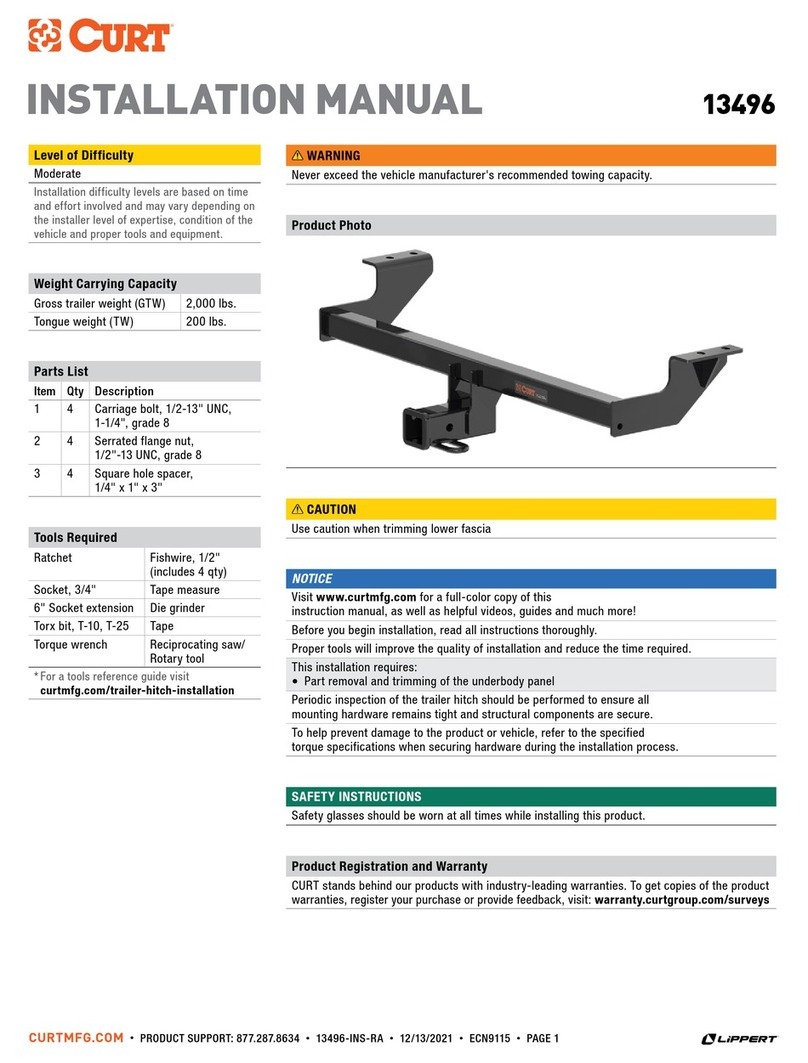
Product Photo
Parts List
Item Qty Description
1 1 Adjustable shank
2 1 Dual ball
3 2 Pin
4 1 Clip
Hitch pin and clip not included
Level of Difficulty
Easy
WARNING
Never exceed the vehicle manufacturer's recommended towing capacity. The ratings of
the mount system are intended to represent the capability of the product and in no way
reflect the ratings or capacity of the towing system it is being used with. The consumer
or operator are strongly advised to learn the ratings of the various components of the
towing system and never exceed the limits of the lowest rated component being used.
Use of any pin other than that of the mount system manufacturer
could be a serious safety hazard and will void the warranty.
Never hook up trailer safety chains to the mount system. Ensure the safety
chains operate freely around the mount system and do not become entangled.
NOTICE
Before you begin installation, read all instructions thoroughly.
CURTMFG.COM •PRODUCT SUPPORT: 877.287.8634 •45937-INS-RA •08/09/2022 •ECN9781 •PAGE 2
Step 2 - Determine Required Ball Height
Determine the proper ball height by leveling the trailer and measuring
from the bottom of the trailer tongue to the ground, see below.
Find the hole closest to that measurement on the adjustable shank (#1).
The trailer ball platform (#2) will be centered on that hole.
TrailerCoupler
Channel Mount
Level Ground
Drop
Rise
Vehicle
Receiver
Tube
BALL HEIGHT
Step 1 - Insert into the Trailer Hitch
Begin by installing the shank (#1) into the trailer hitch receiver
and secure it with a hitch pin and clip (sold separately).
ASSEMBLY & SETUP
Step 3 - Attach the Tongue
Based on the determined ball height, slide the tongue
onto the shank and align with the proper hole locations.
Angle the tongue slightly upwards and press in toward the shank.
Insert a pin (#3) into the top tongue hole first. To pin the bottom
tongue hole, apply downward force to the tongue, and slide
the second pin into place.
Note: The highest mounting position will require the bottom
pin to be installed first with the tongue angled downward.
Then, apply force upwards to install the second pin.
Secure all pins with the included clip (#4).
WARNING
The provided pins are specifically engineered for this system.
If replacement pins are needed, they must be replaced
with original factory mount pins (CURT# 45931).
Parts List
Item Qty Description
1 1 Adjustable shank
2 1 Dual ball
3 2 Pin
4 1 Clip
Hitch pin and clip not included
1
3
2
4