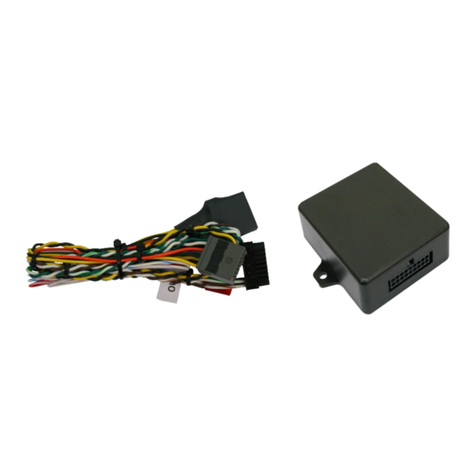
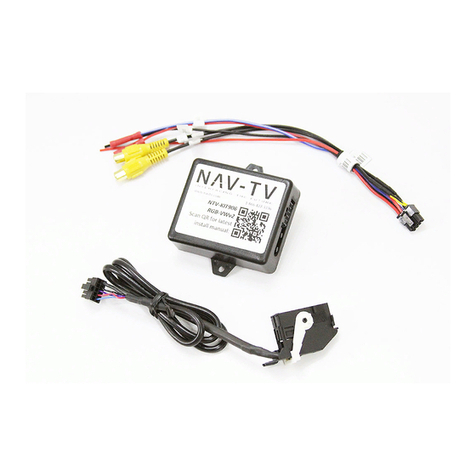
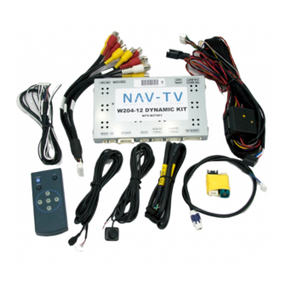
1. After removing the factory radio, grab the provided Plug & Play T-harness and connect the female
side to the factory 44-pin plug. Make certain the lock connects together securely.
2. Install all cameras and run signal/power leads into the front dash opening. Note: 12v ACC is
provided from output 1 (PIN 11, white/red). If connecting multiple cameras, trigger a relay with
this output instead to power your cameras!
3. The provided Plug & Play T-Harness contains red & black AUDIO RCA’s in the center of the plug &
play section. If not adding any AV source for this install (AVSW), connect these together. If left
disconnected, audio will not pass through the system properly.
4. Connect the male ‘VIDEO OUT’ RCA to the ‘REAR CAMERA’ RCA among the Plug & Play T-Harness
of the UCTv2.
5. Connect the TX wire (PIN 14, white/brown) from the UCTv2 to the RX wire (PIN11, brown/black) on the SVS-6
module.
6. Ground the black wire and provide ACC 12v (+) to the SVS-6 module using output 1 from the UCTv2 module.
7. Connect video source signals to the SVS-6 module that you are using for this install. NOTE: if the vehicle has an
OEM rear camera: connect the male, radio-side RCA among the (UCTv2) Plug & Play T-Harness through the
provided D2C module, then to the ‘Rear Cam’ RCA on the SVS-6 module to retain it normally (see below, and
diagrams on next page).
8. Do NOT connect any other wires on the SVS-6 module - the serial data sent via the TX/RX
wires handle triggering.
9. Set the DIP Switches properly for MULTI-CAM use on the SVS-6 (1 UP and the rest DOWN).
10. Optional: If this is a ’13-’15 RAM vehicle and the user wishes for both OEM cameras
(Tailgate & Cargo) to be displayed on the main 8.4” media screen, see page 6 or 7.
11. Connect the male side of the Plug & Play T-Harness to the main radio display. Proceed to
page 10 & 11 for programming.