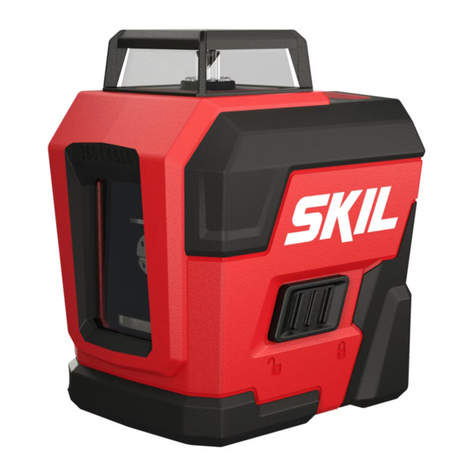
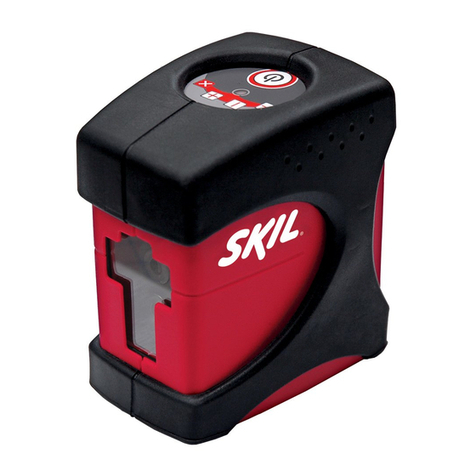
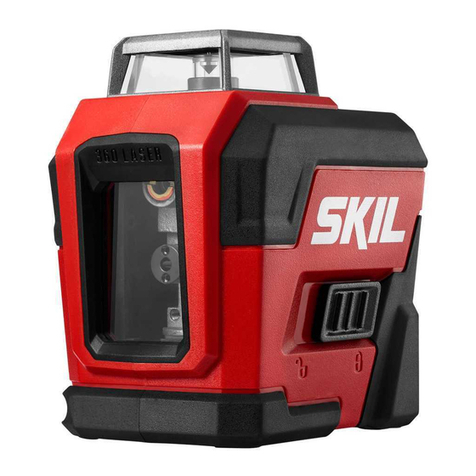
Skil LL932201 User manual

1-877-SKIL-999 OR www.skiltools.com
WARNING: To reduce the risk of injury, the user must read and understand the
Operator’s Manual before using this product. Save these instructions for future reference.
AVERTISSEMENT : Afin de réduire les risques de blessure, l’utilisateur doit lire et
comprendre le guide d’utilisation avant d’utiliser cet article. Conservez le présent guide
afin de pouvoir le consulter ultérieurement.
ADVERTENCIA : Para reducir el riesgo de lesiones, el usuario debe leer y comprender
el Manual del operador antes de utilizar este producto. Guarde estas instrucciones para
consultarlas en caso sea necesario.
Owner’s Manual
Guide d’utilisation
Manual del propietario
For Customer Service
Pour le service à la clientèle
Servicio al cliente
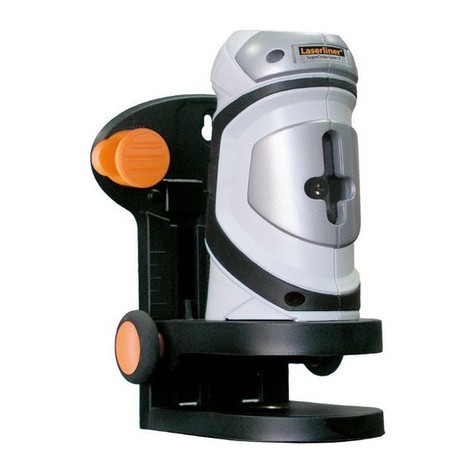
Self-leveling 360 Degree Red Cross line Laser
Niveau laser à croix rouge et à nivellement
automatique 360°
Láser autonivelante de líneas cruzadas
rojas de 360 grados
Model/ Modelo/ Modèle: #LL932201

2
TABLE OF CONTENTS
General Laser Tool Safety Warnings. ...............................3
FCC Statement................................................3-4
Safety Rules For Connecting External Power Supply ..................4
Symbols .....................................................5-6
Get to Know Your Laser Tool.......................................7
Packing List ....................................................8
Specications ..................................................8
Operating Instructions ........................................9-14
Maintenance...................................................15
Trouble Shooting...............................................15
Limited Warranty Of Skil Consumer Tools ..........................16

3
GENERAL LASER TOOL SAFETY WARNINGS
READ ALL INSTRUCTIONS BEFORE USING THE TOOL!
WARNING LASER RADIATION. Do not stare into beam. Class II laser product. Turn
the laser beam on only when using this tool.
Do not remove or deface any product labels.
Avoid direct eye exposure. The laser beam can
cause ash blindness.
Do not operate the tool around children or allow
children to operate the tool.
Do not place the tool in a position that may cause
anyone to stare at the laser beam, whether
intentionally or unintentionally.
Do not use on surfaces such as sheet steel that
have shiny, reective surfaces. The shiny surface
could reect the beam back at the operator.
Always turn the laser tool off when not in use.
Leaving the tool on increases the risk of someone
inadvertently staring into the laser beam.
Do not attempt to modify the performance of
this laser device in any way. This may result in a
dangerous exposure to laser radiation.
Do not attempt to repair or disassemble the tool. If unqualied persons attempt to repair
this product, serious injury may occur. Any repair required on this laser product should be
performed only by qualied service personnel.
Use of other accessories that have been designed for use with other laser tools could result in
serious injury.
Do not operate the tool outdoors.
Do not place or store tool under extreme temperature conditions.
FCC STATEMENT
The manufacturer is not responsible for radio interference caused by unauthorized
modications to this equipment. Such modications could void the user’s authority to operate
the equipment.
This device complies with Part 15 of the FCC Rules. Operation is subject to the following two
conditions:
(1) This device may not cause harmful interference.
(2) This device must accept any interference received, including interference that may cause
undesired operation.
Changes or modications not expressly approved by the party responsible for compliance
could void the user’s authority to operate the equipment.
CAN ICES-3(B)/NMB-3(B)
MADE IN CHINA /
HECHO EN CHINA /
FABRIQUÉ EN CHINE
SERIAL NO. / SERIE NO. /
NUMÉRO DE SÉRIE
Model/ Modelo / Modèle: LL932201
4.44 Wh
CAUTION/PRECAUCIÓN/ATTENTION
AVOID EXPOSURE/EVITE LA EXPOSICIÓN/ÉVITEZ L’EXPOSITION
LASER RADIATION IS EMITTED FROM THIS APERTURE
LA RADIACIÓN LÁSER SE EMITE DE ESTA ABERTURA
CET OUTIL PRODUIT UN RAYONNEMENT LASER
LASER RADIATION-DO NOT STARE INTO BEAM
RADIACIÓN LÁSER: NO MIRE DIRECTAMENTE EL RAYO
RAYONNEMENT LASER – NE FIXEZ PAS DES YEUX LE RAYON LASER
CAUTION: Risk of re and burns. Do not open, crush, heat above 100° C (212° F) or
incinerate.
PRECAUCIÓN : Riesgo de incendio y quemaduras. No abra, triture, permita que esté
a mayor temperatura que 100° C (212 °F) ni incinere.
ATTENTION : Risque d’incendie et de brûlures. N’ouvrez pas le produit, ne l’écrasez
pas, ne le chauffez pas à plus de 100 ºC (212°F) et ne l’incinérez pas.
635nm, OUTPUT < 1mW/CLASS II LASER PRODUCT 3.7V 1200mAh Li-Polymer
COMPLIES WITH 21 CFR PARTS 1040.10 AND 1040.11
PRODUCTO LÁSER CON SALIDA < 1mW. CLASE II, 635nm, 3,7V 1200mAh
polímero de litio
CUMPLE CON LAS SECCIONES 21 CFR 1040.10 Y 1040.11
635nm, SORTIE < 1 mW/PRODUIT LASER DE CLASSE II Pile au lithium-polymère de
3,7 V, 1200 mAh
CONFORME AUX NORMES 21CFR ARTICLES 1040.10 ET 1040.11

4
NOTE! This equipment has been tested and found to comply with the limits for a Class B
digital device, pursuant to Part 15 of the FCC Rules. These limits are designed to provide
reasonable protection against harmful interference in a residential installation. This equipment
generates, uses, and can radiate radio frequency energy and, if not installed and used in
accordance with the instructions, may cause harmful interference to radio communications.
However, there is no guarantee that interference will not occur in a particular installation. If
this equipment does cause harmful interference to radio or television reception, which can be
determined by turning the equipment off and on, the user is encouraged to try to correct the
interference by one or more of the following measures:
• Reorient or relocate the receiving antenna.
• Increase the separation between the equipment and receiver.
• Connect the equipment into an outlet on a circuit different from that to which the receiver is
connected.
• Consult the dealer or an experienced radio/TV technician for help.
DANGER People with electronic devices, such as pacemakers, should consult their
physician(s) before using this product. Operation of electrical equipment in
close proximity to a heart pacemaker could cause interference or failure of the pacemaker.
SAFETY RULES FOR CONNECTING EXTERNAL POWER
SUPPLY
WARNING Read and follow all instructions below before connecting with an
external power supply, such as AC supply or DC mobile power.
Failure to follow all instructions below may result in electric shock, explosion, re and/or
serious personal injury.
Use only an adapter for which output voltage is 5V and output electricity is ≥0.5A.
Conrm that the adapter suits the AC supply before connecting.
Conrm that the mobile power source has output voltage of 5V and output electricity of ≥0.5A
before connecting.
Keep the adapter clean. Check the adapter, cable and plug before do connecting. If damage is
detected, do not use or repair by yourself, change the damaged one or get repairs performed
by authorized service personnel, otherwise electric shock may occur.
Do not connect with AC supply on easily ammable surfaces (e.g., paper, textiles, etc.) or
surroundings. The heating of the adapter during use may pose a re hazard.
Children or persons with physical, sensory or mental limitations or lack of experience and
knowledge are not capable of securely operating the adapter unless they are being given
supervision or have been instructed by a responsible person.

5
SYMBOLS
Safety Symbols
The purpose of safety symbols is to attract your attention to possible dangers. The safety
symbols and the explanations with them deserve your careful attention and understanding.
The symbol warnings do not, by themselves, eliminate any danger. The instructions and
warnings they give are no substitutes for proper accident prevention measures.
WARNING Be sure to read and understand all safety instructions in this Operator’s
Manual, including all safety alert symbols such as “DANGER,”
“WARNING,” and “CAUTION” before using this tool. Failure to following all instructions listed
below may result in electric shock, re, and/or serious personal injury.
The denitions below describe the level of severity for each signal word. Please read the
manual and pay attention to these symbols.
This is the safety alert symbol. It is used to alert you to potential
personal injury hazards. Obey all safety messages that follow this
symbol to avoid possible injury or death.
DANGER DANGER indicates a hazardous situation which, if not avoided, will
result in death or serious injury.
WARNING WARNING indicates a hazardous situation which, if not avoided, could
result in death or serious injury.
CAUTION CAUTION, used with the safety alert symbol, indicates a hazardous
situation which, if not avoided, will result in minor or moderate injury.
Damage Prevention And Information Messages
These inform the user of important information and/or instructions that could lead to equipment
or other property damage if they are not followed. Each message is preceded by the word
“NOTICE”, as in the example below:
NOTICE: Equipment and/or property damage may result if these instructions are not followed.
IMPORTANT: Some of the following symbols may be used on your tool. Please study them
and learn their meaning. Proper interpretation of these symbols will allow you to operate the
tool better and safer.
Symbol Name Designation/Explanation
V Volts Voltage (potential)
A Amperes Current
mW Milliwatt Power
nm Nanometer Wavelength
kg Kilograms Weight
min Minutes Time

6
Symbol Name Designation/Explanation
s Seconds Time
Wh Watt-hours Battery capacity
mAh Milliampere-Hours Battery capacity
Direct current Type or a characteristic of current
Unlock Icon
Push the mode switch in the direction
of the icon, the tool will enter the self-
leveling mode and the cross line laser will
be turned on
Lock Icon Push the mode switch in the direction of
the icon, the tool will be turned off and
locked
LED Indicator for Leveling
Status
If the tool is placed exceeds the self-
leveling range (±4°from horizontal) in self-
leveling mode, or when the tool is working
in manual leveling mode, it will illuminate
in red
LED Indicator for Battery
Capacity
The color status varies with the battery
capacity the tool rests during charging
and normal usage
Laser Button
To turn the Self-Leveling 360 Degree
Cross Line Laser on and off in manual
leveling mode; Switch laser projection
mode in both self-leveling and manual
leveling modes
CEC Energy Efciency Logo CEC certication logo for battery charging
system
Li-ion RBRC seal Designates Li-ion battery recycling
program
Read manual symbol Alerts user to read manual

7
GET TO KNOW YOUR LASER TOOL
This Self-Leveling 360 Degree Cross Line Laser is highly versatile. It can be hand-held,
leveled on a horizontal surface or mounted on a tripod (included).
Laser Aperture
Mode Switch
Unlock Icon Lock Icon Micro-USB Charging Port
Laser
Button
LED Indicator for
Leveling Status LED Indicator for
Battery Capacity
1/4’’ Threaded
Mounting Hole
Handle
Center
Column
1/4’’ Screw
Locking
Knob2
USB
Charging
Cable
Adjustable
Foot
Mounting
Plate
Locking
Knob3
1/4’’ Screw
Platform
Flip Lever
Crank
Locking
Knob1
Fig. 1

8
PACKING LIST
PART NAME QTY
Self-leveling 360 Degree Red Cross line Laser 1
Tripod 1
USB Charging Cable 1
Soft Bag 1
Instruction Manual 1
SPECIFICATIONS
Battery voltage 1200mAh 3.7V Lithium
Laser λ=635nm; Class II laser, Maximum laser output < 1mw
Self-levelling range ± 4°
Accuracy ±3/16 inch at 30 feet (0.5mm/m)
Operating range (typically,
depending on room illumination )* 65 feet (20m)
Operating time 10 hour
Optimum operating temperature +23°F to 104°F (-5℃ to 40℃)
Storage temperature -4°F to 158°F (-20℃ to 70℃)
*Important: Under unfavorable conditions, such as in bright light, the tool’s operating range
will be reduced.

9
OPERATING INSTRUCTIONS
WARNING To reduce the risk of re, personal injury, and product damage due to
a short circuit, never immerse your tool or charger in uid or allow a
uid to ow inside them. Corrosive or conductive uids, such as seawater, certain industrial
chemicals, and bleach or bleach containing products, etc., can cause a short circuit.
Applications
Your Self-Leveling 360 Degree Cross Line Laser can be hand-held for point marking and
simple alignment by sight, or it can be used to make a “chalk line” when in the lock mode. It
also can be mounted on a standard 1/4” tripod (included) to project laser lines on walls. It is
ideal for the following applications:
• Hanging pictures, photos, or artwork on walls
• Wallpapering and stencil work
• Framing doors and windows
• Installing electrical wiring and pipes
• Mounting wall xtures, electrical outlets, switches and lighting
• Installing a drop ceiling
• Painting
• Installing closets
• Laying tile and ooring
Charge the Tool and Monitor
Charge
NOTE: The tool is shipped partially charged;
charge the battery before rst use.
Recharge the tool for approximately 3
hours after the battery depleted. It is not
recommended to recharge the tool for more
than 24 hours after each use.
a. Insert the USB interface of the USB charging
cable into the USB port of the power supply
(not included).
b. Insert the charging plug into charging port
of the tool, making sure that the two are
properly connected.
c. Connect the power supply (together with
USB charging cable) to the power outlet.(FIG. 2)
The LED indicator for battery capacity will continuously icker in different colors during the
charging process.
• The LED indicator for battery capacity ickers red during charging when the charged battery
capacity will allow the tool to be operated for approximately 30 minutes or less.
• The LED indicator light ickers yellow during charging to indicate that the charged battery
capacity will allow the tool to be operated more than 30 minutes but has not reached 90% of
full capacity.
Fig. 2 Power Supply (Not
included)
Charging Plug

10
• The LED indicator light ickers in green during charging to indicate that the charged battery
capacity has reached more than 90% of full capacity.
• The LED indicator light steadily shines green when the battery has reached full charge
capacity.
Remember to remove the USB charging cable from tool when charging is complete.
During normal use, the LED indicator for battery capacity will illuminate continuously in
different colors to indicate approximately how much battery capacity remains.
• When the LED indicator light illuminates green, it indicates that the battery charge is more
than 40% of full capacity.
• When the LED indicator light illuminates yellow, it indicates that the battery charge is less
than 40% of full capacity.
• When the LED indicator light illuminates red, it indicates that the tool can only be operated
for approximately 30 minutes before turning off automatically.
To Turn the Self-Leveling 360 Degree Cross Line Laser On and Off
WARNING When turning on the Self-Leveling 360 degree Cross Line Laser,
always be aware of protecting your eyes and the eyes of those
around you. Never point the 360 Degree Cross Line Laser at anyone’s face, including
your own.
To turn the Self-Leveling 360 Degree Cross Line Laser on, push the mode switch in the
direction of the unlock icon, or press the laser button when the mode switch is in the direction
of the lock icon.
If the Self-Leveling 360 Degree Cross Line Laser is turned on with the mode switch in the
direction of unlock icon, push the mode switch in the direction of the lock icon to turn off.
If the Self-Leveling 360 Degree Cross Line Laser is turned on with the mode switch in the
direction of the lock icon, press the laser button repeatedly until it turns off.
Laser-Line Projection Modes
The Self-Leveling 360 Degree Cross Line Laser has three laser-projection modes. To select
a specic laser-projection mode, repeatedly press the laser button until you reach the desired
projection mode. This laser tool defaults to the cross-hair pattern mode when it is turned on.
To choose a projection mode, press the laser button:
• Press the button once to select the horizontal laser line.
• Press the button twice to select the vertical laser line.
• In the Self-Leveling mode, press the button three times to return to the cross-hair pattern.
In manual leveling mode, press the button three times to turn the laser off. Press the laser
button again to restart with the cross-hair pattern.
Table of contents
Languages:
Other Skil Laser Level manuals